Table of Contents
Choosing a document management system is a decision your firm lives with for years. Every document, email and matter ends up inside it, and moving off one later is real work.
That makes fit the first question to settle. A list of the best legal document management software can compare features but can’t tell you which vendor is wrong for a firm like yours.
Vendors rarely say who they’re wrong for. If LexWorkplace is on your shortlist, you’re probably weighing LexWorkplace alternatives too, like NetDocuments, SharePoint or the documents tab in your practice management system, and you deserve a straight answer about where each one wins.
So here’s ours, starting with the firms we fit: about 5 to 100 people who want documents, email and matters in one place without an IT project. We’d rather you buy the system that fits than the wrong one from us, so this guide names who we’re built for, the five kinds of firm that should choose something else, and what fits each instead.
Who Is LexWorkplace Built for, and Who Isn’t It For?
LexWorkplace is built for US and Canadian law firms of about 5 to 100 people, counting everyone at the firm rather than only attorneys, that want documents, email and matters organized in one place without an IT project. In most cases, it isn’t the best fit for a true solo or a solo plus an assistant, a firm over about 100 users, or most in-house legal departments.
Fit comes down to how your firm runs a matter. Map that process first, from intake to the closed file, and then choose the kinds of law firm software that match it.
Is LexWorkplace Right for a Small Law Firm?
Yes, if your firm has about 5 to 100 people and wants documents and email filed by matter in one searchable system without building it yourself. LexWorkplace is a true DMS for that size of firm. In most cases, a true solo is better served by OneDrive, Dropbox or a practice management system’s document storage until matter volume grows.
LexWorkplace handles
What it doesn’t do
Inside that range, we give your firm one record for each matter. Documents and email sit together, search runs across both, and every document keeps its version history.
LexWorkplace also comes ready to use. There’s no SharePoint build to plan, no consultant to hire and no IT lead needed to keep it running, which is what a firm without its own IT department gets from a purpose-built DMS.

Which Law Firms Should Choose Something Other Than LexWorkplace?
Five kinds of firm are better served by another product: a true solo, a Microsoft 365 firm with simple work and someone to build SharePoint, a firm tied to an on-premise practice management system like Tabs3 OnSite, a firm over about 100 users, and most in-house legal departments. Here’s what fits each one, and why.
Each of these products is a sound choice for the firm it fits, and the cases below say why.
A True Solo or a Solo plus an Assistant
The smallest firms are the clearest case, and it’s one we’d rather state plainly about our own product.
Basic cloud storage like OneDrive or Dropbox, or the document storage built into a practice management system such as Clio Manage, MyCase or CosmoLex, handles that volume well.
Whether your practice management system’s documents are enough comes down to one test: are your documents and email one connected record, or two scattered ones? While they’re still one record, the storage you already have is the right buy.
A Microsoft 365 Firm with Simple Work and Someone to Build SharePoint
If your firm already pays for Microsoft 365, does low-complexity work and has someone who’ll own the build, SharePoint is, in our view, the cheaper option on license cost. What it asks for instead is configuration, sometimes a Microsoft partner to set it up, and ongoing upkeep.
Our LexWorkplace vs SharePoint comparison reaches the same verdict: with that person in place, SharePoint is the sensible buy.
A Firm Tied to Tabs3 OnSite or Another On-Premise Practice Management System
When your DMS has to integrate with Tabs3 OnSite, the version a firm runs on its own servers, or another legacy, on-premise practice management product, we recommend NetDocuments in most cases. Our LexWorkplace vs NetDocuments comparison sets the two side by side, and for that integration, NetDocuments is the better fit.
A Firm over About 100 Users, or One That Needs FedRAMP or On-Premises Hosting
A firm past about 100 people usually has a records manager and an IT department or CTO, each with its own requirements, though nothing breaks at the 101st user.
Those requirements are what iManage and NetDocuments are built for: NetDocuments says its platform is FedRAMP authorized, iManage still supports running iManage Work on a firm’s own servers, and iManage Records Manager applies retention policies for records governance. Our iManage review covers what that platform offers a firm of that size.
Most In-House Legal Departments
Most in-house legal departments are looking for contract management rather than a law firm DMS. Their work centers on contracts, and at a large company the IT department’s requirements usually decide the tool.
Contract lifecycle management (CLM) software, a category related to document management, is where to start.
What Doesn’t LexWorkplace Do Today?
LexWorkplace has four limits today: no client upload portal, no real-time co-editing, no custom fields on documents or matters, and no prompt on send asking which matter to file an email to. Firms we talk to often ask about real-time collaboration and client uploads first, so here’s each limit in one line, with what firms do instead.
No Client Upload Portal
LexWorkplace has no incoming client upload portal. Documents go to clients and outside counsel as secure links that stay active for 30 days, can be revoked sooner and can be password-protected, and recipients can’t upload files back through them.
If your firm needs clients to send files in, pair LexWorkplace with one of the best client portal software options for law firms.
No Real-Time Co-Editing
LexWorkplace doesn’t support real-time co-editing: one person edits a document at a time, it locks while it’s open, and a user can check it out without opening it. Firms that draft together live use Microsoft 365 or Google Workspace co-authoring for that stage.
Check-out suits legal documents because nobody overwrites a colleague’s changes, and version history saves a new version every time someone saves. If your firm wants fewer versions, it can switch to manual versioning, so a new version is created only when someone asks for one.
No Custom Fields
LexWorkplace doesn’t support custom fields today, on documents or on matters. A paralegal reviewing us on Capterra put it plainly: “The big miss for our office is lack of custom fields – in our case a custom date field but it’s under review as a new feature.”
Custom fields for documents and matters are an open feature request, and they’re likely to be added at some point. We won’t put a date on it.
No Prompt on Send to File Email to a Matter
LexWorkplace doesn’t prompt you on every send to choose a matter for the email, the way some older DMSs do. Filing sent email to a matter works and always has: you save it from Sent Items to the matter like any other email, using LexWorkplace for Outlook.
A principal reviewing us on Capterra wanted “the on-screen option before an email is sent to store it to a particular folder (that way it was possible to do in LegalWorks).” The prompt is a popular request, and it’s possible we’ll add it, though we can’t say when.
What Has Changed Since Older LexWorkplace Reviews?
Several things older LexWorkplace reviews describe have changed: you can save a document from Word straight into LexWorkplace, sent email files to a matter, and search and automatic OCR have both shipped since a 2020 review asked for them. Here’s where each one stands today.
A review describes the product on the day it was written, so check its date before you weigh it.
How Can You Tell If Your Firm Is in LexWorkplace’s Fit Zone?
Your firm is in LexWorkplace’s fit zone if you can’t pull everything on a two-year-old matter, documents and email, from one place, and you’d rather not build that one place yourself. Both are tests you can run this week.
Start with the two-year-old matter. Pick one and ask someone to pull every document and email on it while you watch. If that means checking a shared drive, Outlook and someone’s desktop, your firm has outgrown basic storage and is in the range where a DMS is worth what it costs.
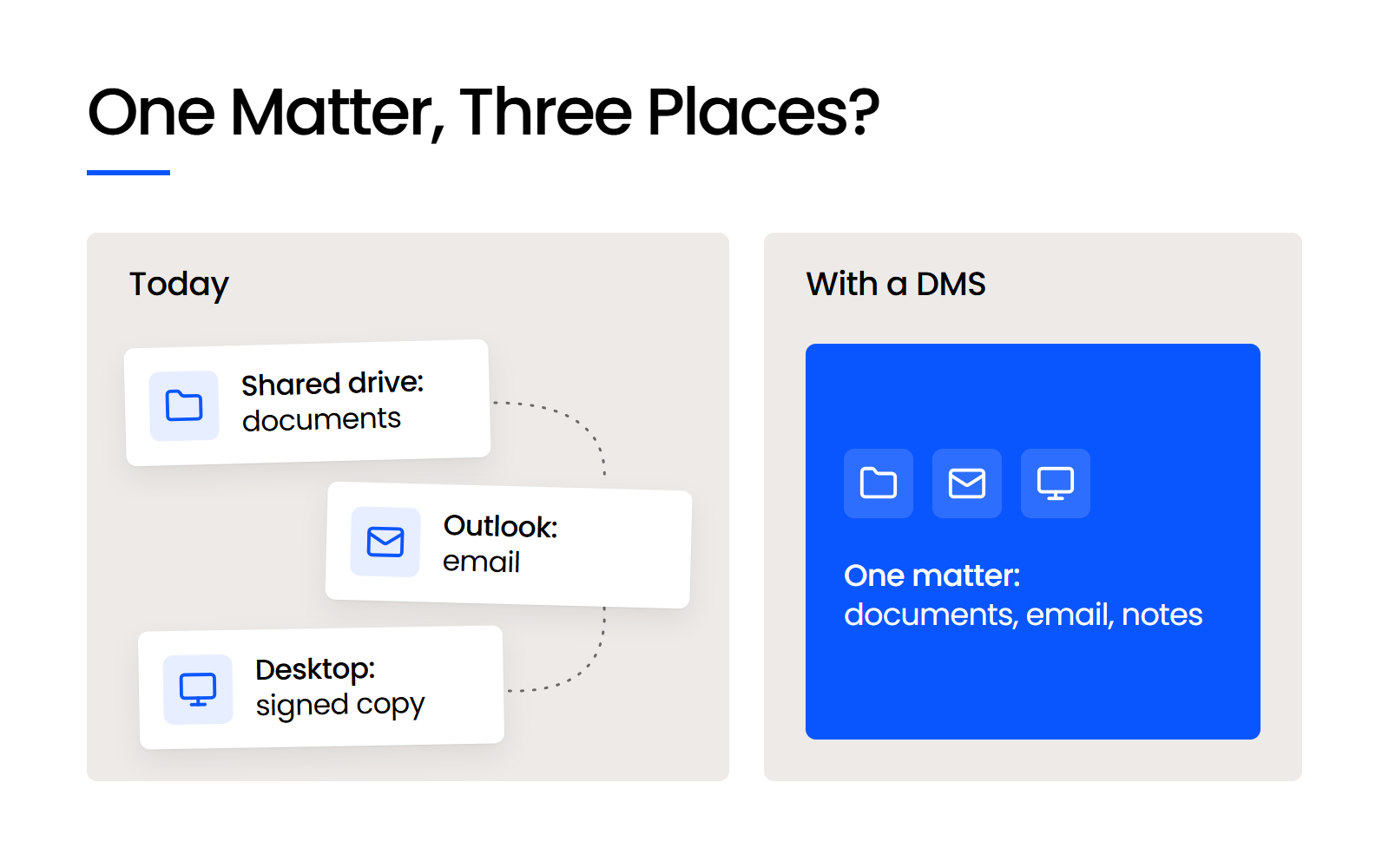
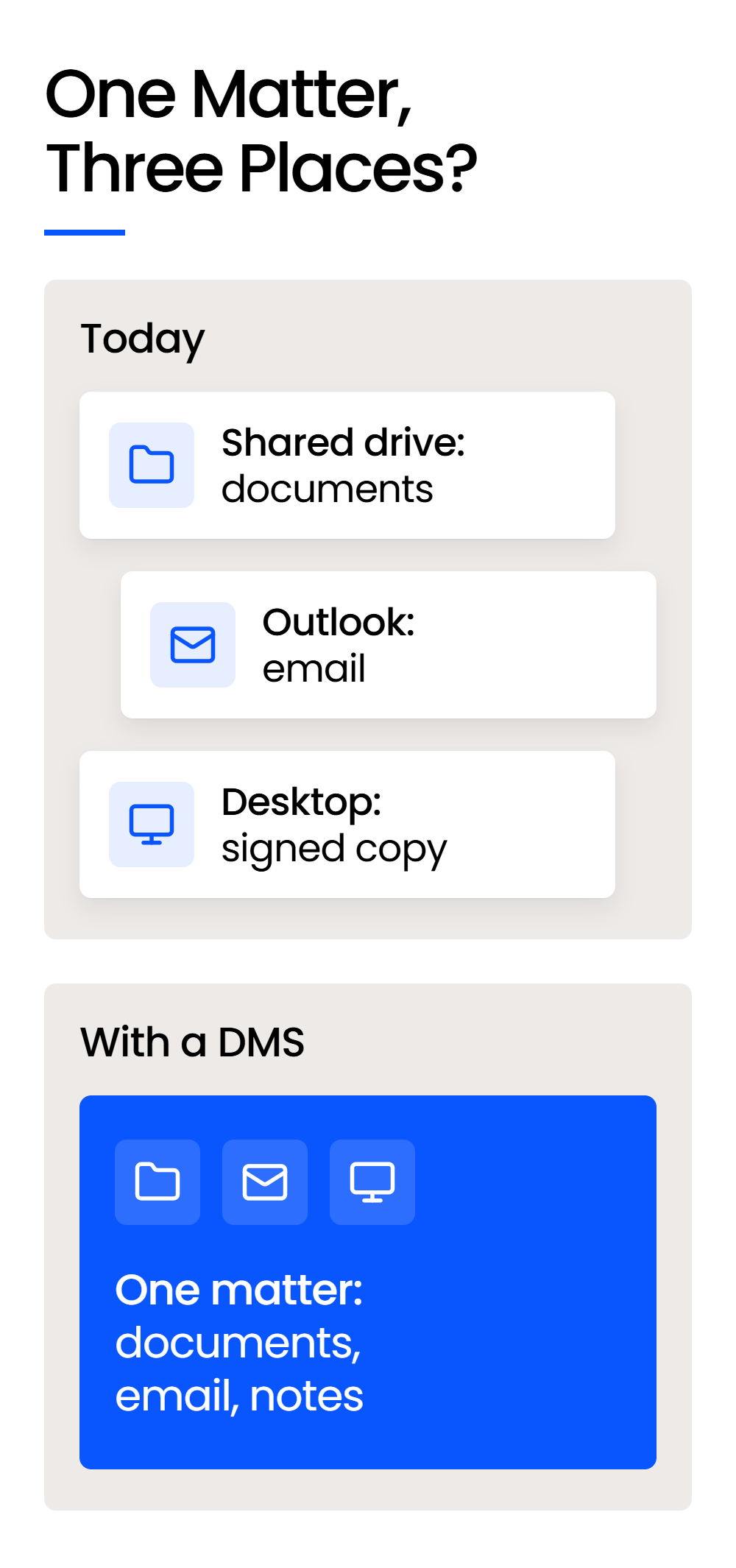
The other signs are about how your firm works, too:
A paralegal who switched to us from Worldox described fit the same way on Capterra: “It does exactly what we need without a contract or heavy pricetag.” If these signs describe your firm, you’re in LexWorkplace’s fit zone.
Outgrown Shared Drives
The specific signs a law firm has outgrown its shared drive, and what a document management system does differently.
How to Test the Fit Before You Commit
If your firm has about 5 to 100 people and wants documents, email and matters in one place without an IT project, LexWorkplace is built for you. The quickest way to confirm it is the 7-day free trial, with every feature, sample data and no credit card.
Before you start, see how leaving a DMS works, so you know the way out before you’re in. And if your firm matches one of the five cases above, we’d rather point you to the product that fits.
WHAT’S NEXT