LexWorkplace costs $395 a month for three users. Worldox and NetDocuments publish wider price ranges with no stated time period attached. None of the three use the same basis, so comparing them takes more work than it should.

This guide breaks down what legal document management software actually costs across the three providers most firms compare, on one consistent basis, then walks through how to calculate whether that cost pays for itself.

You’ll see the real monthly and annual cost for each vendor, what changes if you’re comparing cloud against on-premise, and the formula for working out your own return.

We see firms make this comparison every week, usually right before a budget conversation. This is the version we’d want in front of us for that conversation.

  • LexWorkplace, Worldox, and NetDocuments all price differently, and comparing them requires converting each to the same monthly, per-user basis.

  • At five users, the monthly cost runs from about $495 for LexWorkplace’s published rate up to roughly $795 for Worldox hosted in the cloud, per third-party estimates since neither non-LexWorkplace vendor publishes pricing.

  • Worldox’s on-premise version reaches end-of-life on December 31, 2026, which changes the practical comparison for any firm still considering it as a standalone purchase.

  • ROI comes from converting time saved, storage and paper costs avoided, and security risk reduced into the same terms as what the DMS costs.

  • The firms that get the most from a DMS pick the system that fits their workflow, then commit to using it well.

Breaking Down the Costs of Document Management Software

LexWorkplace, Worldox, and NetDocuments each price legal document management software differently, and none of them use a directly comparable basis unless you convert them yourself. LexWorkplace publishes a flat monthly rate. Worldox and NetDocuments are both quote-based and don’t list pricing publicly, so every number for them below comes from a named third-party source, not an official price list.

Here’s what that looks like once it’s converted to the same basis: monthly cost at five users, cloud-hosted where that option exists.

Initial Cost Comparison at 5 Users

Vendor Monthly (5 users) Annual (5 users) Basis
LexWorkplace $495/mo $5,940/yr Published. Core plan: $395/mo for 3 users, $50/mo per additional user.
NetDocuments $250–$325/mo $3,000–$3,900/yr Not published. LexWorkplace’s own NetDocuments pricing research puts it at $50–$65/user/month, typically with a 3-to-5-user minimum.
Worldox (cloud-hosted) $575–$795/mo $6,900–$9,540/yr Not published. Uptime Legal’s hosting pricing for Worldox in the cloud runs $115–$159/user/month. See note below on this citation’s cross-brand source.

Source line: LexWorkplace figure per lexworkplace.com/pricing/. NetDocuments and Worldox figures are third-party estimates, cited above; neither vendor publishes pricing.

Worldox carries an added wrinkle the table doesn’t show: on-premise Worldox reaches end of life on December 31, 2026, following NetDocuments’ 2022 acquisition of the company. A firm pricing out on-premise Worldox today is pricing out a product with a few months left before its host stops selling it as a standalone system.

That’s part of why the cloud-hosted figure above is the more useful number to work from going forward. On-premise licensing, where it’s still available for any of these three, adds server hardware and in-house IT time on top of the license itself, before you’ve counted a single hour of support.

Bar chart comparing 3-year total cost for LexWorkplace, Worldox, and NetDocuments at 5 users.

Implementation and ongoing costs sit on top of whatever number you land on above.

Initial Costs of Legal DMS

The three-vendor comparison above is the starting point, but it’s only useful once it’s set against your firm’s actual user count. LexWorkplace’s current pricing scales exactly with headcount; NetDocuments’ and Worldox’s ranges above do too, in rougher steps.

Implementation Costs of Legal DMS

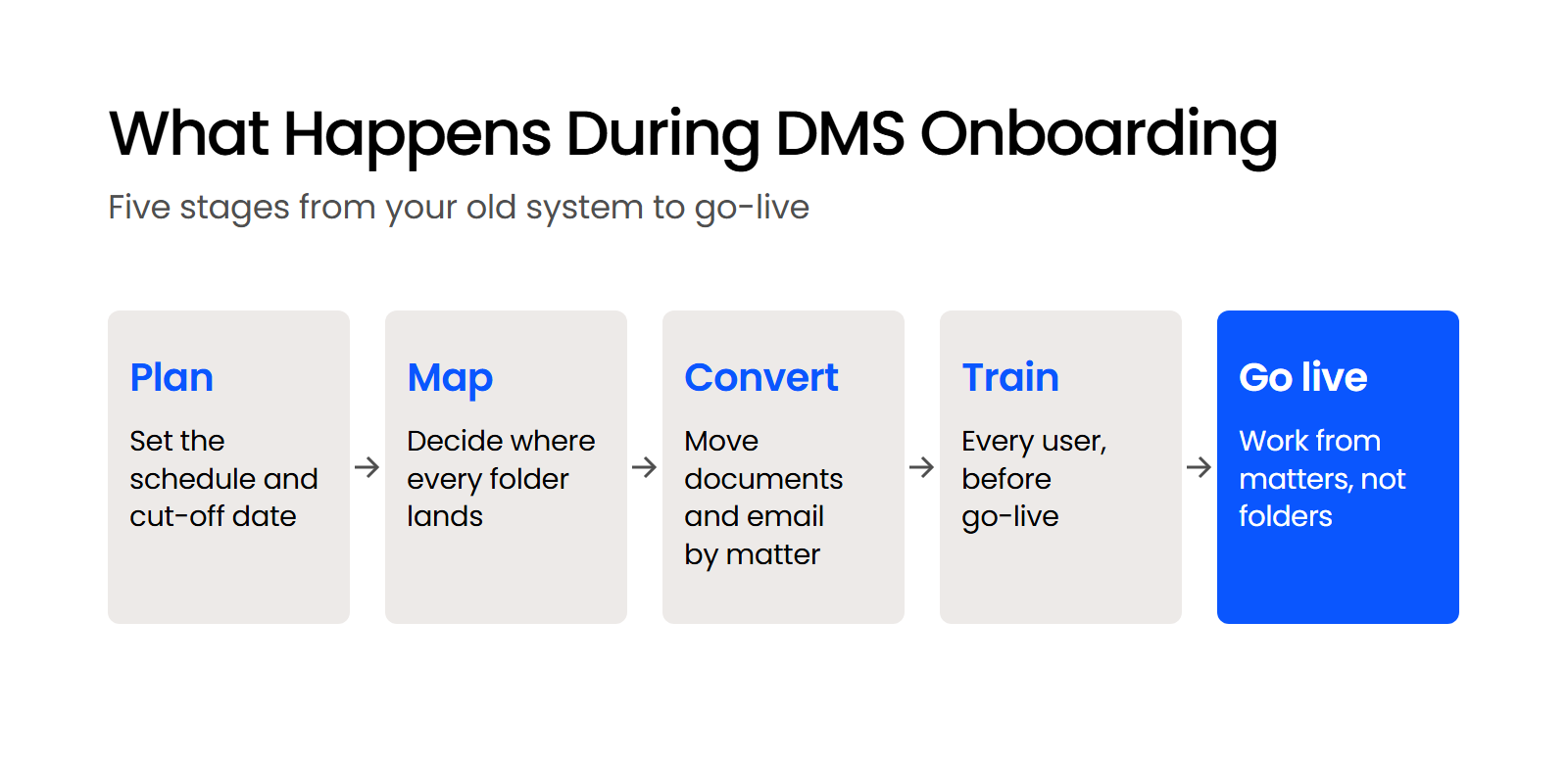
Every vendor above adds setup costs on top of the license or subscription. That typically includes installing and configuring the system, migrating existing documents and email into it, connecting it to your other legal software, and training staff before go-live.

NetDocuments routes this through third-party consultants rather than handling it directly, and pricing for that work runs from roughly $2,500 to $20,000 or more, depending on firm size and how much data needs converting. LexWorkplace includes migration and training as part of onboarding rather than pricing it separately.

Ongoing Costs of Legal DMS

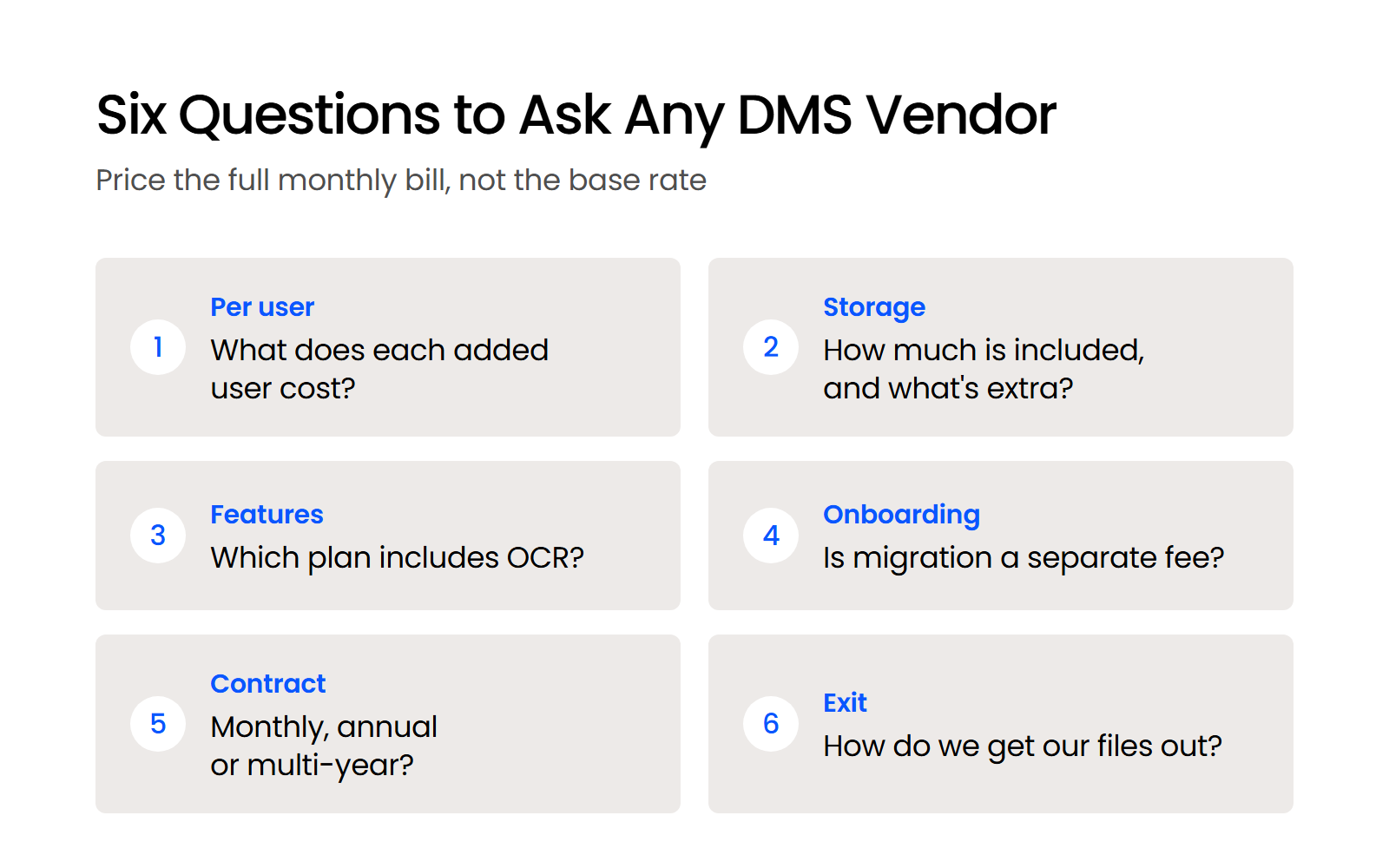
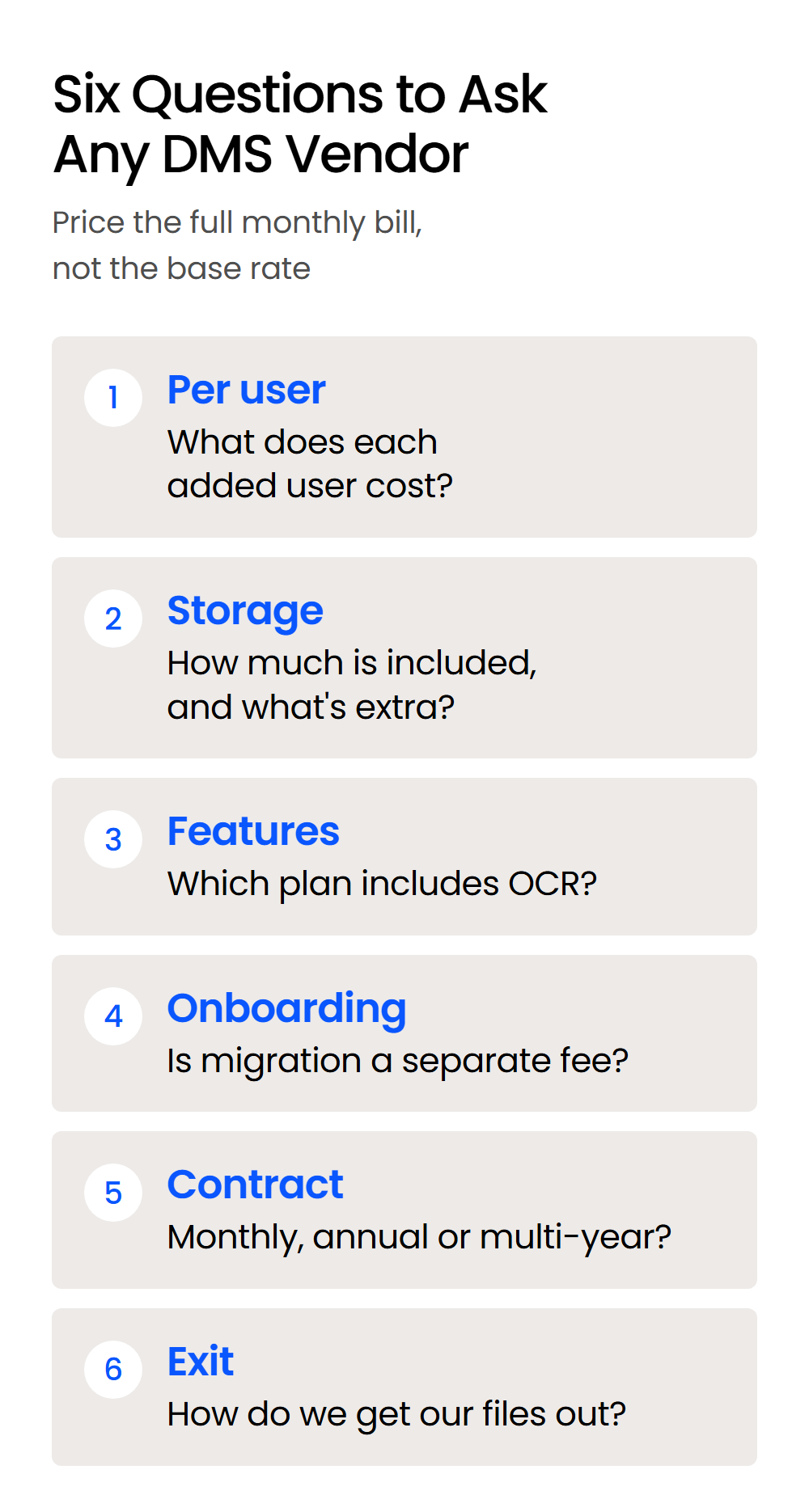
Once you’re live, ongoing costs come from added-user fees, storage beyond what’s included, support, and periodic retraining as staff turn over. This is where a subscription’s real annual cost usually lands higher than its advertised monthly rate once a firm adds even a couple of users past the base plan. Building that math into your comparison, rather than comparing base rates alone, is what makes the numbers above useful for an actual budget conversation.

Understanding How a Document Management System (DMS) Saves Money for Law Firms

The real benefits of a document management system show up in four specific channels: storage, IT overhead, staff time, and security risk. None of these show up on the price tag, which is exactly why they’re easy to leave out of a cost comparison.

Reduced Physical Storage Needs

Moving off physical filing cabinets frees office space your firm can either downsize or put to billable use. Client file retention requirements mean most firms are storing years of matter files somewhere; a DMS replaces filing cabinets and off-site storage with cloud space that scales with your caseload instead of your square footage.

Lower IT Costs

Cloud-based DMS removes the ongoing cost and failure risk of maintaining on-premise servers. Firms running their own hardware are paying for the server itself, backup systems, and whoever handles it when something breaks, on top of whatever the DMS license costs.

Improved Efficiency

Fast, reliable document search turns hours of searching into seconds, which shows up directly in billable time. Being able to pull up and work on documents together also cuts the back-and-forth that slows cases down.

Enhanced Security

DMS-grade security controls cost less than the legal fees, fines, and reputational damage of a data incident they help prevent. Encryption and access controls are standard on most legal DMS platforms; the cost of adding them is small next to the cost of a breach involving client files.

The ROI of Legal Document Management Software for Law Firms

Calculating the ROI of a legal DMS means converting what it saves you (time, storage, risk) into the same terms as what it costs, so the two numbers can actually be compared.

Weak document management affects the speed and accuracy of your team’s work, and that adds up to affecting profitability. There are real, practical costs to not being intentional about it.

— Dennis Dimka, Founder, LexWorkplace

How to Measure the Benefits

Benefits break into three measurable categories: time saved, physical and paper costs avoided, and security or compliance risk reduced. Converting each into a dollar figure is what makes the ROI formula below usable rather than theoretical.

Calculating Time Saved

Estimate hours saved per week from faster document access and collaboration, multiply by staff hourly rates, and that’s the time-savings side of the ROI equation. A matter-centric record makes this concrete once AI is reading from it directly: instead of checking a shared drive, an inbox, and a colleague’s memory to reconstruct a matter’s history, AI-powered matter insights can answer from the one place everything already lives.

Cutting Down on Physical and Paper Costs

Less spending on file cabinets, storage space, paper, and printing adds a smaller but real line to the benefits side of the calculation. Compare what your firm spends on these today against what a DMS would need, and the difference goes straight into your ROI math.

Enhanced Security and Compliance

Avoided breach costs and simplified compliance work are real benefits, even though they’re harder to price precisely than time or storage. Factoring in what a breach or compliance failure would cost your firm, even as a rough estimate, keeps this side of the equation from getting left out.

Calculating ROI – The Formula

ROI is Total Benefits minus Total Costs, divided by Total Costs, measured over the same period for both sides.

formula roi

Total Benefits is what your firm saves or earns because of the DMS over that period. Total Costs is everything spent getting, setting up, and running it over the same period, using the numbers from the section above.

Expanding the ROI Calculation to Include Intangible Benefits

Client satisfaction, risk mitigation, and workplace efficiency are real value a DMS creates even though they resist a single dollar figure. Improved document accessibility and security tend to show up in client retention and referral numbers over time, even without a clean way to price them upfront. The same goes for a more organized, less frustrated staff: it’s a real outcome, just not one your spreadsheet will show directly.

To bring these into your ROI picture without forcing a fake number onto them:

  • Track qualitative feedback from clients and staff before and after the switch

  • Estimate the cost of the risks a DMS mitigates, like a breach avoided or a compliance failure that didn’t happen

  • Watch longer-term indicators like client retention and staff turnover

Legal DMS — What Other Firms Say

LexWorkplace is very fast, and documents are easily accessible. Working remotely is seamless.

— Nathan Cobb, Law Offices of Nathan Cobb

LexWorkplace Includes:

  • Document Profiling / Metadata

  • Structured by Client/Matter

  • Organize With Folders and Tags

  • Save Emails to Matters

  • Built-In Version Management

  • Add Notes to Docs & Email

  • Automatic, Integrated OCR

Factors Influencing the ROI from DMS

The ROI from a DMS can differ widely from one law firm to another. Several key factors play a role in determining just how beneficial a DMS can be. Understanding these factors can help you tailor your approach to implementing a DMS and maximize your ROI.

Firm Size and Document Volume

Larger firms and higher document volume tend to see faster, larger ROI, but smaller firms still benefit meaningfully. Firms handling a large volume of documents, regardless of overall size, tend to see the greatest potential savings in time and storage costs.

Adoption and Utilization of DMS

ROI depends on staff actually using the system consistently and using its real features, not just its basic storage. Firms that leverage full search, collaboration, and security features see a higher ROI than those using a DMS as a digital filing cabinet.

Customization and Integration

A DMS configured to your firm’s actual workflows and integrated with existing tools returns more than one used as a generic file cabinet. Integration with email, billing, or case management systems reduces the need to switch between applications, which cuts errors and saves time that adds directly to ROI. Integration and workflow fit can matter as much as price, and LexWorkplace vs. NetDocuments compares that directly.

Maximizing ROI from Document Management Software: Key Strategies

Maximizing the ROI from a DMS takes more than picking the right software. Strategic implementation, adoption, and ongoing use are what turn a purchase into realized return.

Effective Implementation and Training

A clear rollout plan with real training for every user is what determines whether your firm actually gets the ROI it modeled. A structured plan with a clear timeline, assigned owners for each phase, and comprehensive training for every user, from attorneys to support staff, drives both adoption and the system’s effectiveness.

Bring Law and Order to Your Documents

LexWorkplace Includes::

  • Document Profiling / Metadata

  • Structured by Client/Matter

  • Organize With Folders and Tags

  • Save Emails to Matters

  • Built-In Version Management

  • Add Notes to Docs & Email

  • Automatic, Integrated OCR

Regular Review and Optimization

Ongoing user feedback and periodic review catch adoption gaps before they erode the ROI your firm already paid for. Monitoring how the DMS is actually used, gathering feedback regularly, and translating what you learn into real changes keeps the system aligned with how your firm actually works.

Using a Legal Document Management System to Level Up Your Firm

The cheapest option on paper isn’t always the cheapest one for your firm. A lower monthly rate that costs you hours of searching every week isn’t actually a bargain.

Once you’ve got real numbers for LexWorkplace, Worldox, and NetDocuments on the same basis, the next step is running your own ROI calculation, using your firm’s actual headcount and workflow.

The firms that get the most from a DMS don’t just buy the cheapest license. They pick the system that fits how they work, then commit to using it well.

WHAT’S NEXT

ARTICLE
Document Management System Benefits for Law Firms

FREE ASSESSMENT
Get a Free Document & Email System Audit

FREE DEMO
Get a Free Demo of LexWorkplace

Frequently Asked Questions

The timeframe to see a tangible ROI from a DMS varies with your firm’s size, how complex the implementation is, and how quickly staff adopt the system. Most firms start noticing efficiency gains and cost savings within the first six to twelve months, while intangible benefits tend to show up later.

DMS ROI is usually positive, but it can come in below expectations. The most common reasons are poor implementation, low staff adoption, a system that doesn’t fit the firm’s actual workflow, or not enough training, and addressing these early lowers the risk.

Start with a real needs analysis covering document volume, security requirements, and what it needs to integrate with. Demos, trials, feedback from other firms, and involving end-users in the selection process all improve the odds the system actually gets adopted.

Last Updated: September 14th, 2026 / Categories: Legal Document Management /

As the founder and CEO of Uptime Legal, I've had the privilege of guiding our company to become a leading provider of technology services for law firms.

Our growth, both organic and through strategic acquisitions, has enabled us to offer a diverse range of services, tailored to the evolving needs of the legal industry.

Being recognized as an Ernst & Young Entrepreneur of the Year Finalist and seeing Uptime Legal ranked among the Inc. 5000 list of fastest-growing private companies in America for eight consecutive years are testaments to our team's dedication.

At Uptime Legal, we strive to continuously innovate and adapt in the rapidly evolving legal tech landscape, ensuring that law firms have access to the most advanced and reliable technology solutions.