Document Management2026-07-09T23:38:24+00:00

Document Management

From

FINAL_V3_Revised.docx

to found it!

LexWorkplace replaces the network drive, the Dropbox folder, the document storage inside your practice management app, and the email attachment scavenger hunt with one organized document management system.

  • Windows and Mac
  • Inline Document Compare

  • Advanced Search

Join over 1,600 legal professionals using LexWorkplace to manage their documents and emails.

Join over 1,600 legal professionals using LexWorkplace to manage their docs and emails.

Logo-1
Logo-2
Logo-3
Logo-6

+57,364,041

Documents stored in LexWorkplace

99.999%

Historical Uptime

100%

Version history retained — forever

SOC 2

Type II audited annually

Matter-centric organization

One record per matter.
Everything attached.

Stop asking “which folder is this in?” Every document, draft, exhibit, and note lives on its matter, they aren’t scattered across G:\, Dropbox, and someone’s Downloads folder.
  • Auto-organized by client and matter.

  • Subfolders for pleadings, discovery, exhibits, your structure.

  • Cross-matter linking for related cases.

  • Closed matters archived, never deleted.
Version history

Version history

Every edit. Every author. Every version.

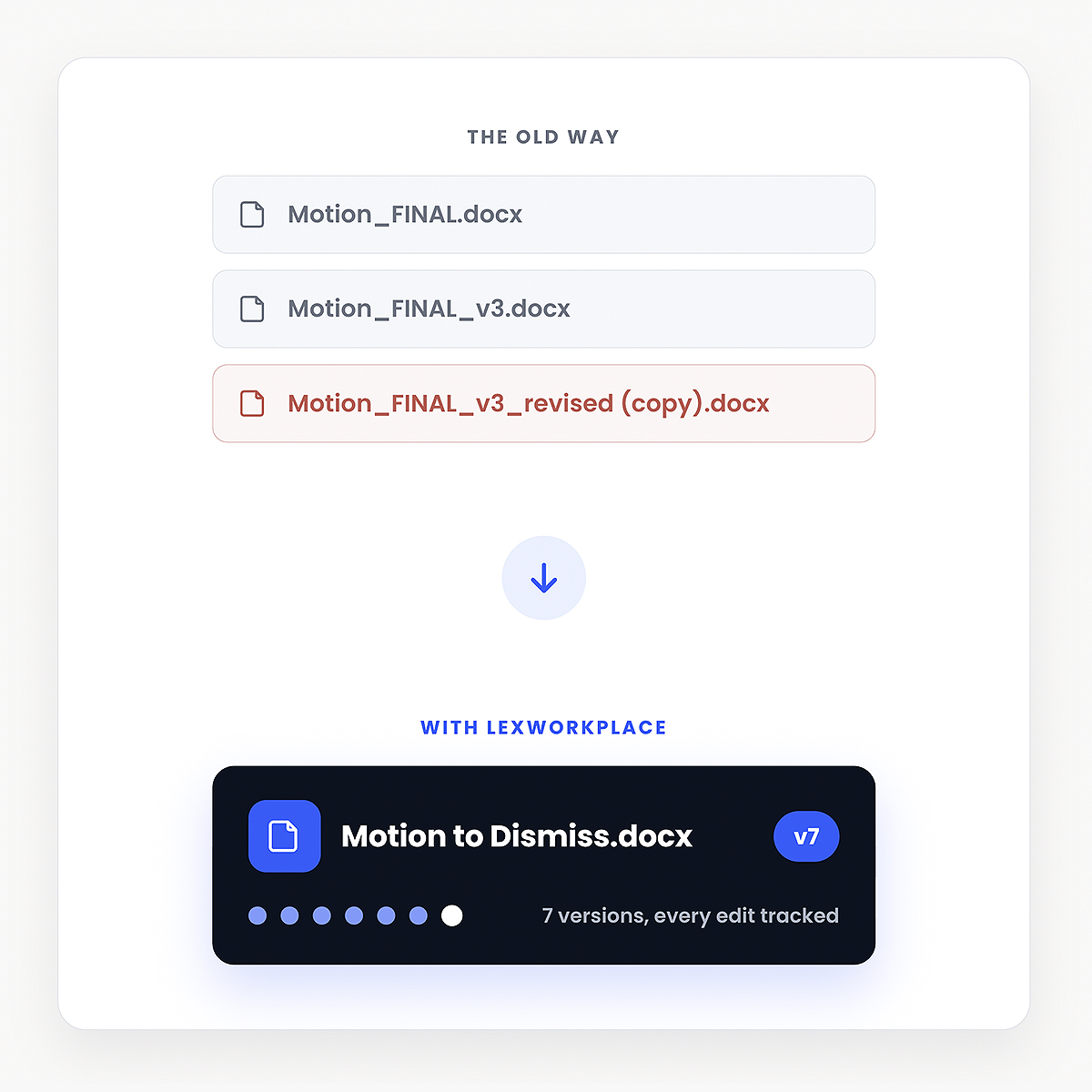
No more emailing “Motion_FINAL_v3_revised (copy).docx” around the firm. Every edit is tracked, every prior version is one click away, and you always know who changed what.

  • Automatic versioning on every save.

  • Restore any prior version instantly.

  • Side-by-side comparison view.

  • See who edited, when, and what changed.

Permissions & Ethical Walls

Granular access.
Conflicts handled.

Configure matter-specific permissions in seconds. Walls between conflicting clients are enforced automatically; no email reminders, no honor system.
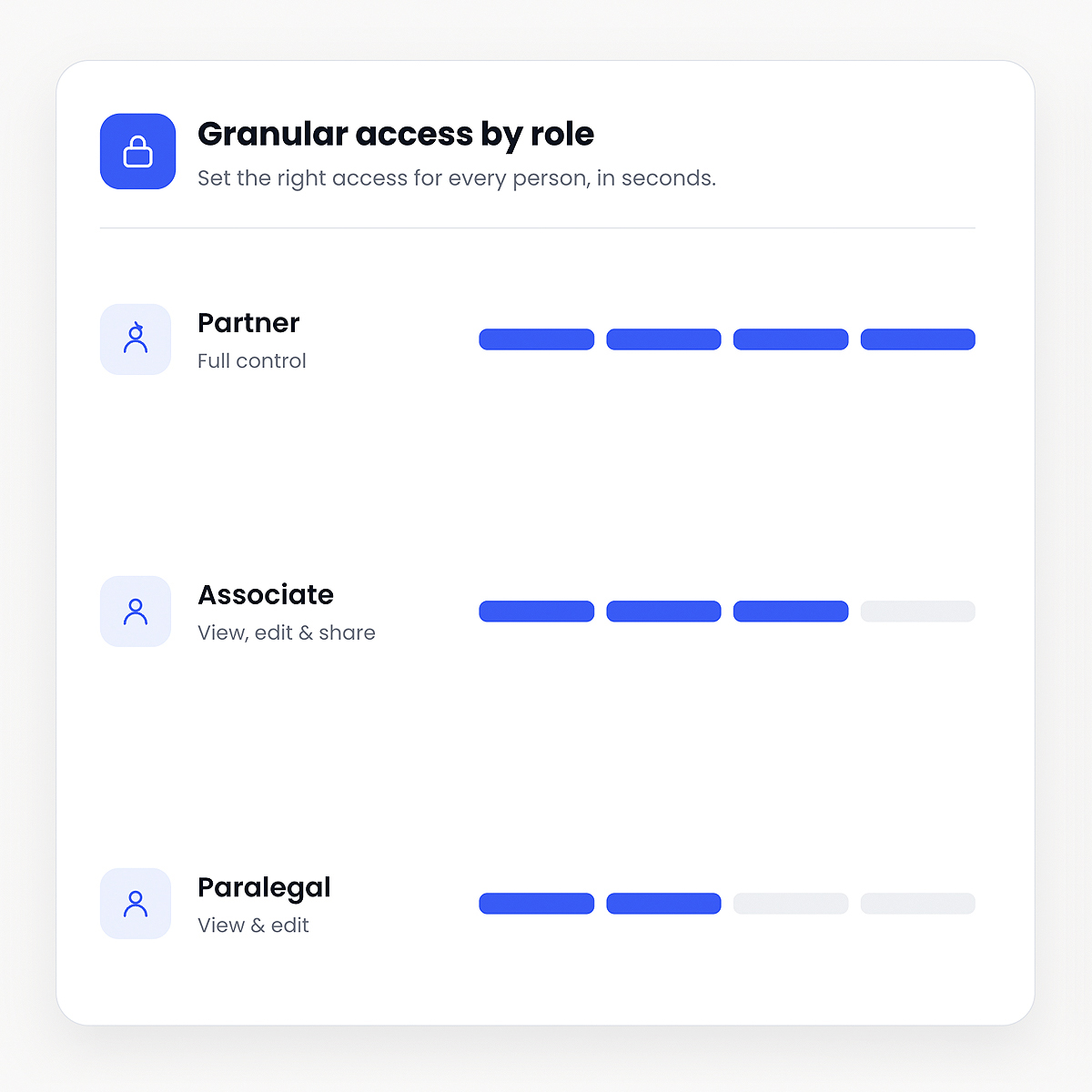
  • Partner, associate, paralegal, staff; each with appropriate access.

  • Ethical walls between conflicting matters.

  • Version control shows who changed what, when.

access-by-roles
ocr-search

OCR & Search

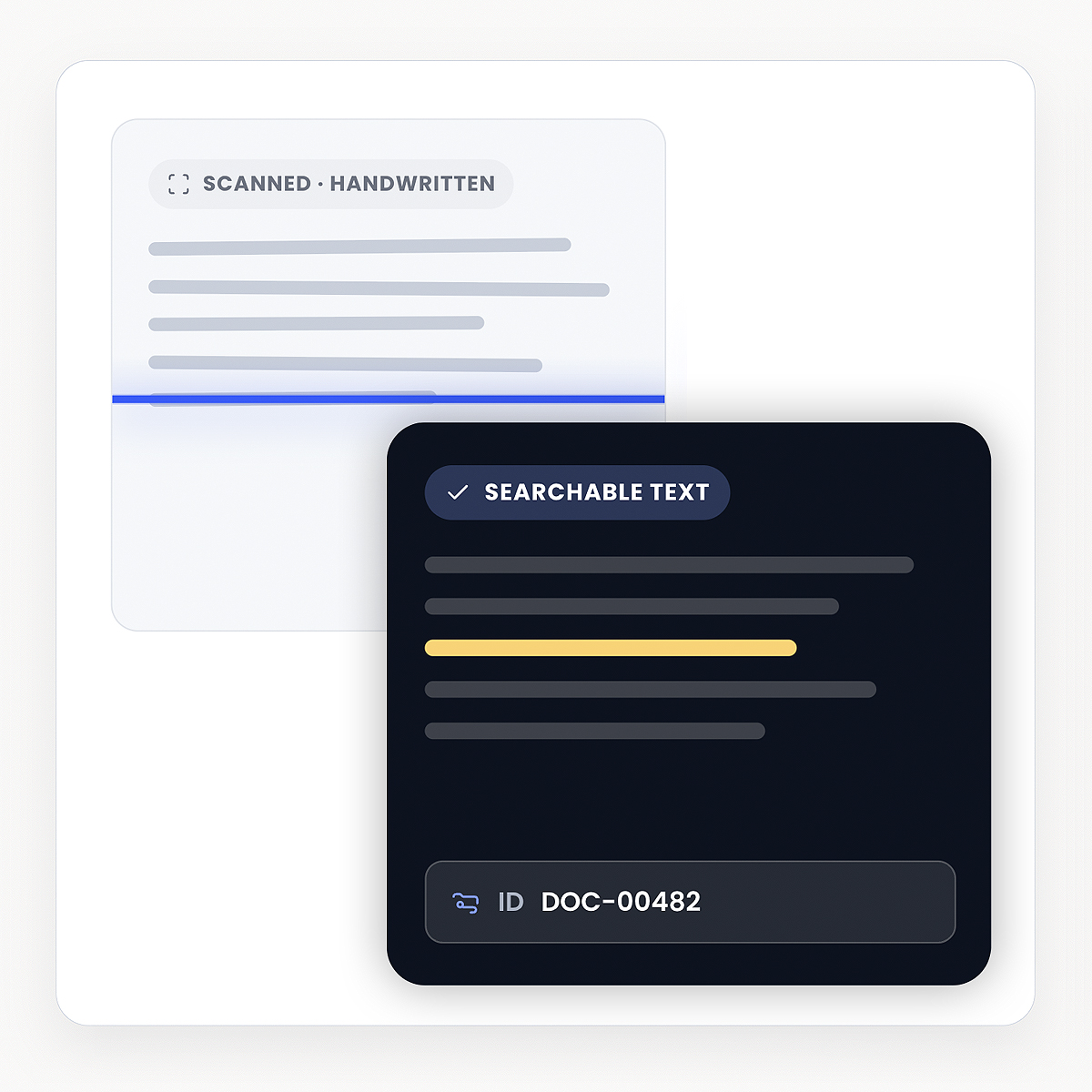
Even your scanned documents are fully searchable.

Scanned PDFs, handwritten notes, faxes, and signed contracts. LexWorkplace runs OCR on everything you upload.

  • OCR on PDFs, images, and scanned files.

  • Unique and permanent ID assigned.

  • Page-level full-text search.

Edit in Word & Excel

No new app to learn.
Just better connectivity.

Open documents in Microsoft Word, not a stripped-down web editor. Save back, and LexWorkplace auto-versions and routes the file to the right matter. Same for Excel and Outlook.
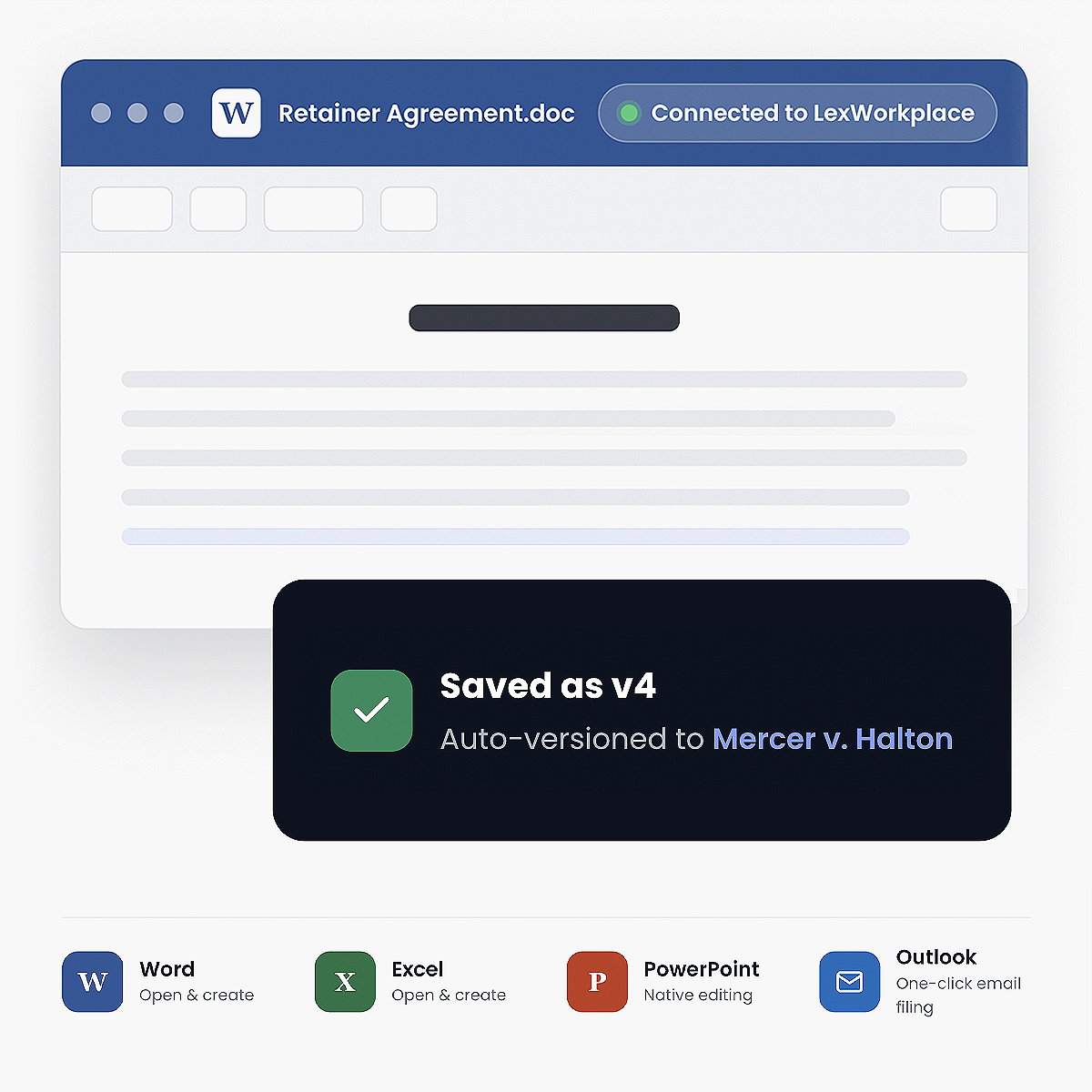
  • Native Word, Excel, PowerPoint editing.

  • Create Word and Excel documents right from LexWorkplace.

  • Outlook add-in for one-click email filing.

Edit in Word Excel
Migration-Onboarding

Migration & Onboarding

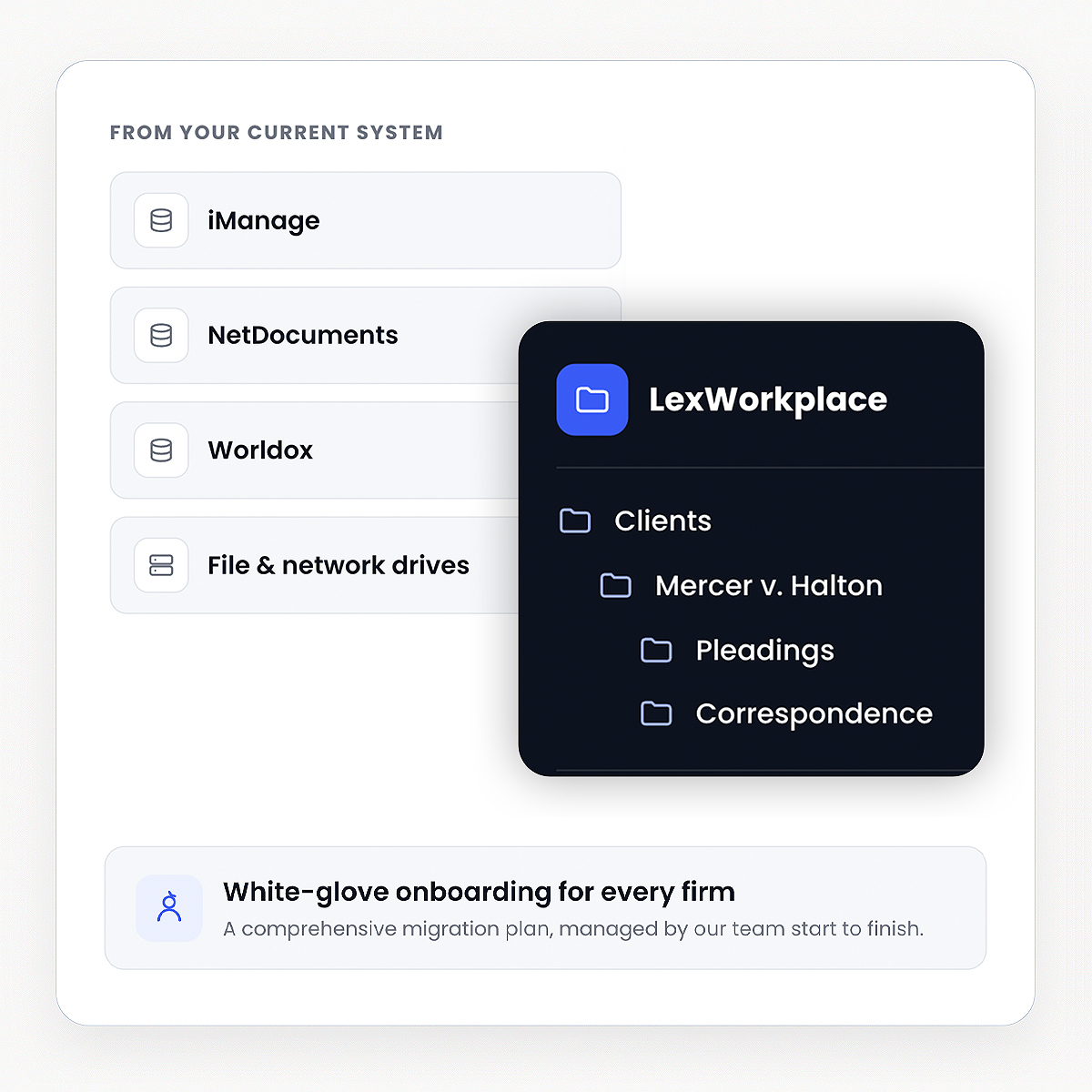
We onboard your firm and import your documents.

Most other Document Management companies rely on third-party consultants for onboarding, migration, and training. We don’t. Because onboarding is critical to the success of your DMS, we manage the entire process in-house. Our team handles your migration end-to-end, whether you’re moving from a file server, network drive, or another cloud platform.

  • Comprehensive migration plans available.

  • Folder structure and metadata preserved.

  • Migration from iManage, NetDocuments, Worldox.

  • White-glove onboarding for every firm.

Lizzy Wolfe
Lizzy Wolfe

Sales Support Specialist

Learn if LexWorkplace is right for you.

Speak with a legal tech expert today.

Extra Features

Document management that fits your firm

One-Click Open & Save

Every document saved to LexWorkplace is assigned a unique and permanent ID.

Store Anything

Store and work on any file: documents, images, video audio and more.

Permissions & Access

Define who can (and cannot) access data within each matter. Set permissions by user or group.

Unique Document ID

One click to open or save a document (no re-upload necessary).

Word to PDF

Convert Word documents to PDF in one click, without opening the document.

Windows and Mac

LexWorkplace is truly cross-platform; work from your favorite Windows computer, Mac, or both.

Security & compliance

Built for the confidentiality your practice demands.

Your client files aren’t on some startup’s laptop. Every document, every email, every search is protected to standards above what most firms have today.

  • SOC 2 Type II

Audited annually

  • AES-256 encryption

At rest and in transit

  • HIPAA compliant

BAA available

  • ABA Model Rule 1.6

Confidentiality-first

  • US-only data residency

AWS us-east-1 + us-west-2

  • 99.95% uptime SLA

Last 18 months: 99.99%

Frequently Asked Questions

Common questions about document management.

What does DMS stand for?2026-05-26T19:01:02+00:00

DMS stands for, Document Management Software. Document Management software such as LexWorkplace helps you manage document versions, find what you’re looking for, tag and categorize documents, organize matters and matter documents, and much more.

How is document management different from practice management software?2026-05-26T18:59:21+00:00

Document Management software stores, manages documents and email, and does so in a very robust way. Practice Management software, on the other hand, provides contact management, calendars, billing and other “front-office” functions. Practice Management software sometimes includes rudimentary file storage, but almost always lacks the robust functionality of a true Document Management System.

To learn more, read our article on Practice Management vs. Document Management software.

Hear From Our Clients

What Law Firms Like Yours Say

“I Love LexWorkplace and the ease of organizing related emails and documents.”

Robert Roseman

Robert D. Roseman, PC

See LexWorkplace In Action

Get A Free Demo

We’ll run a demo using real matters,
so you can see exactly how LexWorkplace fits your firm.