Integrations2026-07-09T19:52:38+00:00

Integrations

Plays nicely with the

tools you already pay for.

LexWorkplace works with the tools your firm runs on: Microsoft 365, Outlook, Clio, and Litera, Your technology stack stays your stack.

  • Easy File Management

  • Inline Document Compare

  • Advanced Search

Join over 1,600 legal professionals using LexWorkplace to manage their documents and emails.

Join over 1,600 legal professionals using LexWorkplace to manage their docs and emails.

Logo-1
Logo-2
Logo-3
Logo-6

+57,364,041

Documents stored in LexWorkplace

99.999%

Historical Uptime

100%

Version history retained — forever

SOC 2

Type II audited annually

Integrations

Integrate the software your
law firm relies on.

O
Outlook + Exchange
Email
CONNECTED
Native add-in. One-click matter filing for every email.
Native · turn on in settings
M
Microsoft 365
Productivity
CONNECTED
Word, Excel, PowerPoint, OneDrive. Edit in place, version back.
Native · turn on in settings
W
Microsoft Word
Documents
CONNECTED
Special add-in just for word, creates sidebar in word.
Native · turn on in settings
E
Microsoft Excel
Sheets
CONNECTED
Special add-in just for excel, creates sidebar in word.
Native · turn on in settings
PP
Microsoft PowerPoint
Presentations
CONNECTED
Special add-in just for excel, creates sidebar in word.
Native · turn on in settings
C
Clio Manage
Practice management
CONNECTED
Bi-directional matter sync. Create once, see everywhere.
Native · turn on in settings
Lc
Litera Compare
Drafting & comparison
CONNECTED
Send any two documents (or two versions) to Compare in one click.
Native · turn on in settings

Real integrations. Not iframes.

Native code where it counts.
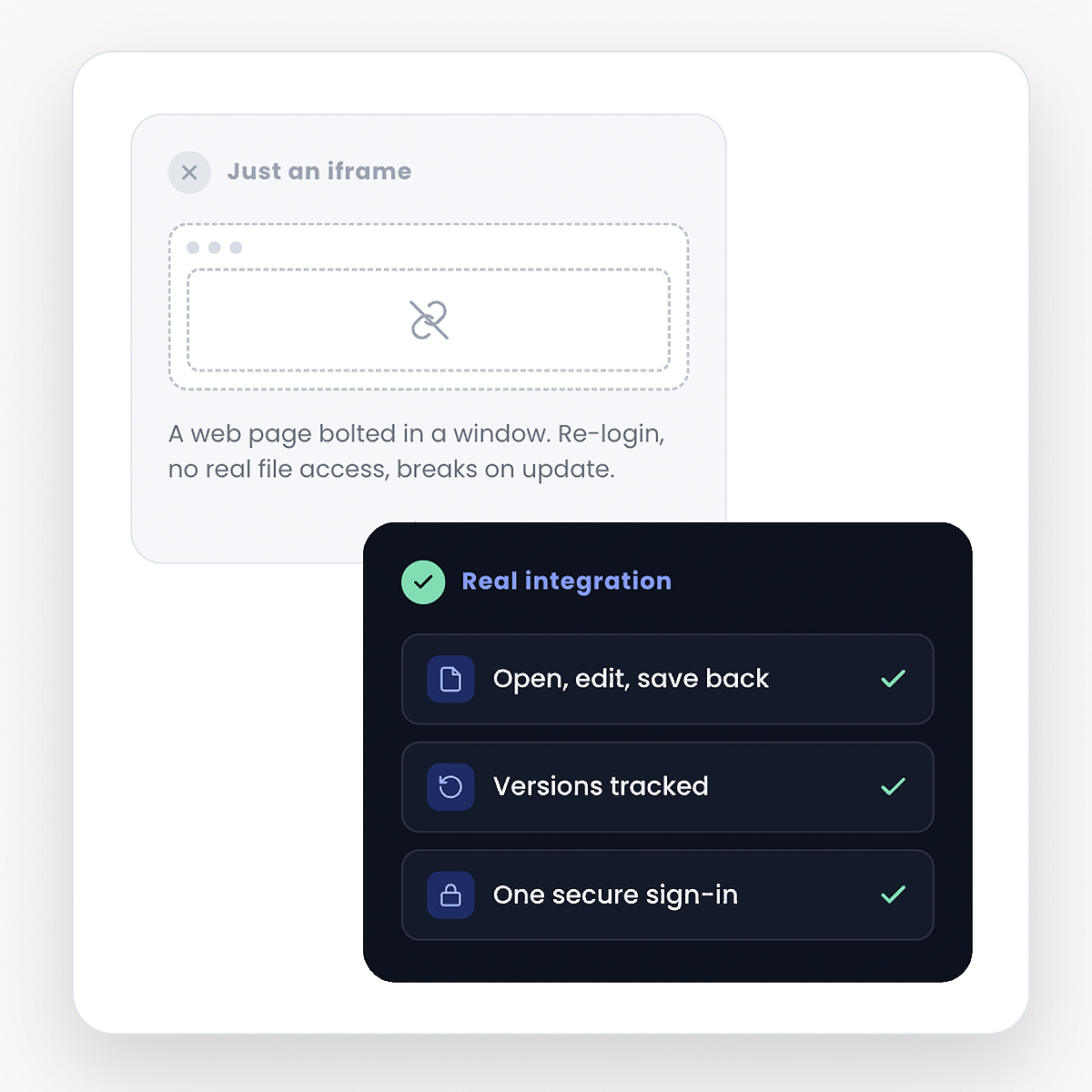
  • Native add-ins for Word, Excel, Outlook, and PowerPoint.

  • OAuth authentication, not screen-scraped logins.

  • Zero iframes dressed up as integrations.

Real-Integrations-Lex
Lizzy Wolfe
Lizzy Wolfe

Sales Support Specialist

Learn if LexWorkplace is right for you.

Speak with a legal tech expert today.

Security & compliance

Built for the confidentiality your practice demands.

Your client files aren’t on some startup’s laptop. Every document, every email, every search is protected to standards above what most firms have today.

  • SOC 2 Type II

Audited annually

  • AES-256 encryption

At rest and in transit

  • Multi-Factor Authentication

Native on every account

  • Granular Control

Confidentiality-first

  • Regional data residency

US or Canadian hosting

  • Geographic Redundancy

Backed up across regions

Frequently Asked Questions

Common questions about data security.

Can I restrict which integrations users can connect?2026-05-21T21:18:07+00:00

Yes. Admins control which integrations are available firmwide, which require approval, and which are blocked entirely. Every connection is logged in the audit trail.

Do integrations work with my Microsoft 365 / Google Workspace tenant?2026-05-21T21:17:52+00:00

Yes. Both. The same product supports Microsoft and Google tenants — including mixed firms where partners are on Microsoft and contract attorneys are on Google. Single sign-on works against either, or against Okta.

Are the integrations “real” or just iframes?2026-05-21T21:17:36+00:00

Real. Native add-ins where the platform supports them (Word, Excel, Outlook, Teams), proper OAuth and webhooks elsewhere. We don’t embed competitor UIs in iframes and call it an integration.

Do integrations cost extra?2026-05-21T21:17:05+00:00

No. Every integration listed on this page is included in your LexWorkplace subscription. No “enterprise tier,” no per-connector fee, no metering on API calls (within reasonable limits).

Why do integrations matter for a document management system?2026-05-21T21:16:49+00:00

Because nobody works in just one tool. Your draft starts in Word, gets shared in Outlook, compared in Litera, signed in DocuSign, billed in QuickBooks, and tracked in Clio. A DMS that doesn’t sit fluently inside that workflow becomes a seventh tool you have to remember to update,  which is exactly why most firms eventually stop updating it.

Hear From Our Clients

What Law Firms Like Yours Say

“I Love LexWorkplace and the ease of organizing related emails and documents.”

Robert Roseman

Robert D. Roseman, PC

See LexWorkplace In Action

Get A Free Demo

We’ll run a demo using real matters,
so you can see exactly how LexWorkplace fits your firm.