Join over 1,600 legal professionals using LexWorkplace to manage their documents and emails.
Join over 1,600 legal professionals using LexWorkplace to manage their docs and emails.






The Problem
Managing your firm’s documents
shouldn’t feel like a second job.
The average lawyer captures only 2.9 billable hours out of an 8-hour day. The other 5.1 hours go to admin work, document management, and routine communication.
Does this sound like your firm?
5.1 hrs/day
Average non-billable time per lawyer
6 hrs/week
Time wasted on document management
$9,098
Billable hours wasted per month
Based on published legal consumer studies.
The Solution
LexWorkplace is built
for how law firms actually work.
No enterprise bloat. No six-month implementations.
Just the tools you need, to streamline your practice and recover your time.
Matter-Centric Organization
Everything for a matter in one place
Organize documents, email, and notes by client or matter. Store and manage all data for a case or project in one place.
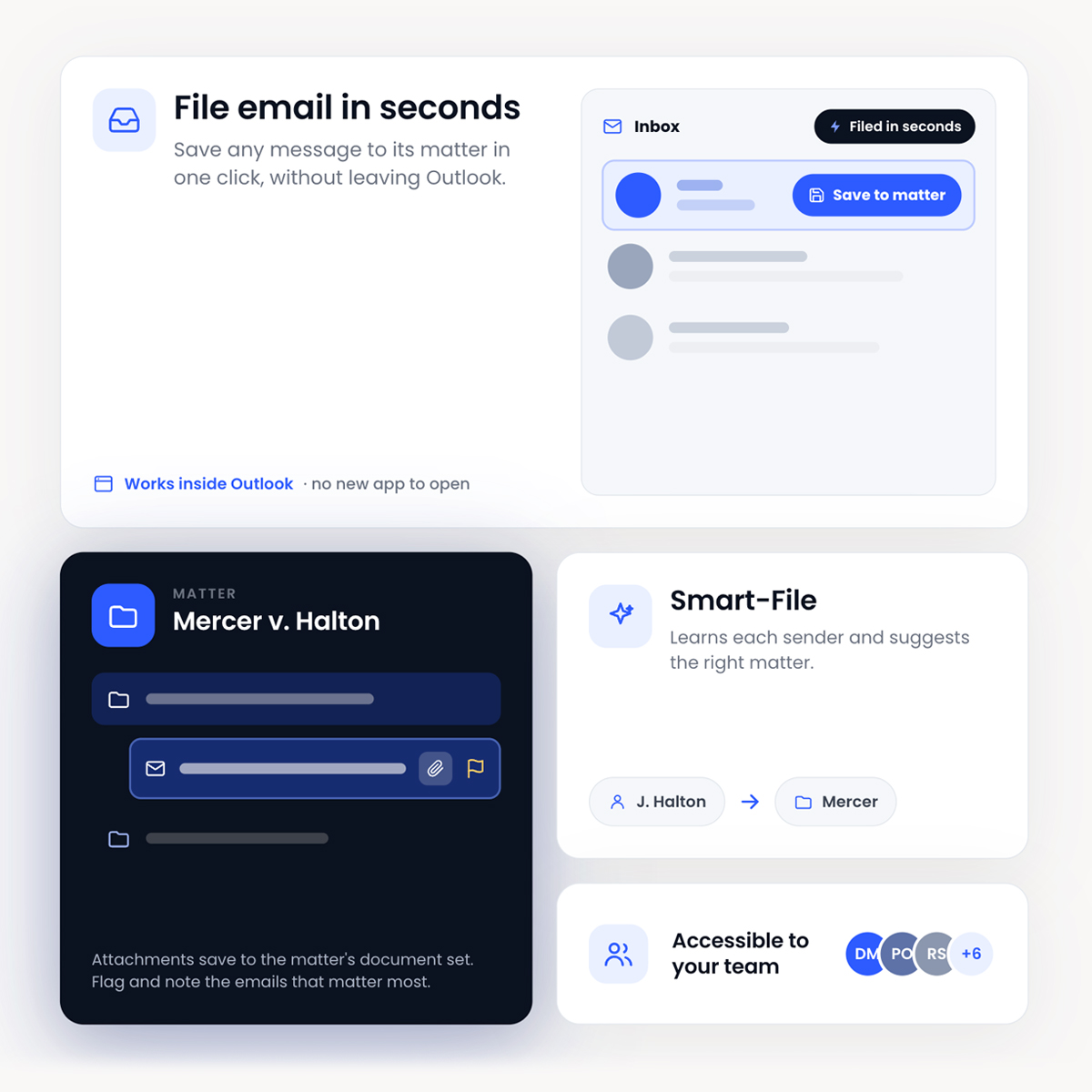
Outlook add-in
File your email in seconds.
Without leaving Outlook.
Save emails directly from your inbox. Smart-File learns sender-matter associations. Saved emails are accessible to your entire team.
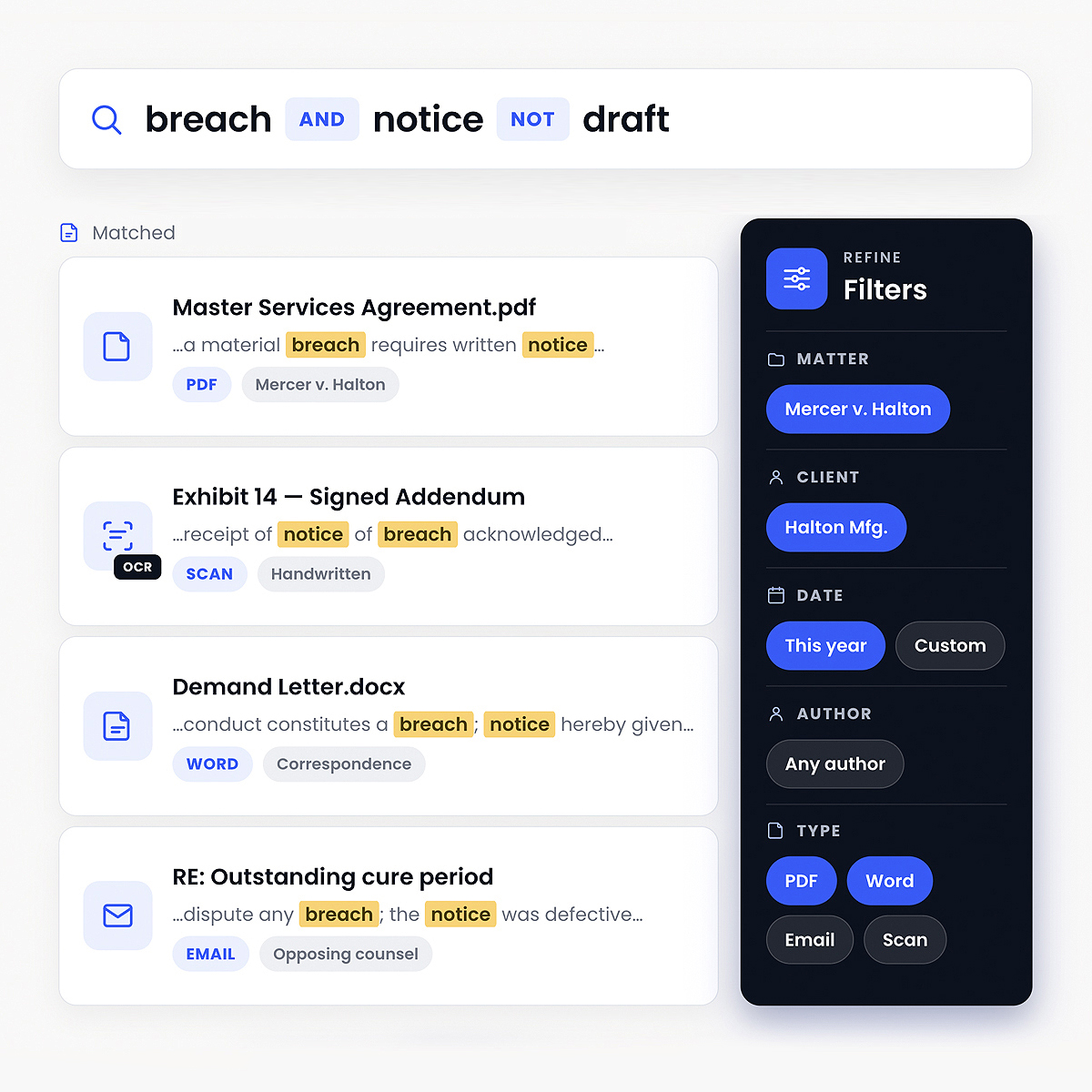
Full-text search
Search that reads
the whole document.
Not just filenames. Every word of every PDF, scanned exhibit, Word doc and email. Indexed and searchable in seconds.
AI-Powered Insights
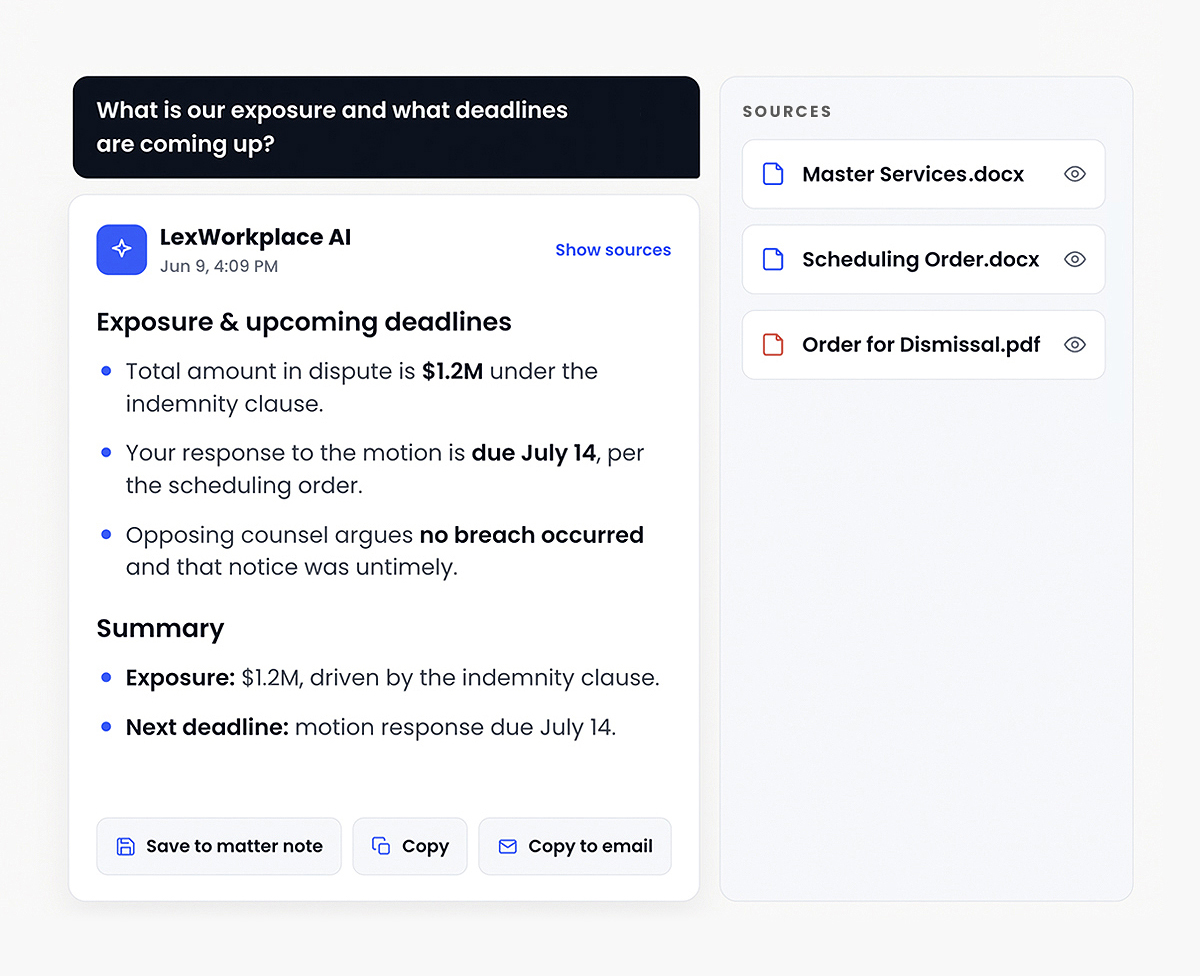
Ask your matters anything.
Get answers in seconds.
LexWorkplace AI reads every document, email, and exhibit in a matter, or across your whole firm. Ask a question and get an instant, cited answer including summaries, timelines, key dates, risk flags, opposing arguments. No more re-reading 400 pages to find one fact.








Dare to Compare
LexWorkplace vs. The Usual Suspects
| Feature | LexWorkplace | iManage | NetDocuments | SharePoint | Worldox |
|---|---|---|---|---|---|
| Native cloud application | ✓ Yes | ✓ Yes (iManage Cloud) | ✓ Yes | ✓ Yes | ✗ No |
| Organized by Client and Matter | ✓ Yes | ✓ Yes (workspaces) | ✓ Yes (workspaces) | ✗ No | ✗ No |
| Windows and Mac support | ✓ Yes | ✓ Yes | Partial (Office add-in is Windows only) | ✓ Yes | ✗ No |
| Built-in OCR on scanned documents (Advanced plan) | ✓ Yes (Advanced plan) | ✓ Yes | ✓ Yes | Paid add-on | ✗ No |
| Full-text search across docs + email | ✓ Yes | ✓ Yes | ✓ Yes | ✓ Yes (docs; email if filed there) | ✓ Yes |
| One-click open, edit, save (all files) | ✓ Yes | ✓ Yes | Windows only | Via OneDrive sync | ✗ No |
| Native two-factor authentication | ✓ Yes | Via single sign-on | ✓ Yes | ✓ Yes | ✓ Yes |
| Migration performed by vendor team | ✓ Yes | ✓ Yes, or a partner | ✓ Yes, or a partner | ✗ No | ✗ No |
| Month-to-month contract available | ✓ Yes | ✗ No | ✗ No | ✓ Yes (about 20% more) | ✗ No |
Weighing more than these four? See our guide to the best legal document management software for law firms.

Security & compliance
Built for the confidentiality your practice demands.
Your client files aren’t on some startup’s laptop. Every document, every email, every search is protected to standards above what most firms have today.
Data center audited annually
At rest and in transit
Optional on every account
Confidentiality-first
US or Canadian hosting
2 regional backups US/CAD
Hear From Our Clients
What Law Firms Like Yours Say
Trusted by Leading Law Firms Across North America



Frequently Asked Questions
Questions about LexWorkplace
Legal Technology Articles
Insider advice on the future of legal tech.