Table of Contents
The legal industry is famously prolific in its use of faxes, and that probably won’t change any time soon. Internet fax services for law firms will continue to exist because it’s a secure way to transmit documents and because courts and government agencies sometimes order communications to occur by fax.
And, since most jurisdictions accept signed faxes as legal documents, faxes can be used to close deals, finalize contracts, and as evidence in legal proceedings. But the modern law firm no longer relies on traditional, clunky fax machines that collect dust and take up space.
Internet fax/online fax services have largely replaced those old, loud fax machines. Internet faxing lets law firm personnel send and receive faxes from nearly any connected device. And to top it all off, online faxes are far more eco-friendly than their ancient, paper-chewing predecessors.
For most law firms, the question isn’t whether moving to internet/online faxing is a good idea—that’s almost a given. The real question is which one of the many internet/online fax services to choose.
To help you decide on the fax service for law firms that will work best for you, we’ve created this round-up to introduce you to three of the major players in the industry. There are certainly other options, but we find these three to be standouts that can meet most law firms’ needs.
In this post, we’ll cover these three internet/online fax providers:
eFax: Still One of the Online Fax Leaders
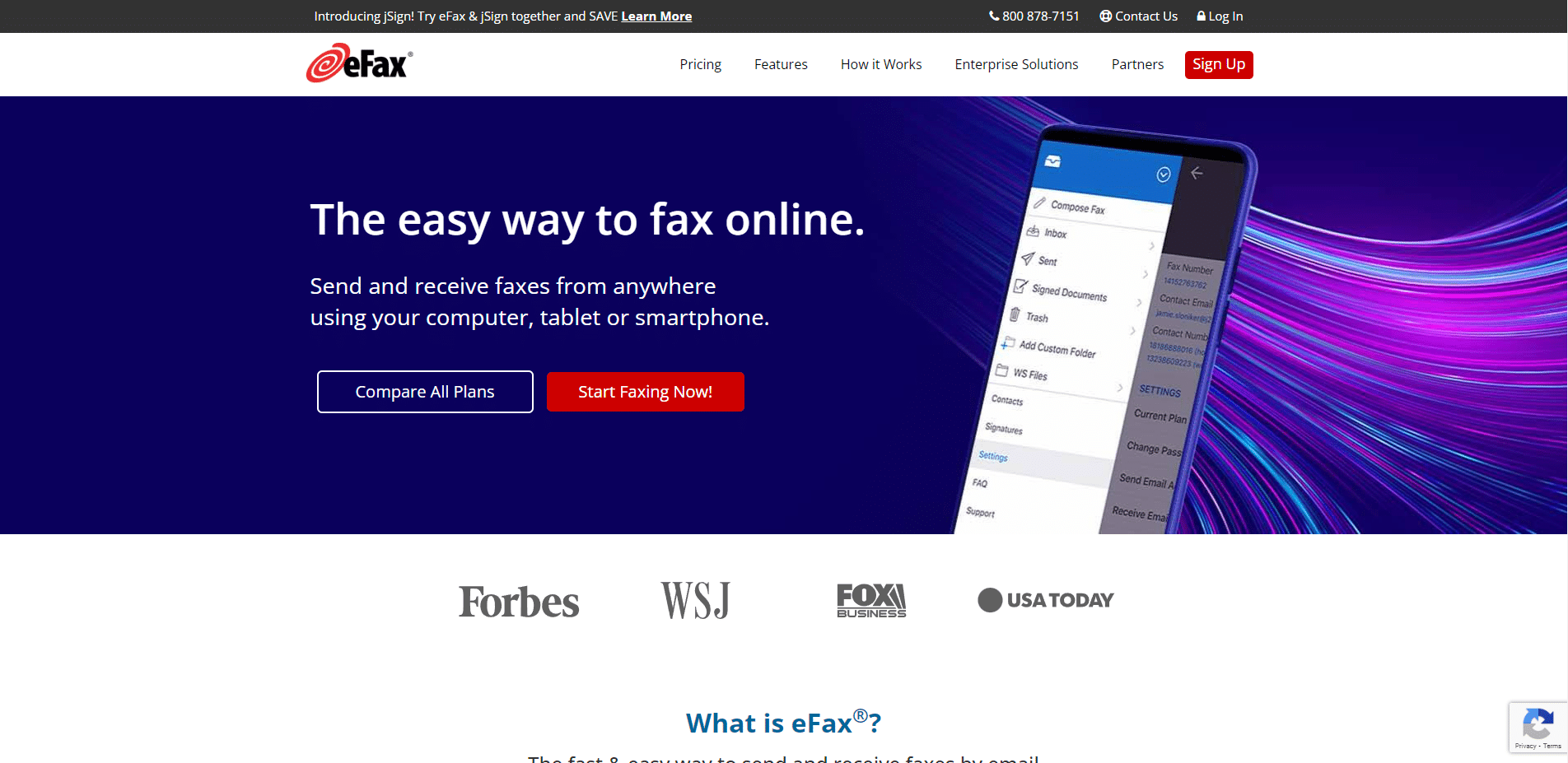
If there’s any online fax service popular enough that you might know it by name, it’s eFax. The question is: How well does eFax work for law firms? Let’s explore eFax’s features, benefits and pricing.
Then, based on our extensive experience helping law firms make the best possible use of technology, we’ll tell you the kinds of law firms we believe would benefit most from adopting the eFax internet faxing solution.
eFax Features That Make Faxing Easier for Law Firms
The eFax product provides numerous features and capabilities that matter a great deal to law firms.
These include:
eFax Pricing
eFax offers monthly and annual subscription options. You don’t need to sign any contracts. eFax offers a free 14-day trial, which is a good opportunity to see whether the service works for your firm.
As of this writing, eFax pricing is as follows:
There is a 17% discount if you choose an annual plan instead of the monthly option.
All plans have a limit on how many pages you can send and receive per month. If your law firm exceeds the limit, you can still keep faxing, but each extra page costs 10 cents in the US and Canada. Prices increase for international faxes, and the price per page depends on location.
Please check the eFax website for the most up-to-date pricing.
Is eFax a Good Fit for Your Firm?
eFax is one of the industry leaders because it meets so many different needs.
It can be great for:
MyFax: When Ease-of-Use Matters Most
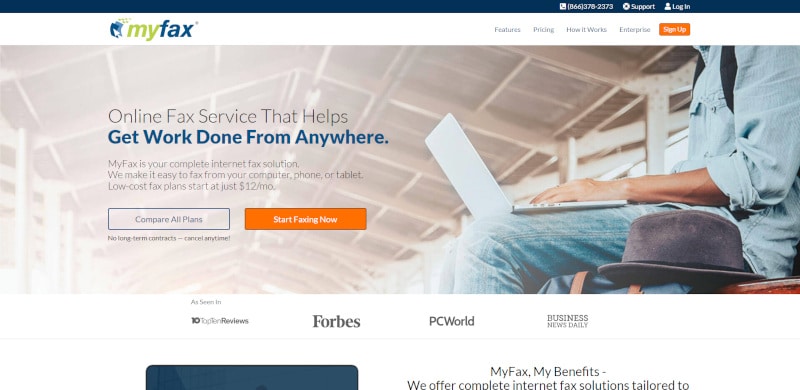
MyFax is owned by the same parent company as eFax. Think of it as a slimmed-down version of eFax. The two share many of the same basic features, but MyFax doesn’t offer quite as many capabilities as its big brother.
Law firms often choose MyFax because it’s incredibly simple to set up and use. It doesn’t require any real technical knowledge, so if it’s a high priority for your office to find something that’s easy to use, MyFax may be a good choice.
Key Features of MyFax
In addition to its ease of use, MyFax offers several additional features and benefits your firm may find helpful, such as:
MyFax Pricing
MyFax offers monthly and annual subscriptions. There are no contracts to sign, and you can cancel anytime. MyFax offers a free 14-day trial.
As of this writing, MyFax offers three plans:
You save 17% if you choose an annual plan over any of the monthly plans, and there are no set-up or activation fees. If you exceed the page limits of your plan, each extra page costs just 10 cents in the US and Canada. Fees for extra international faxes vary.
Please check the MyFax website for the most up-to-date pricing.
Is MyFax a Good Fit for Your Law Firm?
You’ll want to carefully compare the costs of MyFax versus eFax and Dropbox Fax. MyFax is no longer the price leader, as the other two services both offer plans that break down to a lower cost per page.
That said, MyFax doesn’t charge setup fees, and it remains extremely easy to use, both of which are important considerations. MyFax may be a good fit for small or virtual law firms that don’t need to fax things very often.
Since MyFax allows you to choose your own local, toll-free, or international fax number, it may also work well for law firms that work nationally or internationally, as long as they have a good idea of whether they can remain within the page limits.
We don’t believe MyFax is the best choice for law firms that plan to use their email to fax. We say this because MyFax only allows up to 10 MB of attachments per fax. That’s far less capacity than many email clients, such as Gmail, which allows users to send up to 25 MB.
Price and attachment limits are not the only drawbacks to MyFax. The archive system is another. Although MyFax archives all the faxes sent and received, it relies on tagging through the use of the right keywords to organize everything.
As such, you would need to take the time to set up some specific rules related to keywords and tagging to make sure the archive stays organized and searchable. Some lawyers may not have the time or interest in learning the tagging system.
Dropbox Fax (Formerly HelloFax)
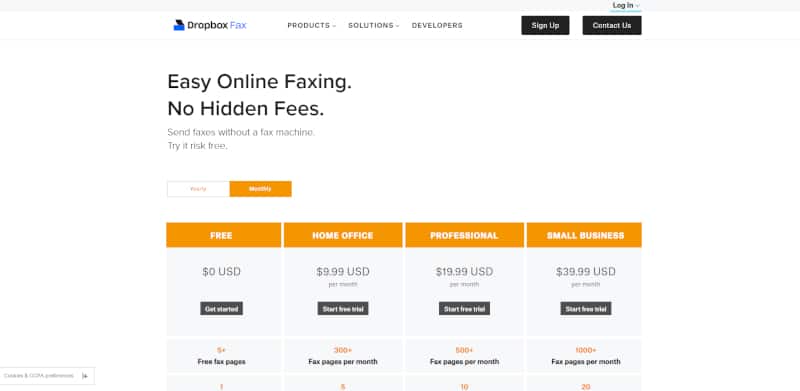
The third online fax service law firms should evaluate is called Dropbox Fax. This service was called HelloFax until Dropbox acquired HelloFax and its parent company, HelloSign.
Backed by the power and stability of a larger company like Dropbox, Dropbox Fax has the advantages of working at a larger scale and with more resources than any other digital fax provider, allowing Dropbox Fax to provide a large volume of fax pages per month at a cost-effective price.
However, as you may expect with a larger company, Dropbox is not quite as transparent about exactly what you get when you sign up for its service. Its website is not as detailed about the offering as the websites for MyFax or eFax. We’ll provide information as fully as we can in this article.
Dropbox Fax: Features and Benefits for Law Firms
The features available to law firms using Dropbox Fax depend primarily on the plan chosen. The service offers one free plan and three paid plans.
Depending on the plan you select, features include:
Dropbox Fax Pricing
Like the other two services we’ve discussed, Dropbox Fax offers monthly and annual subscription options, so you don’t need to sign any contracts. Each paid plan comes with a free 30-day trial.
As of this writing, Dropbox fax offers four plans:
There are no setup fees for any of the Dropbox Fax plans. You can save 20% by choosing an annual plan. For example, the Small Business plan’s annual subscription is $399.99, whereas you would pay $479.88 for a full year under the monthly billing model.
Please check the Dropbox Fax website for the most up-to-date pricing.
Is Dropbox Fax a Good Fit for Your Law Firm?
Dropbox Fax is, in some ways, the leader in the clubhouse. Its plans offer the most pages for the best price, at the time of this writing. The highest-tier Dropbox Fax plan provides more pages and users than MyFax’s top plan. (eFax doesn’t provide page volumes or pricing for its top plan; you must call eFax for a quote.)
The Dropbox Fax 30-day free trial is the longest free trial offered among this group of services. MyFax and eFax both offer free trials, but they’re only 14 days each. It’s helpful that your firm can try out Dropbox Fax for a longer period of time, giving you more time to decide whether the service is something worth paying for.
Dropbox Fax is also the only one of the three services that offers plans allowing more than five senders, making it an appealing choice for law firms that expect to have quite a few fax senders and receivers.
It’s also the only service that offers a free version. While the Dropbox Fax free account doesn’t allow you to receive faxes and only allows you to send five pages per month, the free account could be a practical option for a solo lawyer who uses a fax machine only once or twice a month.
Dropbox Fax is easy to set up. It doesn’t take a lot of technical knowledge. It’s also easy to learn and to use. Of course, it may take a little more technical knowledge if you’re looking to set up specific routing of faxes or want to integrate your faxing system in certain ways.
For people with the ability to use most software, it’s easy to “DIY” your way through the entire set-up process.
Online Digital Fax Services: The Choice Is Yours
Today’s modern law firms are looking to go green, make themselves more efficient and get work done from anywhere. Online faxing services such as eFax, MyFax and Dropbox Fax empower your firm to do just that. Each service is similar but offers slightly different capabilities and different price points.
We hope this breakdown of the three leading online fax services for law firms helps you make the right choice for your practice. And, since none of the services requires any contracts, you can always try one for a while and then cancel and switch to a different one if you need to.
If you’re looking for more ways to help your law firm go paperless, be sure to download our Paperless Law Firm Checklist. It’s a tool that’ll help you think through all the opportunities to cut down on paper use and go digital with various parts of your practice.
Uptime Legal Systems is dedicated to helping law firms with all things technology and practice management. We invite you to explore the resources we have available to help your firm choose document management software, learn about cloud security and more.
Managing Faxes and Documents
In our exploration of the best online fax services for law firms, we’ve covered the top systems to send and receive faxes in a modern law firm.
There’s one final piece to this puzzle: You’ll need a system to manage faxes and other documents for your law firm.
For this, we recommend a Document Management System, or DMS. Document Management software is a central place to store, organize and manage all documents, including faxed documents.
A good legal document management system will provide:
For modern legal document management, take a look at LexWorkplace, our DMS made for the modern law firm.