
Table of Contents
Your firm’s documents are probably scattered across systems: a DMS, your practice management software, maybe a shared drive nobody’s touched since an old migration. That’s the problem law firm software is supposed to solve, and it’s exactly where most buyer’s guides fall short.
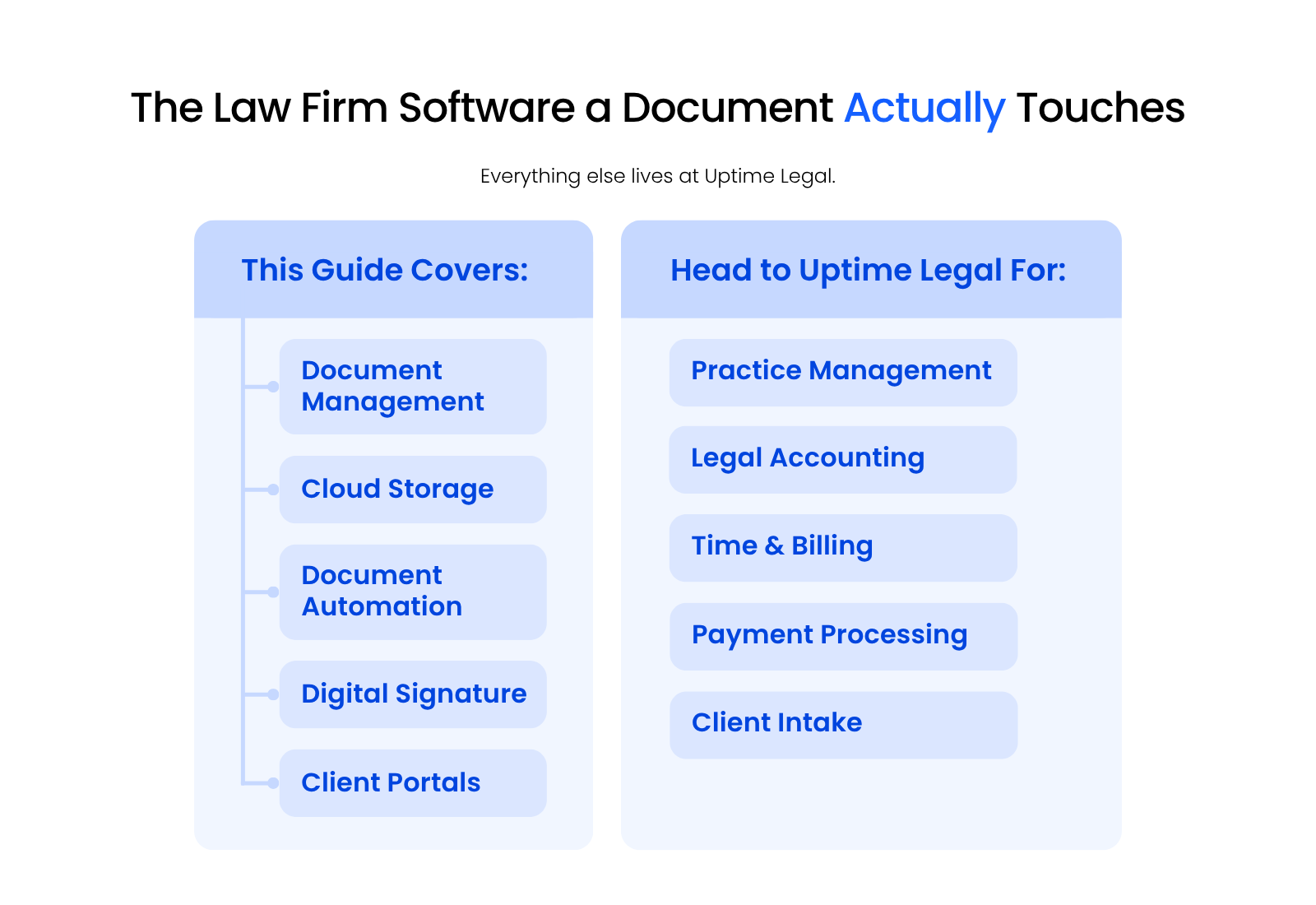
Most guides try to cover every category on your tech stack in one page. This one takes a narrower approach: it covers the law firm software a document actually moves through — document management, cloud storage, automation, e-signature, and client portals. Practice management, accounting, billing, payment processing and intake sit outside that line; there’s a pointer to fuller coverage of each near the end.
We built LexWorkplace because too many firms end up juggling documents across a DMS and a practice management tool with no single source of truth. That’s the lens for everything below.
Document Management Software
A document management system stores your firm’s documents and gives you tools, like matter-based organization, full-text search, and version control, that basic cloud storage or practice management software don’t build for.
Most DMS platforms, cloud-based or on-premise, handle a similar core set of functions:
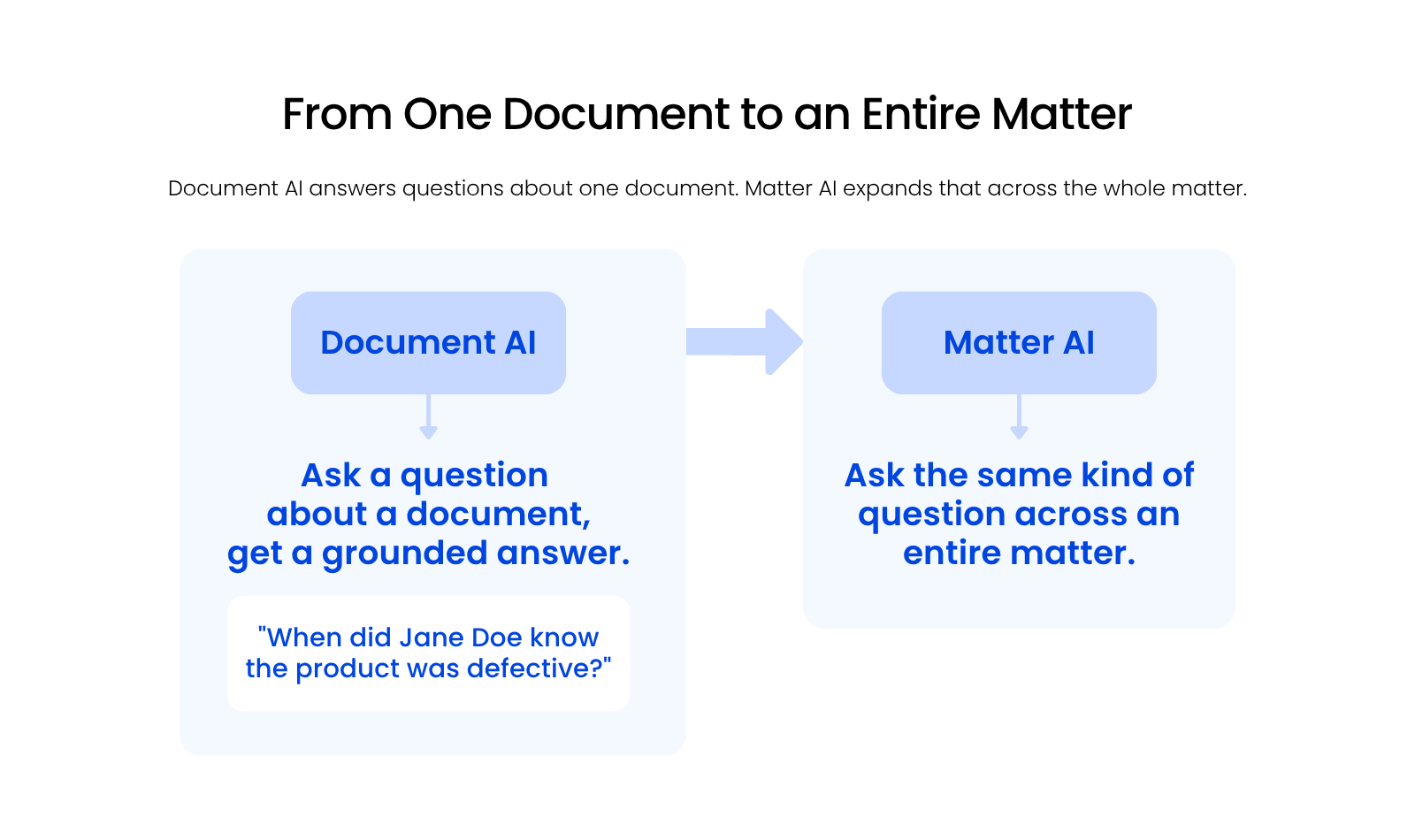
LexWorkplace recently added two features worth calling out specifically: Document AI and Matter AI.
Document AI lets you ask a question about a document and get an answer grounded in its actual content, instead of digging through pages yourself.
Matter AI extends that same idea across an entire matter.
Instead of asking about one document, you ask about everything filed under a case. LexWorkplace didn’t ship either feature until it had a genuinely useful application for it, and the goal has always been removing friction, not adding a feature for its own sake.
LexWorkplace is document and email management software built for law firms, running on both Windows and Mac. It includes full-text search, version management, Office and Outlook integration, and matter-centric organization, plus Document AI and Matter AI.
Pricing starts from $395/month for the base package. Start a free trial or watch a demo to see it firsthand.
A handful of other document management platforms show up regularly in law firm comparisons:
Migration is usually the biggest hesitation firms have about switching DMS platforms, and it’s worth planning a DMS implementation rather than avoiding one.
Most reputable vendors, LexWorkplace included, handle the bulk of the technical migration for you: mapping your existing folder structure to matters, preserving metadata where it exists, and getting your team access on day one instead of week three.
The bigger lift is usually internal: deciding on a folder and naming convention your firm will actually stick to once the migration is done.
Two things round out what a document management system needs to get right: document management security, and where to look if you want to compare more options.
Document Management Security
Quality cloud-based document management software also includes:
Explore More Document Management Products
This list reflects our view of the top document management products in the broader law firm software space. See our full document management roundup for more options.
Cloud Storage Platforms
Cloud storage platforms like OneDrive, Google Drive, and Dropbox store your firm’s files in the cloud, but they don’t give you the matter-based organization, profiling, or version control a document management system does.
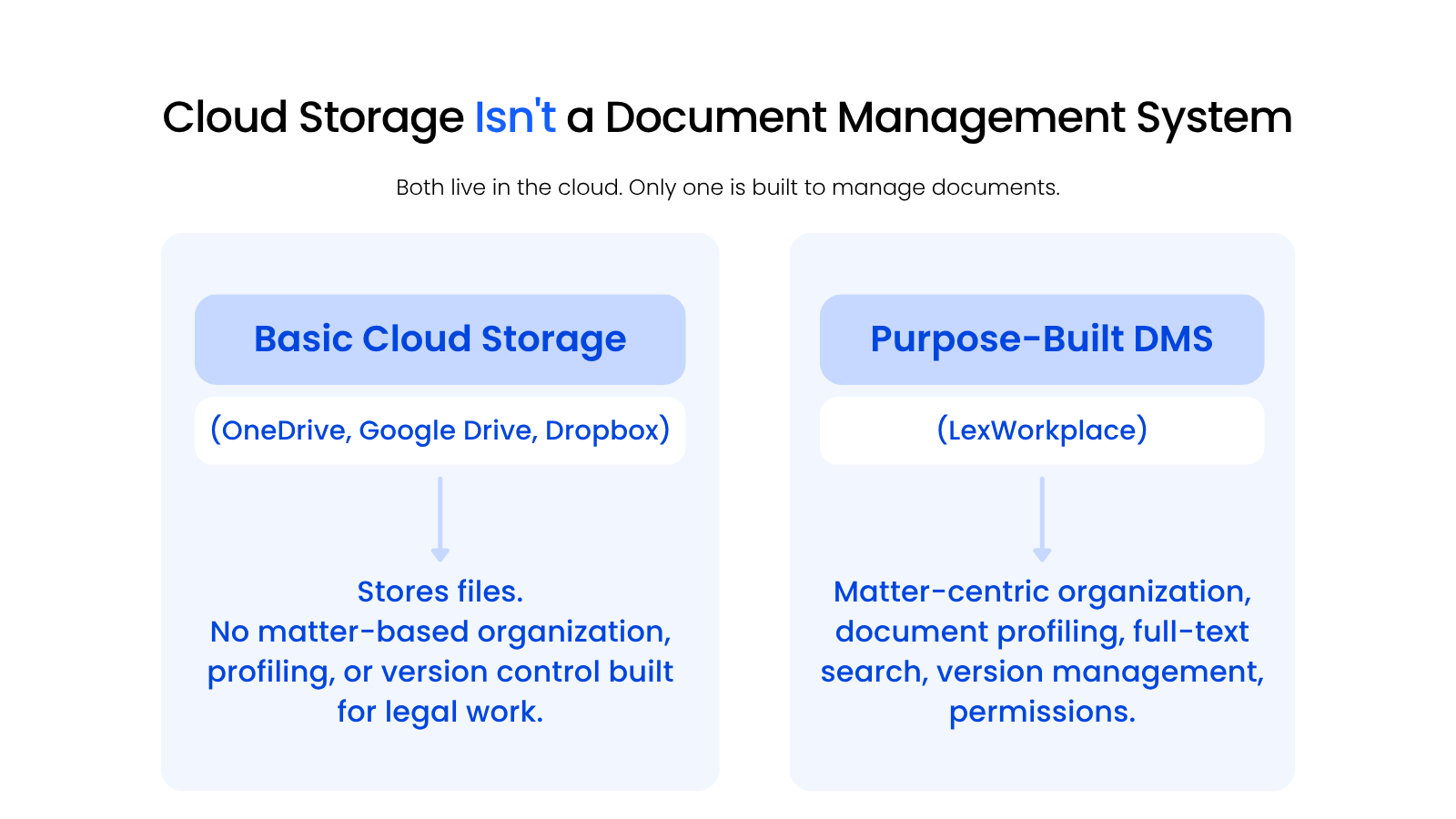
These tools keep your files backed up and accessible from anywhere, and plenty of firms start here before they ever look at a DMS. What they don’t do is organize your documents by matter, track versions automatically, or give you the search and profiling tools built specifically for legal work.
Basic cloud storage is fine for backup and general file sharing. It’s not built to be your firm’s only system of record for client documents.
LexWorkplace touches both categories depending on how you use it, but its real value shows up once you lean on the DMS-specific features above rather than treating it as a place to dump files.
If your firm still relies on note-taking apps like Evernote or OneNote for anything document-adjacent, treat them the same way: useful for quick capture, not a substitute for a real DMS.
The distinction matters most at the moment a document turns into evidence, gets requested in discovery, or needs a version history nobody remembers to keep. A folder full of files in Dropbox can’t tell you who touched a document last, what changed, or which version a client actually signed.
A DMS is built to answer exactly those questions on demand.
That doesn’t mean cloud storage has no place in your firm. It’s often the right tool for large media files, one-off external shares, or personal working files that never need matter-level organization in the first place.
The mistake is treating it as a substitute for a DMS rather than a companion to one.
Document Automation Software
Document automation software generates legal documents from templates, filling in matter and client details automatically instead of your team building each document from scratch. A quick letter is nothing, but a complex contract can eat hours of careful work, and automation is what cuts that time down.
Most tools in this category share a similar feature set: document templates, a form library, conditional logic, auto-population from your practice management data, electronic signatures, and remote access.
Clio Draft lets you build templates, pull from a large library of existing forms, and sign documents electronically, with tight integration into Clio Manage. That integration is its biggest strength; some users find it less intuitive without Clio Manage already in place.
LEAP combines practice management and document automation in one cloud-based platform, aimed at firms that want both in a single system. Users tend to like the ongoing product improvements and pricing, though the billing and calendaring tools inside it are weaker than a dedicated practice management platform.
Gavel offers a flexible API for integrations and functions as both a document assembly platform and an online forms tool, with a Microsoft Word add-in built in. It’s easy to set up for basic use, but deeper customization usually needs developer help.
Document automation only saves time if the templates it generates land somewhere organized. A perfectly automated contract that gets emailed around and saved to three different desktops just makes the mess move faster. The firms that get the most out of automation tools are usually the ones that already have a DMS in place to catch what the automation produces.

Digital Signature Software
Digital signature software lets your firm collect legally binding signatures on documents electronically, without printing, scanning, or mailing anything. It matters in legal work specifically because it creates an audit trail, who signed what, and when, that a scanned wet signature doesn’t.
Dropbox Sign (formerly HelloSign) integrates directly with Dropbox’s cloud storage, which makes it a natural fit if your firm already stores files there. Users like how easy it is to collect signatures; the more common complaint is around template flexibility and integrations.
DocuSign is one of the most recognized names in e-signature, with strong security and compliance credentials. It’s generally easy to use, though some users report bugs and slow customer support.
Formstack offers similar mobility to DocuSign, with integrations across CRMs and payment processors. Both firms and their clients tend to find it straightforward, though customer service response times are a common complaint.
None of these tools replace a document management strategy. They generate the signed document. Where that document lives afterward is a document management question, not a signature question.
Most firms end up with an e-signature tool that connects to their DMS or practice management platform rather than running as a standalone system, since a signed document sitting in a separate app is just one more place your team has to remember to check.
See our full e-signature software comparison for a deeper look at your options.
What Client Portals Do for Your Firm’s Documents
A client portal gives your firm and your clients a secure place to exchange documents outside of email attachments, with an audit trail of what was shared and when. A client portal sits at the point where documents cross from your firm’s internal systems into your client’s inbox, which makes it as much a document management question as a client-experience one.
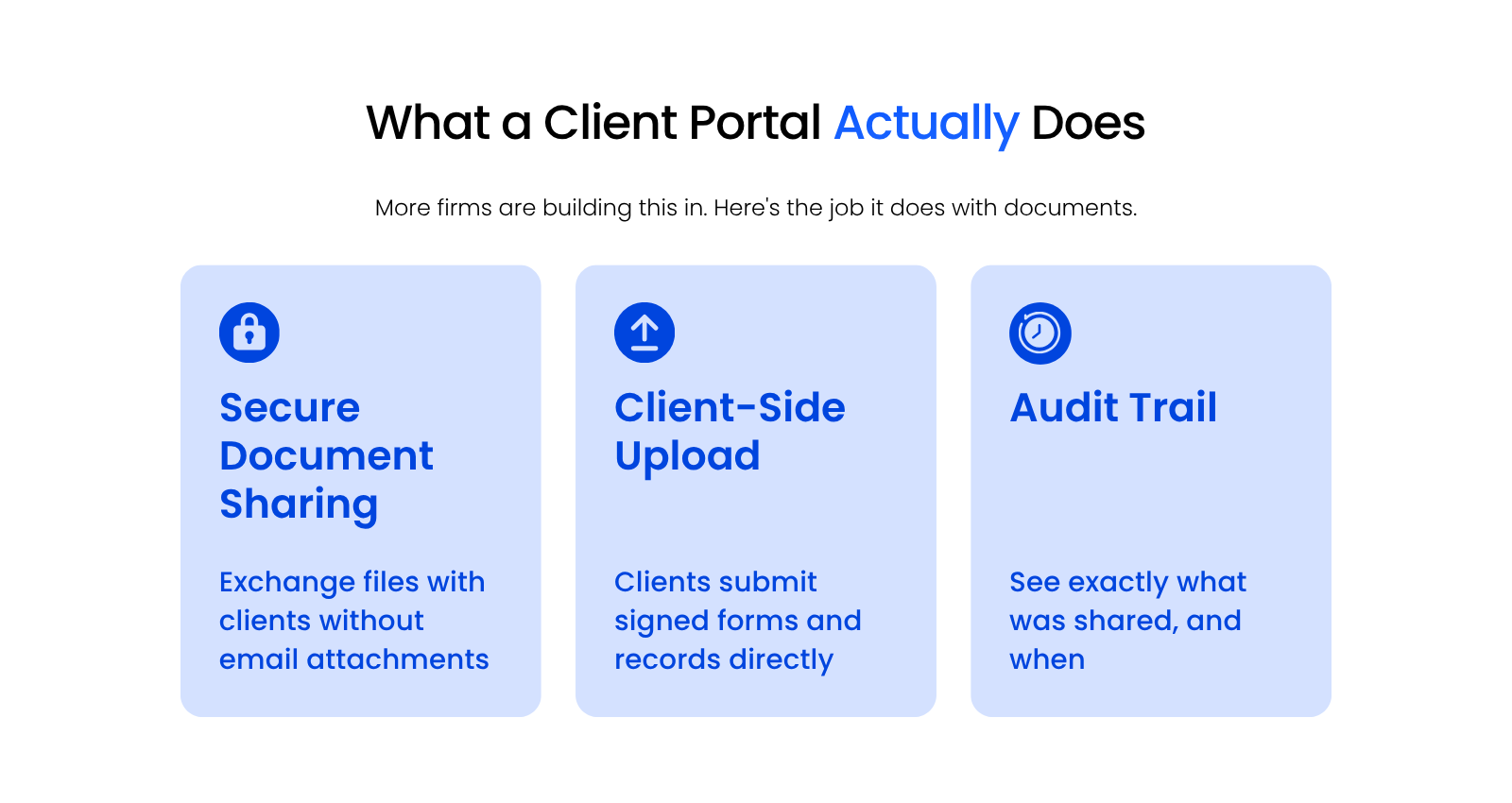
More modern practice management and legal software are building portals or client messaging systems in directly, and firms are picking up on it as a client-experience expectation, accelerated in part by clients getting used to handling everything else online. A client portal does three specific things for your documents:
Three portal options are worth a look, depending on whether you want the portal built into a broader platform or running as its own layer on top of what you already use.
Clio Manage bundles a client portal into its broader practice management platform, giving clients one login to review case details, billing, and messages. Users like having case information centralized instead of scattered across email; the common complaint is limited customization and a rough experience for less tech-savvy clients.
MyCase pairs a client portal with practice management, letting clients check case status and pull records without calling the office. Users like how it keeps clients in the loop directly; the common complaint is shallow document handling, since files often have to be downloaded rather than sent straight from the platform.
Case Status is a standalone portal built around client communication, layering secure messaging and case-status updates on top of whatever systems your firm already runs. Users like the drop in status-check phone calls; the common complaint is pricing, along with occasional glitches and thin integrations with other case management platforms.
None of this requires ripping out your existing DMS. A portal is the layer that sits between your document management system and the outside world, not a replacement for it.
If your firm is evaluating portal options, check the current feature set and pricing directly with any vendor you’re considering; capabilities in this category are still evolving quickly, and what a portal includes today may look different in a year.
Server-Based vs. Cloud-Based Software
Server-based software runs on hardware your firm owns and maintains, while cloud-based software runs on the vendor’s infrastructure and is accessed through a browser or app.
Server-based software isn’t without its reasons: you might already have the infrastructure, prefer software you already know, or need specific capabilities that only run on-premise. If none of that describes your firm, the case for cloud-based software is straightforward: someone else owns the maintenance burden.
The difference shows up most clearly in where the costs land:
None of these categories are dealbreakers on their own. Where they matter is in aggregate, over a five-year window, once you add up migration costs, ongoing IT time, and the cost of not scaling easily as your firm grows.
A firm that adds five users a year feels the difference in Cost of Scalability well before it feels anything else on this list, while a firm with steady headcount might never notice it at all. That’s why the honest answer to “which model is cheaper” is almost always “it depends which line item your firm actually hits.”
We built LexWorkplace as a cloud-based platform because we think cloud technology is where document management is headed, not because server-based software has nothing going for it.
The same trade-off shows up whether you’re talking about document management specifically or your broader software stack.
Cloud-Based Document Management
Legacy, on-premise DMS platforms can be difficult to use, expensive to implement, and painful to maintain. If most of your document management experience comes from one of those systems, cloud-based document management is worth a look.
Other Cloud-Based Software
Every piece of software eventually needs support, and how that support works looks different depending on where the software lives. With server-based software, getting help can be a lengthy process with unpredictable costs, and the burden falls on your firm to know when to ask for it. With a cloud-hosted solution, that burden shifts to your provider.
IT Support for Law Firms covers what good support should look like, regardless of which model you choose.
Other Law Firm Software Categories (and Where to Learn about Them)
Five categories fall outside the scope of this guide: practice management, accounting, billing, payment processing, and client intake. Here’s where to go for each.
Practice Management Software handles your matters, calendaring, and legal matter management as a whole. Most firms treat it as the second major system after document management. See our full practice management software comparison for a complete rundown of the leading options.
Payment Processing covers how your firm collects payment from clients, including trust-compliant options. Trust accounting rules make this a category worth getting right the first time, not retrofitting later. See our payment processing comparison to compare the leading platforms.
Legal Accounting Software handles trust accounting, financial reporting, and general firm bookkeeping. If your firm bills trust funds, this is the category regulators care about most, and getting it wrong carries real compliance risk that a document management problem doesn’t.
Uptime Legal covers the leading platforms in this category: Juris, Juris in the cloud, PCLaw in the cloud, and CosmoLex.
Time & Billing Software tracks billable hours and turns them into invoices. Some practice management platforms include this natively; Tabs3 and Time Matters are worth a look if yours doesn’t.
CRM & Intake Software manages how new clients find and onboard with your firm.
Intake tools are usually part of a broader practice management evaluation rather than a standalone purchase, so our practice management comparison is the right starting point here too. If intake is your firm’s biggest current bottleneck, start that evaluation there rather than searching for a dedicated intake tool on its own.
None of these five categories are less important than the document side. They’re simply better covered elsewhere, by people who spend their time on that side of a firm’s technology stack rather than splitting attention across everything at once.
Law Firm Software – Next Steps
The software that actually touches your documents, document management, cloud storage, automation, e-signature, and client portals, is the foundation everything else in your tech stack sits on top of. Get that part right first, and the rest of your evaluation gets a lot easier.
Tackle it one category at a time. Migrate your DMS, your storage, and your e-signature workflow all at once, and a straightforward upgrade turns into a mess you didn’t sign up for. Handle document management first, since everything else builds on it.
For practice management, payment processing, accounting, billing, and intake, see the pointers in the section above.
WHAT’S NEXT