
Table of Contents
Let’s discuss Legal Billing Software.
Law firms, whether large or small, are constantly juggling a myriad of tasks, from client consultations to courtroom appearances.
Amidst this whirlwind of activities, one administrative task stands out in its importance: billing.
Legal billing isn’t just about sending out invoices. It’s a complex process that involves tracking billable hours, managing client accounts, generating detailed reports, and ensuring timely payments.
In this article, we’ll explain:
Whether you’re a veteran in the legal field or a newcomer making your mark, grasping the significance of these digital tools can greatly enhance your firm’s efficiency and bolster client confidence.
Introduction to Legal Billing Software
Legal billing isn’t just about sending out invoices. It’s a complex process that involves tracking billable hours, managing client accounts, generating detailed reports, and ensuring timely payments.
With the average attorney invoicing only about 81% of actual billable hours, the margin for error and oversight is significant. This is where legal billing software comes into play.
What is Legal Billing Software?
Legal billing software is a specialized tool designed for attorneys and law firms to streamline and automate the billing process. At its core, this software aids in tracking consulting time, calculating billable hours, and generating invoices. But its functionalities don’t stop there.
Modern legal billing software offers a plethora of features, including:
Beyond these functionalities, legal billing software offers a centralized system, reducing the chances of human error, ensuring compliance with legal standards, and ultimately, ensuring a steady revenue flow for the firm.
In the digital age, as law firms evolve and adapt to new technologies, legal billing software has become an indispensable tool. It not only simplifies administrative tasks but also empowers law firms to focus on what they do best: practicing law.
Legal Billing Software vs. Practice Management Software
The legal industry, with its myriad complexities and nuances, requires tools that not only simplify operations but also enhance the quality of service delivery.
Legal Billing Software and Practice Management Software, while both designed to cater to this industry, serve distinct yet occasionally overlapping purposes.
Here’s a comprehensive exploration of their similarities, differences, and the broader implications for law firms:
Similarities
Differences
Implications for Law Firms
Choosing between Legal Billing Software and Practice Management Software isn’t merely a technical decision; it’s a strategic one. For boutique firms or those with a laser focus on refining their billing processes, a dedicated legal billing solution might resonate more.
However, expansive firms or those aiming for a digital overhaul might find the holistic approach of practice management software more aligned with their vision.
Differences Between Legal Billing, Accounting, and Payment Processing
Technology has paved the way for specialized software solutions, each designed to address distinct facets of a law firm’s financial management.
While there’s a natural overlap in functionalities, understanding the nuances of each software type is paramount for optimizing efficiency and ensuring accurate financial practices.
In this section, we’ll dissect the core differences between Legal Billing Software, Law Firm Accounting Software, and Law Firm Payment Processing Solutions, highlighting what sets each apart and how they collectively contribute to a law firm’s comprehensive financial strategy.
Let’s delve into the unique attributes of each.
Legal Billing Software
Legal Billing Software is tailored specifically for the invoicing and time-tracking needs of law firms. Its distinct features include:
Law Firm Accounting Software
Distinguished by its comprehensive financial management capabilities, Law Firm Accounting Software offers:
Law Firm Payment Processing Solutions
Focused on facilitating transactions, Law Firm Payment Processing Solutions provide:
While each software type offers features that cater to the financial operations of law firms, their primary functions differ.
Legal Billing Software zeroes in on invoicing and time-tracking, Law Firm Accounting Software provides a broader financial overview, and Law Firm Payment Processing Solutions streamline the transaction process.
Recognizing these distinctions is crucial for law firms aiming to optimize their operations.
On-Premise Software
Server-based software can sometimes offer robust features that you can’t find through natively-cloud solutions. Or, perhaps you firm has used a particular on-premise software that you’ve become accustomed to.
The good news?
With Uptime Legal, you don’t have to sacrifice your favorite software in pursuit of the cloud. Uptime Legal offers various hosting solutions that are built for just this type of scenario.
To learn more, click on the button “Hosting Options” under the following apps.

PCLaw
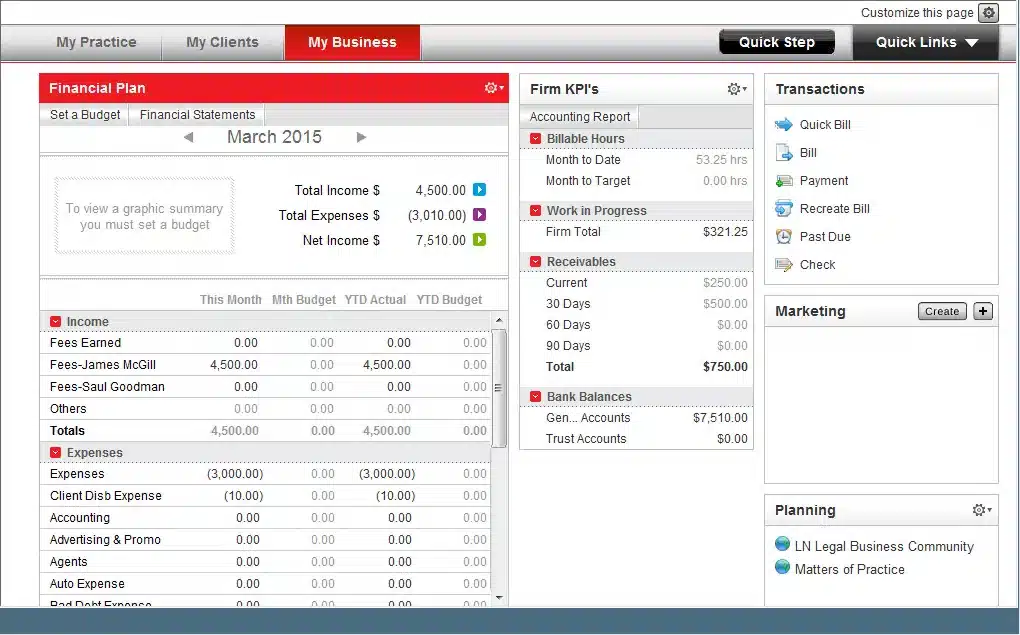
PCLaw | Time Matters is a comprehensive legal software solution that has been serving the legal community for over three decades. It offers an integrated suite of tools designed to assist law firms in managing matter information, billing, trust accounts, calendar appointments, tasks, time, and expenses from a single platform.
Stand-Out Features
Software Type: Billing + Accounting
Deployment: On-Premise/Hosted

Tabs3
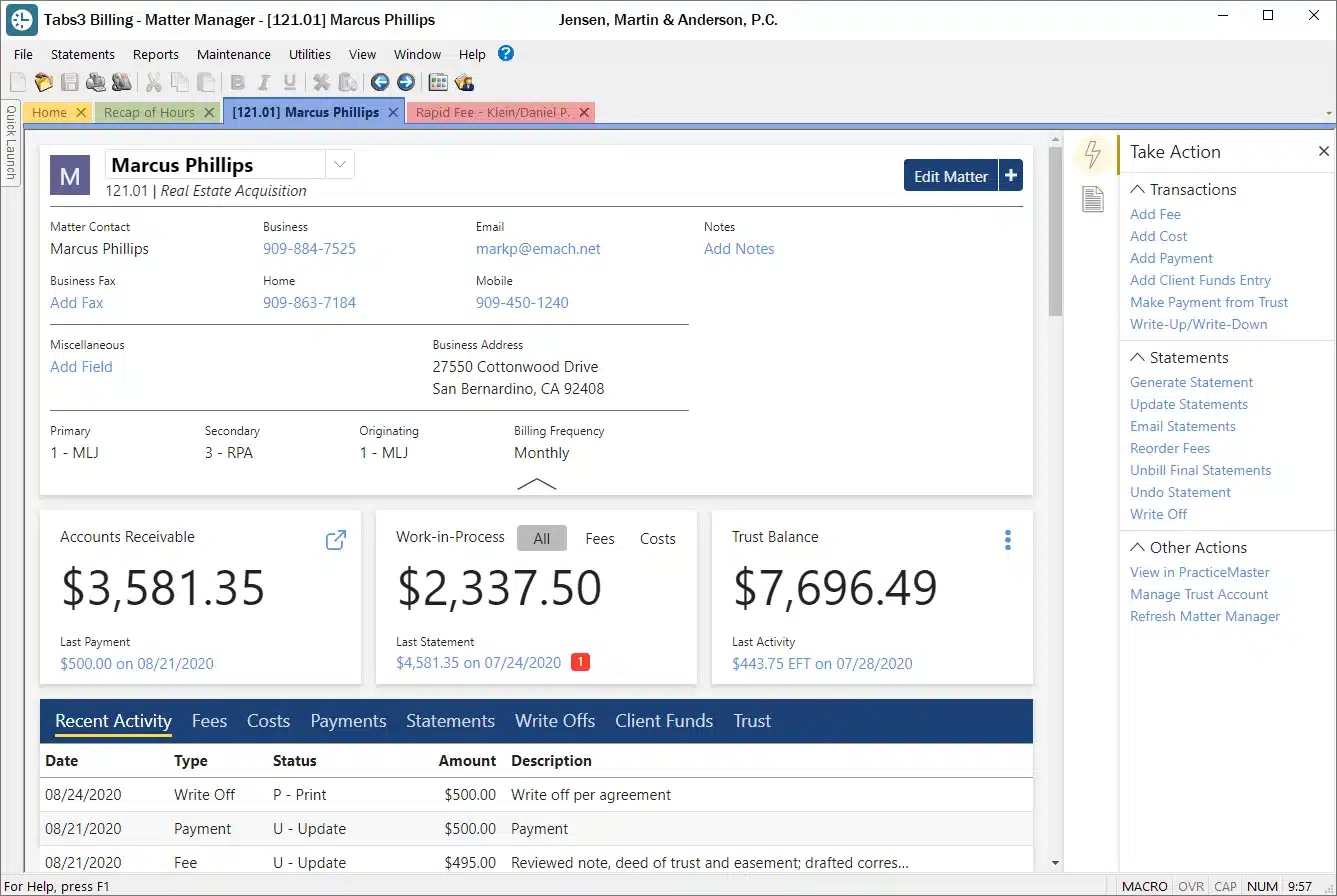
Tabs3 is a comprehensive legal practice management software that has been serving law firms for over 40 years. It offers an integrated suite of products designed specifically for law firms, ranging from billing to practice management, check writing to general ledger and trust accounting.
Stand-Out Features
Software Type: Billing + Accounting
Deployment: On-Premise/Hosted
How to Choose Legal Billing Software
Choosing the right legal billing software for your law firm is a critical decision that can significantly impact your firm’s efficiency, client satisfaction, and bottom line. With a plethora of options available in the market, making an informed choice can be daunting.
Here’s a step-by-step guide to help you navigate this decision:
1
Understand Your Needs
Before diving into the myriad of options, take a moment to assess your firm’s specific needs.
Are you looking for a standalone billing solution, or do you need a comprehensive practice management system? How many users will need access? Do you require mobile access?
Having the answers to these questions and more will put you in a strong position to have the best judgment for your firm.
2
Budget Considerations
Determine a budget for your software investment.
While it’s essential to find a solution that fits within your financial constraints, it’s equally crucial to ensure that the software offers value for its cost.
3
Features and Functionality
List down the must-have features.
Common functionalities to consider include time tracking, invoicing, expense tracking, trust accounting, integration with accounting software, and reporting capabilities.
4
Integration Capabilities
If you’re already using other software tools, such as accounting software or a client management system, ensure that the billing software you choose can seamlessly integrate with them.
This will streamline processes and reduce manual data entry.
5
Deployment Options
Decide whether you prefer a cloud-based solution that you can access from anywhere or an on-premise solution that’s installed on your firm’s servers.
Each has its pros and cons, so weigh them based on your firm’s operational needs.
6
User Experience
Opt for software that’s user-friendly and intuitive. A steep learning curve can hinder adoption rates among your staff.
If possible, request a demo or a trial period to get a feel for the software’s interface.
7
Security and Compliance
Given the sensitive nature of legal data, ensure that the software adheres to industry-standard security protocols.
Additionally, it should be compliant with regulations, especially if it handles trust accounting.
8
Customer Support
Reliable customer support can be a lifesaver, especially during the initial stages of software adoption.
Check if the provider offers timely support through multiple channels like email, phone, or chat.
9
Reviews and Recommendations
Look for reviews from other law firms or legal professionals who’ve used the software.
Personal recommendations can also provide insights into the software’s real-world performance.
10
Scalability
As your firm grows, your software needs might evolve.
Choose a solution that can scale with you, whether that means handling more clients, integrating with other tools, or offering advanced features.
Selecting the right legal billing software requires a blend of introspection about your firm’s needs and thorough market research.
By considering the factors mentioned above and leveraging trials or demos, you can find a solution that not only meets your current requirements but also supports your firm’s growth in the future.
Consider the Cloud
Maybe you prefer server-based software but wish to avoid the complexities of server maintenance. Makes sense!
No matter your accounting software choice, Uptime Legal is here to assist with hosting.
With our Private Cloud, you can access your desktop-based legal tools, documents, and data seamlessly. Enjoy the cloud’s benefits of reliability, security, and mobility without giving up your preferred software. Reach out to our experts to discover more.
On-Premise vs. Cloud-based Legal Billing Software
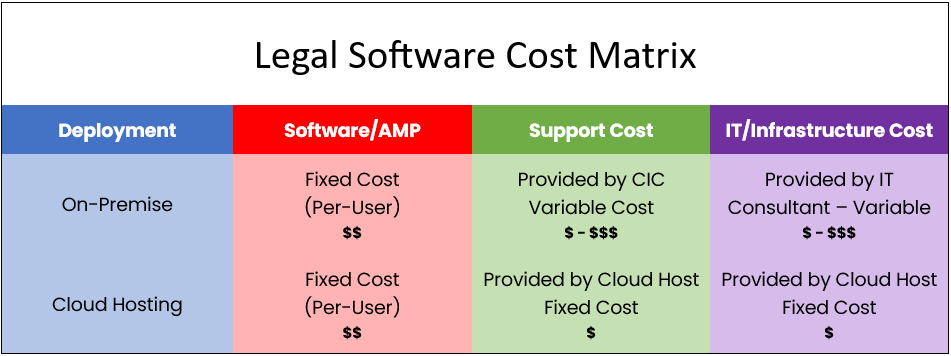
In the realm of legal billing software, one of the primary decisions law firms face is choosing between on-premise and cloud-based solutions. Both options come with their own set of advantages and challenges.
Here’s a comprehensive comparison to help you make an informed decision:
On-Premise Legal Billing Software
On-premise software is installed and run on computers on the premises (in the building) of the organization using the software, rather than at a remote facility, such as a server farm or cloud.
Advantages
Challenges
Cloud-Based Legal Billing Software
Cloud-based software, or Software as a Service (SaaS), is hosted on external servers managed by third-party providers and is accessed via the internet.
Advantages
Challenges
Making the Decision
The choice between on-premise and cloud-based hinges on several factors:
There’s no one-size-fits-all answer.
Each firm must weigh the pros and cons in the context of its unique operational landscape, financial situation, and future aspirations. Whatever the choice, the goal is to enhance efficiency, client service, and profitability.