
Table of Contents
If your firm spends hours each week assembling the same documents from scratch, Clio Draft promises to give that time back.
It’s Clio’s document automation tool, now rebuilt around AI and carrying a new name — and that’s exactly why it’s worth a fresh look.
This review covers what Clio Draft does, what it costs, whether the AI is real, and who it’s actually right for. We’ll also be honest about where a drafting tool ends and where you still need real law firm document management software.
If you’re weighing Clio Draft for your firm, here’s what matters.
What Is Clio Draft?
Clio Draft is Clio’s cloud-based document automation and court-forms software. It takes the documents your firm produces over and over — engagement letters, motions, petitions, intake forms — and turns them into smart templates that fill themselves in from your case data.
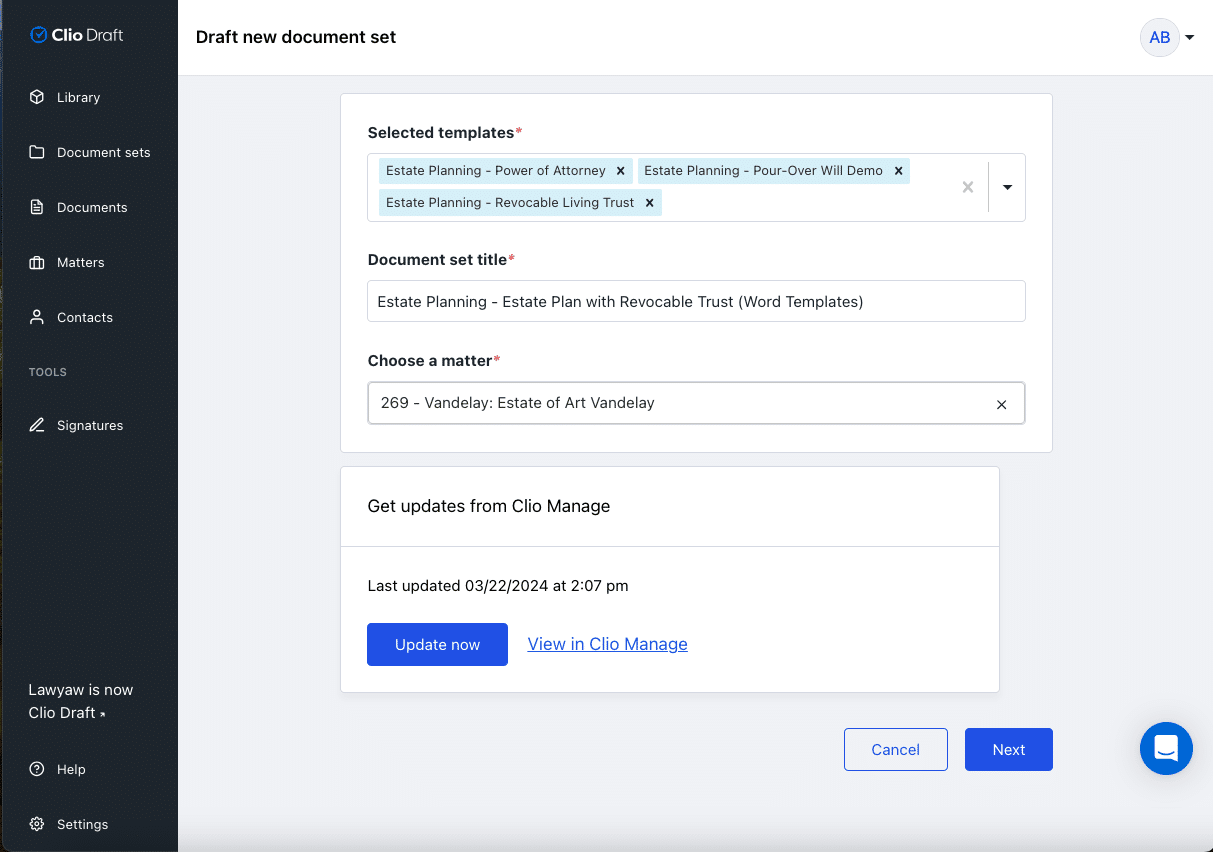
If the name is new to you, that’s because it used to be called Lawyaw. Clio acquired it and rebranded it as Clio Draft, and it now sits alongside Clio Manage and Clio Grow as part of Clio’s product line.
It works two ways. Pull client and matter details straight from Clio Manage so nothing gets retyped, or run it on its own — Clio Draft has its own data backend, so you don’t have to be a Clio Manage firm to use it.
Who Clio Draft Is Best For
Clio Draft pays off most for firms where drafting is a daily grind. If your team produces high volumes of similar documents — or stitches together complex sets from old files every time — that’s exactly the work it’s built to remove.
Think family law, estate planning, immigration, bankruptcy, and any practice that lives in court forms. The more repeatable your documents, the more time you get back. If your firm only drafts the occasional one-off, the return is smaller.

Clio Draft’s Standout Features
Clio Draft’s value comes down to a handful of features that genuinely cut drafting time. Here’s what actually matters:

Reusable contact cards, remote browser access, and encrypted cloud storage round out the package. None of those are the reason to buy it, but they’re there.

Where it gets criticized: the Clio integration. Some users report that syncing between Clio Draft and Clio Manage can be slow or clunky in practice, which is worth pressure-testing in a demo against your own workflow before you commit.
Does Clio Draft Use AI?
Yes. Clio now markets Clio Draft as AI legal drafting software, and the AI shows up in two practical places.
First, AI builds your templates. Instead of manually tagging every field, Clio Draft’s AI reads your existing Word documents and converts them into reusable templates — and new firms get a library of starter templates from day one. Second, AI powers the client questionnaires, generating dynamic intake forms that map to your templates and adapt to a client’s answers.
By that standard, Clio Draft’s AI earns its place: it removes setup work (template creation) and intake busywork (questionnaires), which is where document-heavy firms lose the most time. It’s drafting automation, not legal reasoning, so treat the output as a fast first draft your team still reviews — the same way you’d approach any AI used in a law firm.
What Clio Draft Users Say
User reviews land in a consistent place: strong on automation and time savings, weaker on the Clio sync. We pulled these from Capterra and Lawyerist (both listed under the product’s former Lawyaw name).
“It integrates well with our existing software and the development team has been exceptional to work with. It is clunky in some areas in terms of collecting the data or drawing it from our custom forms.”
— Beau, law practice (11–50 employees), Capterra, 5/5
A second reviewer flags the same integration friction:
“I used Lawyaw for court forms for a while. The Clio integration took hours to sync, making it pretty much unusable. Otherwise, a pretty good solution for the court forms they do have.”
— Noel, law practice, Lawyerist, 4/5
The pattern holds in community discussion too — the active “Clio Draft — Worth it?” thread on r/paralegal trades the same trade-offs: real time savings on documents, occasional friction syncing with the rest of Clio. Take the integration question seriously, but know the core drafting tool is well-regarded.
A Clio Draft Case Study: Cohen Family Law
Cohen Family Law, a firm with nearly four decades of history, moved off outdated legal software and onto Clio’s full suite — Clio Manage, Clio Grow, and Clio Draft.
Emma Rucker, the firm’s Managing Paralegal, ran the drafting side of that change.
Family law is conditional by nature, and that’s where Clio Draft’s template logic earned its keep:
“We do family law exclusively, so when drafting case documents, there are certain conditions that we need to account for that could alter the language within the document itself — such as whether the case involves children or not.”
“Using Clio Draft’s template builder, you can create a condition card containing the standard reasons for requesting a continuance. At that point, that’s the last time anyone has to find that specific language — because now it’s all there!”
The bigger win was speed on full document sets:

“One of the document sets we have is for a standard Petition for Dissolution of Marriage. Along with the Petition for Dissolution, you have to file a Sensitive Data Cover Sheet, a Preliminary Injunction, Summons, Notice regarding Creditors, and Notice of Right to Convert Health Insurance.”
“Prior to our switch to Clio Draft, we would have to do each one of these documents individually… Each one of these documents takes anywhere from thirty minutes to an hour, depending on the complexity of the case. With Clio Draft, each one of those forms is a template within a set, and that process — at most — takes ten minutes now.”
“That’s hours saved. Those are hours that we can use to be more productive and bill more in other areas.”
For a document-intensive practice already inside the Clio ecosystem, that’s the case for Clio Draft in a sentence.
How Much Does Clio Draft Cost?
Clio no longer publishes standalone Clio Draft pricing. The product page now routes you to a sales demo rather than listing a per-user rate, and Clio has been folding document automation into its higher Clio Manage tiers — so what you pay depends on whether you buy Draft as an add-on or get drafting features bundled into a broader Clio plan.
What that means in practice:
Across configurations, Clio Draft includes the core drafting tools — AI template creation, the 50-state court-form library, AI questionnaires, document Sets, e-signature, and the Clio Manage integration — plus live onboarding, training, and support. Clio also offers broader platform AI for firms that want it beyond drafting.
Is Clio Draft Worth It?
Clio Draft is worth it for document-heavy firms already in the Clio ecosystem. It’s a harder call as a standalone for firms whose real problem is managing documents rather than producing them.
Here’s the case for it:
And the case against:
The verdict: if drafting is your bottleneck and you’re already on Clio, Clio Draft is an easy yes and worth a serious trial. If your documents are mostly under control but your firm can never find the right version later, your problem isn’t drafting — and a different tool fits better.
Where LexWorkplace Fits: Drafting vs. Document Management
Clio Draft produces documents fast, but it doesn’t manage them — and those are two different jobs.
Once a document exists, your firm still has to organize it by client and matter, find it months later, track its versions, file the email attached to it, and keep it secure. That’s document management — a different discipline from the practice management and document management tools that produce the work, and the part that quietly slows firms down long after the drafting is done.
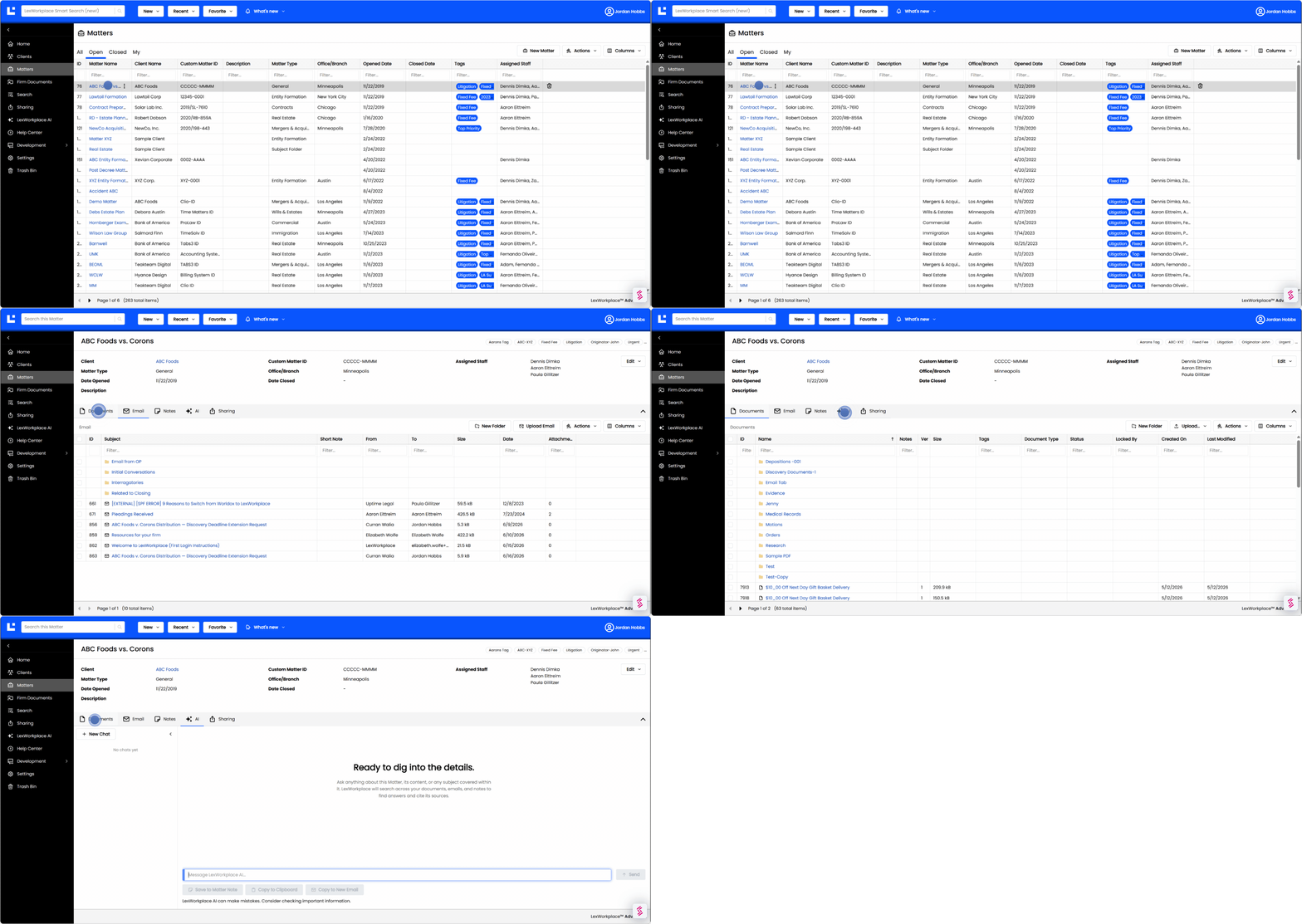
That’s the gap a document management system fills, and where LexWorkplace and Clio Draft work together rather than compete. Clio Draft handles the drafting. LexWorkplace gives every finished document and email a home— organized by client and matter, fully searchable, version-tracked, and secure — for firms on Clio Manage and firms that aren’t.
If your real frustration is finding and managing documents, not creating them, see what LexWorkplace can do for your firm.

Deciding If Clio Draft Belongs in Your Firm
Clio Draft earns its place when drafting is the bottleneck — high document volume, repeatable templates, and a team already living in Clio. The AI and court-form libraries are real time-savers, and the price gets easier to justify once you’re in the ecosystem.
It won’t organize, search, or manage the documents it helps you produce, so it works best paired with a real document management system.
Start with an honest look at where your hours actually go. If they’re disappearing into drafting, Clio Draft is worth a serious trial.