Table of Contents
Yes, LexWorkplace integrates with Clio Manage, Outlook, Microsoft 365 (Word, Excel and PowerPoint) and Litera Compare, but it doesn’t integrate with Tabs3.
The LexWorkplace Clio integration pulls a matter’s details from Clio into LexWorkplace and links the two records, so you set up the matter once and can jump between systems from the matter header.
If your firm runs Clio or Tabs3, that’s the question that decides a document management system (DMS) evaluation. Practice management already holds your time and billing. What you need beside it is a home for documents and email that doesn’t mean typing every matter in twice.
If you’re on Tabs3, the answer is no, and it’s better to know that before a demo than after.
What Does LexWorkplace Integrate With?
LexWorkplace integrates natively with Clio Manage, Outlook, Microsoft 365 (Word, Excel and PowerPoint) and Litera Compare, and it doesn’t integrate with Tabs3, CosmoLex, LeanLaw, QuickBooks, Zapier or n8n. That’s the complete list of LexWorkplace’s integrations today.
Here’s what each answer means for your firm:
The Clio, Outlook and Microsoft 365 integrations come with every LexWorkplace edition. The Clio integration needs the most explanation, because what it carries over is narrower than “integrates with Clio” suggests.
How Does the LexWorkplace–Clio Manage Integration Work?
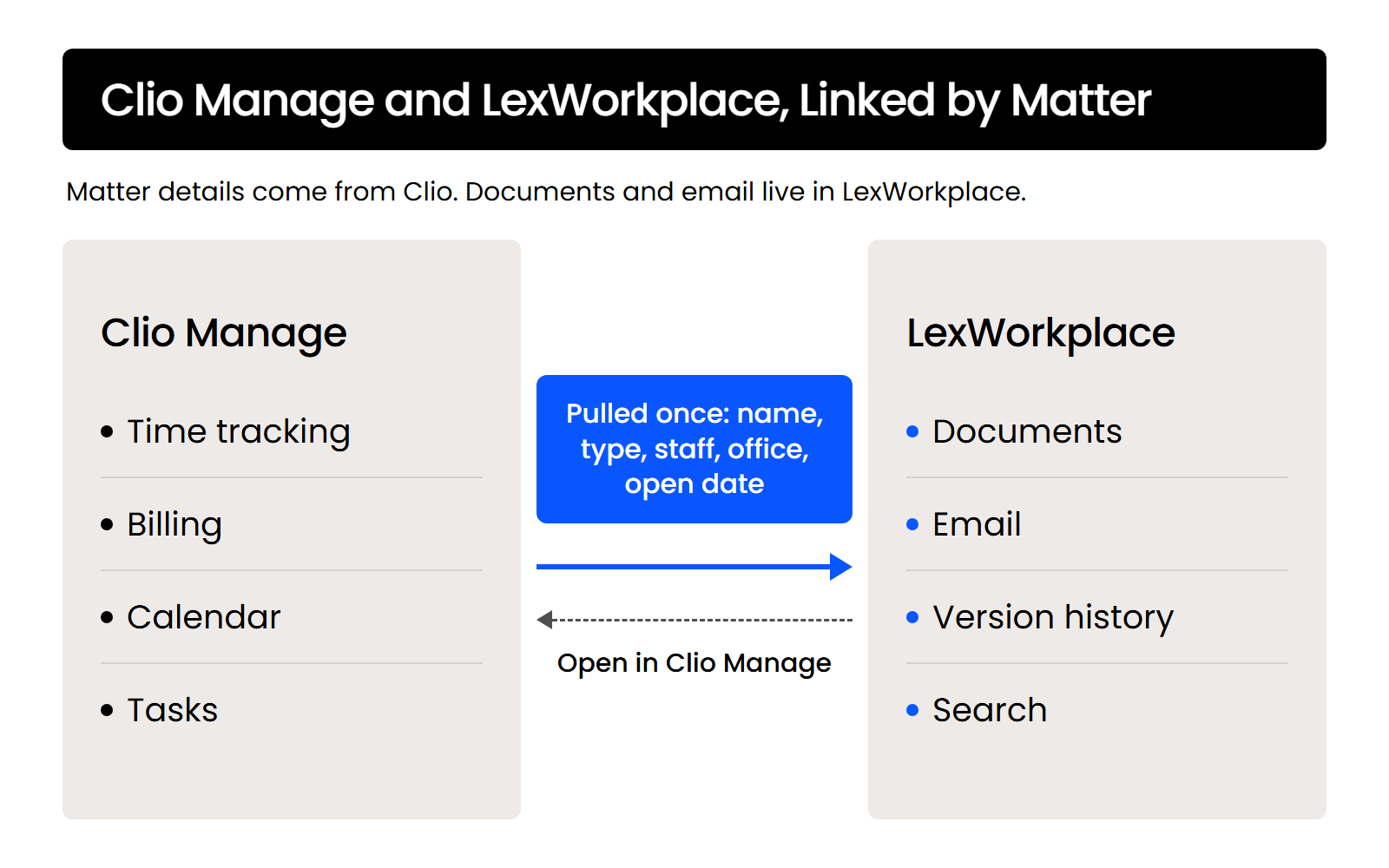
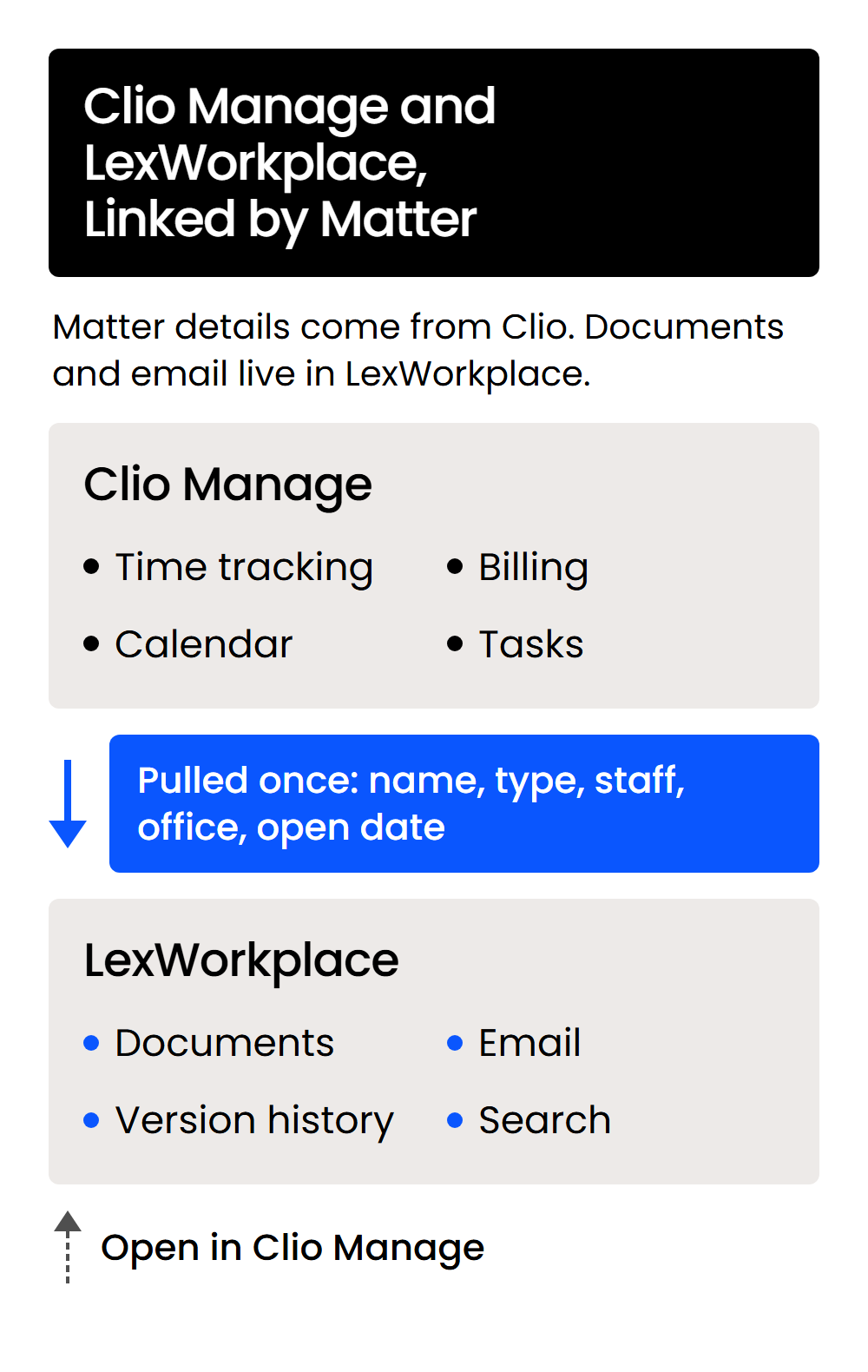
The LexWorkplace Clio Manage integration pulls an open matter from Clio into LexWorkplace and links the two records, so you enter matter details once. It doesn’t move documents between the systems.
Once the Clio integration is enabled in your LexWorkplace account, pulling a matter in takes a few clicks:
Skipping that second round of data entry is the point, because when practice management and document management aren’t connected, the time goes into re-keying matter details and fixing the mistakes it creates.
What Carries Over from Clio
Pulling a matter copies five details into LexWorkplace:
If you created a matter in LexWorkplace before turning the integration on, link it from the matter’s Actions menu with Link to Matter in Clio Manage.
What Stays in Clio
Time, billing and calendaring stay in Clio, and the matter’s documents and email live in LexWorkplace. The Clio integration links the two matter records and doesn’t copy documents in either direction.
Many LexWorkplace and Clio users keep both applications open side by side, in separate browser tabs or on separate monitors, and use the Open in Clio Manage link in the matter header to move between them.
Does LexWorkplace Integrate with Tabs3?
No. LexWorkplace doesn’t integrate with Tabs3, so Tabs3 stays your billing and accounting system and you set up matters in LexWorkplace separately.
Running LexWorkplace and Tabs3 side by side means two things day to day:
There’s no Tabs3 connector to fall back on, so count that double setup when you compare options.
If your firm needs its document management tied directly to Tabs3, look at the systems Tabs3 connects to. Tabs3 lists integrations with NetDocuments and Worldox, and those are the options to weigh against running LexWorkplace and Tabs3 separately.
If You Already Use Clio, Why Add a Document Management System?
Clio Manage runs the practice side of a matter, like time, billing and tasks, while a document management system holds the matter’s documents and email in one searchable place. Practice management can be the one place your firm records time and tasks while the documents and email for the same matter still sit somewhere else.
Clio Manage does store documents on each matter, and Clio sells drafting tools such as Clio Draft on top. The split between practice management and document management comes down to what you need beyond that storage.
Here’s what LexWorkplace does with a matter’s documents and email:
Clio offers its own versions of some of these, including an Outlook add-in, version history and document search. The difference is focus: LexWorkplace is built around documents and email first, while Clio’s document tools sit inside a practice management system.
That’s the case for running Clio and a dedicated DMS side by side rather than stretching Clio to cover both.
According to one attorney’s Capterra review of Clio, the firm still runs a second product for its files:
Clio alone can be enough. If your firm is small and Clio’s document storage, Outlook add-in and search cover how you work, staying on Clio by itself is a reasonable call.
Some firms move the other way. One paralegal’s Capterra review says the firm left NetDocuments for Clio over price and the ability to have all its workflow on one platform.
How Does LexWorkplace Work with Outlook, Microsoft 365 and Litera?
LexWorkplace has native add-ins for Outlook and for Microsoft 365 (Word, Excel and PowerPoint), and it sends documents to Litera Compare Desktop for side-by-side comparison. Each one keeps you in the program you’re already working in.
Outlook: File Email to a Matter
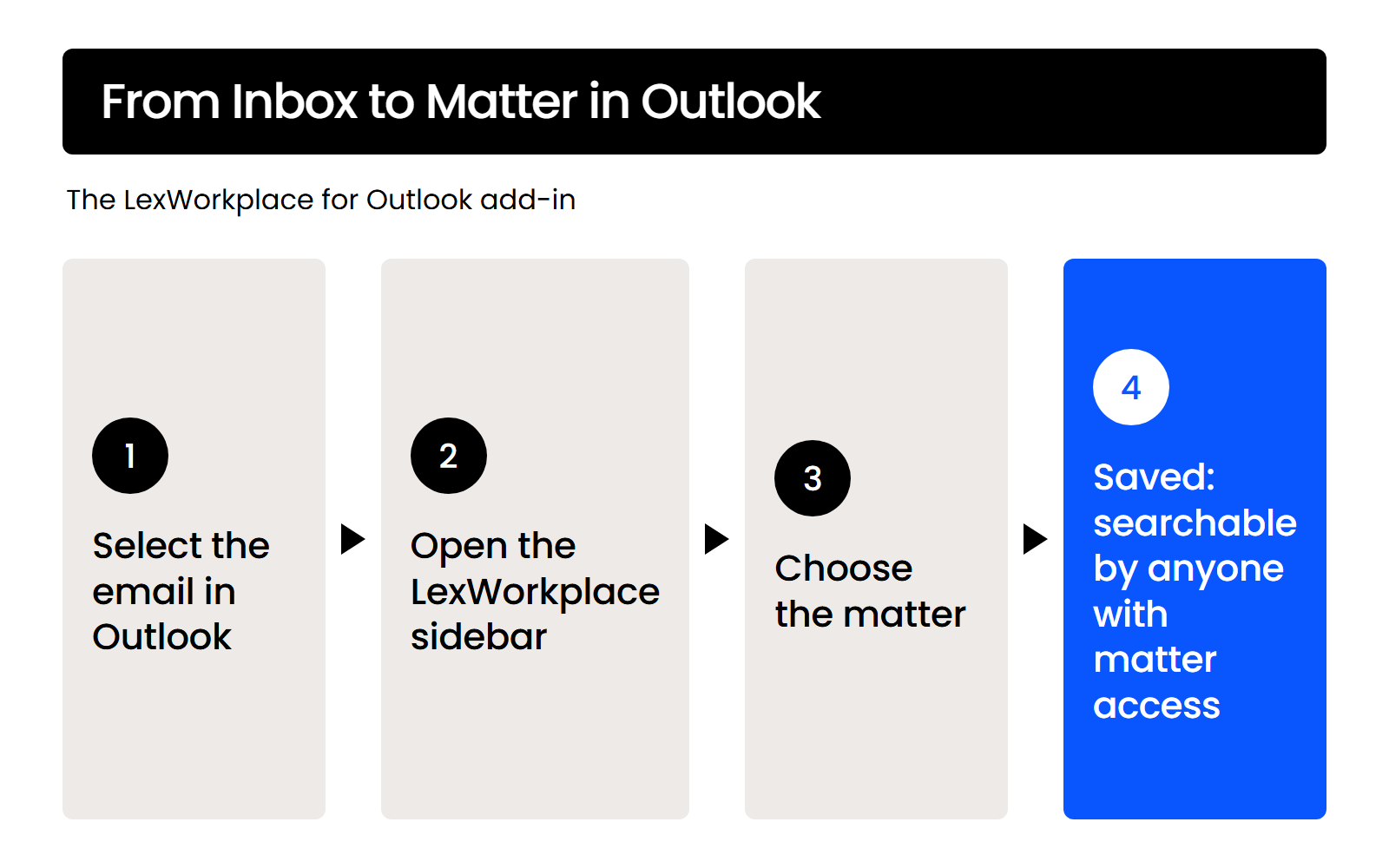
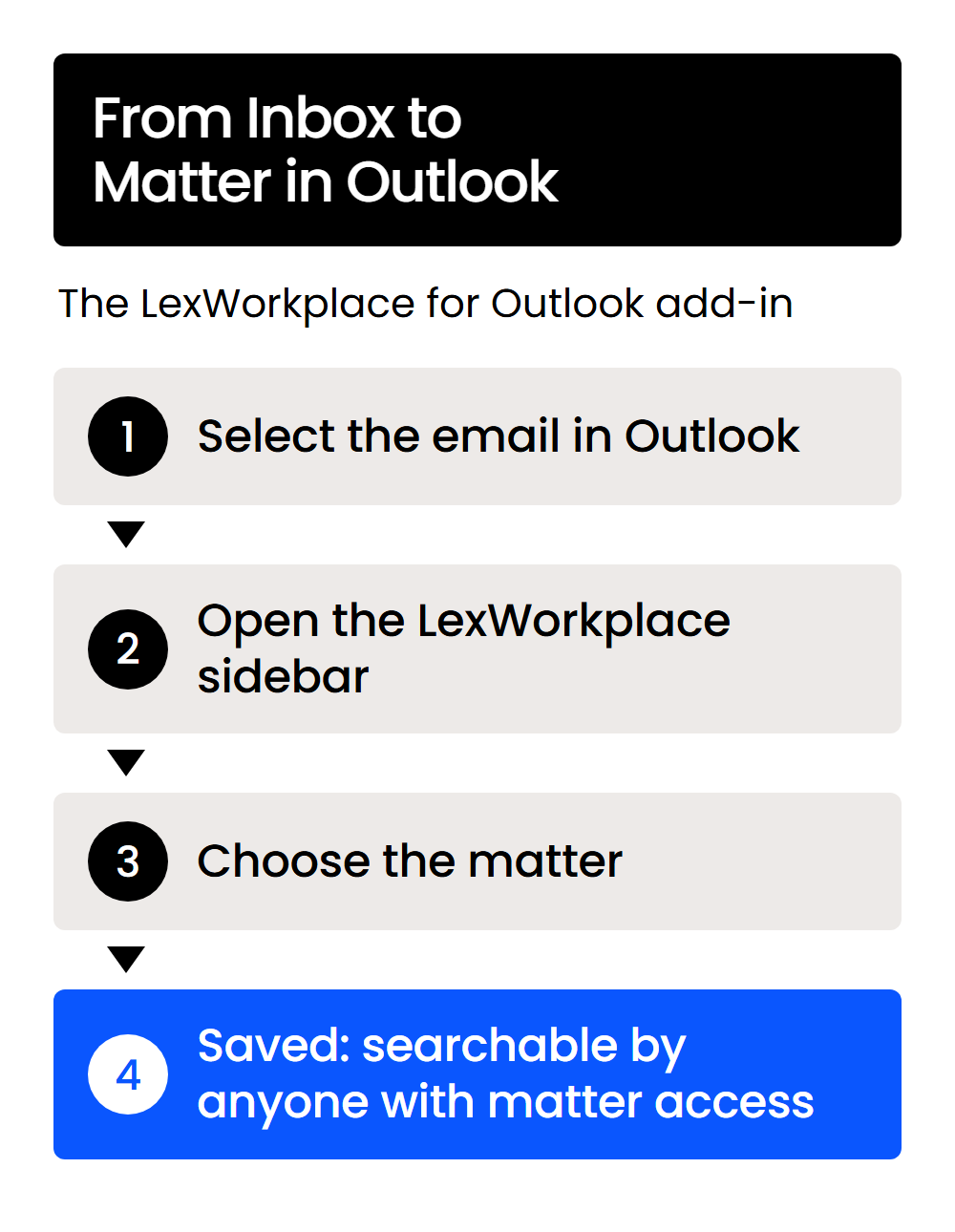
The LexWorkplace for Outlook add-in brings your matter list into Outlook. With your permission, Email Smart-File also learns which addresses belong to a matter and files those emails automatically.
The add-in works in both New Outlook and Classic Outlook. It can’t save email from a shared mailbox.
Email filed to a matter through the Outlook add-in is searchable by anyone with access to the matter, which is the difference from a folder in one person’s Outlook.
Word, Excel and PowerPoint: Save Straight to a Matter
The LexWorkplace for Office add-in adds a sidebar to Word, Excel and PowerPoint, so you can save a document to a matter and browse your matters without leaving Office. The add-in is optional. Office documents still open and save back to LexWorkplace without it, through the LexWorkplace Launcher.
Litera Compare: Compare Two Documents or Versions
If your firm uses Litera Compare Desktop for document comparison, you can send any two documents, or two versions of the same document, from LexWorkplace straight into Litera Compare. It needs the LexWorkplace Advanced edition and a Litera Compare Desktop license.
What This Means If You Run Clio or Tabs3
LexWorkplace integrates with Clio Manage, Outlook, Microsoft 365 and Litera Compare, so a Clio firm can run it beside Clio. You pull each matter in from Clio once, keep time and billing in Clio, and keep the matter’s documents and email in LexWorkplace, a click apart.
If your firm runs Tabs3, there’s no integration, so weigh setting up matters in each system against what LexWorkplace does for your documents and email.
WHAT’S NEXT