Table of Contents
Your firm’s shared drive worked fine when it was just a few of you. Then you hired someone new, and now you’re explaining the folder structure out loud for the third time this month.
That’s usually the first sign, a quiet buildup of small frictions: a file that’s suddenly in three places, a version nobody trusts, a new hire who still doesn’t know where anything lives.
Most firms don’t wake up one day and decide to replace a shared drive. They notice the friction adding up, one annoyance at a time, until it’s obviously not worth it anymore.
This article walks through the specific signs that your shared drive has stopped working, and what actually changes once you move to a document management system.
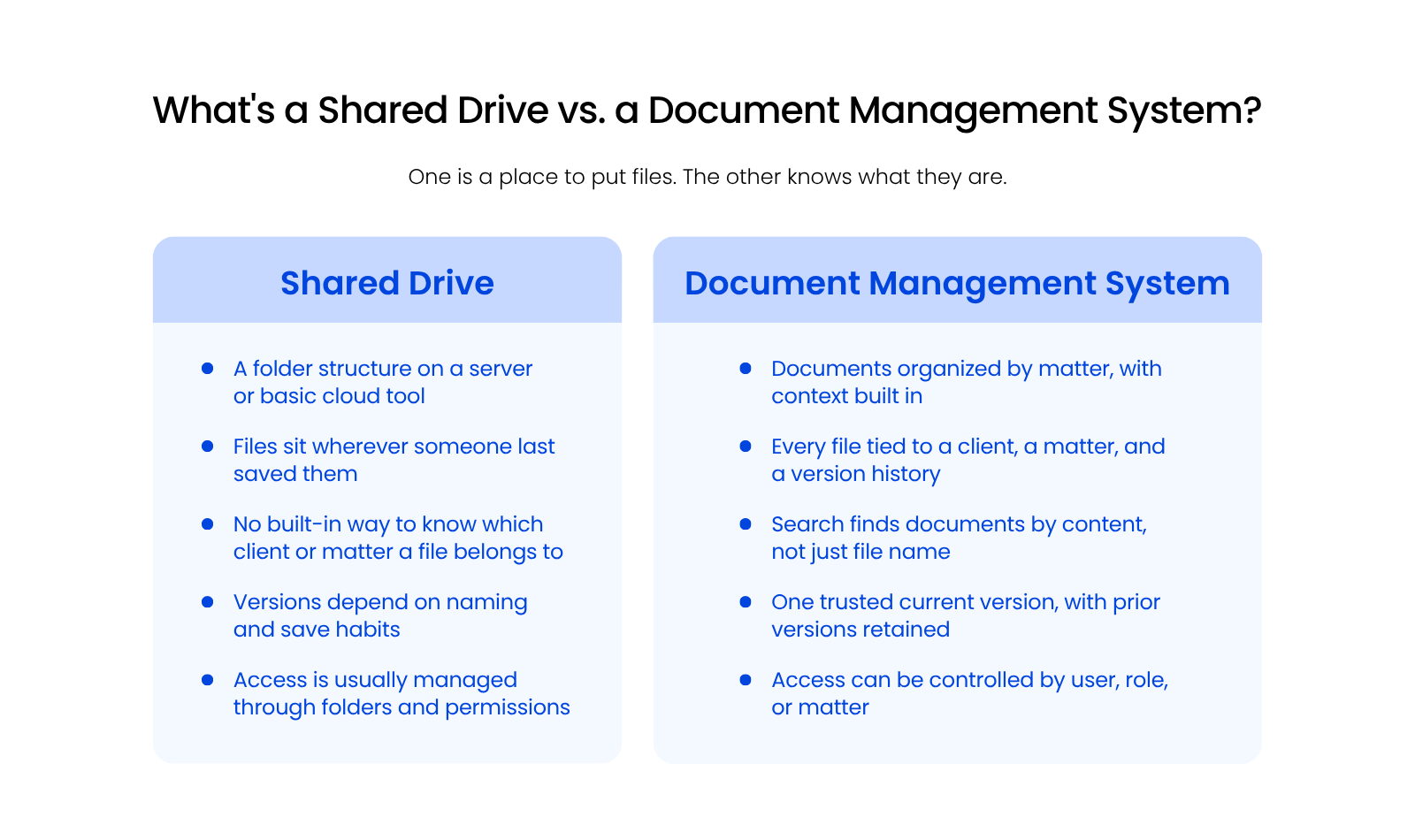
What’s a Shared Drive, and What’s a DMS?
A document management system organizes documents by matter, with version history, access control and the other core DMS features built in, while a shared drive is just a folder structure for storing files.
Most firms start with a shared drive because it’s already there. Sometimes that’s literally an S: drive on an office server, sometimes it’s Google Drive or SharePoint. Either way, it works fine when your team is small and your files are simple.
The difference between cloud storage and document management comes down to more than just holding files. A document management system ties every document to a client and a matter, tracks every version automatically, and controls who can see what. That’s the difference that starts to matter as your firm grows.
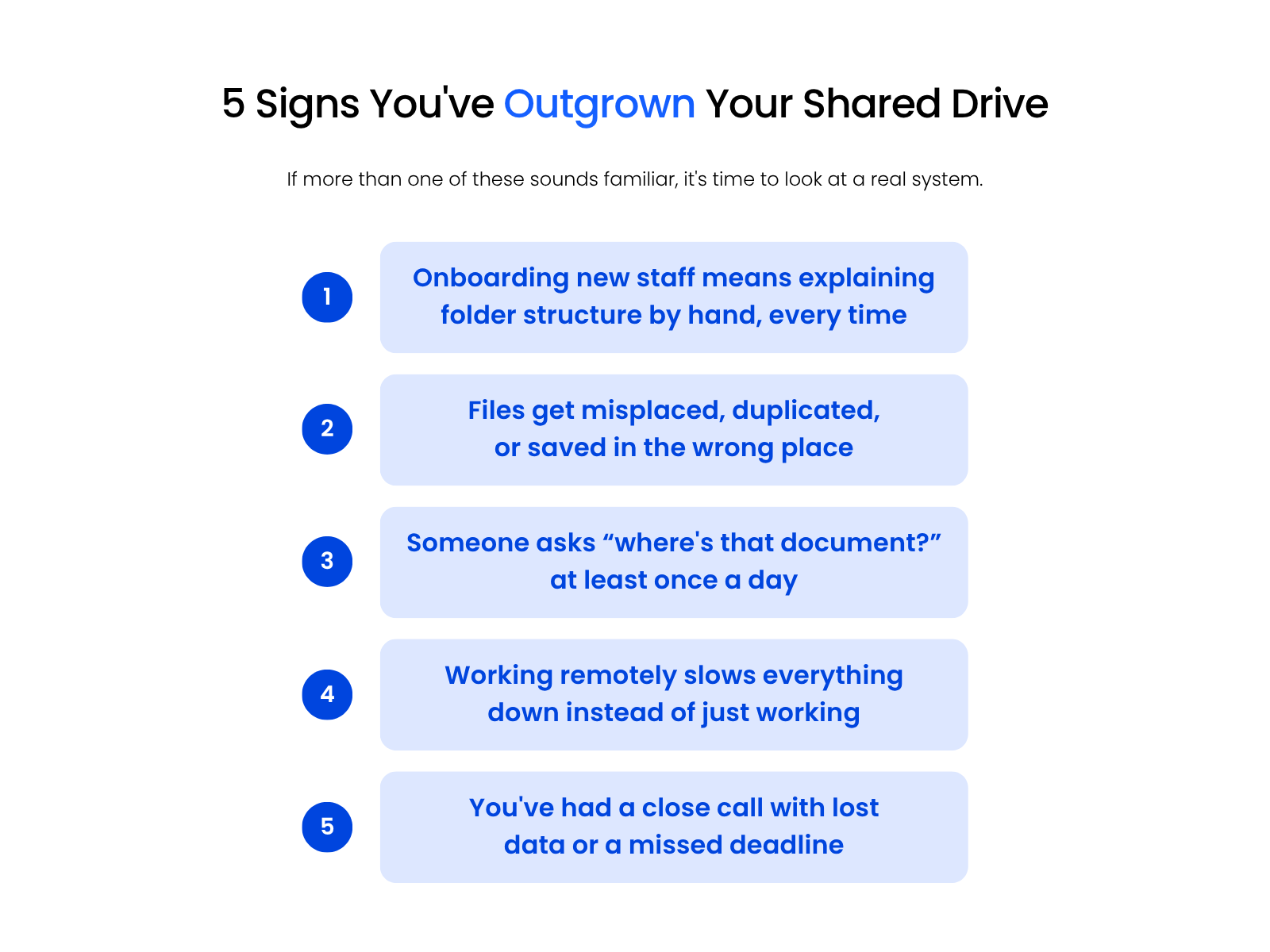
Signs You’ve Outgrown Shared Drives
That moment isn’t usually dramatic.
It’s a handful of small, specific frictions that build up until they’re impossible to ignore.
If more than one of these sounds familiar, your firm has likely outgrown its shared drive:
Once more than one of these feels familiar, it’s time to look at a real system.
Why Shared Drives Become a Liability
A shared drive works fine at first because there’s only a light document footprint and a few people using it. One office, a few users, and simple systems are enough structure for a while.
But nothing about a shared drive enforces consistency once more than a few people touch it. Naming conventions drift, version handling varies from person to person, and duplicate files spread because there’s no single source of truth.
It’s just what a tool built for basic storage does once it has to carry the weight of a growing firm’s actual document load.

The Hidden Costs You’re Already Paying
On the surface, sticking with your shared drive feels like the simple choice. It’s already in place, and your team knows how to use it. But over time, the costs start to add up in ways that aren’t always obvious.
These aren’t small issues. They drain your team’s time, introduce risk, and make it harder to deliver great service. The bigger your firm gets, the worse it becomes.
What a Legal DMS Actually Solves
When your firm is small, you can get by with patchwork tools. But as your caseload grows, those systems start to buckle. A legal document management system does more than store files, it brings structure, visibility, and control to your entire workflow.
Unlike shared drives or general cloud storage tools, a legal DMS is built specifically for law firms. Here’s what that actually means.
Matter-Centric Organization
Documents, emails, and notes get grouped automatically by matter. There’s no more digging through generic folders or guessing where something was saved. Your team works faster because everything is where it should be.
Global Search
A legal DMS lets you search across all documents and emails using client names, phrases, or file contents, even scanned PDFs, so you’re never stuck hunting for what you need.
Email Management
Instead of letting important emails live in someone’s inbox, a DMS helps you save and organize them by matter. That means no more forwarding threads or losing track of key conversations.
Version Control
You’ll always know which version is current. A DMS tracks changes automatically, so you never overwrite edits or lose progress.
Compliance and Security
Legal DMS platforms include tools for access control, audit trails, and ethical walls, all baseline requirements for protecting your firm and your clients today.
Tools like Dropbox or OneDrive can work for basic file storage, but they lack legal-specific features like matter-based structure, audit trails, or access controls. They weren’t built to support the way your firm actually operates.
A legal DMS solves the problems that were actually slowing your firm down, not just where the files happened to live. This is about having the right system to support the way your team actually works.

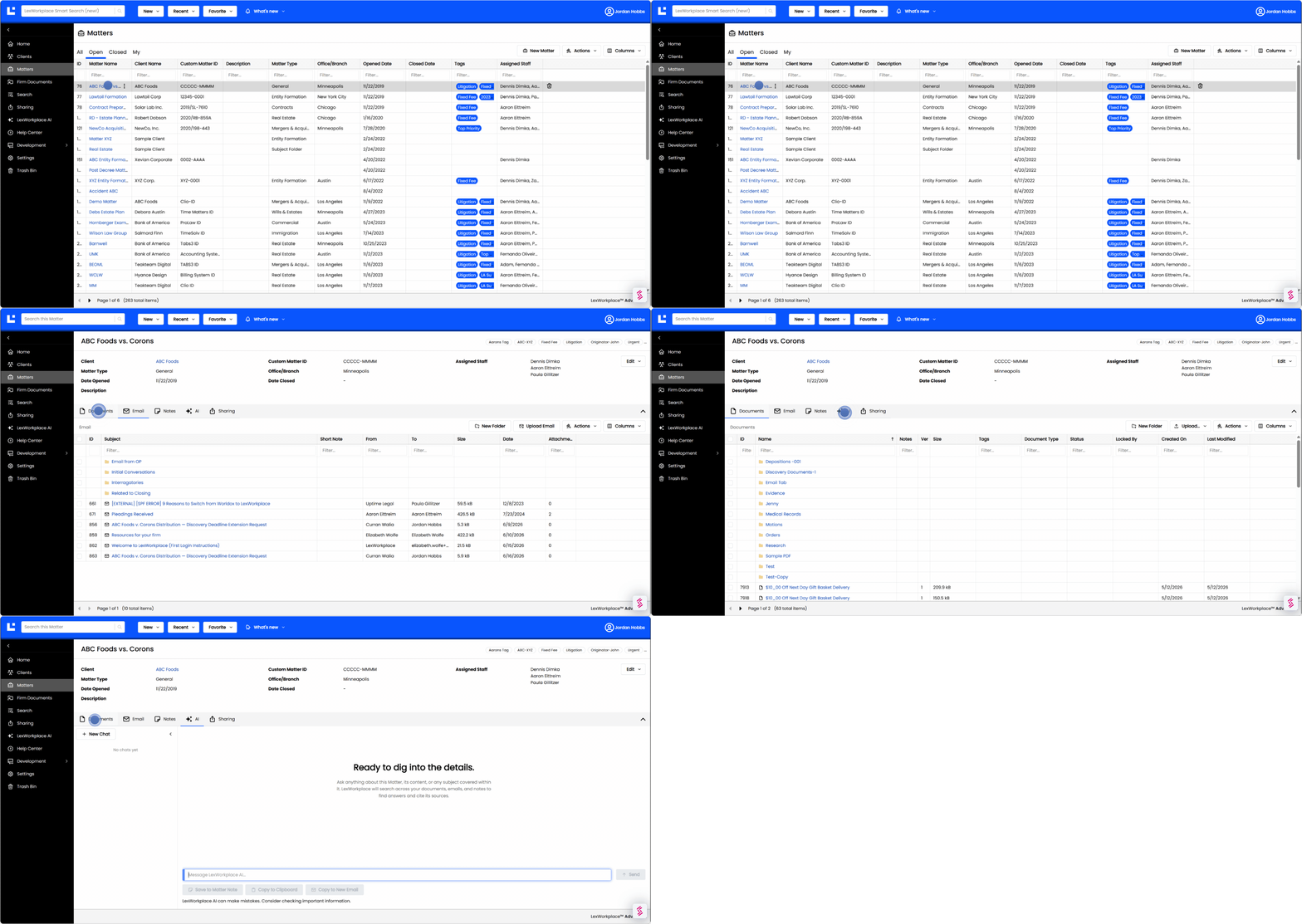
Why Growing Firms Choose LexWorkplace
When law firms start looking for a better way to manage documents, it’s usually because things have become too messy, too slow, or too risky. LexWorkplace was built to solve those exact problems without the complexity that comes with generic tools or clunky server setups.
It’s cloud-based, so your team can work securely from anywhere, without VPNs or remote desktop workarounds. Everything is organized by matter, easy to search, and simple to use from day one.
You don’t need to bring in outside consultants or spend months migrating to LexWorkplace. Rollout is quick, and you’re supported by a team that knows legal tech and knows how to keep it simple.
From built-in compliance tools to real human support, LexWorkplace gives growing law firms the structure a shared drive never could, without getting in the way.
It’s Time for Something Better
A shared drive is a starting point that runs out of room as your firm grows. The signs are rarely dramatic: a file in the wrong place, a version nobody trusts, a new hire who still doesn’t know where anything lives. Once you notice one, the rest tend to follow.
Firms that act on those signs early spend less time untangling the mess and more time doing the actual work.
That’s the real difference a document management system makes for a growing firm.
WHAT’S NEXT