Table of Contents
Most firms first read the exit terms in their DMS contract on the day they need them. The demo showed how documents go in, and rarely how they come out.
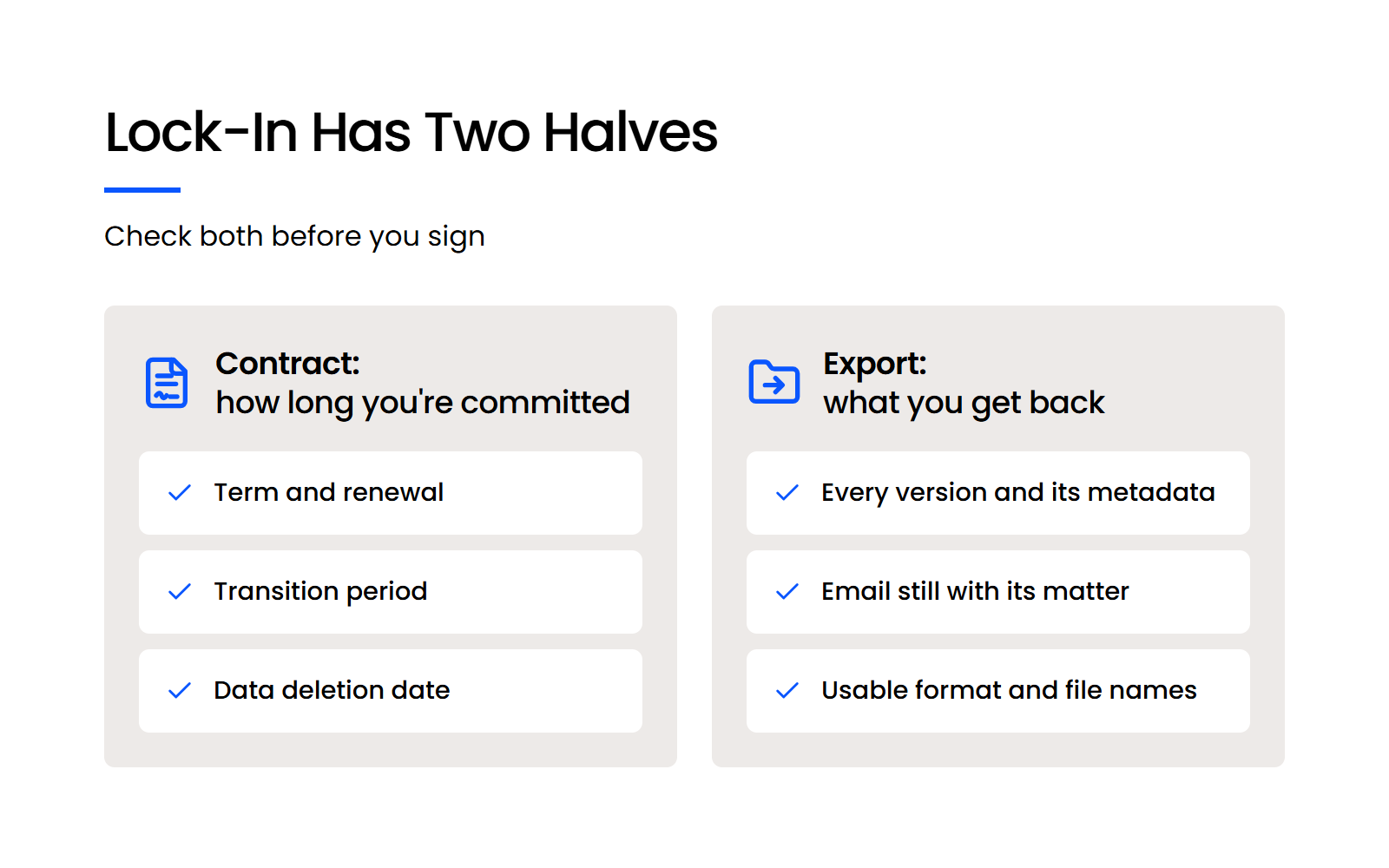
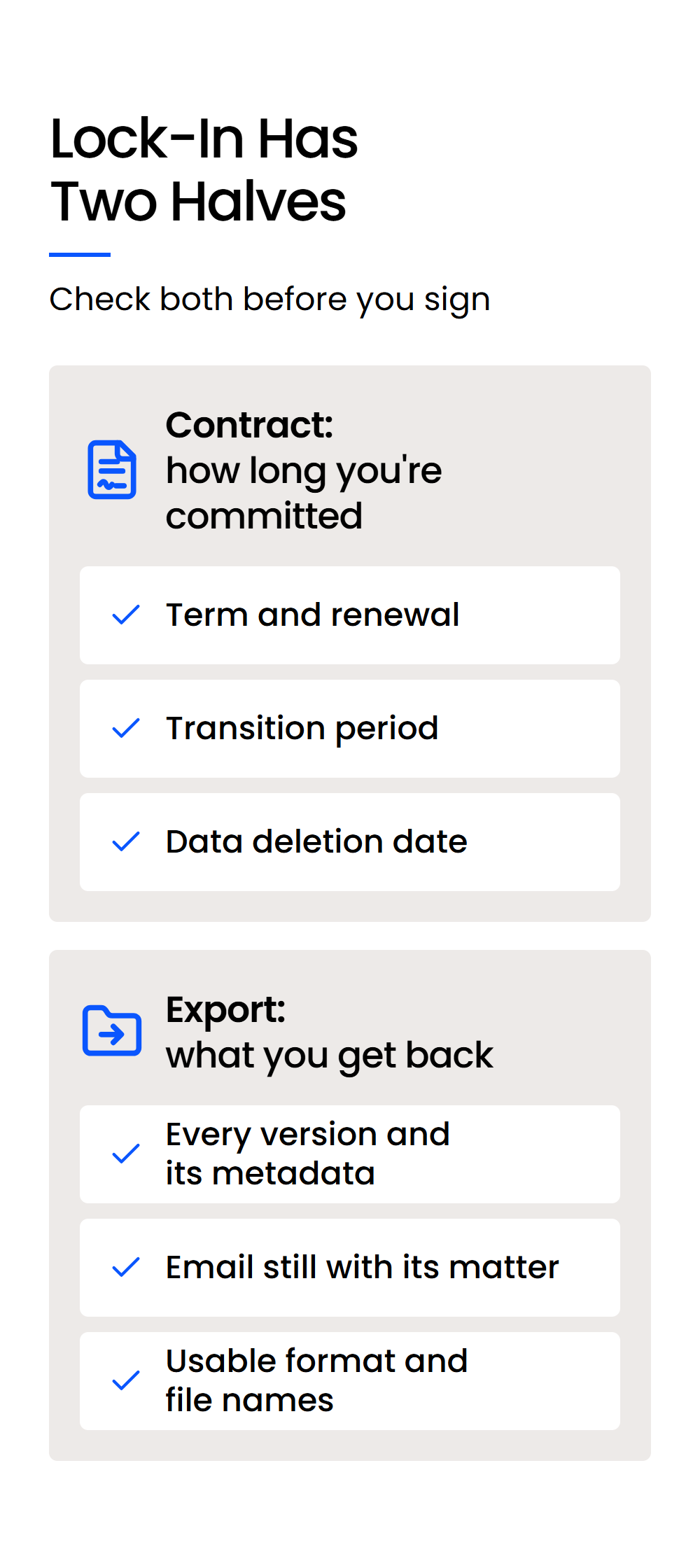
By then, the terms are fixed. Leaving a legal DMS comes down to two things you can check before you sign: the contract, which sets how long you’re committed and what the vendor may do with your data after you go, and the export, which decides what you get back.
A vendor can be generous on one and thin on the other, and you won’t see which unless you ask before you sign.
Firms we talk to raise the same worries: long contracts, getting locked in, and how offboarding works. Each one comes down to a contract clause or an export detail you can check now, and we’d rather you ask us about them too.
Why Should You Plan Your Exit Before You Sign a DMS Contract?
Plan your exit before you sign because both halves of lock-in, the contract terms and the export you’d get back, are fixed the day you sign. Most firms first read the exit clauses when they already need them, and by then there’s nothing left to negotiate.
Vendor lock-in is how hard a vendor makes it to leave. The contract fixes how long you’re locked in and when the vendor can delete or keep your data after you leave. The export fixes what comes back with you: which documents, which versions, and in what shape.
Legal software is harder to leave than most. Your DMS holds matters rather than loose files, with filed email that records what was said and when, version trails on pleadings and agreements, and years of closed files you still have to be able to produce.
Leaving is a normal part of owning software. Firms outgrow systems, merge, and change vendors when a product changes hands, so the time to learn what leaving looks like is while you can still choose a different vendor.

What Should a Complete DMS Exit Give You?
A complete DMS exit gives you every document and every version, the profile metadata, your filed email still grouped with its matter, the matter and folder structure, and meaningful file names, all in a usable, open format.
The Exit Checklist for a Law Firm DMS
The table sets out each component of a complete exit, why it matters to your firm, and what to ask before you sign.
A vendor that can answer every row in writing has thought about how you’d leave. A vague answer on any row is worth following up before you sign.
Why “We Can Export Your Files” Isn’t the Whole Answer
A folder of latest versions with unreadable file names counts as an export and leaves you to rebuild the rest. Every vendor can say yes to “can we get our files out?” so the useful questions are about what comes out with the files.
Versions, metadata, filed email and folder structure are what make a document findable in context. When a vendor says you can export, ask what the export contains, row by row against the table above.
Which Contract Terms Decide How You Leave?
The contract terms that decide how you leave a DMS are the initial term and renewal, the notice period, any transition period, what happens to your data after termination, how far fees can rise, and who owns the data. NetDocuments publishes its 2025 Service Agreement, which makes it a useful worked example of how each clause plays out.
How Long Does a DMS Contract Commit You?
How long you’re committed depends on the initial term and what happens when it ends. Under NetDocuments’ agreement, the Initial Term and any Renewal Term are defined in each customer’s Order Form, so the public agreement doesn’t tell you the length.
That makes the Order Form the document to ask for. Ask what the initial term is, whether it renews automatically, and how much notice you have to give to end it.
Terms differ widely between DMS vendors, and our comparison of LexWorkplace and NetDocuments sets LexWorkplace’s month-to-month terms beside NetDocuments’ contract term, which is set in each customer’s Order Form.
How Long Do You Have Before Your Data Is Deleted?
NetDocuments’ agreement gives you time and tools to leave before any deletion clock starts. Under §7.3, you can keep using the service for up to 6 months from the notified end date, as long as you’re current on fees, aren’t in breach, and prepay that period within 10 days of choosing it. Under §7.4, NetDocuments provides mass-export tools free of charge and confirms when your repository is empty.
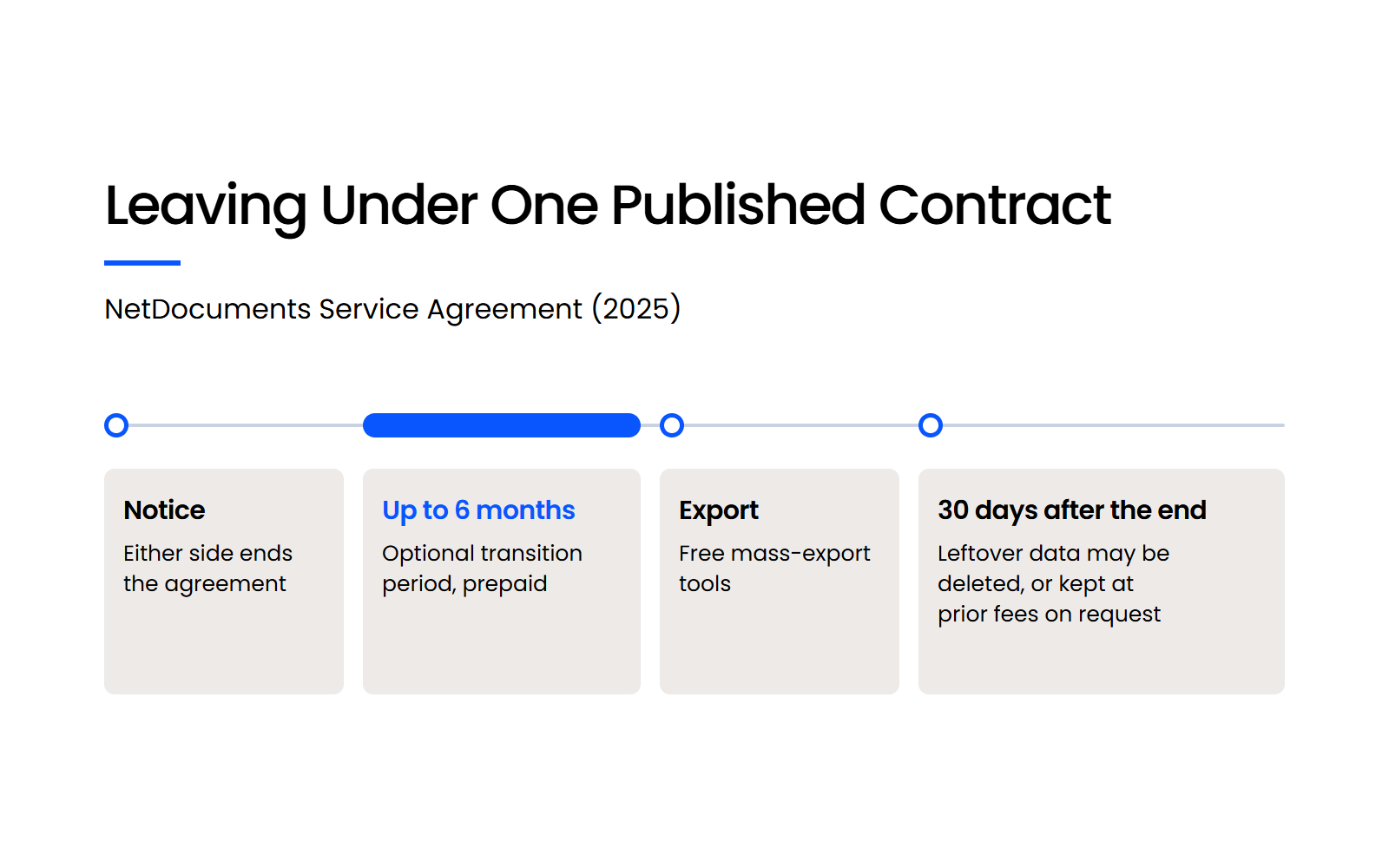
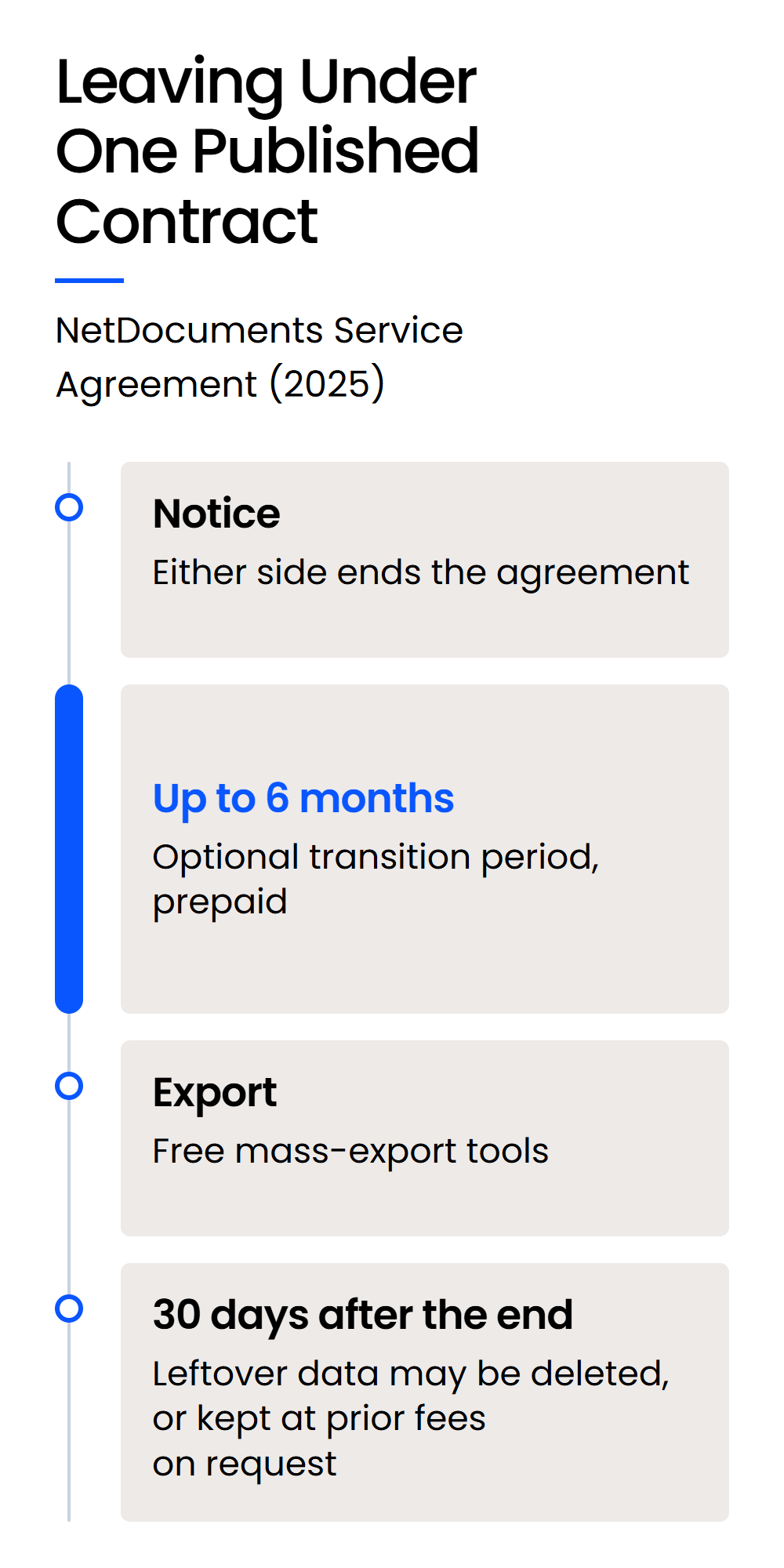
The clock starts after that. Under §7.4, data still on NetDocuments’ network 30 days after the agreement ends, including any transition period, may be deleted, or kept at your request at the subscription fees you were paying before.
A 30-day window after termination is common for cloud vendors, and under NetDocuments’ agreement the export work is yours.
How Far Can Fees Rise, and Who Owns Your Data?
Fee escalation sets how far your price can move while you’re under contract. Under §8.4, NetDocuments may raise fees once a year by up to CPI plus 5%, which caps increases during the term.
Data ownership decides whose documents they are when you go. In §5.2, NetDocuments disclaims ownership of the intellectual property rights in the customer’s data, and that’s the answer to get from any vendor, in writing.
Read together, §7.3 and §7.4 of NetDocuments’ agreement tell you three things to confirm with every vendor: whose job the export is, how long you have to do it, and what it costs if you need longer.
What Happens to Your Data If Your DMS Vendor Is Acquired?
An acquisition can turn your DMS into a migration you didn’t choose, so the exit terms you sign matter even if you never plan to leave. A product retirement works the same way: the vendor’s plans change, and your timeline follows theirs.
What the Worldox Acquisition Shows
NetDocuments acquired Worldox in October 2022. A verified reviewer at a law practice with 11–50 employees put the result plainly in a September 2025 review on Software Advice: “We were told that Netdocs had purchased Worldox and that we would have to switch eventually.”
NetDocuments hasn’t published a Worldox end-of-life date, so treat any date you see as unconfirmed. If you’re on Worldox now, the acquisition’s impact on current users is the place to start planning.
What Bar Opinions Say to Check
State bar ethics opinions on cloud computing already list getting your data back as part of vetting a provider. Two of them name it directly:
Each opinion speaks for its own state, and other states have their own guidance. Talk to your own counsel about what your jurisdiction expects.
How Does Leaving LexWorkplace Work?
Leaving LexWorkplace means ending a month-to-month agreement, exporting each matter yourself as a zip of its documents and email, and confirming you have everything before we typically delete your data, with no charge to keep or retrieve it. Here’s how we answer the same checklist, including where the export falls short.
There’s no formal offboarding service. You run the export with our normal support, and with many matters it’s manual and time-consuming.
That limitation matters most if your next system needs the full version history and profile metadata carried across. If it does, confirm in writing that your exit path supports it, because with LexWorkplace it would be a manual job.
Moving documents into LexWorkplace is a separate project with its own steps, so this section covers only the way out.
What Should You Ask a DMS Vendor Before You Sign?
Ask every DMS vendor the same questions about how you’d leave, and get the answers in writing before you sign.
Each question below stands on its own, so you can paste the list into an email or an RFP and send it to every vendor on your shortlist.
A vendor’s written answers to these questions are the exit plan you’ll rely on if you ever need one.
Ask Every DMS Vendor How You’d Leave, Then Get It in Writing
Lock-in has two halves, and you can check both before you sign. The contract tells you how long you’re committed, how long you have after notice, and when your data is deleted. The export tells you whether you leave with every version, the profile metadata and your filed email still grouped by matter, or with a folder you’ll have to rebuild.
Put the same questions to every vendor on your shortlist, LexWorkplace included, and get the answers in writing.
WHAT’S NEXT