Table of Contents
A lateral hire starts Monday, and they used to represent the other side in one of your matters. Or your firm keeps a conflicted matter and screens one lawyer out of it. Either way, the screen has to work from that lawyer’s first hour.
The ABA Model Rules describe what a screen involves: keep the lawyer out of the matter, do it as soon as practical, and, for a lateral, tell the former client how the screen works. A matter’s documents and filed email sit in your document management system, so your DMS is where ethical walls have to hold.
Test that wall whenever you compare legal document management software. A permissions screen in a demo won’t show whether it holds.
Judge a DMS ethical wall on four tests: does it block every way into the matter, can it go up on day one, who sits outside it, and can your firm show later who was walled and when. Each one becomes a requirement and a demo question below.
What Is an Ethical Wall, and When Does a Law Firm Need One?
An ethical wall is what the ABA Model Rules call a screen, and ABA Model Rule 1.0(k) defines “screened” as “the isolation of a lawyer from any participation in a matter through the timely imposition of procedures within a firm that are reasonably adequate under the circumstances to protect information that the isolated lawyer is obligated to protect under these Rules or other law.”
The definition has three parts worth holding a DMS to:
These are the ABA’s Model Rules, which serve as models for the ethics rules of most states, so your own state’s rule is the one that governs your firm.
When Do Firms Put Up an Ethical Wall?
Three situations put a lawyer on the wrong side of a matter’s information, and each one calls for a wall:
In all three, the screen has to cover the matter’s files, and those files live in your document management system.
Ethical Wall, Screen or “Chinese Wall”?
An ethical wall and a screen are the same thing, and “Chinese wall” is older usage for the same idea. “Screen” and “screened lawyer” are the words the ABA Model Rules use.
How Does an Ethical Wall Work Inside a Document Management System?
Inside a document management system, an ethical wall is a matter-level permission that keeps a walled user out of every document, email and note filed to that matter. So a DMS can lock a conflicted lawyer out of one matter completely, as long as the permission covers every way into the matter and you know who it doesn’t apply to.
How Matter-Level Permissions Build an Ethical Wall
A DMS builds a wall by restricting one matter to named users and groups. Groups set up by practice area or team make that faster, because you add a whole team to a matter once instead of adding each person by hand.
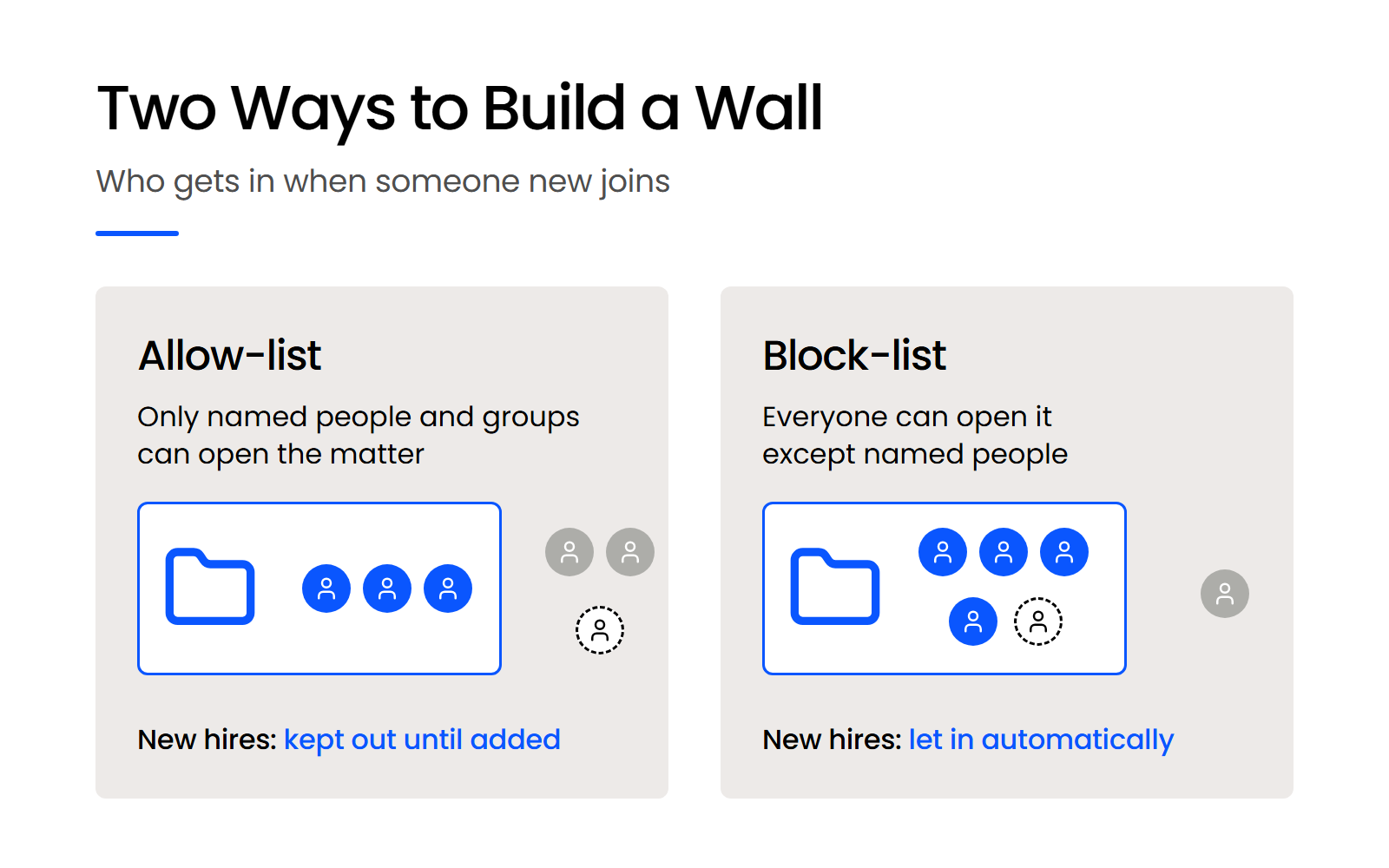
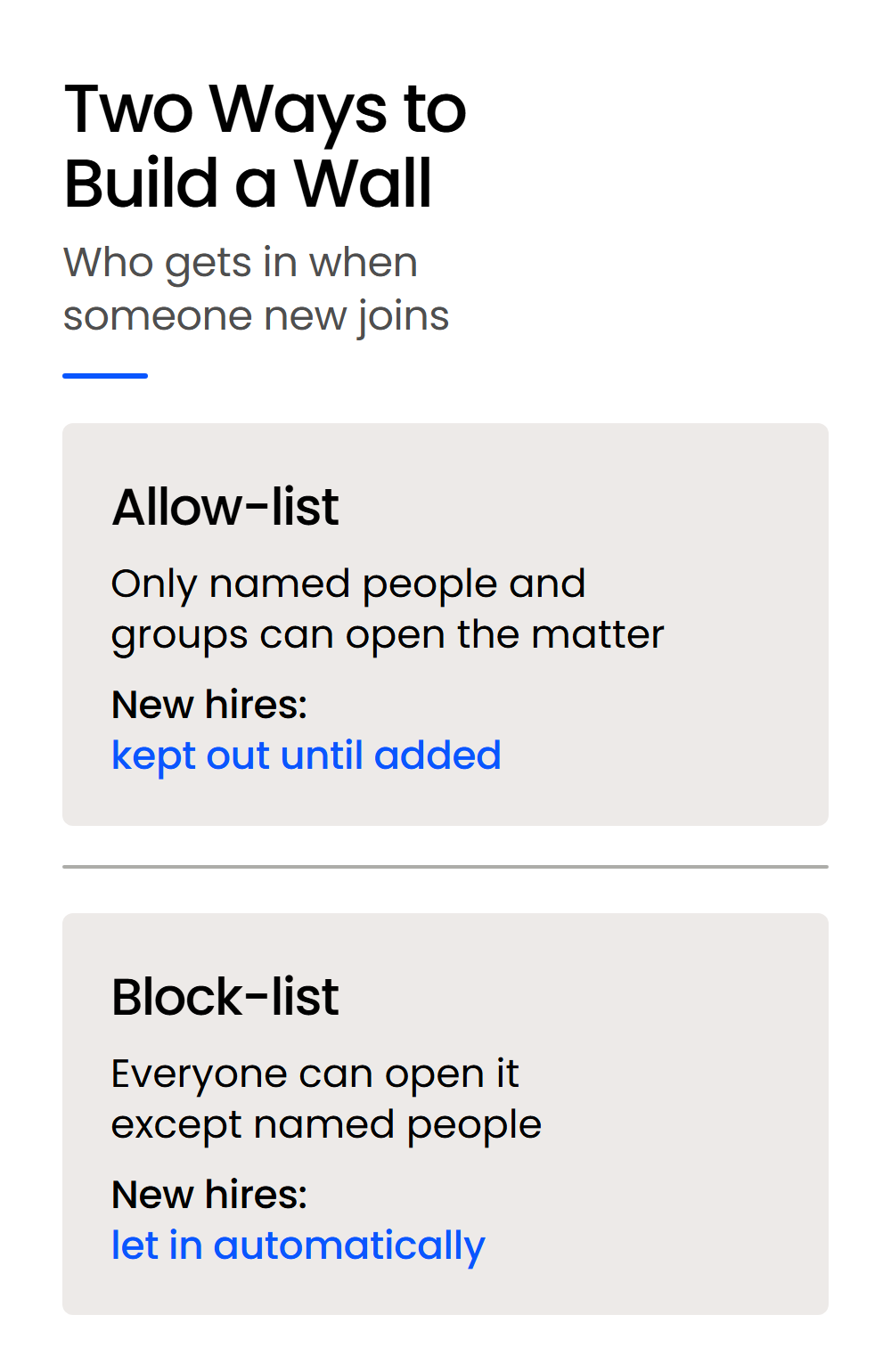
The design choice is whether the wall names who gets in or who stays out. An allow-list wall keeps out anyone it doesn’t name, including people who join the firm later, while a block-list wall lets them in.
That difference matters for a screen. With a block-list, the next lateral, contract attorney or new paralegal can open the walled matter on their first day unless someone remembers to add them to the block, so ask every vendor which model its walls use.
What a Walled Lawyer Should Not Be Able to Reach
A real wall closes every way into the matter, and the matter’s documents are only one of them.
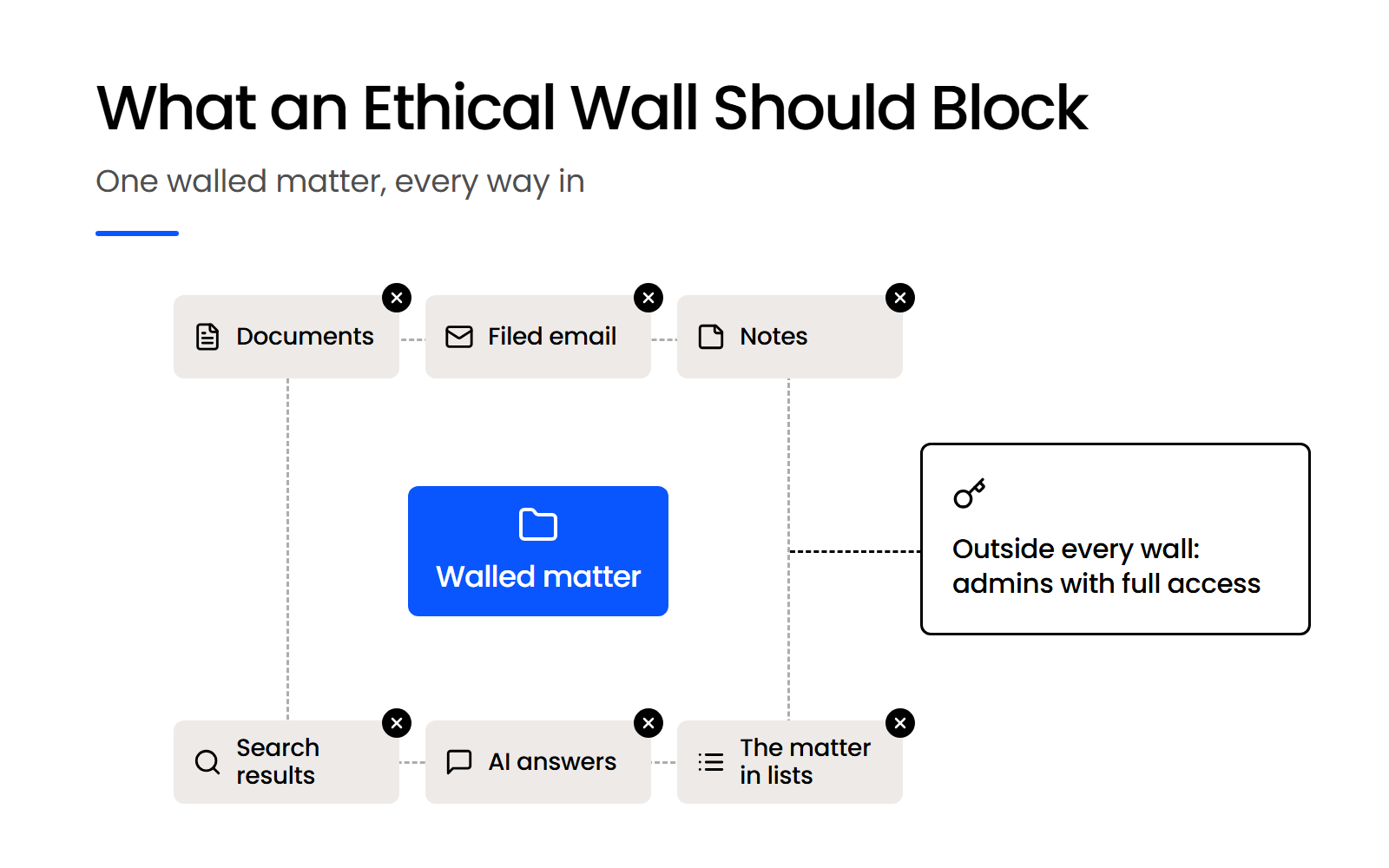
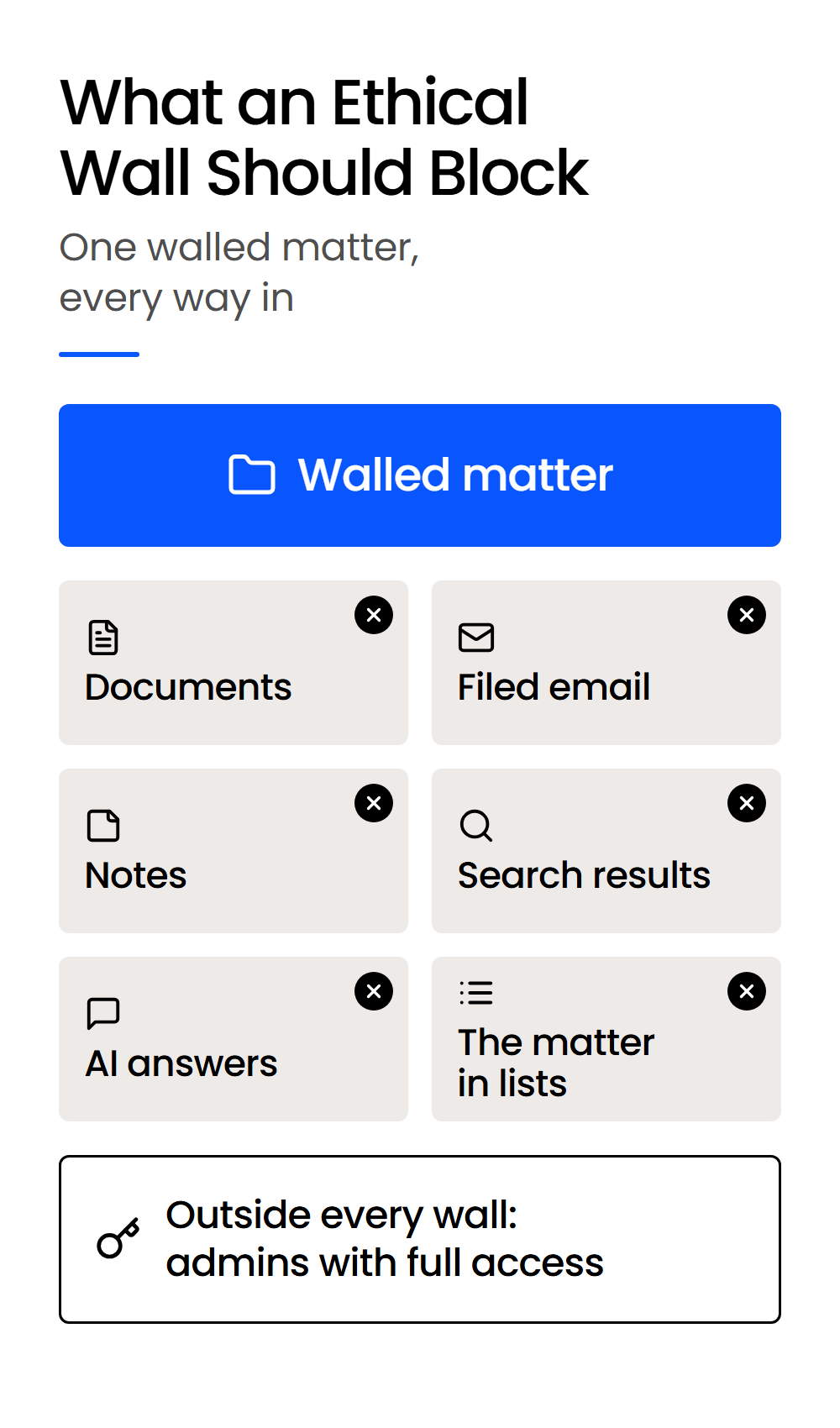
A wall that only locks the matter’s documents still leaves filed email, notes, search results, AI answers and the matter’s listing as ways in. Filed email carries the same confidential information as the pleadings, so it belongs inside the wall.
Search and AI answers need their own test. A firm-wide document search or an AI assistant can return a sentence from a walled matter’s documents without the walled lawyer opening a file, so the permission has to apply to results and answers as well as to folders. A demo that shows only the permissions screen won’t show any of this, so test each way in with a walled user.
Who Sits Outside the Wall?
Every DMS has people a wall doesn’t apply to, such as the administrators who manage the system, so the first question is who they are. Someone has to be able to fix permissions, restore deleted files and manage users, and that access can reach every matter.
Ask the vendor which roles can see a walled matter regardless of its settings, and whether those roles can be restricted. Then keep that group small, and keep its members away from any matter they could be conflicted on.
What Should a Firm Require from a DMS Vendor’s Ethical Walls?
Your firm should require four things from a DMS ethical wall, one for each part of the ABA’s description of a screen: it blocks electronic access, it goes up as soon as practical, it makes clear who sits outside it, and it leaves a record the firm can show. Each requirement comes with a question you can ask in a 30-minute demo to see whether the wall holds.
Four Requirements, Rule by Rule
The comments to ABA Model Rule 1.0 spell out what a screen involves. Comment 9 lists “denial of access by the screened lawyer to firm files or other information, including information in electronic form, relating to the matter,” and Comment 10 says screening measures “must be implemented as soon as practical.” ABA Model Rule 1.10(a)(2) adds what your firm owes a lateral’s former client.
Ask every question with a walled test user logged in, and the answers will show you what you can tell a former client about the wall.
Why a Record of the Wall Matters
A record of the wall matters because Rule 1.10(a)(2) requires written notice to the former client that includes “a description of the screening procedures employed” and certifications of compliance, at reasonable intervals on the former client’s written request and again when the screen ends.
The screened lawyer and a partner of the firm provide those certifications, so someone at your firm will have to say what the screen did and when.
That’s why the fourth row asks for a log of who had access and who changed it. If a former client’s lawyer asks who was walled and when the wall changed, the answer should come from a report the system produces.
Ask each vendor to export that record for a test matter during the demo, so you can see what you’d hand over.
How to Compare Vendors and Plans
Compare DMS vendors’ ethical walls by putting the same four demo questions to each one and asking which plan includes walls and audit records. The table works on any shortlist, so you don’t need a vendor’s feature list to start.
Pricing takes a direct question too. NetDocuments and iManage don’t publish their pricing, so ask each vendor in writing whether walls and access records come with the plan you’re quoted or cost extra.
Walls are one part of a DMS security review, and the other security features to require in a DMS belong on the same scorecard.
How Do You Put an Ethical Wall Up and Keep It Right?
Your firm puts an ethical wall up right after the conflict check flags the need, before the walled lawyer’s first login, and keeps it right by changing access when people join or leave and reviewing each restricted matter on a schedule. The wall’s life runs from that conflict check through a lateral’s first day and periodic reviews to the day someone leaves or the matter closes.
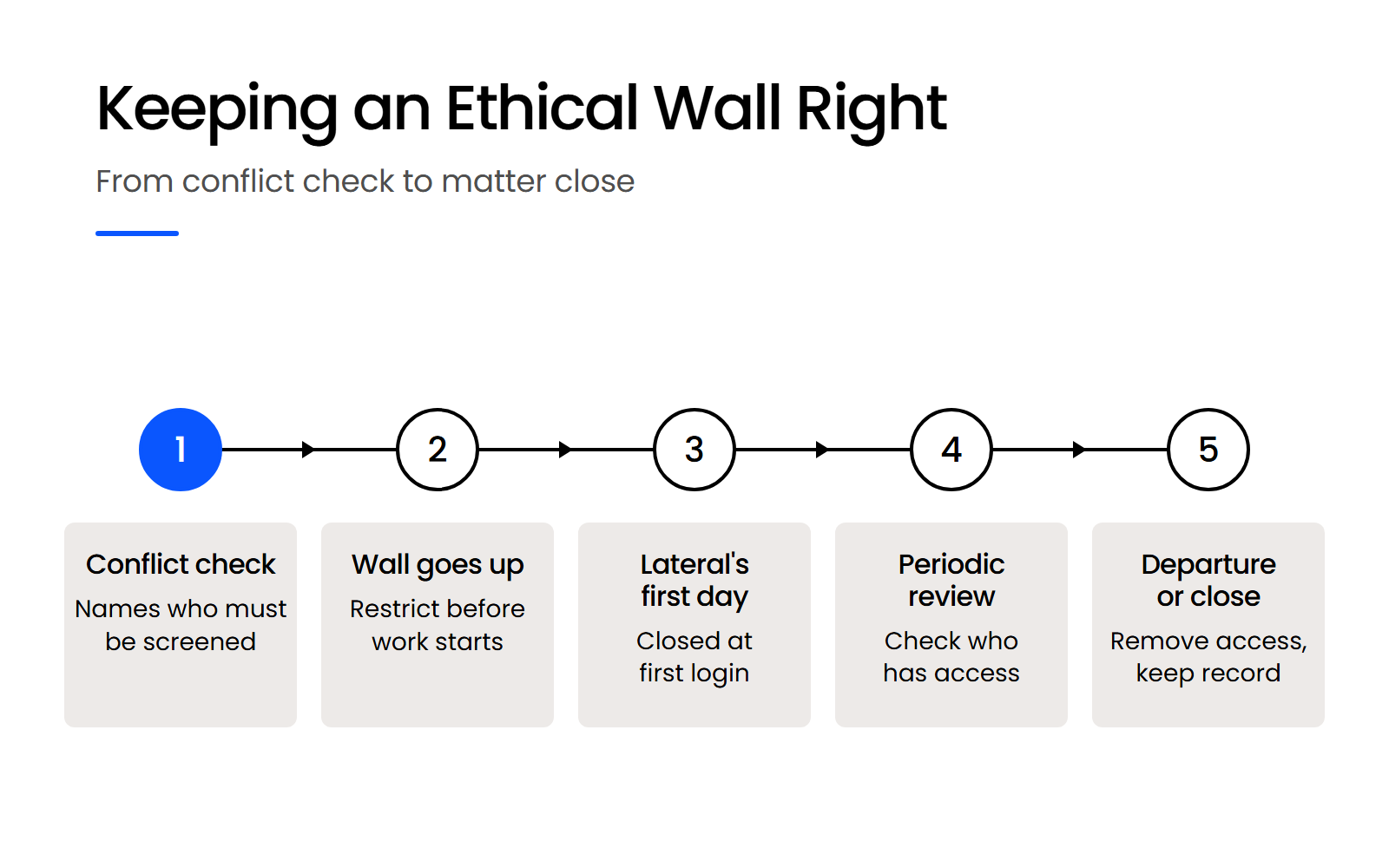
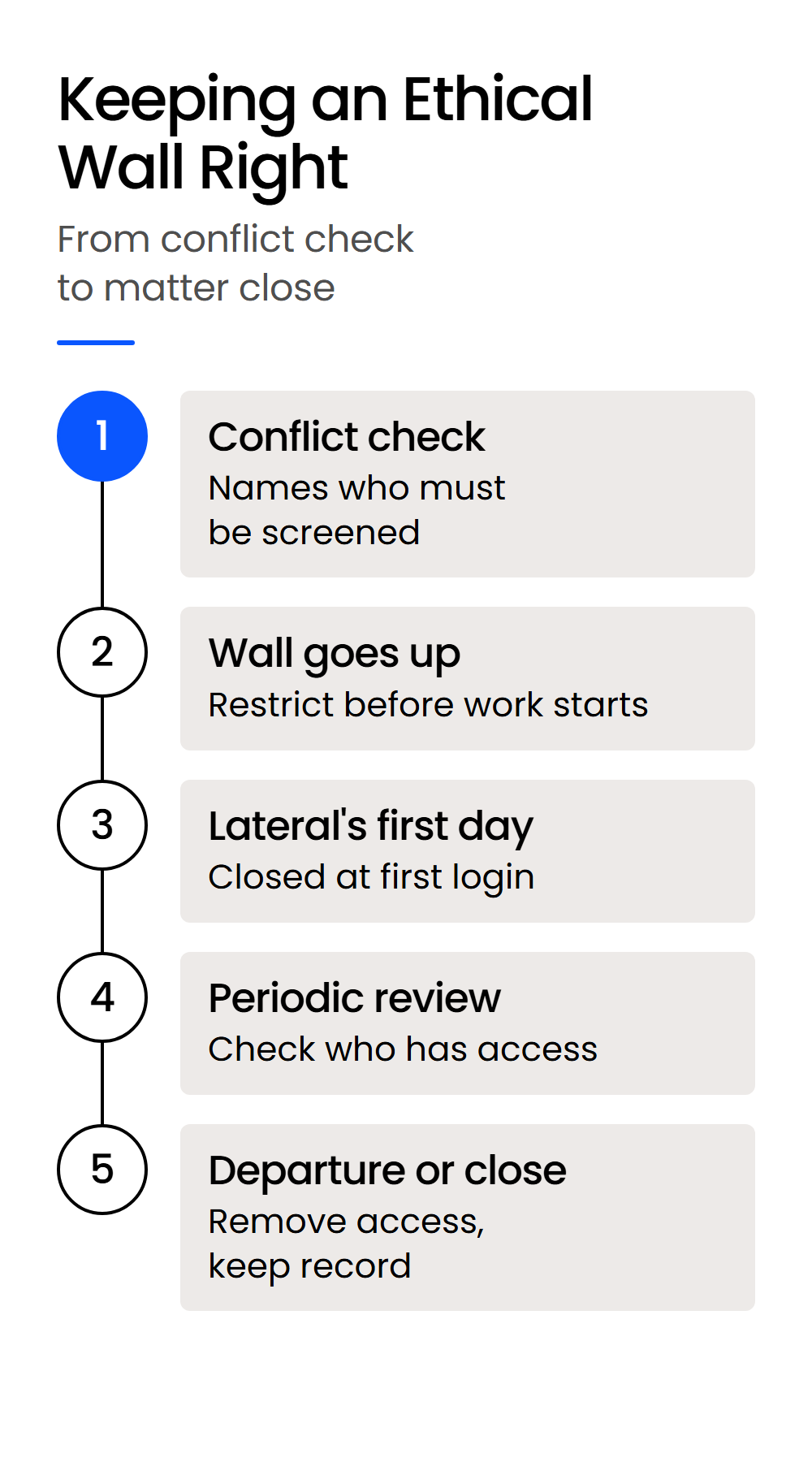
Each stage asks something different of the DMS.
Put an Ethical Wall Up at Intake, After the Conflict Check
The conflict check and the wall can live in different systems, so someone has to carry the result of the check into the DMS and restrict the matter before work starts. A practice management tool can hold a matter’s time, tasks and appointments while its documents and email live somewhere else, which is why the split between practice management and document management matters here.
Ask whether the DMS can restrict new matters by default, so a wall exists before anyone has to remember to build it.
Change Access When a Lateral Joins or Someone Leaves
A lateral’s wall has to be closed before their first login, because Comment 10 to ABA Model Rule 1.0 asks for screening as soon as practical, and a lawyer who can open the matter on day one could already have read it. Build the wall when the conflict check flags the lateral, before the start date.
Bulk changes make this practical when a whole group’s access changes, such as a practice group that takes on a new conflicted client. When someone leaves or a matter closes, remove access promptly and keep the record of who had access and when.
Review Each Restricted Matter on a Schedule
A periodic review of who can reach each restricted matter catches access that changed without anyone meaning it to, such as a user added to a group that sits on the matter. Put the review on a schedule your firm can keep, and keep its results, because a Rule 1.10(a)(2) certification of compliance is easier to give when the reviews are on file.
How Does LexWorkplace Handle Ethical Walls?
LexWorkplace builds an ethical wall by restricting a matter to “Only Specified Users,” the users and groups you name, so everyone else at the firm is kept out of that matter. It’s an allow-list wall, so a person who joins your firm later can’t open the matter until someone adds them, with the Firm Admin exception below.
Can LexWorkplace Enforce Ethical Walls?
Yes. LexWorkplace restricts a matter to the users and groups you name, and LexWorkplace AI, Matter Notes and the Trash Bin follow that restriction. Default Matter Permissions and Bulk Edit Matter Permissions let your firm put walls up quickly. Firm Admins always keep access to every matter, so keep them outside any conflicted matter’s circle.
LexWorkplace handles
What it doesn’t do
Setting Up a Wall in LexWorkplace
A wall goes up from the matter’s Edit Matter Permissions, where you choose Only Specified Users and pick the people and groups who belong on the matter. Groups set up by practice area or team, through our Rights Management controls, let you wall a matter for a whole team at once.
New matters are open to the whole firm unless Default Matter Permissions say otherwise, so if your firm wants new matters restricted from the start, you can set that default. Bulk Edit Matter Permissions changes access across every matter in a filtered Matter List at once, which answers the twenty-matters-at-once question from the demo table.
LexWorkplace AI, Matter Notes and the Trash Bin follow matter permissions, so a walled user’s AI answers only draw on matters they can already access. Matter permissions come with every plan (Starter, Core and Advanced), and the matter permissions, groups and defaults are part of our security and compliance features.
Firm Admins Keep Access to Every Matter
Firm Admins always keep access to every matter in LexWorkplace, so no wall can exclude them. That’s the limit of our walls, and it’s our answer to the demo question about who can see a walled matter regardless of its settings.
Keep the Firm Admin group small, and keep its members outside any matter where they could have a conflict. If a Firm Admin is the lawyer who needs screening, that person’s admin role is the first thing to change.
Where Does a DMS Ethical Wall Stop?
A DMS ethical wall stops at the edge of the DMS: it covers what’s filed in it, and the rest of the screen depends on your firm’s other systems and people. Your screening procedure also has to reach the places a DMS doesn’t:
If your firm needs one wall pushed across its DMS, email, Teams and billing systems at once, you’re describing a dedicated wall-management platform, a separate category from a DMS. LexWorkplace doesn’t sync walls with a conflicts system, so the wall in our DMS is set by the people who run your intake.
Whether a screen is adequate for a given conflict is a question for ethics counsel under your state’s rules. The DMS enforces the part of the screen that lives in documents and email.
Judge Every DMS Ethical Wall on the Same Four Tests
An ethical wall in your DMS supports a screening procedure your firm may have to describe to a former client and certify later. Judge the software on that job.
Ask whether it blocks documents, filed email, notes, search and AI answers for the walled lawyer. Ask whether it can go up at intake, before that lawyer’s first login.
Find out who sits outside every wall, and whether the system keeps a record you can export. Put the same four questions to every vendor on your shortlist, with a walled test user logged in.
WHAT’S NEXT