Table of Contents
A client sends a security addendum, or your cyber-insurance renewal asks how client files are protected. Now someone at your firm has to explain, in writing, how your document system keeps them safe.
Legal document management security comes down to eight features. A secure system encrypts every document, limits access by matter and role, walls off conflicted users, and logs who opened what. It also requires multi-factor authentication for every user, controls how files leave the firm, keeps prior versions and deleted files recoverable, and stores your data in locations you can name.
That’s an ethics question as much as a technical one. ABA Model Rule 1.6(c) asks you to make reasonable efforts to prevent unauthorized access to client information, and your DMS is where most of that information sits.
Use these eight features as your standard for secure legal document management, whether you’re testing the system you have or comparing options on a shortlist of the best legal document management software.
Why Is Document Security a Professional Responsibility Issue for Law Firms?
Document security is a professional responsibility issue because ABA Model Rule 1.6(c) requires lawyers to make reasonable efforts to prevent the inadvertent or unauthorized disclosure of, or unauthorized access to, information relating to the representation of a client. Most of that information lives in your document management system, so its controls are part of how your firm meets that duty.
Two other ABA sources shape what “reasonable” means. Comment 8 to Model Rule 1.1 asks lawyers to keep up with the benefits and risks of relevant technology as part of their duty of competence. ABA Formal Opinion 477R treats security as a risk-based judgment: the more sensitive the information, the more protection it calls for.
State bars apply the same standard to cloud storage. New York State Bar Association Ethics Opinion 842 and Pennsylvania Bar Association Formal Opinion 2011-200 both allow lawyers to store client files with an online provider, as long as the lawyer takes reasonable care in choosing and monitoring that provider.
Vetting the vendor is part of the duty, so the questions you ask before you sign matter as much as the feature list.
Those duties get tested when someone asks your firm for proof.
A well-built DMS supplies much of that proof. The vendor secures the platform, and your firm still decides who can open each matter, requires MFA for everyone, and manages its own devices and email.
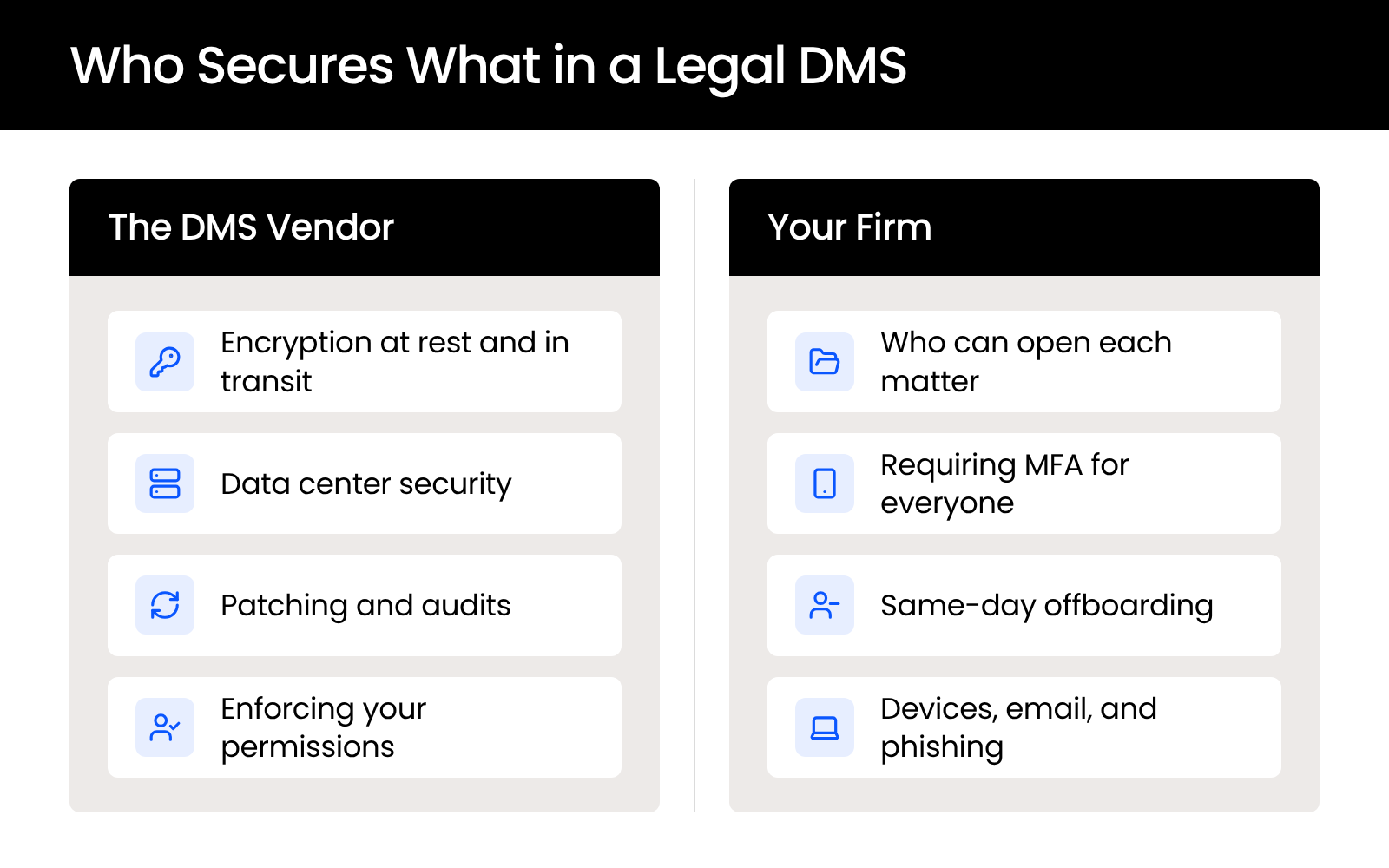
Endpoint protection, network security, and phishing defense sit outside the DMS. They’re firm-wide IT controls, and they need their own plan.
What Security Features Should a Legal DMS Have?
A legal DMS should have eight security features: encryption at rest and in transit, role-based and matter-level permissions, ethical walls, audit trails, enforced multi-factor authentication, secure external sharing, retention with version history and recovery, and clear answers on where your data lives.
Together, they’re a working definition of legal document management security, and each one below comes with what to require and why it matters to your firm.
Encryption at Rest and in Transit
Encryption at rest and in transit means your documents are unreadable without the right keys, both while they sit in storage and while they move between a user’s device and the server. It should cover everything the system holds, including saved email and notes.
Ask the vendor to confirm:
If someone intercepts a file in transit or copies it out of storage, encryption keeps the contents unreadable without the keys. LexWorkplace encrypts every document, email, and note with AES-256, at rest and in transit.
Role-Based Access and Matter-Level Permissions
Role-based access and matter-level permissions let your firm decide who can open each matter by user, group, and role, so people see only the client files they need. Need-to-know should be the default, with broader access granted on purpose.
A permission model that works for a firm includes:
When an associate leaves, their access should end the same day with one change. Outside counsel brought in on a single matter should see that matter and nothing else. LexWorkplace sets permissions by user, group, and matter, with default matter permissions and group-based rights management.
Ethical Walls
An ethical wall blocks specific people from specific matters, usually to manage a conflict of interest, and a legal DMS should enforce it automatically instead of relying on a naming convention or a request to stay out. A wall the system enforces holds even when someone forgets it exists.
Require three things:
A lateral hire who worked for the other side of an active matter needs that wall in place on their first day.
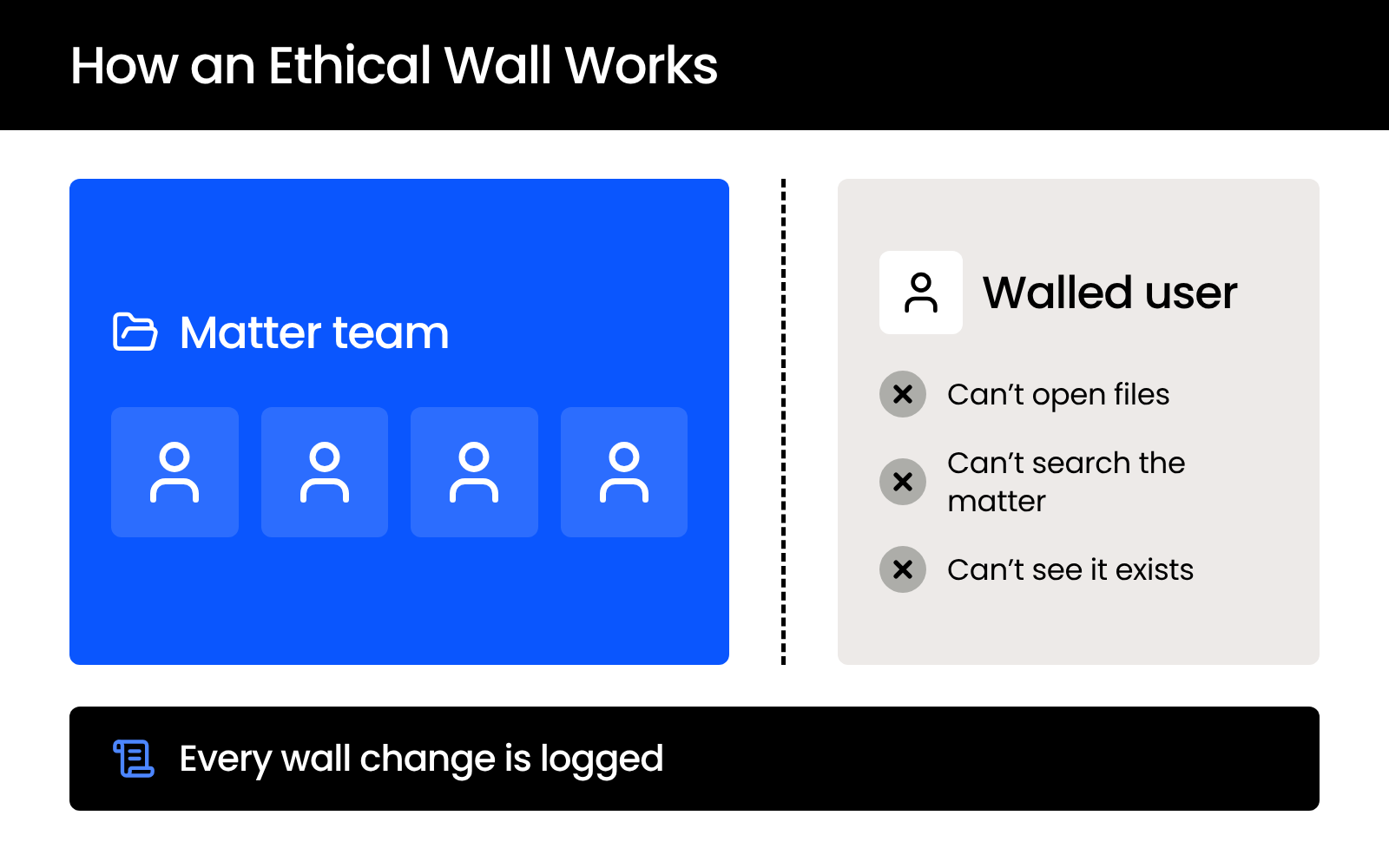
In LexWorkplace, you can build an ethical wall in two clicks, the system enforces it automatically, and every change to the wall is logged for review.
Audit Trails and Activity Logs
An audit trail is the DMS’s record of who opened, edited, downloaded, or shared each document, and when. It’s how your firm proves who saw a client file.
A useful audit trail captures:
When a client asks who has accessed their file, the log answers the question directly. It matters after an incident too: ABA Formal Opinion 483 says lawyers must tell current clients when a data breach involves their material confidential information, and the access record is how your firm works out whose files were involved.
LexWorkplace enforces audit trails automatically, alongside its ethical walls.
Enforced Multi-Factor Authentication
Enforced multi-factor authentication means every user must confirm a second factor, such as a code from an authenticator app, before the DMS opens, and your firm can require it for all accounts. MFA that’s available but optional protects only the people who turn it on.
Cloud access means firm documents can be reached from any device in any location, so the login is where much of the protection has to happen. A stolen password on its own shouldn’t be enough to open a client file.
Look for:
LexWorkplace builds MFA into every account, and firm administrators can require it for all users.
Secure External Sharing
Secure external sharing lets your firm send documents to clients, experts, co-counsel, and opposing counsel through controlled links, so the file stays in your system and you decide who can open it. It replaces the email attachment for anything confidential.
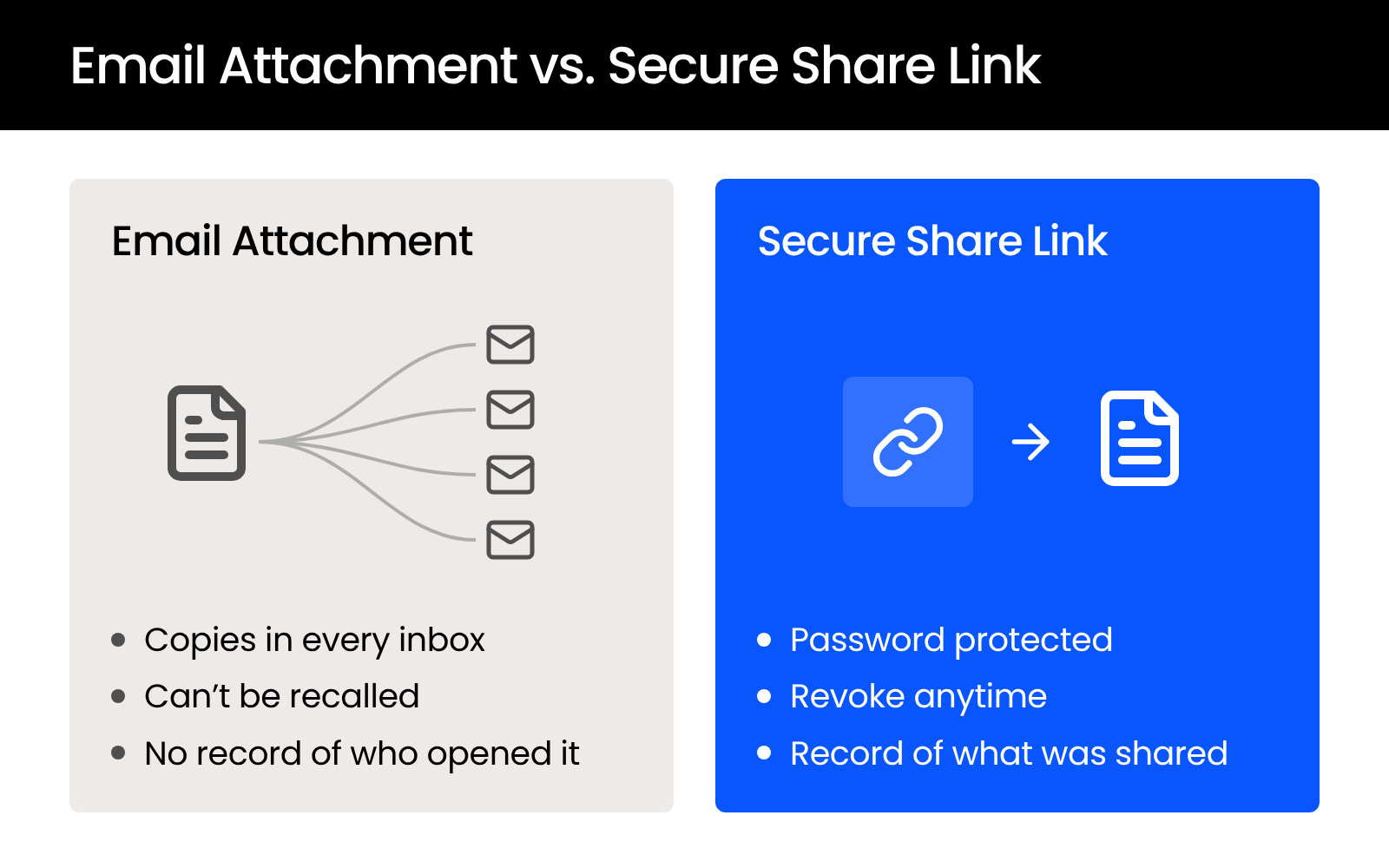
When you compare systems, check that external sharing includes:
A client who wants the settlement PDF can open it from a secure link without the file sitting in three inboxes. An expert who needs one folder gets that folder, and you can revoke the link when the engagement ends.
Shares should also appear in the audit trail, so your firm can show what left the system and who received it. LexWorkplace shares documents through secure links you can revoke at any time, and you can require a password before a recipient opens an external share.
Retention, Version History, and Recovery
Retention, version history, and recovery mean your DMS keeps documents as long as your retention policy requires, saves every prior version, and lets you restore files that were deleted by mistake. These controls protect the record itself.
Require:
When someone saves “FINAL v3” over the signed version, version history lets you put the signed copy back. LexWorkplace includes built-in version management and Enhanced Delete & Restore for recovering deleted documents.
Where Your Data Lives
Where your data lives covers the country your documents and backups are stored in, how many locations hold live copies, and how your firm’s data is kept separate from other customers’. The vendor should answer each point in writing.
Ask for:
Consumer cloud storage is organized by folder rather than by matter, so check for matter-level permissions and audit trails before you treat any cloud storage for law firms as your document system. LexWorkplace replicates your data live across data centers inside your country, so US firms stay in US regions and Canadian firms stay in Canadian regions. It runs in SOC 2 Type II audited data centers.
The table below summarizes all eight criteria.
If your current system can’t check every row, those gaps are the place to start.
What Should You Ask a DMS Vendor About Security?
Ask a DMS vendor who owns your data, how it handles subpoenas, where your data and backups sit, how customers are separated, how often it patches and is independently audited, and who on its staff can reach your documents. The answers are how your firm shows the reasonable care that NYSBA Opinion 842 and PBA Formal Opinion 2011-200 expect when you choose a provider.
Put these six questions to every vendor, in writing:
Keep the written answers with your records. If a client or insurer later asks how you chose your DMS, they show the diligence behind the decision. LexWorkplace runs month to month, and your firm can download all of its data.
Using These Criteria to Evaluate Your DMS
Eight features give you one standard for any document system: encryption, matter-level permissions, ethical walls, audit trails, enforced MFA, controlled external sharing, retention and recovery, and known data locations. Check your current system against each one, then put the six vendor questions to whoever runs it.
Write down every answer that comes back as “no” or “not sure.” Those gaps are what a client addendum or an insurance questionnaire will ask about first.
WHAT’S NEXT