Table of Contents
Ten years of files have to move, every matter your firm has opened, and nobody wants to lose a week of billable time. That’s the job when you switch document management systems.
Ask how long a legal DMS migration takes and you can hear a weekend from one vendor and a few months from another. Both answers can be honest, because they’re timing different things. The figure worth budgeting attorney time against is the whole clock, from signing to everyone working, plus what arrives intact.
Firms we talk to worry about downtime, and about a matter history that doesn’t come across: older versions gone, filed email loose in someone’s inbox. If you’re still choosing a system, our guide to the best legal document management software compares the options. If you’re close to signing, you need answers you can hold a vendor to.
We run these moves ourselves. Here’s the whole-clock timeline for a LexWorkplace migration, what comes with you, who does the work, and what it costs.
Why “How Long Does a DMS Migration Take?” Gets Two Different Answers
A legal DMS migration runs on two clocks: the cutover, which is the switch from your old system to the new one, and the end-to-end project, which runs from signing to everyone at your firm working in the new system. A weekend quote and a few-months quote can both be accurate when one times the cutover and the other times the whole project.
Here’s what each clock covers:
The end-to-end project is the clock to budget around, because it counts every week your attorneys and staff spend planning, deciding and learning the new system. It’s also the figure measured here, for LexWorkplace and for the vendors it’s compared with.
How Long Does a Legal DMS Migration Take, from Signing to Go-Live?
A legal DMS migration to LexWorkplace takes about four weeks from signing to everyone at your firm working in the new system, and the data cutover is a short part of that time. Below is where those weeks go, and how the figure compares with NetDocuments and iManage measured the same way.
Where the Four Weeks Go
The four weeks run from the day you sign to your whole firm working in LexWorkplace, with firm-wide training usually the day after the data cutover. Most of that time goes to getting ready, so the move itself is short.
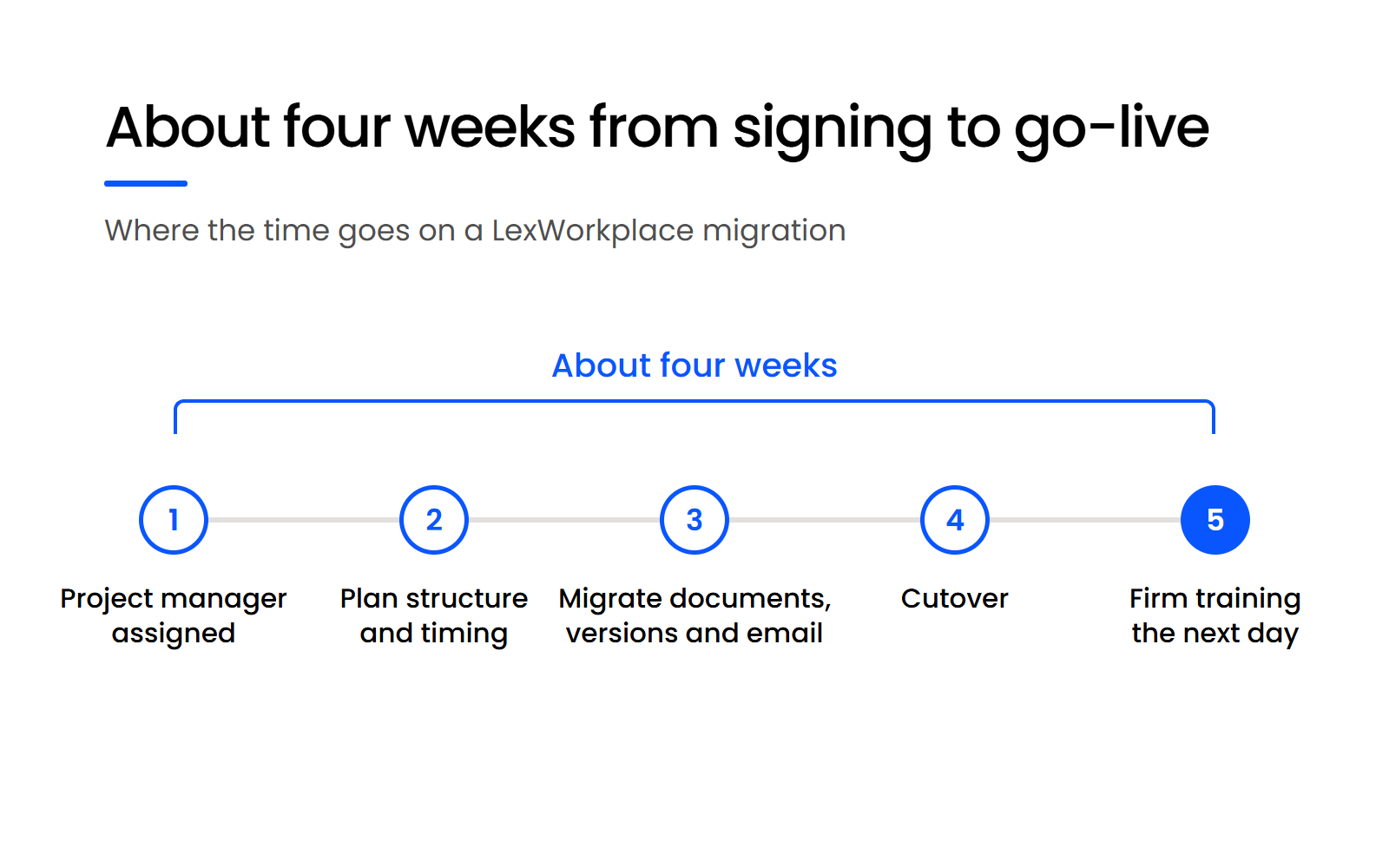
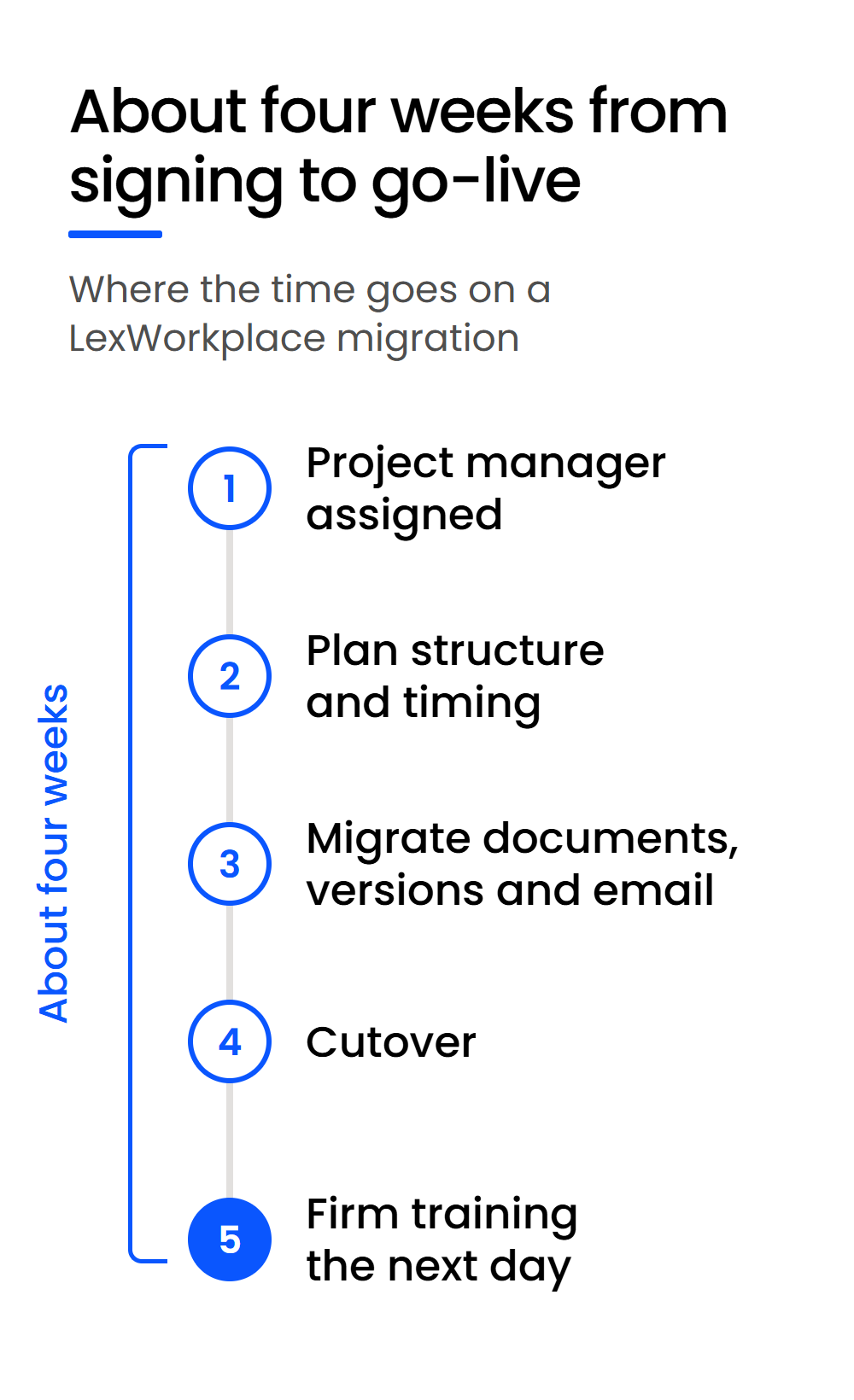
Part of the time is waiting for a project-manager slot to open after you sign. The rest is planning with your firm, and that’s where the decisions get made.
Planning decides two things. The first is the sequence of the move: when the data cuts over, and when training follows, usually the next day. The second is structure: whether to keep your existing folders and tags, or treat the move as a chance to start fresh.
Once those two decisions are made, the migration runs and the cutover moves your firm across.
How the Four Weeks Compare with NetDocuments and iManage
Reviewers on G2 report about three months to implement NetDocuments and about four months to implement iManage Work, both measured to go-live like the four-week LexWorkplace figure. The samples are small, 9 responses for NetDocuments and 5 for iManage, so read them as a rough guide.
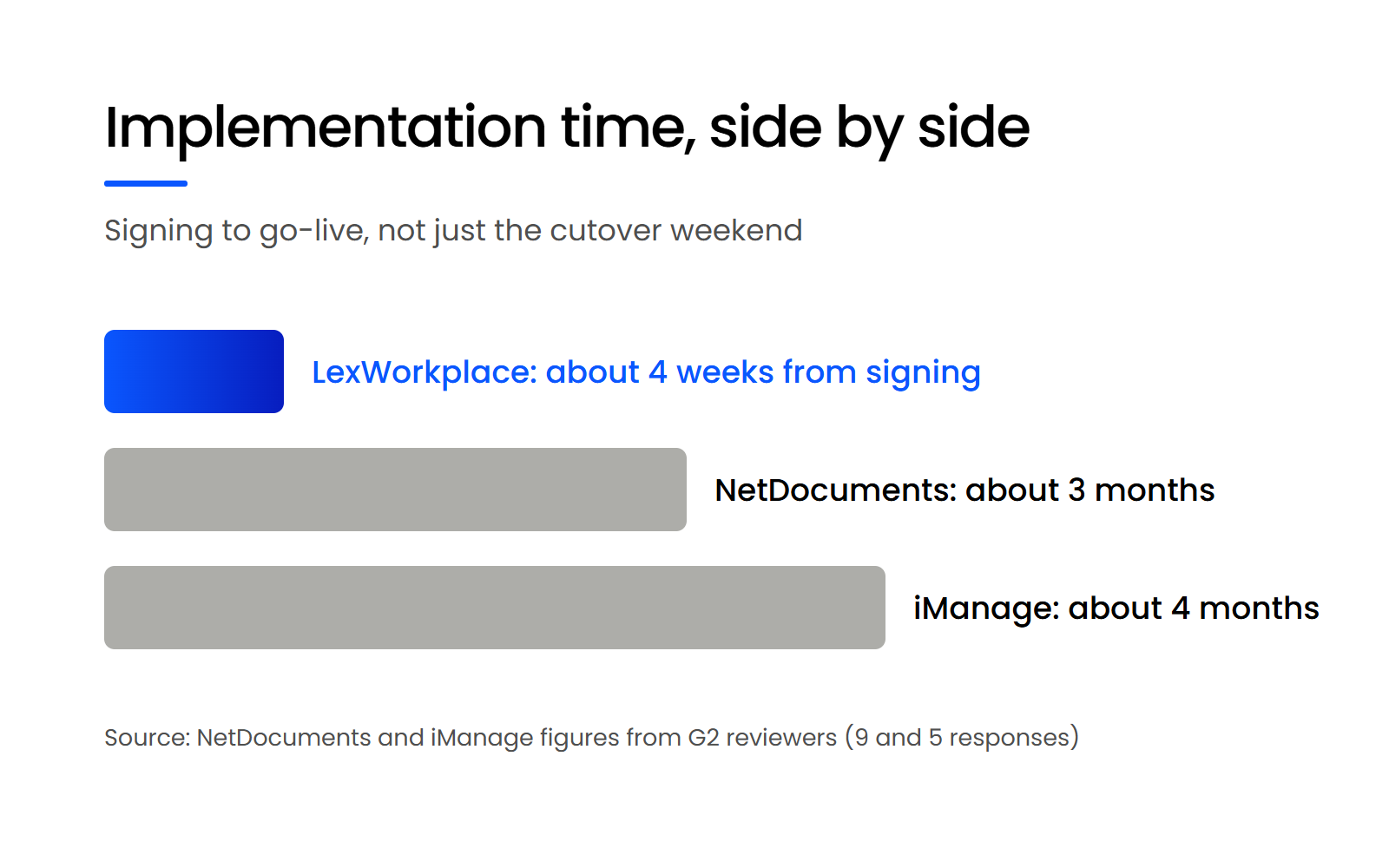
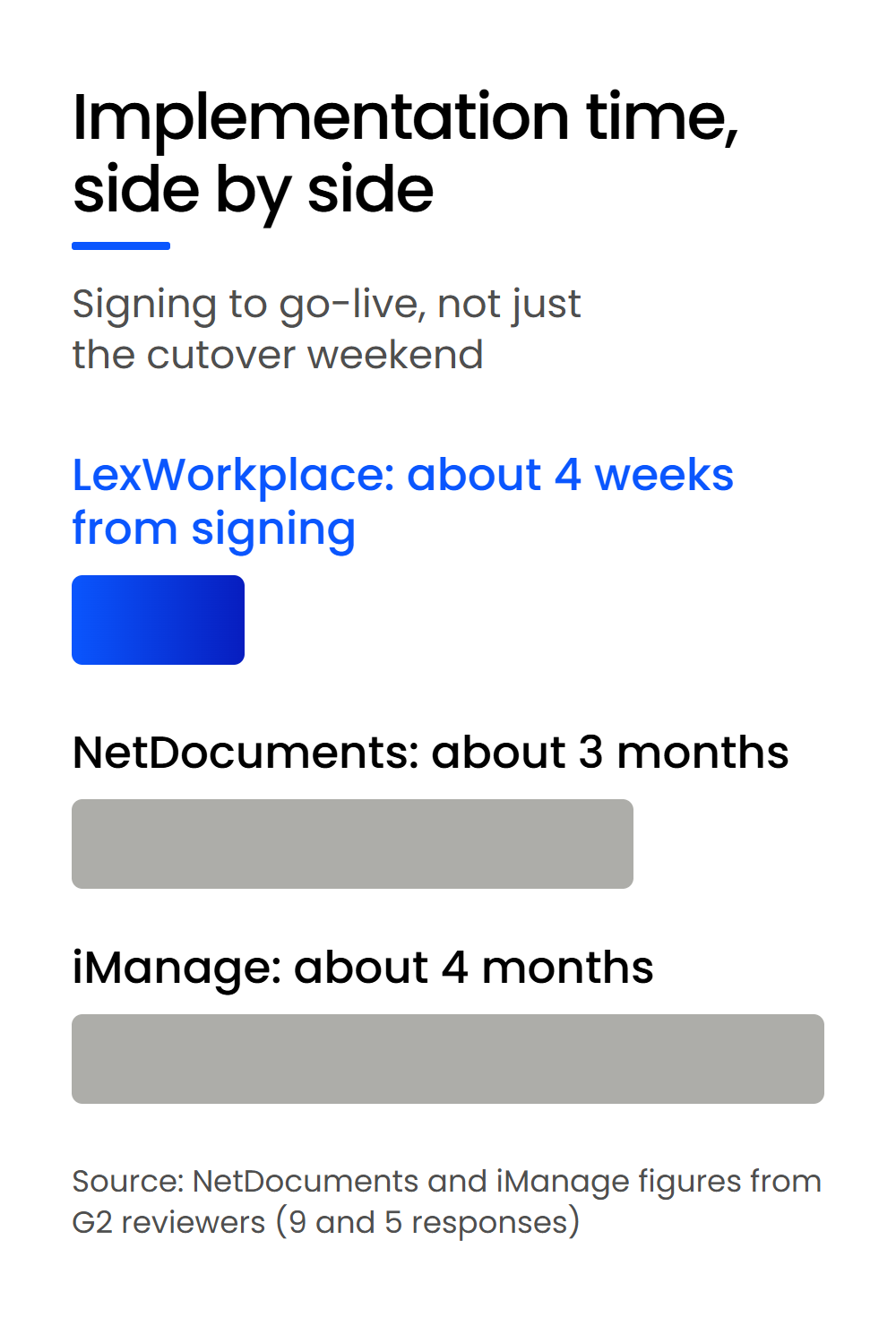
Measured as time to go-live, about four weeks with LexWorkplace compares with roughly three months for NetDocuments and four for iManage. Set a cutover weekend against any of those figures and the comparison stops meaning anything, because the cutover is one part of each project.
What Makes a Legal DMS Migration Faster or Slower?
The system you’re leaving is the biggest variable in a legal DMS migration: coming from another DMS such as Worldox or NetDocuments usually brings some structure with it, though not always, while coming from a file server takes more time with your firm to agree on a migration path. Your firm’s own decisions set the rest of the pace.
Why Moving off a File Server Takes More Planning
A DMS already holds documents against clients and matters, so the move starts from a structure, even an untidy one. A file server, such as an S: drive, is folders inside folders, and someone has to work out what each one means. That’s why a move off a file server needs more of your time during planning.
Our own migration tool does much of the sorting. We can point it at a tree of folders and tell it to treat every top-level folder as a client and every folder one level down as a matter, and your documents land in the right client and matter. That mapping is the core of how we migrate from a server.
What Leaving Worldox Means for Your Timeline
Worldox’s own site tells current Professional and Enterprise users they’ll still get the same service and support, and points them to NetDocuments’ cloud-only DMS. NetDocuments acquired Worldox in October 2022, and a NetDocuments migration partner reports that Worldox support ends on 31 December 2026, a date NetDocuments hasn’t published on its public site.
If you’re weighing that date, the arithmetic is yours to do: a move to LexWorkplace takes about four weeks from signing. Migrating from Worldox counts as a move from another DMS, so it usually starts with some structure in place.
Worldox Alternatives
The document management systems firms leaving Worldox weigh, and how they compare.
Why Your Firm Needs One Point Person for the Small Decisions
Your firm’s part of the timeline is one point person with the authority to make the small decisions. Our team knows the software and the migration, and only your firm knows whether a folder called “Johnson Old” is a closed matter.
Anything nobody can place goes to firm documents, an archive or a clearly named catch-all folder, rather than holding up the move on one folder. The rest of the firm-side prep, from cleanup to naming, is in our step-by-step implementation plan.

What Comes with You When You Move to LexWorkplace (and What Doesn’t)?
When you move to LexWorkplace, your current documents, older versions, email filed to a matter and your folder and tag structure all come with you. Custom profile fields are the one thing that doesn’t arrive as is, because LexWorkplace doesn’t support custom fields yet. Here’s what to expect, item by item.
Once your versions arrive, you choose how new ones get made. LexWorkplace’s document management saves a version on every save by default, and since July 2026 your firm can switch to manual versioning firm-wide. People coming from Worldox or NetDocuments can keep creating versions by choice.
What Moves from NetDocuments: Documents and All Metadata
When you leave NetDocuments, we’ll extract the documents and all metadata, including any custom fields. Then we work with your firm to decide how each field will look and work in LexWorkplace, so old decisions that no longer suit how you practice don’t carry over.
Can We Bring Our NetDocuments Metadata to LexWorkplace?
Yes. When you move from NetDocuments to LexWorkplace, we extract your documents and all their metadata, including any custom fields, and your firm decides with us during planning how each field is organized in LexWorkplace. LexWorkplace doesn’t support custom fields today, so custom-field values can be mapped to document types or tags during planning.
The move handles
What it doesn’t do
Custom fields are the one gap in that list, and whether it matters depends on how your firm uses them.
What Doesn’t Carry Over as Is
If your workflow depends on custom profile fields as fields, such as custom date fields, weigh that before you switch: NetDocuments and iManage support custom profile fields, and LexWorkplace doesn’t yet.
What fits instead is mapping those values to document types or tags during planning. Custom fields for documents and matters are something we’re likely to add, and we can’t promise when.
Junk, duplicates and closed matters are your firm’s call during planning. Closed matters can still come with you: LexWorkplace Archive keeps them in place in lower-cost storage, where they can be previewed and downloaded, with Search, OCR and AI switched off until you un-archive them. Archive is on our Core and Advanced plans.
Who Does the Work During a DMS Migration, Our Team or Yours?
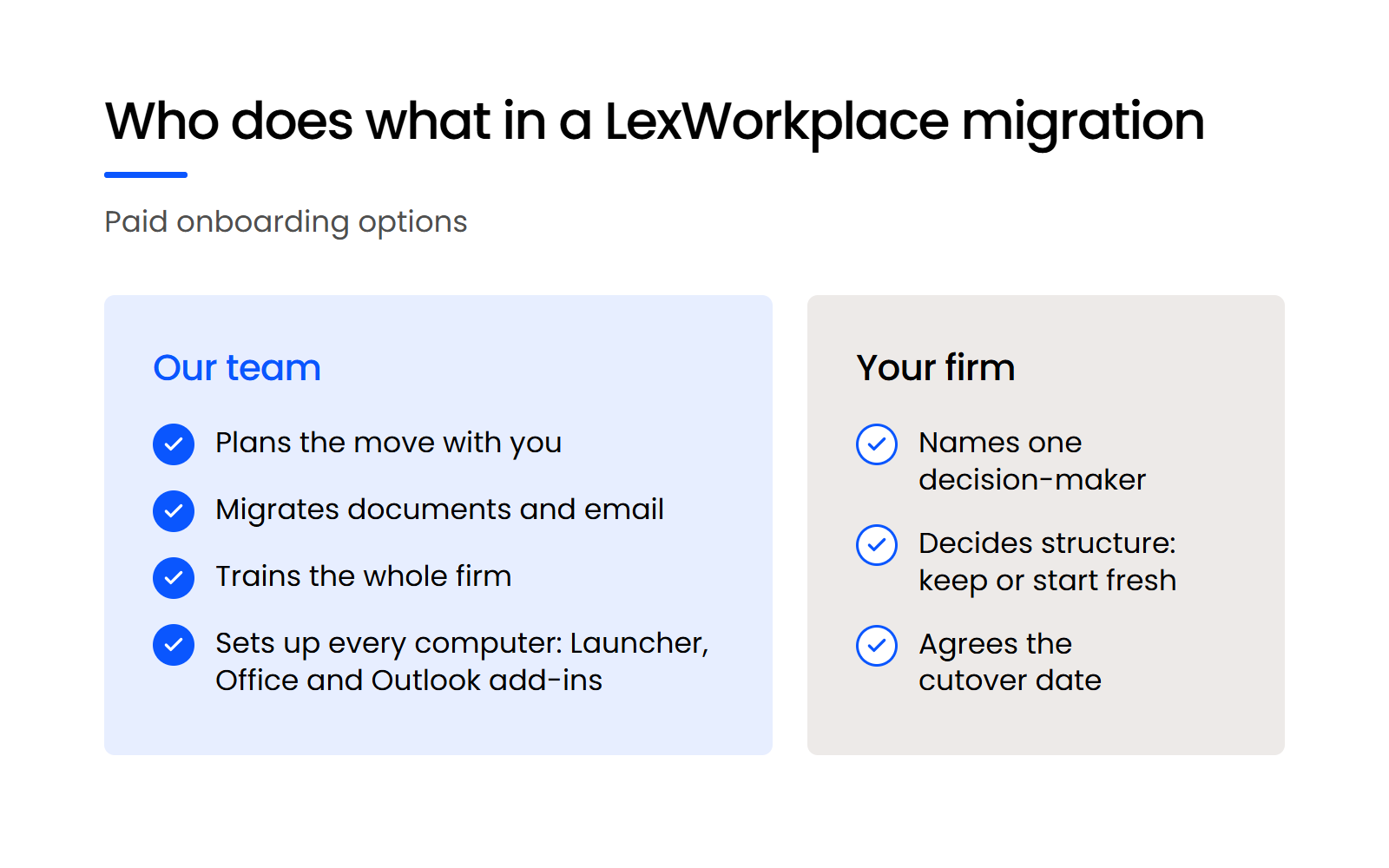
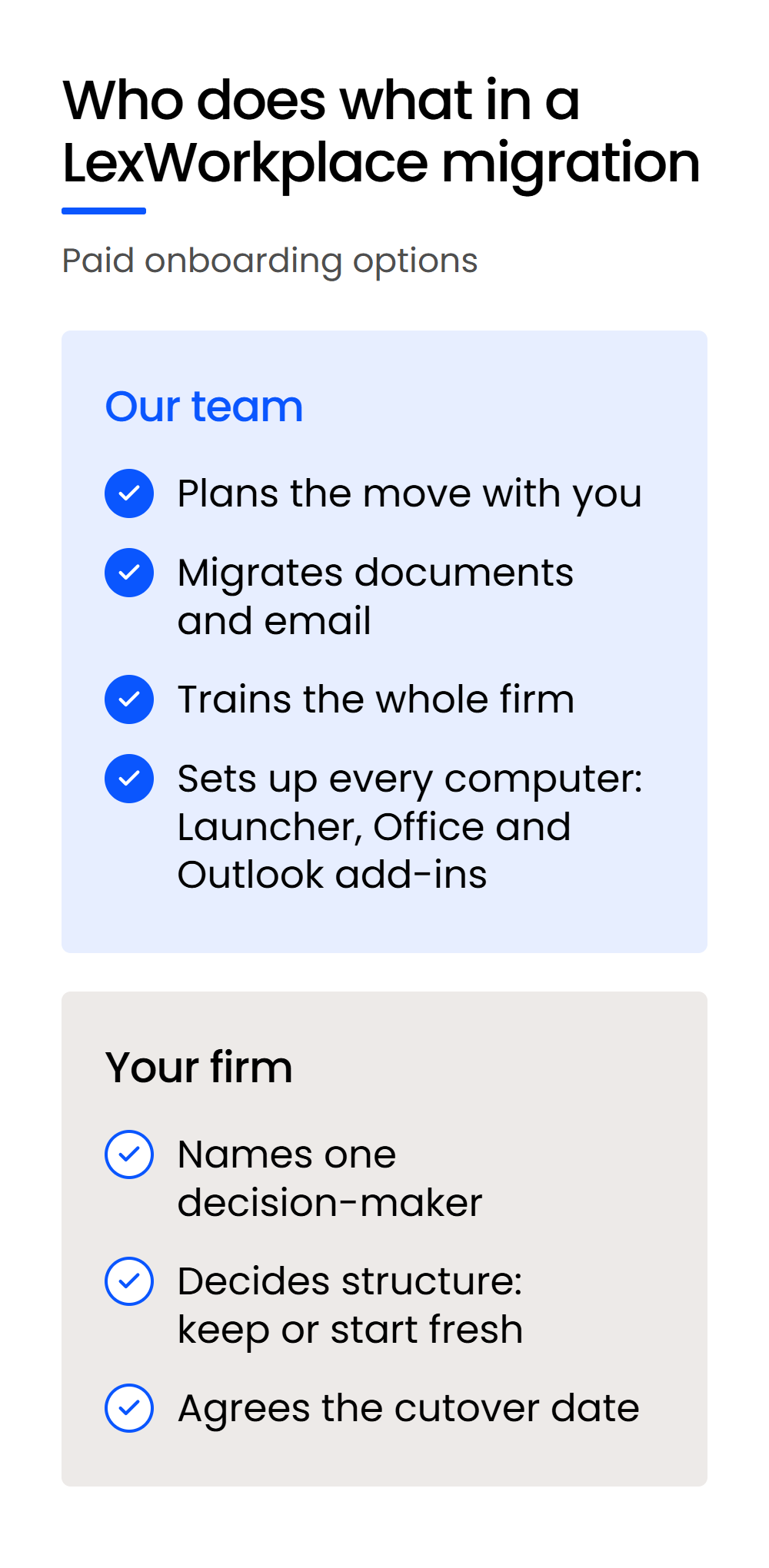
On LexWorkplace’s paid onboarding options, our team does the work: the data migration, training for your whole firm, and setup on every user’s computer. Your firm makes the structure decisions, through one decision-maker.
What Our Onboarding Team Does
Our team runs the data migration and trains your whole firm, usually the day after the cutover.
Then we remote into every user’s computer and install the LexWorkplace Launcher and the Office and Outlook add-ins, unless your firm would rather do that itself. Once the add-ins are in, your people can file new email to matters from inside Outlook.
Setup and training sit inside the migration because a move can finish and still fail.
A Capterra reviewer, listed as a member of a 23-user law practice, described the move this way: “Went from Worldox to Netdocuments. It is actually difficult to locate documents at times. This is leading to employees saving in file explorer”.
When people can’t find documents in the new system, they go back to saving files in local folders, and your firm ends up with two places to look.
What Your Firm Does
Your firm names one decision-maker, decides whether to keep its structure or start fresh, and agrees on the cutover date. Those three decisions are what planning waits on, so the sooner your point person makes them, the sooner the cutover date is set.
On the free onboarding option for Uptime Manage and Cloud customers, your firm also moves its own files, and your people join shared group training.
Who Does the Migration with NetDocuments, iManage and Worldox
NetDocuments migrations are delivered mainly by certified implementation partners, and NetDocuments can also supply professional services directly under a Statement of Work. iManage’s own Professional Services team supports moves to iManage Cloud, alongside certified implementation partners. Worldox licenses come from a reseller or installer.
Whoever you’re talking to, ask two questions before you compare quotes: who does the migration and the training, and how many firms of your size have they moved?
What Does a Legal DMS Migration Cost?
A legal DMS migration that our team runs costs $1,495 (USD) for up to 250 GB, and larger firms start at $3,995 for up to 1,000 GB, with one-on-one training. Onboarding is free for Uptime Manage and Cloud customers, who move their own files and join shared group training.
NetDocuments implementation is quoted separately, mainly by a certified implementation partner, and NetDocuments publishes no price for it. That makes two quotes hard to compare unless you ask every vendor the same things.
These five questions make any two quotes comparable:
A vendor that answers all five in writing has given you a quote you can hold it to.
Judge Every Legal DMS Migration Quote on the Whole Clock
The number to budget around runs from signing to everyone at your firm working in the new system, with the cutover weekend as one short part of it, and it should come with a list of what arrives intact.
Measured that way, a move to LexWorkplace takes about four weeks, with versions, filed email and matter structure carried over and our team handling the planning, migration, training and desktop setup on paid onboarding. Put the same five questions to every vendor, get the answers in writing, and compare them clock for clock.
WHAT’S NEXT