Table of Contents
Most articles about document management software talk about features—cloud storage, version control, search. But here’s the thing: none of that matters unless it actually makes your workday easier.
This article takes a different approach.
Instead of listing technical specs, we’re looking at how legal document management software supports the people who use it—lawyers, paralegals, IT managers, even clients. Every role in a law firm has its own needs, workflows, and priorities. A good DMS meets all of them.
Let’s break it down, role by role.
Every member of your law firm benefits from robust, legal-centric document management software, like LexWorkplace. Keep reading to learn more.
What Is Legal Document Management Software?
Legal document management software (DMS) is a centralized system designed specifically for law firms to store, organize, secure, and retrieve documents and emails.
Unlike general-purpose cloud storage, a legal DMS is built around how law firms work—organizing files by client and matter, maintaining version history, and supporting compliance with legal and ethical standards.
It’s more than digital filing—it’s a foundation for secure collaboration, streamlined workflows, and better service delivery across the entire firm.
Why Document Management Matters for Every Role
Every person at a law firm touches documents—whether drafting, reviewing, organizing, securing, or sharing them. And yet, most discussions about document management focus only on features or firm-wide benefits.
But the truth is: the impact of a legal DMS is deeply role-specific.
Attorneys need fast, reliable access to case files. Paralegals need tools that streamline drafting and redaction. IT managers care about security and integration. Clients expect responsiveness and confidentiality.
This section-by-section breakdown explores how the right document management system supports each of these roles—helping everyone work more securely, efficiently, and confidently.
Lawyers: Secure, Searchable, and Matter-Centric DMS Tools
Lawyers need more than a place to store files—they need a system that fits the way they work.
A legal document management system should provide matter-centric organization, making it easy to locate case-related files, briefs, and correspondence without digging through folders.
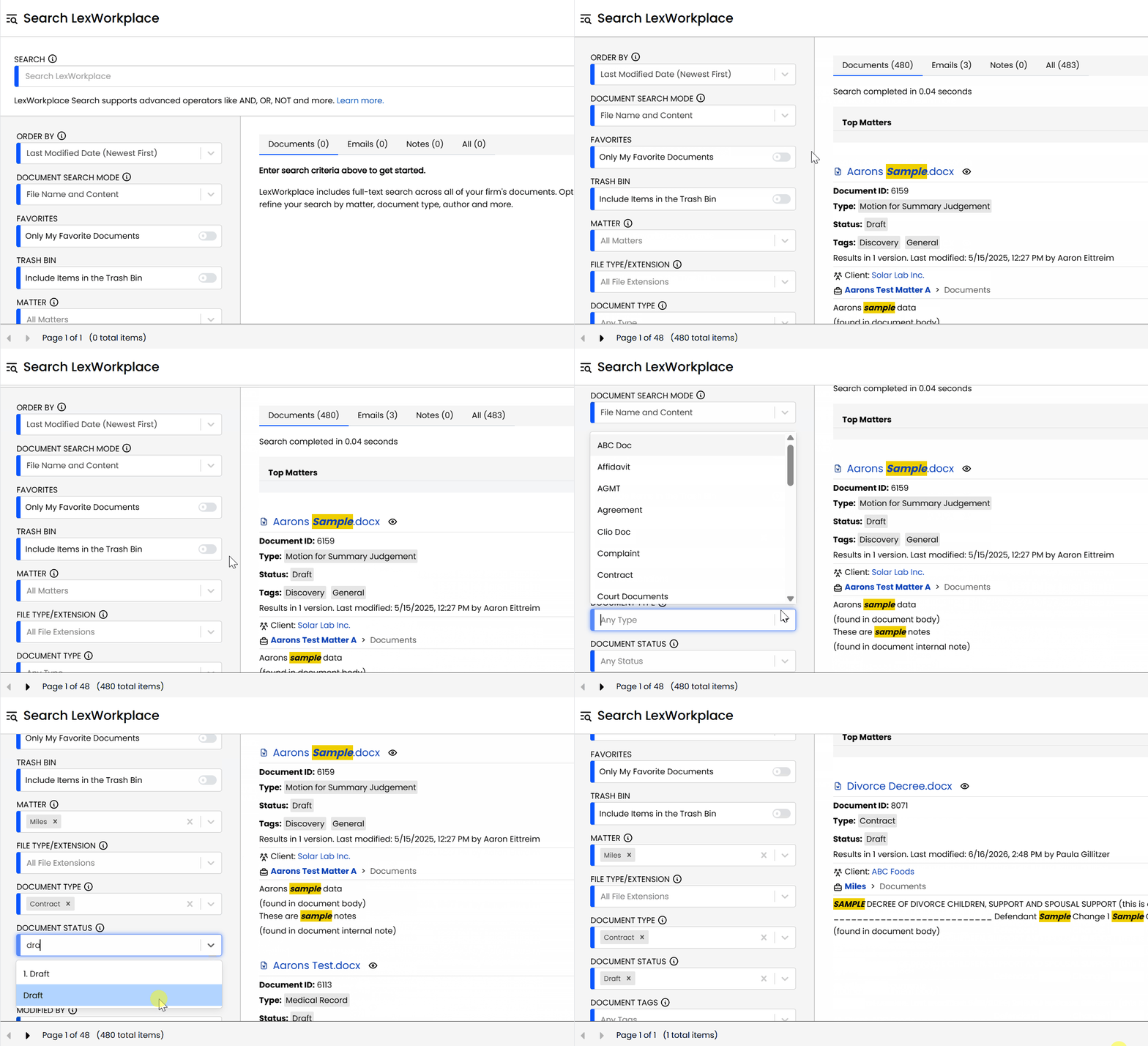
Full-text search allows attorneys to instantly retrieve what they need—whether it’s a specific contract clause or an email thread from six months ago. And with document versioning, lawyers can confidently track changes, revert to previous drafts, and avoid costly mistakes.
Most importantly, all of this must be done securely. Lawyers handle privileged, often confidential, material. A legal DMS ensures that files are encrypted, access is controlled, and client data is protected—on every device, in every location.
For lawyers, the right DMS isn’t just convenient—it’s critical to delivering fast, informed, and secure legal work.
Paralegals: Streamlined Case Management and Automation
Paralegals are the operational backbone of most law firms. They draft documents, manage filings, coordinate with courts, and keep matters moving forward. A legal document management system should make this easier—not harder.
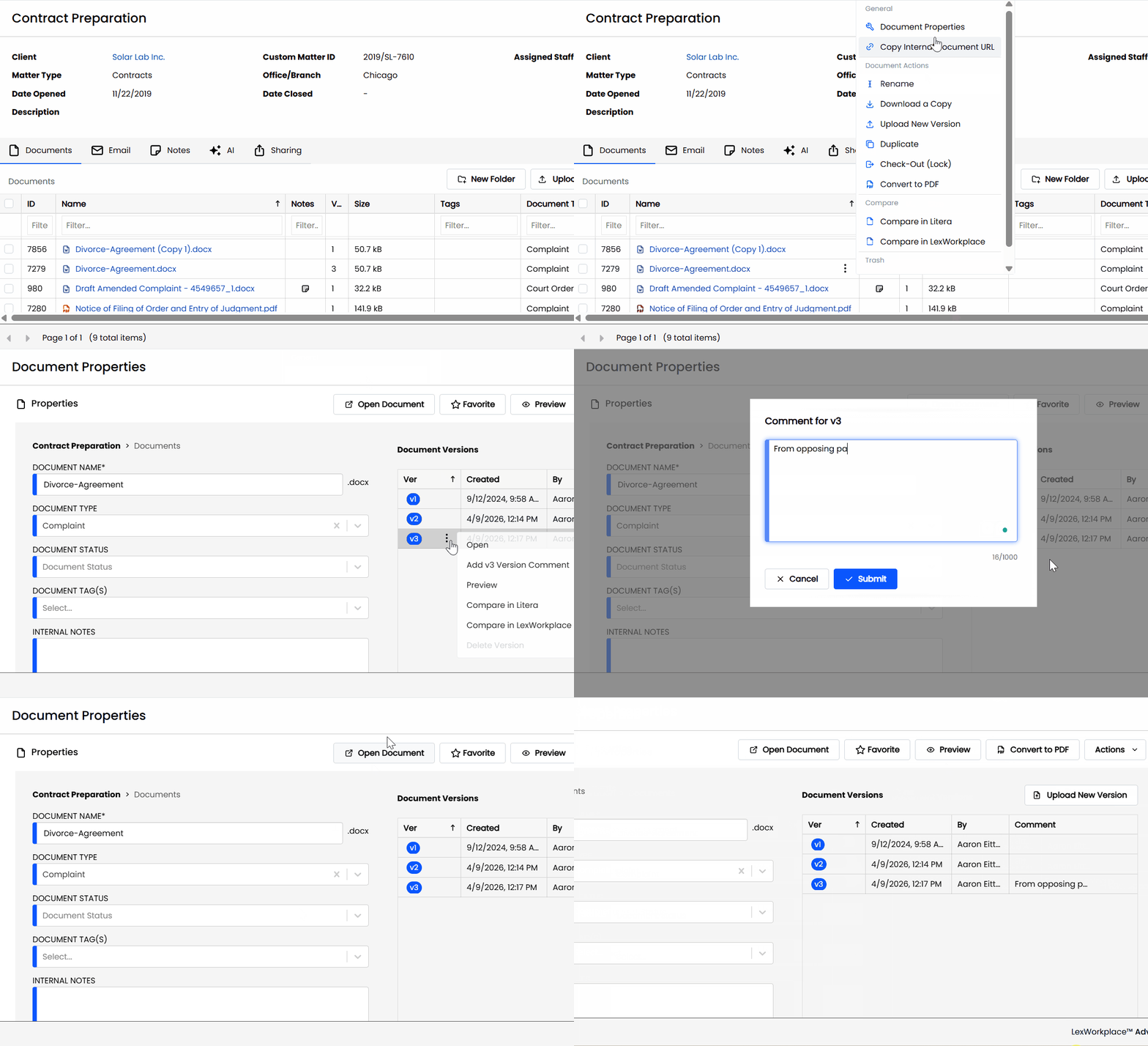
With document tracking, paralegals can see who last edited a file and when, reducing confusion and eliminating version mix-ups. Redaction tools allow them to quickly prepare documents for court or client review without relying on third-party software. And workflow automation features can help manage routine tasks like document routing or approval processes.
Equally important is compliance. Paralegals are often responsible for ensuring that filings meet regulatory requirements. A legal DMS with audit trails and permission controls helps maintain integrity, security, and accountability—especially when multiple people are touching a file.
For paralegals, the right DMS cuts down on busywork, reduces risk, and supports more efficient, compliant case management.
Legal Secretaries: Organizing, Tagging, and Redacting with Ease
Legal secretaries play a critical role in keeping documents organized, accurate, and accessible. From preparing filings to maintaining correspondence, their work depends on having a document system that is both reliable and intuitive.
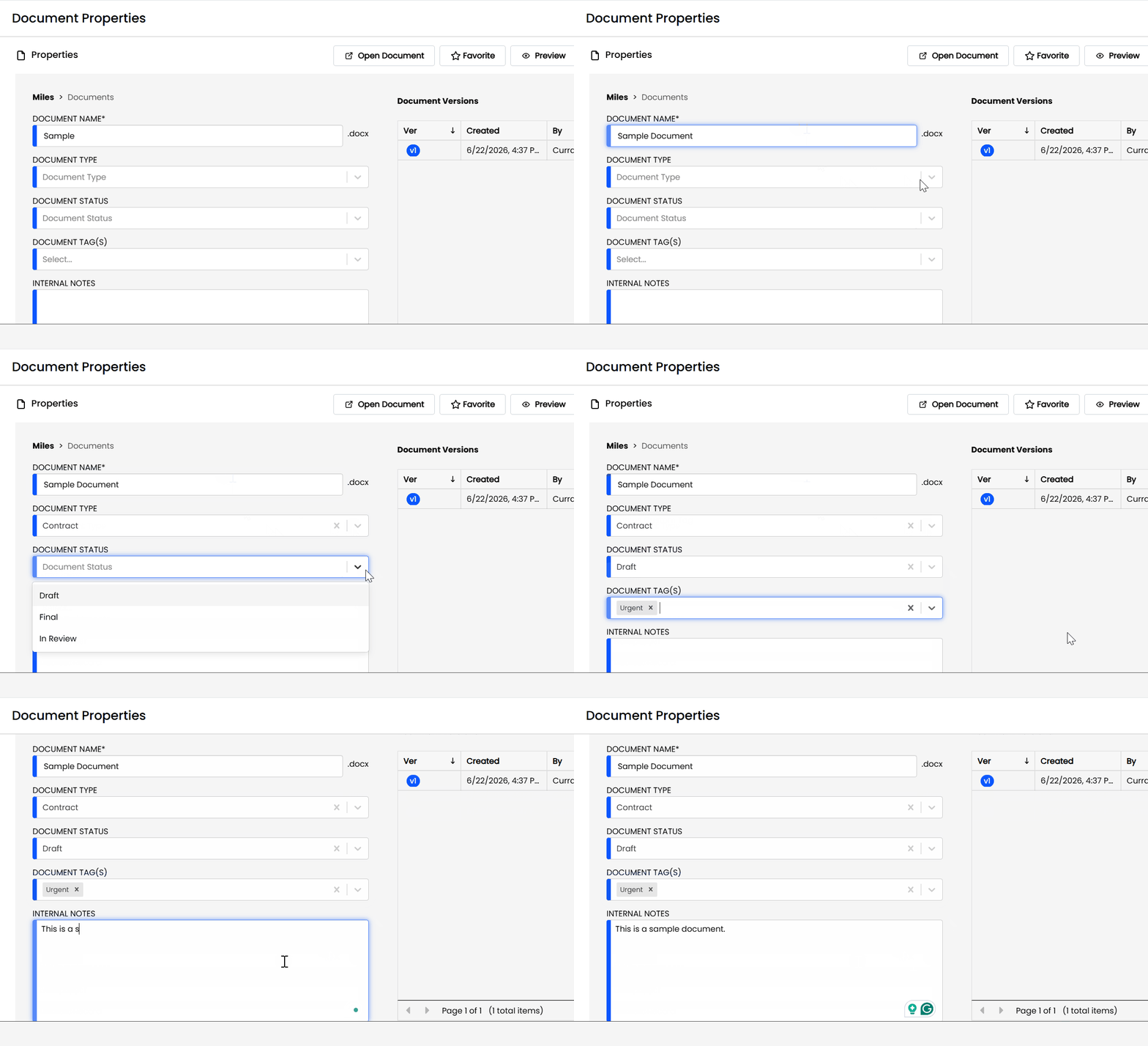
A good legal DMS supports document profiling and tagging, making it easy to file documents by client, matter, type, or deadline. This ensures consistency across the firm and prevents misplaced or misnamed files from slipping through the cracks.
Redaction tools and version tracking are especially valuable for legal secretaries, who often prepare documents for outside parties or finalize edits made by attorneys. These features help maintain document integrity, reduce rework, and protect confidential information.
Ultimately, a strong DMS allows legal secretaries to work more efficiently—cutting down on time spent manually organizing files and enabling them to better support attorneys and paralegals.
IT Managers: Secure, Integrated Document Management Systems
For IT managers, document management software is more than a convenience—it’s a matter of infrastructure, risk management, and system integrity.
A legal DMS should offer robust security features like encryption, user-level permissions, and secure remote access. With cyber threats on the rise, IT professionals need confidence that sensitive documents are protected—whether they’re accessed in the office, at home, or on a mobile device.
System integration is another top priority. A DMS that plays well with Microsoft 365, Outlook, and legal practice management software reduces friction and eliminates data silos. The result: less downtime, fewer user errors, and smoother workflows.
Device compatibility—especially across Windows and Mac—is also essential for modern law firms with mixed environments. And for IT, fewer support tickets and a more intuitive interface translate into better productivity across the board.
For IT managers, the right DMS means fewer headaches, stronger security, and a seamless user experience for the entire firm.
Compliance Officers: Audit Trails, E-Discovery, and Peace of Mind
Compliance officers are tasked with ensuring that a law firm’s systems and practices meet ethical, legal, and regulatory standards. When it comes to document management, that means visibility, control, and accountability.
A legal DMS should offer detailed audit trails that track who accessed, edited, or shared a document—and when. These logs aren’t just useful for internal oversight; they’re essential in the event of an audit or dispute.
For firms engaged in litigation, e-discovery support is a must. The ability to search, filter, and export documents quickly can make or break discovery deadlines. And with built-in permissions management, compliance officers can enforce access controls to limit risk and maintain client confidentiality.
Ultimately, a DMS that supports compliance isn’t just a checkbox—it’s a safeguard against liability and a key part of the firm’s risk management strategy.
Litigation Support Staff: Managing Evidence and Discovery Files
Litigation support teams are responsible for organizing, processing, and producing vast amounts of information—often under intense deadlines. A legal DMS plays a vital role in helping them stay on top of it all.
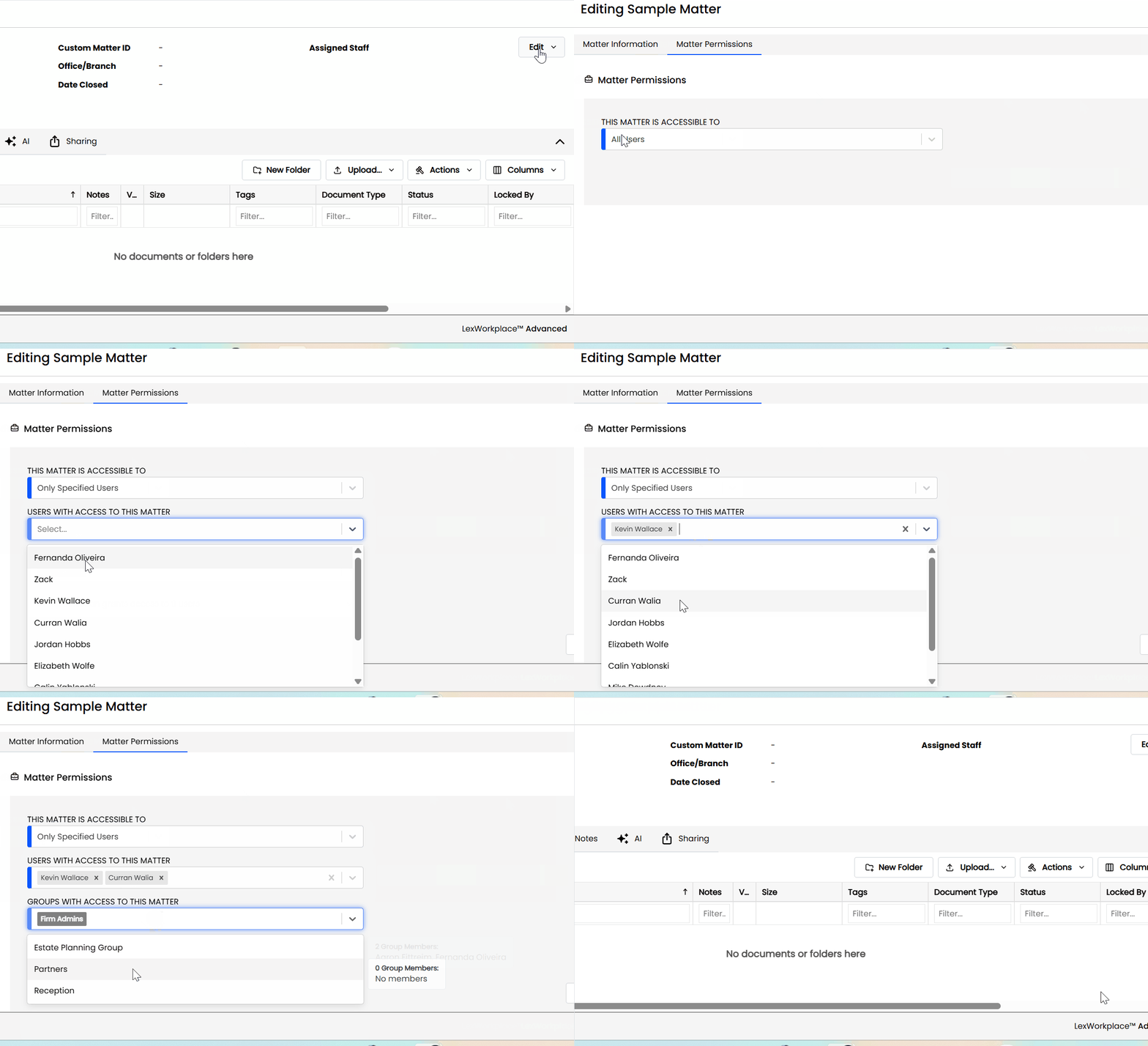
With features like optical character recognition (OCR) and full-text search, litigation support professionals can quickly find keywords or references buried within scanned documents, PDFs, or email attachments. This speeds up document review and ensures nothing critical gets missed.
The ability to tag, index, and categorize evidence by case, issue, or timeline streamlines the entire discovery process. Combined with version control and audit trails, these tools help preserve the chain of custody and maintain a clear record of what was done—and when.
For litigation support staff, the right DMS isn’t just helpful—it’s essential for managing complex discovery workflows and delivering timely, organized results to attorneys and clients.
Firm Administrators: Centralized Control and Operational Efficiency
Firm administrators are responsible for the smooth day-to-day operation of the entire legal practice. That includes everything from managing software licenses to enforcing policies and ensuring that staff have the tools they need to be productive. A well-implemented legal DMS is a powerful ally in that mission.
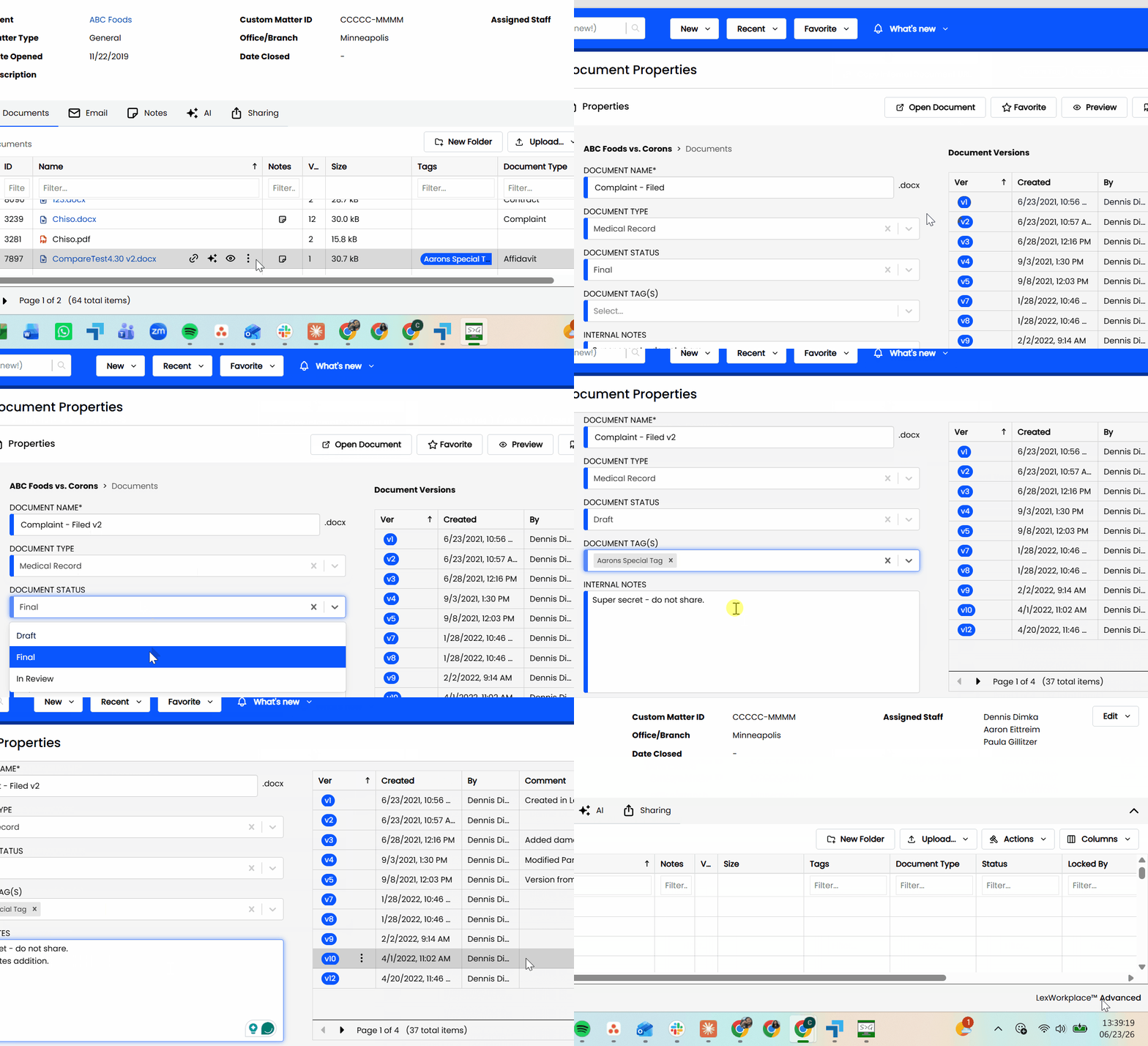
With centralized user management, firm administrators can easily control who has access to which documents—by role, department, or client matter. Usage reporting and audit logs provide visibility into system activity, helping identify bottlenecks or compliance risks before they become issues.
The right DMS also enables workflow standardization, ensuring that documents are consistently profiled, tagged, and stored. This reduces redundancies, prevents rework, and creates firm-wide consistency that improves both productivity and professionalism.
For firm administrators, a legal DMS offers control, clarity, and the ability to scale operations without adding chaos.
Clients: Trust, Security, and Transparent Communication
While clients may never log into your document management system, they feel its impact every time they work with your firm. A good legal DMS helps ensure that their sensitive information is stored securely, shared appropriately, and easy for your team to retrieve when needed.
Secure file sharing and client portals provide a confidential and professional way to exchange documents—avoiding the risks of email attachments or unsecured links. Version control ensures that clients are always reviewing the most accurate draft, and audit trails provide peace of mind that their information hasn’t been mishandled.
Clients may not ask what document management system your firm uses—but they’ll notice if it’s slow, disorganized, or insecure. A reliable DMS reinforces trust, enhances responsiveness, and demonstrates that your firm takes confidentiality and communication seriously.
The Bottom Line on Legal DMS
Legal document management software isn’t just about storing files—it’s about empowering every role at your law firm to work more securely, efficiently, and confidently.
From attorneys to clients, a well-designed DMS supports the unique needs of each user while reinforcing consistency, compliance, and control across the firm.
Choosing the right system means evaluating how it performs for <em>everyone</em>, not just IT or leadership. Because when your DMS works for every role, your entire firm works better.