Table of Contents

For law firms, secure document management is essential to daily operations.

With sensitive client data and case files constantly in motion, the risk of exposure is high. A single oversight can lead to breaches, compliance issues, or loss of client trust.

This guide outlines key strategies to protect your documents while ensuring secure, compliant access for your team.

Secure document management is non-negotiable for law firms. Continue reading to understand why and how to manage documents securely.

Table of Contents

Introduction to Secure Document Management

In a law firm, the secure management of documents is about more than just storing files safely—it’s about ensuring that those files are easily accessible when needed while remaining fully protected from unauthorized access.

With confidential client information, case details, and legal documents constantly being exchanged, the risk of exposure is always a concern. Whether these documents are stored digitally or physically, they require robust security measures that align with legal and ethical standards.

Secure document management means implementing systems and processes that prevent unauthorized access, loss, or damage to critical legal documents. It also involves compliance with industry regulations that safeguard sensitive data.

For law firms, a comprehensive approach to document security not only protects client confidentiality but also helps avoid costly fines or reputational damage.

Understanding the Key Risks in Legal Document Management

Managing legal documents comes with its own unique set of risks.

Whether you’re handling confidential client information or sensitive case files, understanding these risks is essential to securing your firm’s data.

Understanding these risks is the first step in safeguarding your firm’s documents and maintaining client trust.

Bring Law and Order to Your Documents

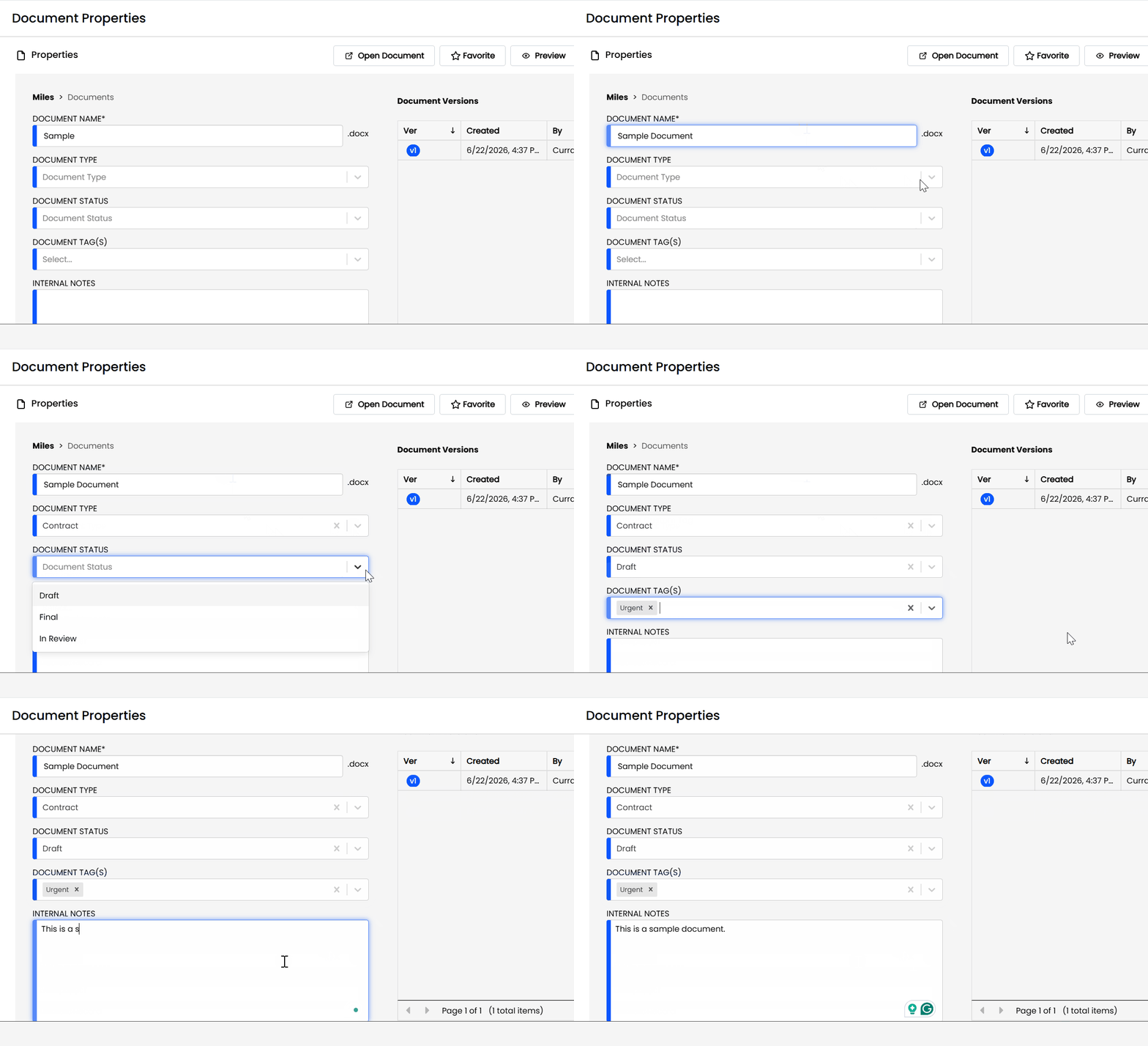
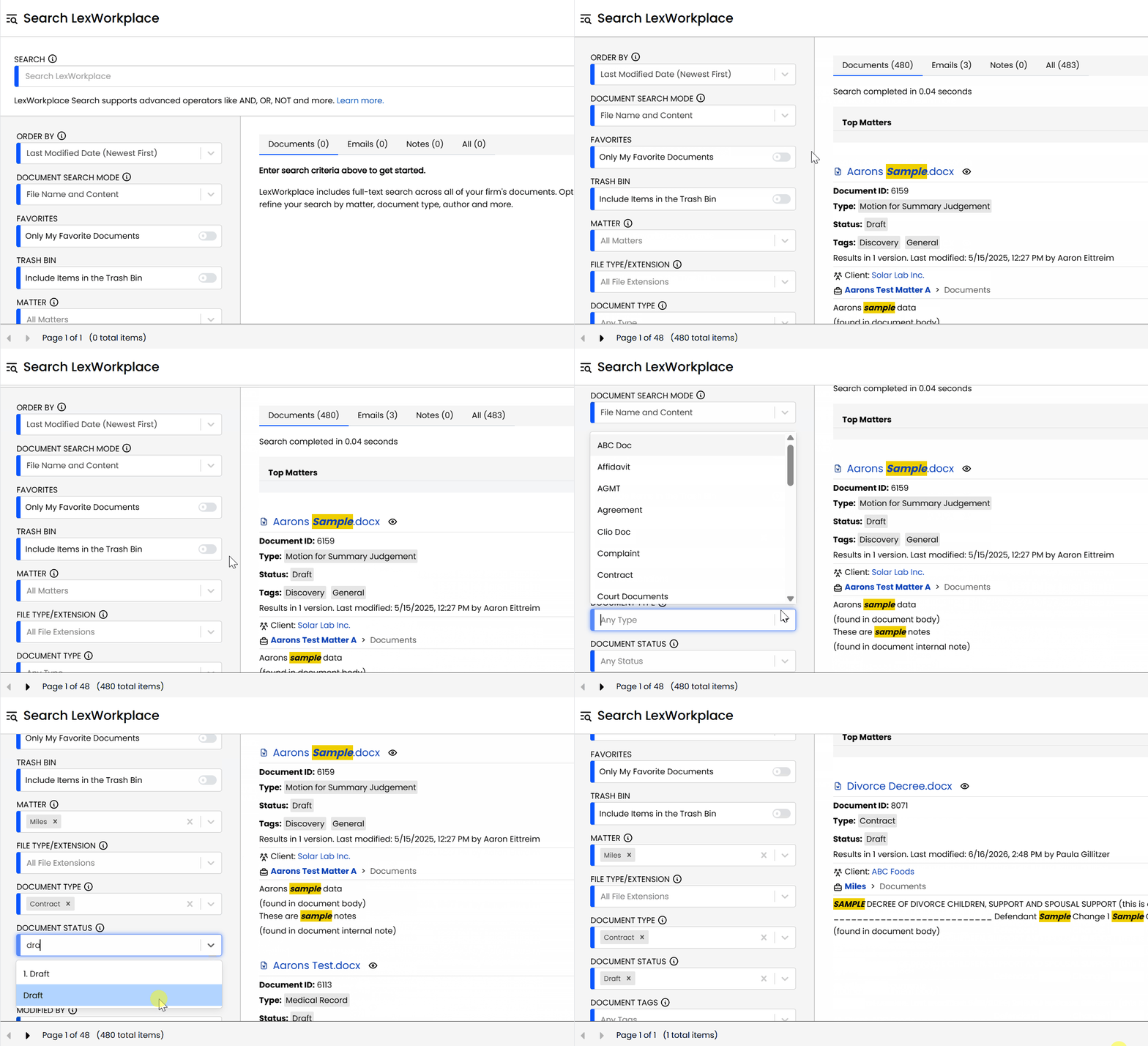
LexWorkplace Includes::

  • Document Profiling / Metadata

  • Structured by Client/Matter

  • Organize With Folders and Tags

  • Save Emails to Matters

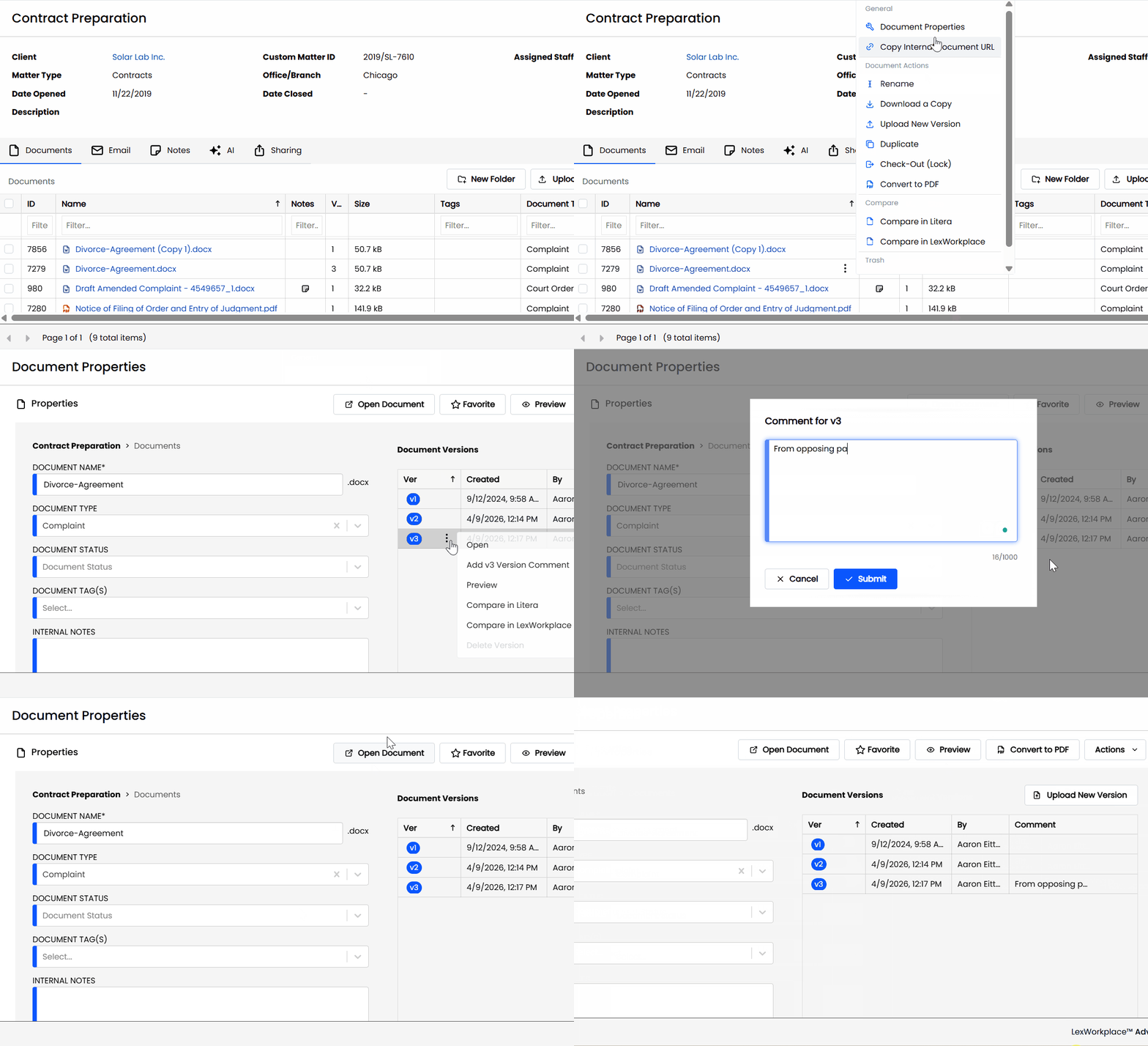
  • Built-In Version Management

  • Add Notes to Docs & Email

  • Automatic, Integrated OCR

Best Practices for Securing Legal Documents

When it comes to protecting legal documents, there are several essential practices that every law firm should adopt.

These best practices go beyond simple file storage and focus on implementing robust security measures to ensure your documents are safe, accessible, and compliant.

By implementing these best practices, law firms can ensure their documents remain secure, reducing the likelihood of costly data breaches and compliance issues.
Choosing the Right Secure Document Management Solution

Selecting the right document management system (DMS) is a critical decision for any law firm.

The right solution will offer security features tailored to the unique needs of the legal industry, while also ensuring ease of access and collaboration for your team.

When evaluating document management solutions, consider the following key factors:

A secure, reliable document management solution can significantly reduce the risks associated with document handling while improving efficiency and compliance.

By selecting a system that prioritizes both security and usability, law firms can streamline their operations and safeguard their most sensitive data.


Replace the G:, Dropbox, and Downloads folder with LexWorkplace.

Frequently Asked Questions

A Document Management System (DMS) is a software solution designed to store, manage, and track digital documents securely. For law firms, a DMS is crucial for maintaining document security, ensuring compliance with legal regulations, and improving overall workflow efficiency by making documents easily accessible and shareable among authorized team members.

A DMS ensures document security through features like encryption, secure access controls, role-based permissions, and audit trails. These measures help protect sensitive documents from unauthorized access, data breaches, and loss while maintaining compliance with industry standards.

Yes, a DMS can help law firms comply with regulations such as HIPAA, GDPR, and other legal standards by providing secure storage, automated retention policies, and audit logs that track document access and modifications, ensuring that the firm meets legal requirements for document handling and retention. It’s important to select a DMS that is specifically designed to meet these compliance standards.

A DMS can manage a wide range of documents, including client files, contracts, legal briefs, case records, correspondence, and any other document that requires secure storage and easy retrieval. It is designed to handle both digital and scanned paper documents.

Yes, some DMS solutions offer integration with other tools commonly used by law firms, such as practice management software, email clients, and billing systems. This integration helps streamline workflows and ensures that documents are easily accessible alongside other firm data. Be sure to choose a DMS that integrates well with your existing software tools.

Cloud-based document storage offers the advantage of remote access, scalability, and enhanced security features like data redundancy and encryption. In contrast, on-premise storage requires firms to maintain their own infrastructure, which can be more costly and less flexible but offers greater control over the physical security of documents. Some law firms prefer the cloud for its convenience and flexibility, but it’s important to select a cloud solution with robust security.

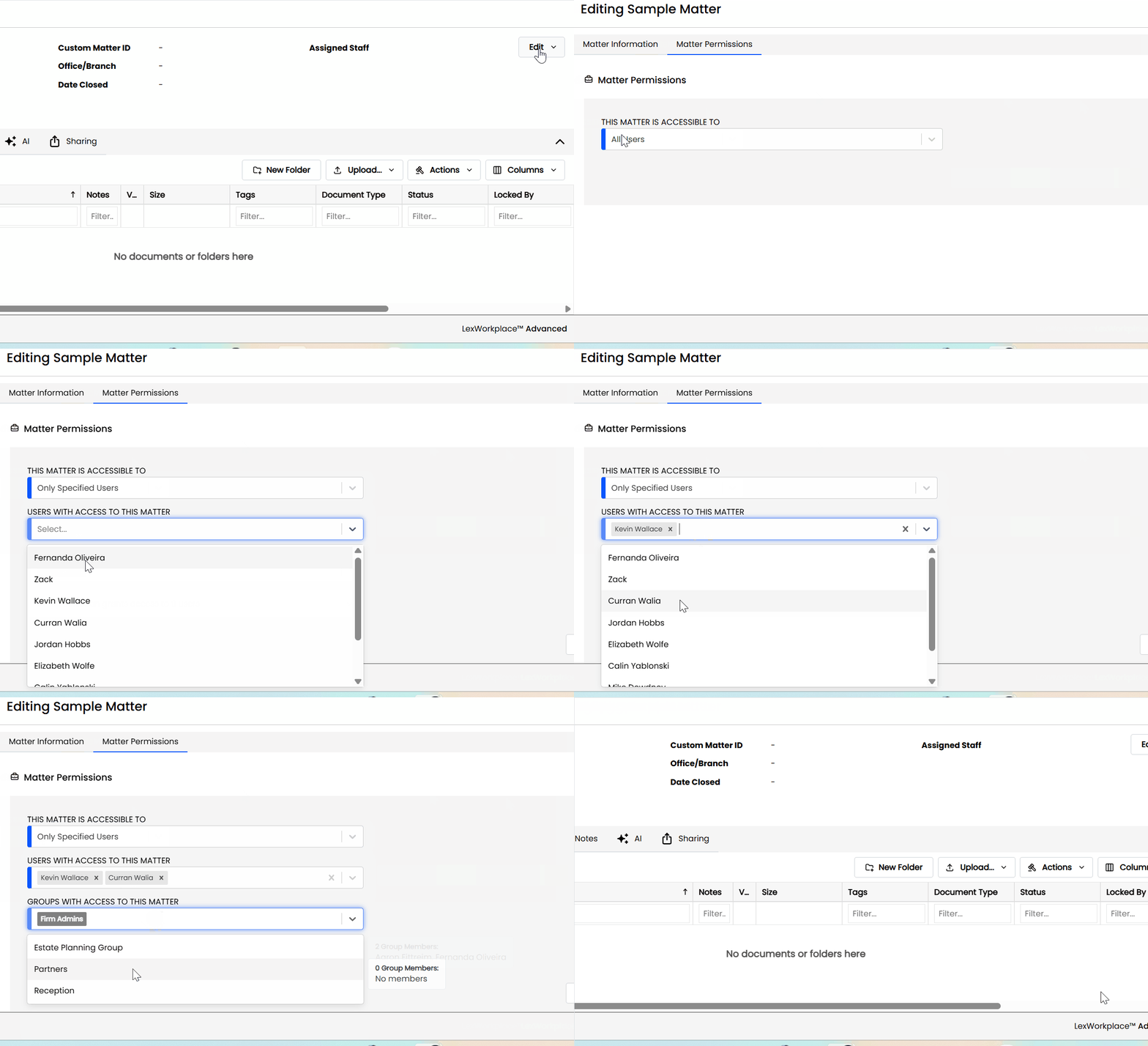
Access controls in a DMS allow administrators to set permissions based on roles within the firm. For example, certain users may only be able to view documents, while others may be granted permission to edit or delete them. This helps ensure that sensitive information is only accessible to those who need it. A DMS, such as LexWorkplace, offers flexible role-based access controls to tailor security based on user needs.

Yes, a DMS, such as LexWorkplace, provides version control, allowing users to track changes made to documents and revert to previous versions if necessary. This feature is especially important for legal firms, where document accuracy and historical tracking are critical. However, not every DMS offers this feature, so it’s important to check for version control capabilities when evaluating systems.

When selecting a DMS, law firms should look for features such as robust security protocols (encryption, MFA), compliance with legal standards, ease of use, integration with existing software, and strong document sharing and collaboration tools. It’s also important to consider scalability and customer support. Not all DMS solutions offer these capabilities, so make sure to choose one that meets your firm’s specific needs.

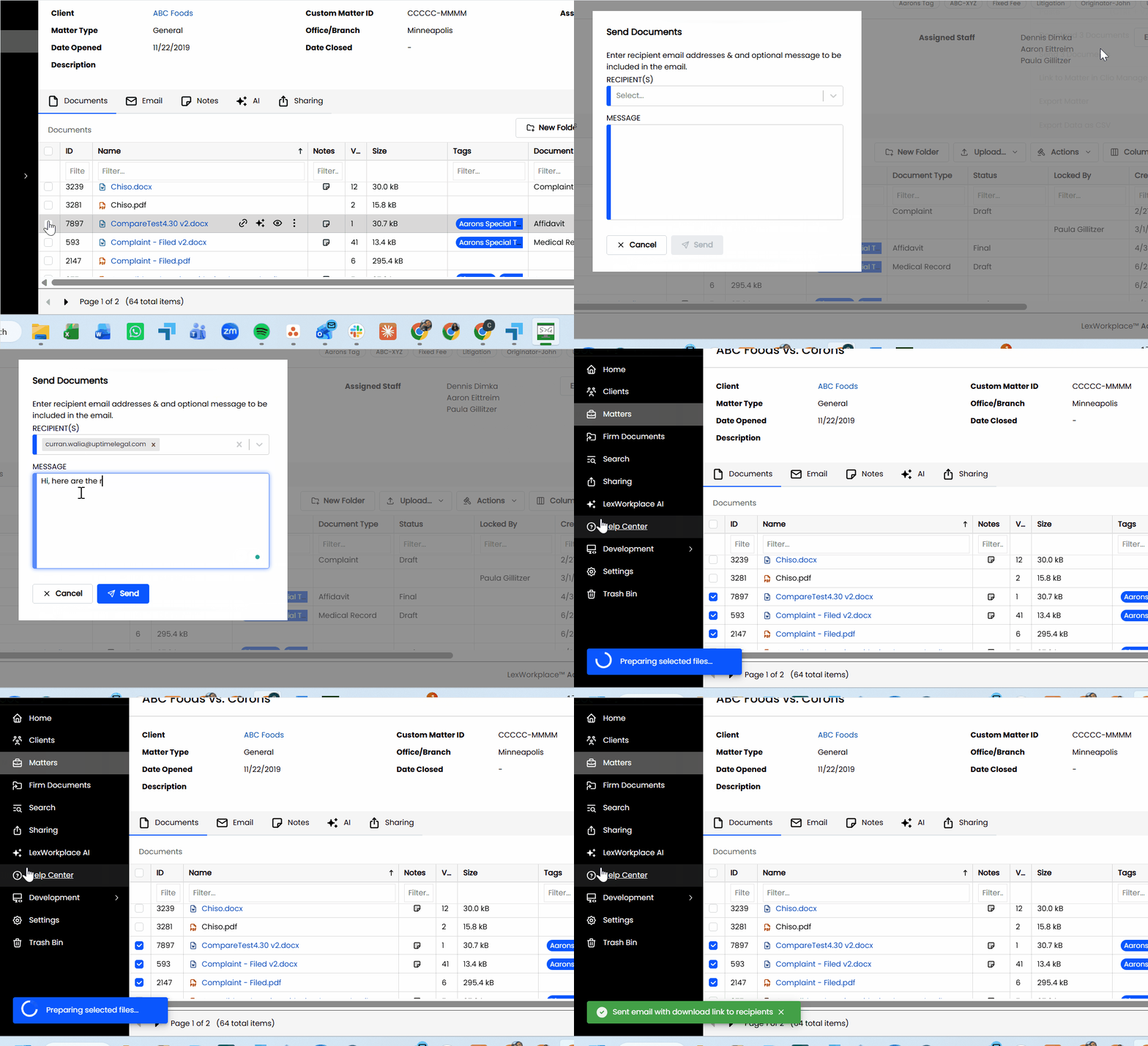
A DMS improves workflow by centralizing document storage, enabling faster retrieval, reducing physical storage space, and enhancing collaboration among team members. It also minimizes the risk of errors associated with manual document handling, improving efficiency and productivity. Some DMS solutions also include features like automated workflows to further streamline processes.

Last Updated: June 24th, 2026 / Categories: Law Firm Productivity /

As the founder and CEO of Uptime Legal, I've had the privilege of guiding our company to become a leading provider of technology services for law firms.

Our growth, both organic and through strategic acquisitions, has enabled us to offer a diverse range of services, tailored to the evolving needs of the legal industry.

Being recognized as an Ernst & Young Entrepreneur of the Year Finalist and seeing Uptime Legal ranked among the Inc. 5000 list of fastest-growing private companies in America for eight consecutive years are testaments to our team's dedication.

At Uptime Legal, we strive to continuously innovate and adapt in the rapidly evolving legal tech landscape, ensuring that law firms have access to the most advanced and reliable technology solutions.