Table of Contents
At many firms, a single matter lives in three places. The documents sit on a shared drive or in OneDrive, the email sits in whichever inbox it landed in, and the practice management tool holds whatever someone remembered to upload.
The attorneys feel it when a deadline is close. The staff feel it every day: the legal secretary hunting for the signed version, the office administrator working out who can open which folder, and the duplicate folder nobody wants to delete.
That’s usually when someone says the firm needs legal document management. The term covers a lot of software, from cloud storage to the document tab in a practice management tool, and comparing legal document management software only makes sense once you know what the category is meant to do.
Here’s what a legal DMS does, who uses it day to day, and how to tell whether your firm needs one yet.
What Is a Legal DMS?
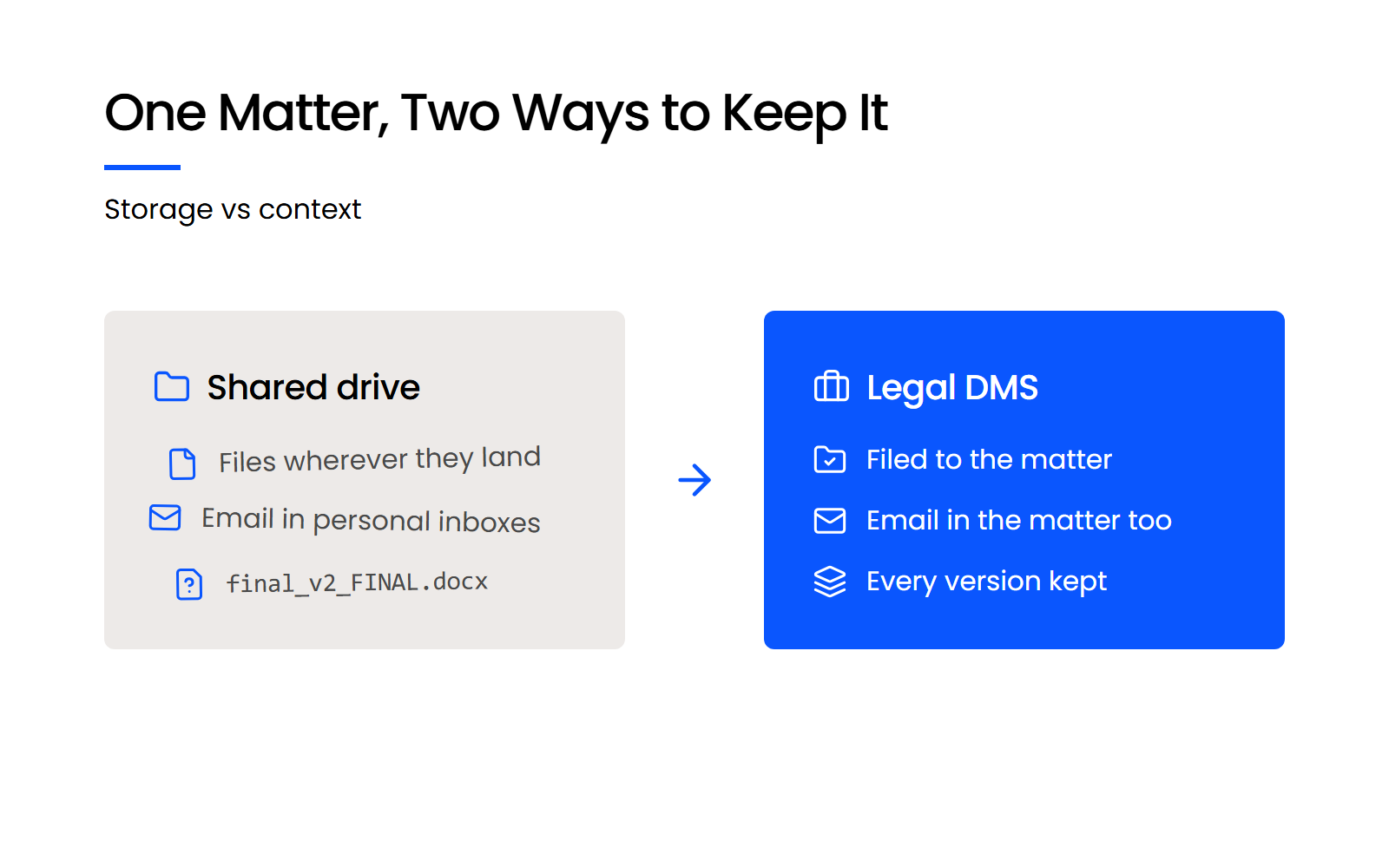
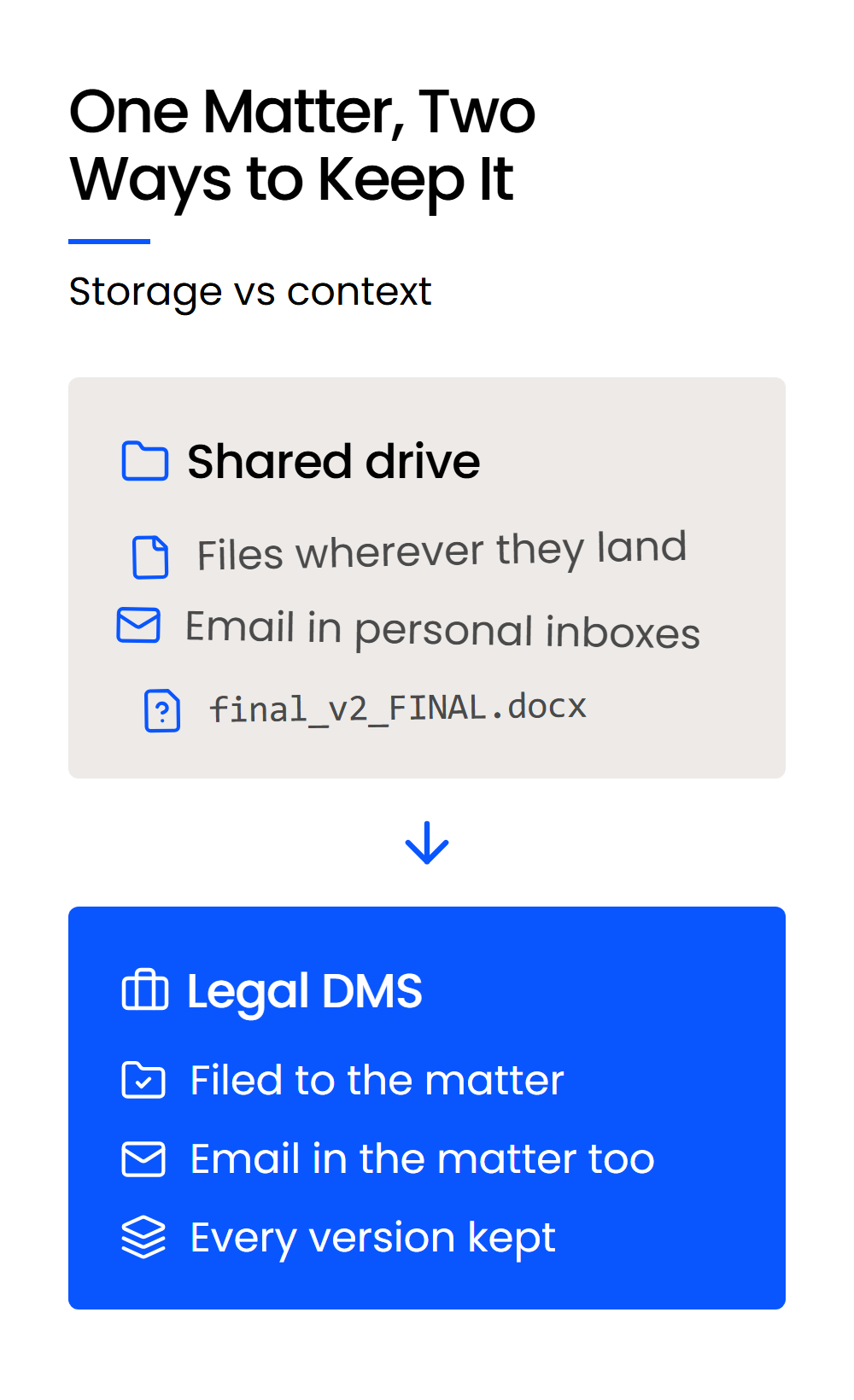
A legal document management system (DMS) is software that keeps a law firm’s documents and email together under the client and matter they belong to, with every version saved and access controlled matter by matter. A shared drive or OneDrive stores whatever lands in a folder and leaves the organizing to whoever saved it.
Document management in a law firm is a context problem. A file is only useful if you can tell which client it belongs to, which matter it’s part of, and which email or filing it answers, and a legal DMS records that context when the file is saved.
Document management is among the most widely adopted cloud tools in legal practice. The ABA’s 2024 Legal Technology Survey Report found that 73% of firms use cloud-based legal tools, with document management and practice management software seeing the highest adoption rates.
What Does a Legal DMS Do?
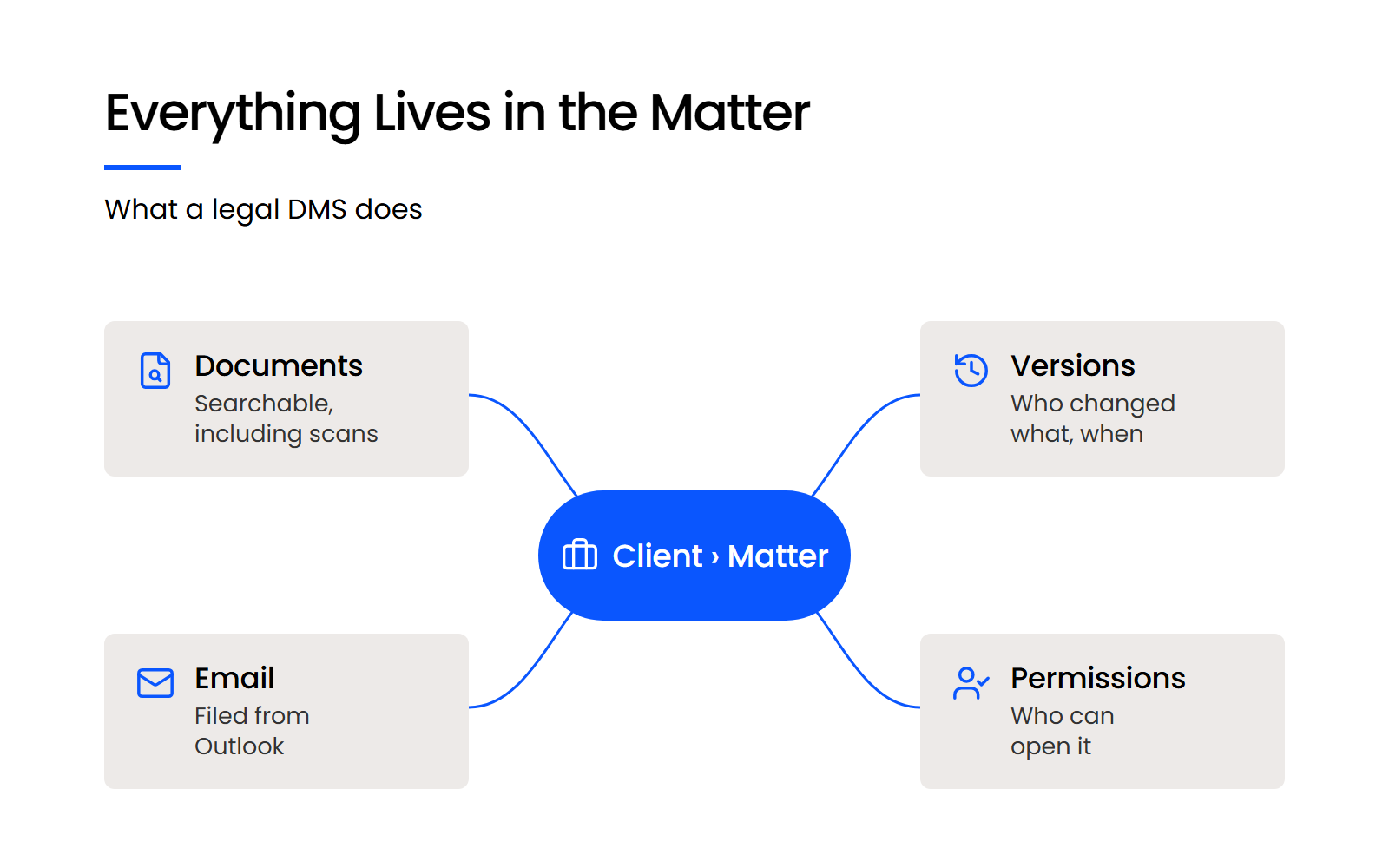
A legal DMS does five jobs for a firm: it files documents and email to the matter, finds documents by their contents, keeps every version, controls who can open each matter, and shares files securely with people outside the firm. Each one replaces work your staff does by hand on a shared drive.
Files Every Document and Email to Its Client and Matter
Every document and email saved to a legal DMS goes into a matter, so the email that explains a change sits next to the document that changed. Nobody has to remember which inbox or folder holds the thread.
In LexWorkplace, the Outlook add-in lists your matters in a sidebar, so you can save one email or several to a matter without leaving Outlook. With Smart-File turned on, it remembers which senders belong to which matter, so their future emails file to that matter in one click.
Finds Documents by What’s Inside Them
Full-text search reads the words inside documents, so you can find a file without remembering its name or where someone saved it. Scanned PDFs need optical character recognition (OCR) to become searchable text, and a legal DMS runs it so incoming scans don’t drop out of search. In LexWorkplace, automatic OCR is part of the Advanced plan.
Keeps Every Version and Stops Overwrites
Check-out stops two people from editing the same document at once. In LexWorkplace, a document locks while someone has it open, and a user can check a document out to lock it without opening it.
Version history keeps every earlier version, with who changed it and when. LexWorkplace saves a new version each time a document is saved, and a firm can switch to manual versioning, where a new version is created only when someone asks for one.
Controls Who Can Open Each Matter
Matter-level permissions decide who can open each matter, and an audit trail shows who opened what. That’s how a firm keeps a person who’s conflicted out of a matter away from its files, a setup usually called an ethical wall.
ABA Model Rule 1.6(c) requires lawyers to make reasonable efforts to prevent unauthorized access to client information, and permissions are how that duty reaches the file level.
In LexWorkplace, an administrator can limit any matter to named users and groups and set who gets access to new matters by default. Firm Admins keep access to every matter. When a document needs to go outside the firm, LexWorkplace emails the recipient a secure link that expires after 30 days, can be revoked sooner, and can be password-protected.
Who Uses a Legal DMS, and for What?
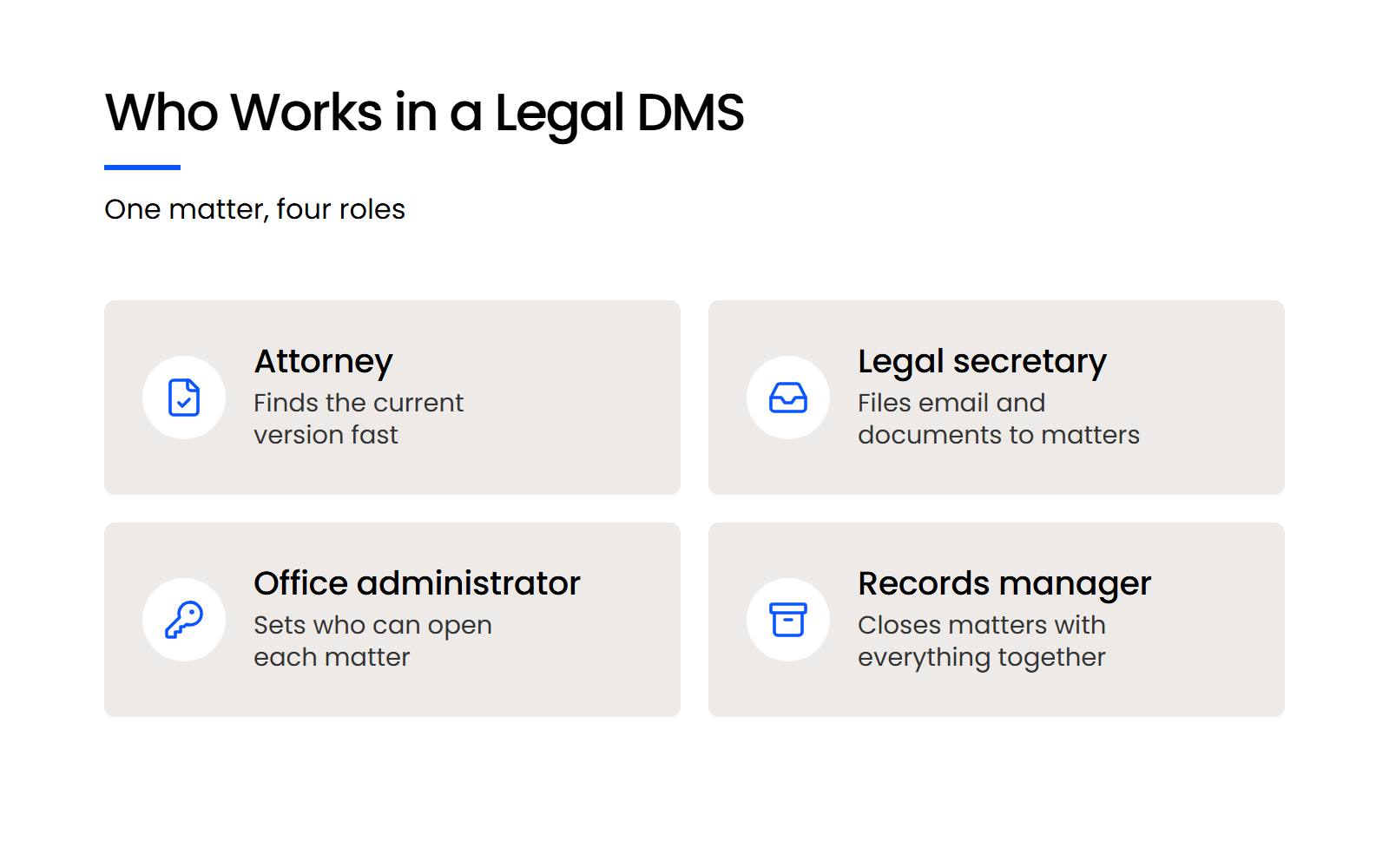
A legal DMS is used by everyone who touches a matter’s files: attorneys, legal secretaries and assistants, office administrators, and, at larger firms, records managers. The attorneys use it to find work, and the staff use it to run the files, so the staff feel the change first.
Attorneys Find the Current Version and the Email Behind It
An attorney opens the matter and finds the current version of a document, along with the email thread that explains how it got there. That works from the office, from home or from court, because the matter lives in one place instead of on whichever machine saved it last.
Legal Secretaries and Assistants Search and File in One Place
On a shared drive, finding an old contract to reuse as a template means searching Outlook, then the file system, then the practice management tool, and hoping one of them has it. In a legal DMS, a legal secretary runs one search across the matter’s documents and email.
Filing works the same way. With email management inside the DMS, incoming email and documents go to the matter as they arrive, so the record is complete without anyone rebuilding it later from their inbox.

Office Administrators Set Access Matter by Matter
An office administrator sets who can open each matter in one place, instead of granting access folder by folder on a shared drive and again in each person’s mailbox.
When someone joins the firm, the administrator adds them to the right matters, and they see the files they need on their first day. When someone leaves, removing their login removes their access to every matter at once.
Records Managers Close Matters with the Full File
A records manager closes a matter with its documents, email and version history together, so the closed file is complete when someone needs it years later. In LexWorkplace, a matter is closed by setting its close date or choosing Close This Matter from the matter’s Actions menu, and closed matters move to their own view. Matters can also be archived.
How long your firm keeps a closed file is a separate decision. LexWorkplace doesn’t have retention or disposal rules. Those are records management decisions.
When Does a Law Firm Need a DMS (and When Doesn’t It Yet)?
A law firm needs a DMS once several people work the same matters and the files start to drift: documents named inconsistently, competing versions, and the same file saved in more than one place. Until then, a shared drive is enough.
A one- or two-person firm with little or no staff can usually run on a shared drive for a while. A group of twenty attorneys breaking away from a larger firm needs a DMS on day one.
Firms we talk to describe outgrowing a shared drive in the same terms: lost documents, duplicate folders, and files nobody can find. The signs usually show up before anyone calls them a problem:
Each of these is a sign your firm has outgrown shared drives, and each one gets harder to fix as the firm adds people and matters.
Is OneDrive Enough for a Law Firm’s Documents?
For a one- or two-person firm, OneDrive can be enough. Once several people work the same matters, OneDrive leaves the structure to your staff: it stores, syncs and shares files well, and it has no client-matter structure, doesn’t file email from Outlook to a matter, and sets permissions folder by folder.
OneDrive handles
What it doesn’t do
A careful setup on day one doesn’t hold on its own. Folder rules and naming conventions written into a policy drift as soon as nobody enforces them.
The structure lives in the system, so every document has to be saved to a matter and can’t drift into a folder of its own. For the full case, see why law firms need a document management system.
How Is a Legal DMS Different from Practice Management, Cloud Storage and Records Management?
A legal DMS manages the documents and email in each matter, while practice management software runs the matter’s business, cloud storage holds files without a matter structure, and records management decides what the firm keeps and for how long. Each does a different job, and many firms run more than one.
Practice management software, like Clio, runs calendars, deadlines, time entries and billing. A legal DMS holds the matter’s documents and email, and many firms run both side by side.
Cloud storage, like OneDrive, Dropbox or Google Drive, holds files in folders. It syncs and shares them well, and it leaves the structure to whoever saves the file.
Records management decides what your firm keeps, for how long, and how it’s disposed of when the retention period ends. A legal DMS holds the working file while a matter is open, and your retention schedule decides what happens to it after the matter closes.
How Do You Choose a Legal DMS?
The way to choose a legal DMS is to test it against five things: how it structures matters, how it files email from Outlook, whether it searches inside scanned files, how it controls access, and how a DMS migration moves your existing files with their dates and versions. Put these questions to any vendor before the first demo:
The answers decide how much of the filing your staff still does by hand. LexWorkplace includes Document AI in every plan, so you can ask questions about a document instead of reading it end to end.
Watch · 8 min
How to Compare Legal DMS Options Before the Demo
A walkthrough of how a law firm can weigh one document management system against another before booking demos.

Ask what each system doesn’t do, too. LexWorkplace sends client documents by a secure link and isn’t a client portal, so firms that need clients to upload files pair it with a portal tool.
LexWorkplace also has no real-time co-editing: check-out keeps one editor at a time, and firms that draft together live use Microsoft 365 co-authoring for that stage.
For a side-by-side of specific products, start with our comparison of legal document management software.
See How a Legal DMS Works with Your Own Matters
The case for a legal DMS is the work it takes off your staff: filing email to the matter, finding the current version, and controlling who can open each matter.
If those jobs already run smoothly on your shared drive, your firm doesn’t need one yet. If they don’t, the clearest test is to load a few real matters into a DMS and watch how your legal secretary and office administrator work with them for a week.
You can run that test in LexWorkplace’s 7-day free trial, which comes with full feature access, sample data to start from and no credit card.
WHAT’S NEXT