Table of Contents
You’ve been asked to find your firm a real document system, and every list you open mixes two kinds of software. Some are legal document management software built around the matter. Others are practice management systems, like Clio, that store documents beside billing and calendars.
That mix is why one search returns such different answers. A small firm on Clio and a large firm leaving NetDocuments need different things, and a single ranked list can’t tell you which one you are.
This guide sorts the law firm document management software options by firm size, the system you already run and whether you have IT staff. Every feature and price we state for another vendor links to a source you can check, usually the vendor’s own pages.
This is our own list: we make LexWorkplace, one of the products compared, and we see what firms do once their documents and email live in one matter.
Which Legal Document Management Software Is Best? The Short Answer
For a law firm of roughly 2 to 75 people with no IT staff, LexWorkplace is the legal document management software to try first, because it organizes documents and email by matter, runs on Mac and Windows, includes Document AI in every plan and publishes its prices. You can try it free for 7 days or book a free demo first.
If your firm is larger, with IT staff or heavy governance needs, also look at iManage Work and NetDocuments. If you’re committed to Microsoft 365 and have someone to set it up, you can build on SharePoint.
Clio Manage, MyCase and Smokeball are practice management systems that also store documents. You can keep one and add a dedicated DMS beside it, which is the setup LexWorkplace is built for.
Which Legal DMS Fits Your Firm?
Which legal DMS fits your firm depends on three things: how many people work your matters, the practice management system already in place, and whether you have IT staff. The first question to settle is whether the practice management system you already pay for is enough on its own. If you’re still working out what a legal DMS does that practice management doesn’t, start with our plain-English guide to what a legal DMS is.
Is Clio Enough for Document Management?
Yes, if nobody on your team files email from a shared inbox. Clio Manage keeps unlimited documents on each matter, tracks every version, searches file text and files Outlook email to matters. Its Outlook add-in syncs to Clio on a schedule and can’t file from shared inboxes, so if your firm needs either, keep Clio and add a dedicated DMS.
Clio handles
What it doesn’t do
Use the table below to find the row that describes your firm. Each row points to the entries further down.
Firms on Worldox can compare their options in our Worldox alternatives guide, and corporate legal teams should start with our guide to document management for in-house legal teams.
If a solo practice or a tidy two-person firm can still pull up a matter’s documents and email from one place, a dedicated DMS can wait. If your firm works from a file server or Dropbox today, our guide to the signs you’ve outgrown shared drives shows when that stops working.
Legal Document Management Software Compared on Price, Trial, Mac and Outlook
The seven legal document management options in this guide fall into three types: dedicated legal DMS platforms (LexWorkplace, iManage Work, NetDocuments), practice management systems with documents built in (Clio Manage, MyCase, Smokeball), and SharePoint in Microsoft 365.
The table covers price, trial, Mac support and Outlook filing, four questions that separate them quickly.
Prices and plans change, so check each vendor’s page before you sign; every fact in the table is sourced in the entries below.

Dedicated Legal Document Management Systems
A dedicated legal DMS is built around clients and matters for documents and email, and LexWorkplace, iManage Work and NetDocuments are the three in this guide. They differ most on firm size, Mac support, Outlook filing and how you buy and onboard.
LexWorkplace
Best for: firms of 2 to 75 people without IT staff, on Mac, Windows or both, including firms that run Clio Manage.
Pricing: start with a 7-day free trial with full features and sample data and no credit card. After that, Core is $395 a month with three users included, plus $50 for each extra user, and Advanced is $595 a month.
Watch for: there’s no real-time co-editing and no client upload portal, it runs in the cloud only, and Integrated OCR comes with the Advanced plan.

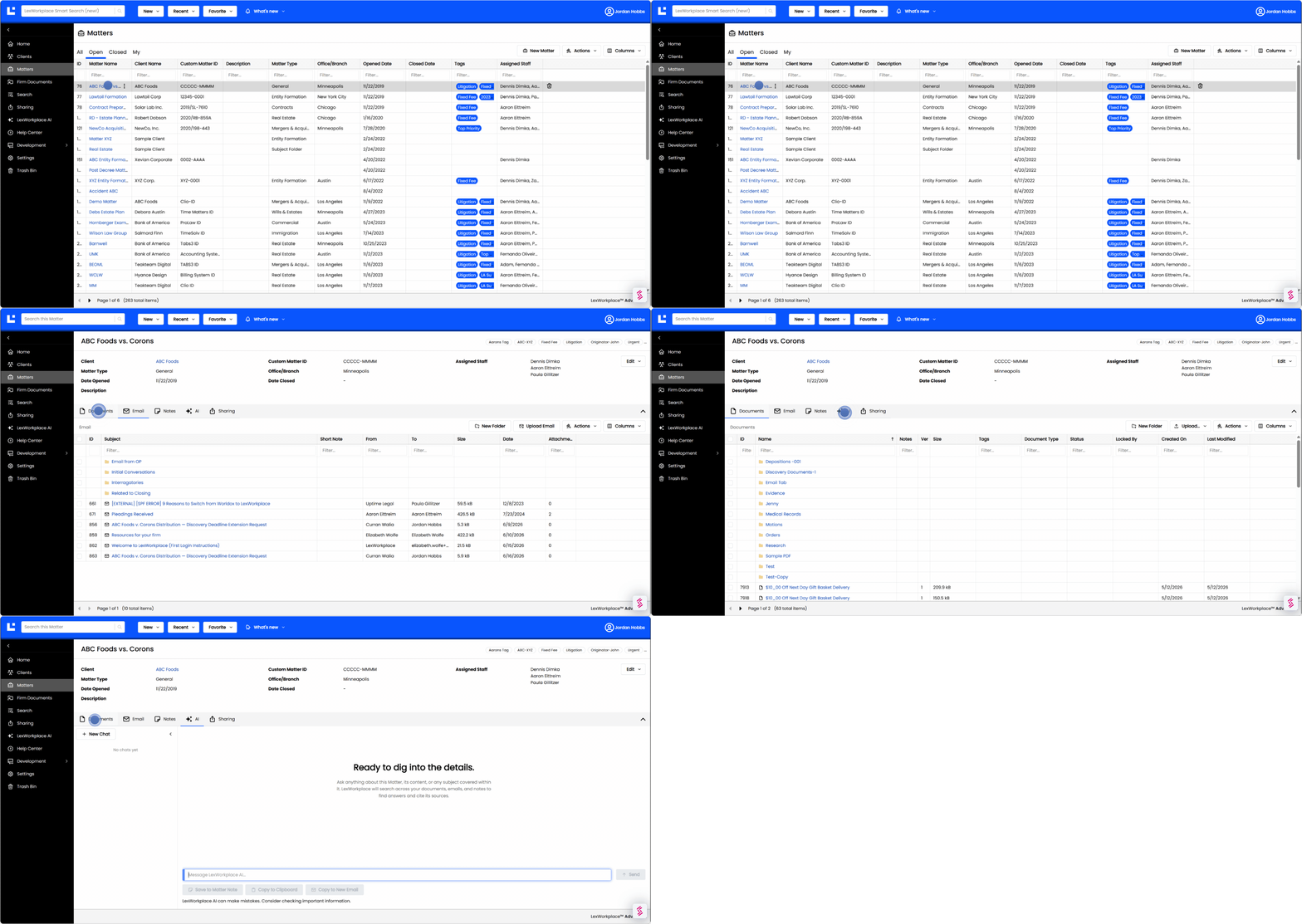
LexWorkplace organizes every document, email and note by client and matter, and our Outlook add-in files email to matters, with Email Smart-File for automatic filing. Document AI comes with every plan, and Matter AI answers questions across an entire matter, not just one document.
LexWorkplace integrates with Clio Manage, so your firm can keep Clio for billing and calendars and keep documents and email in LexWorkplace. Client documents go out as password-protected shares sent by secure link, and LexWorkplace encrypts data at rest and in transit, supports multi-factor authentication and runs in SOC 2 Type II data centers.
Our team sells and onboards LexWorkplace directly, including the migration, so there’s no reseller between you and the vendor. If your firm needs several people editing one file at the same moment, or a portal where clients upload their own files, plan to pair LexWorkplace with a tool that does.
iManage Work
Best for: larger firms with IT staff, complex governance requirements or a need to stay on-premises.
Pricing: iManage doesn’t publish its prices, so expect a quote (our iManage pricing guide covers what firms report paying).
Watch for: moves to iManage Cloud usually run through its Professional Services team or a certified partner.

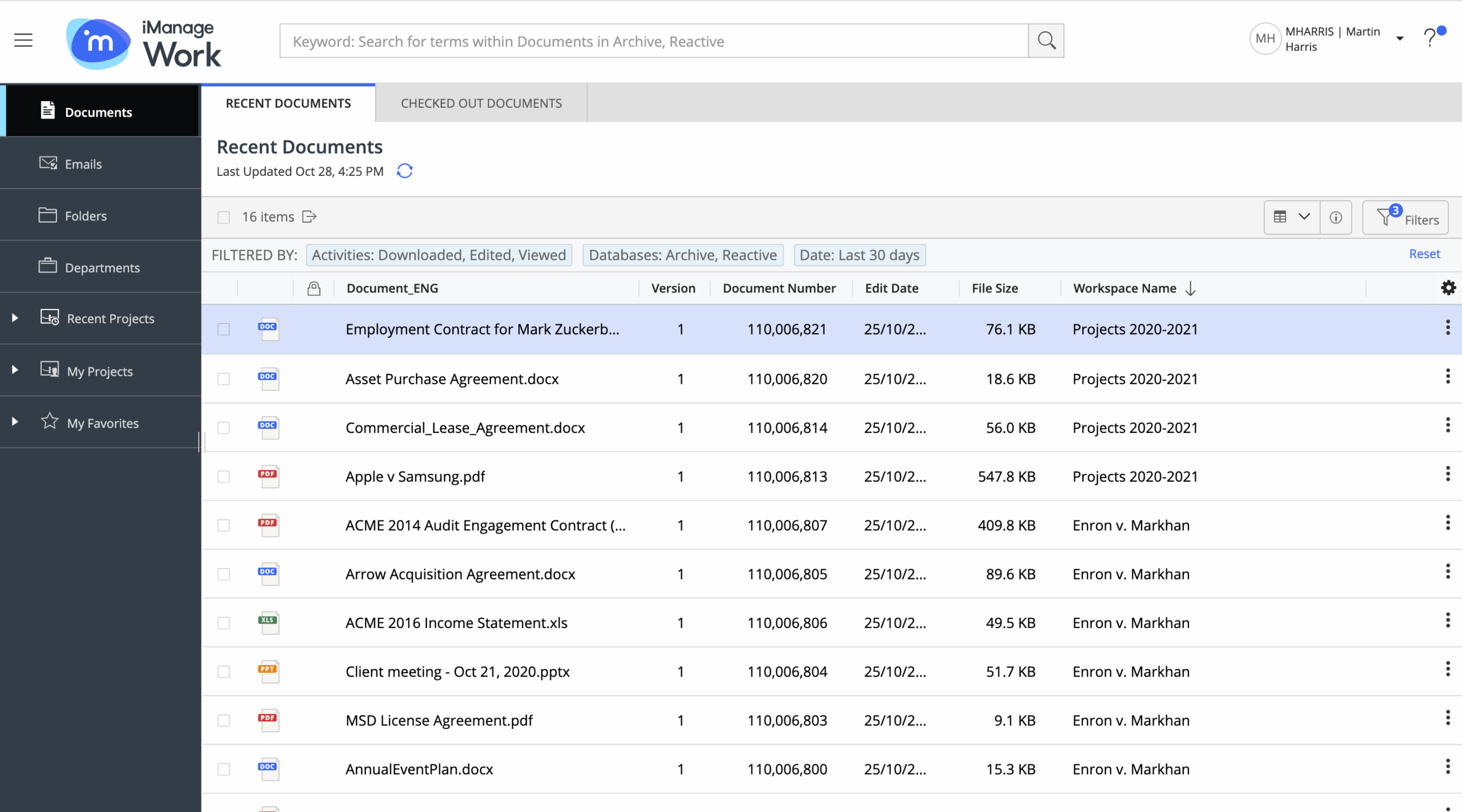
iManage leads with iManage Cloud, which it says covered 78% of its global customer base in May 2026, and it still supports on-premises deployments. iManage Work Desktop for Mac is a native Mac app, and Email Management for Outlook files email as you send it with Send and File.
iManage’s own Professional Services team supports moves to iManage Cloud alongside certified implementation partners. What iManage does better than LexWorkplace is on-premises deployment, for firms that need to keep documents on their own servers. Our LexWorkplace vs iManage comparison covers the two side by side.
NetDocuments
Best for: firms that want a cloud-only enterprise DMS and file most of their work from Outlook.
Pricing: NetDocuments doesn’t publish its prices (our NetDocuments pricing guide covers reported figures).
Watch for: ndOffice, its desktop integration for Word, Excel, PowerPoint and Outlook, runs on Windows only.
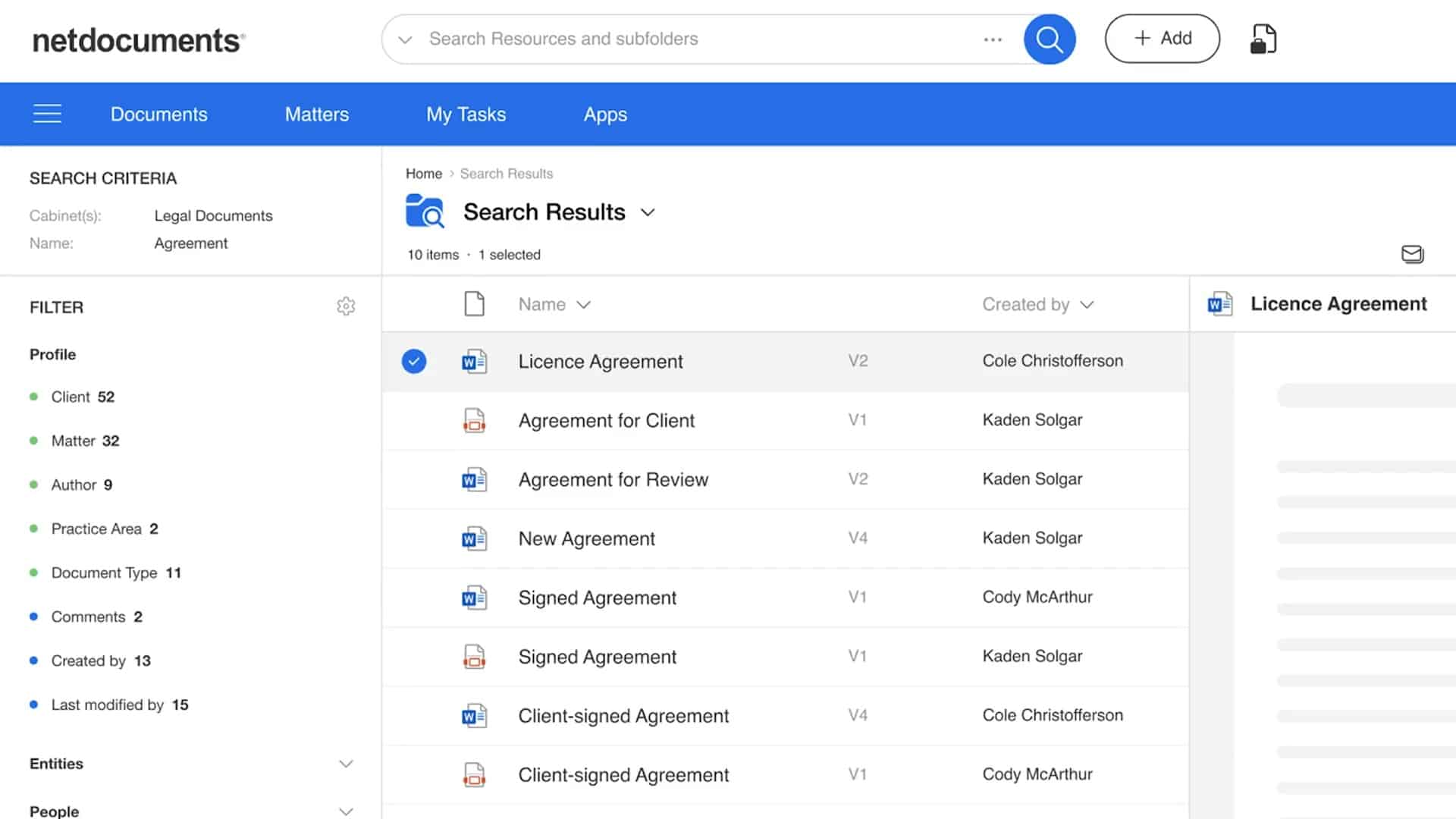
NetDocuments is strong at Outlook email filing: NetDocuments for Outlook offers predictive filing, folder mapping and Send and File, and runs on Windows, Mac, the web and mobile with the ORGANIZE solution. Its Microsoft 365 Outlook add-in works in Outlook for Mac.
A billing manager at a law practice described the payoff on Capterra: “From NetDocuments, I can pull up any older emails without having to spend time searching through Outlook.” On a Mac, NetDocuments works in the browser and through its ndClick and ndSync apps, while ndOffice stays Windows-only.
Certified implementation partners deliver most NetDocuments migrations, and NetDocuments can also provide services directly under a Statement of Work. Our LexWorkplace vs NetDocuments comparison compares the two in more detail.
Practice Management Systems with Documents Built In
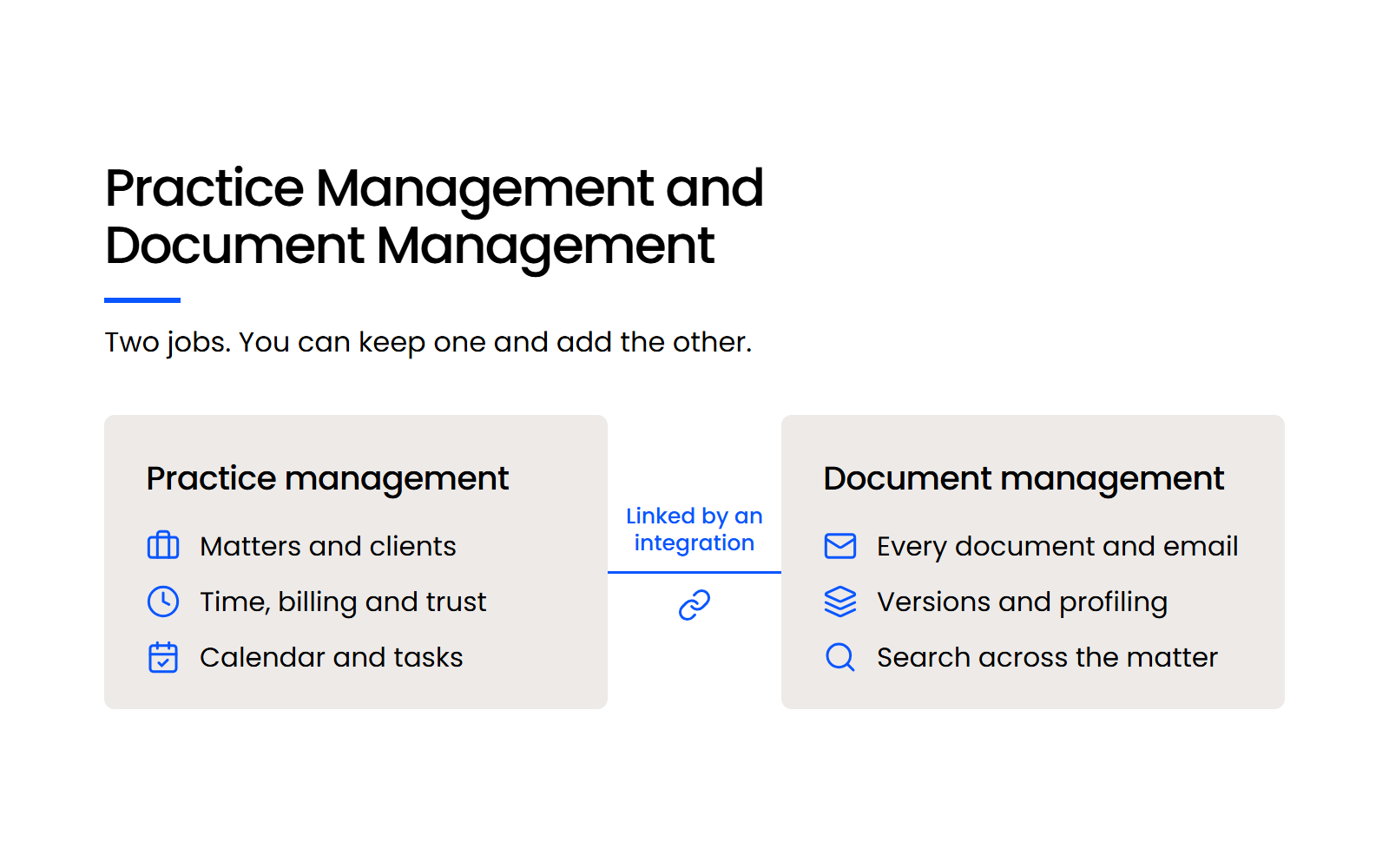
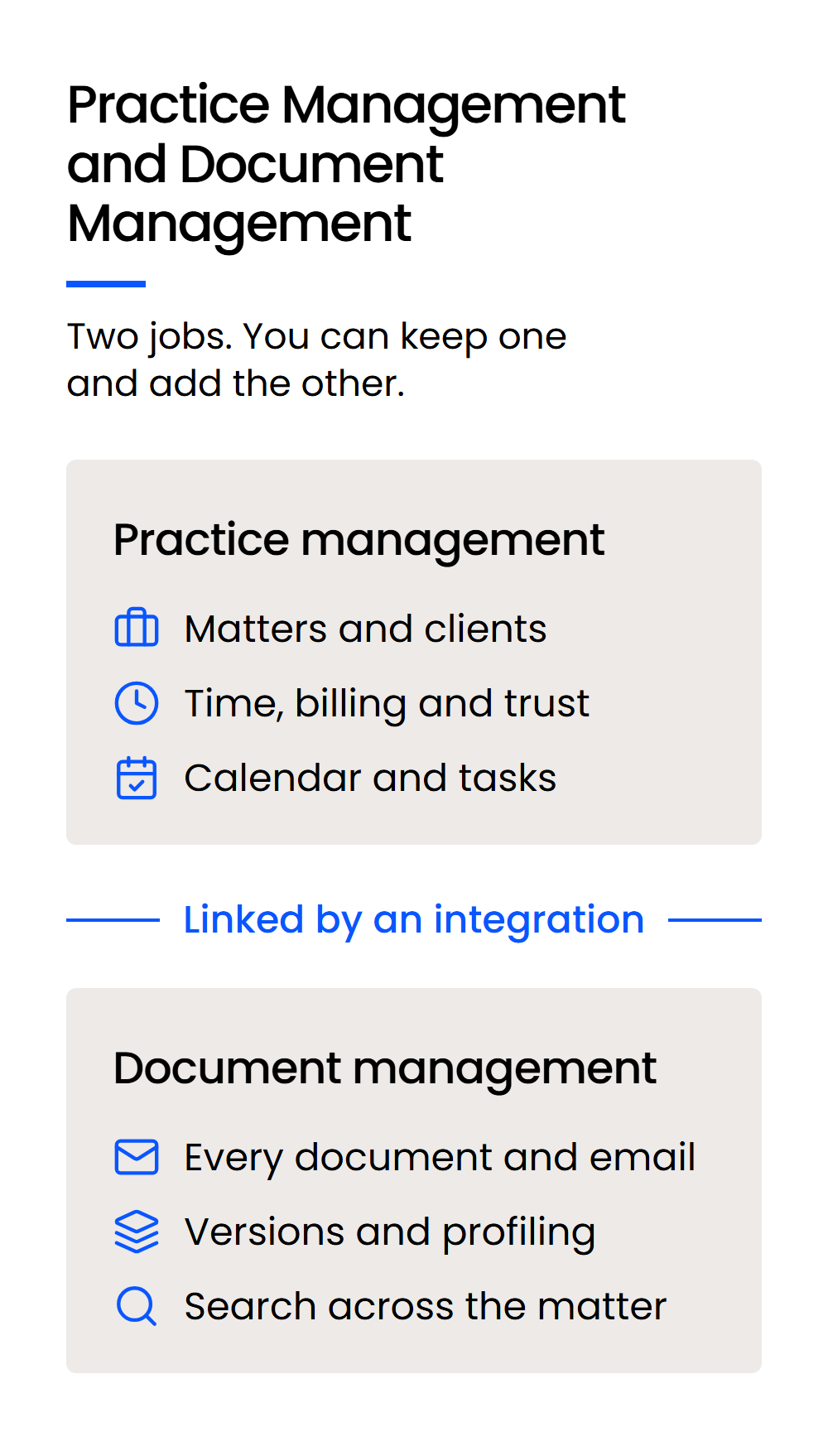
Clio Manage, MyCase and Smokeball are practice management systems that also store and search documents, and a firm that needs more from its documents can keep one and add a DMS beside it.
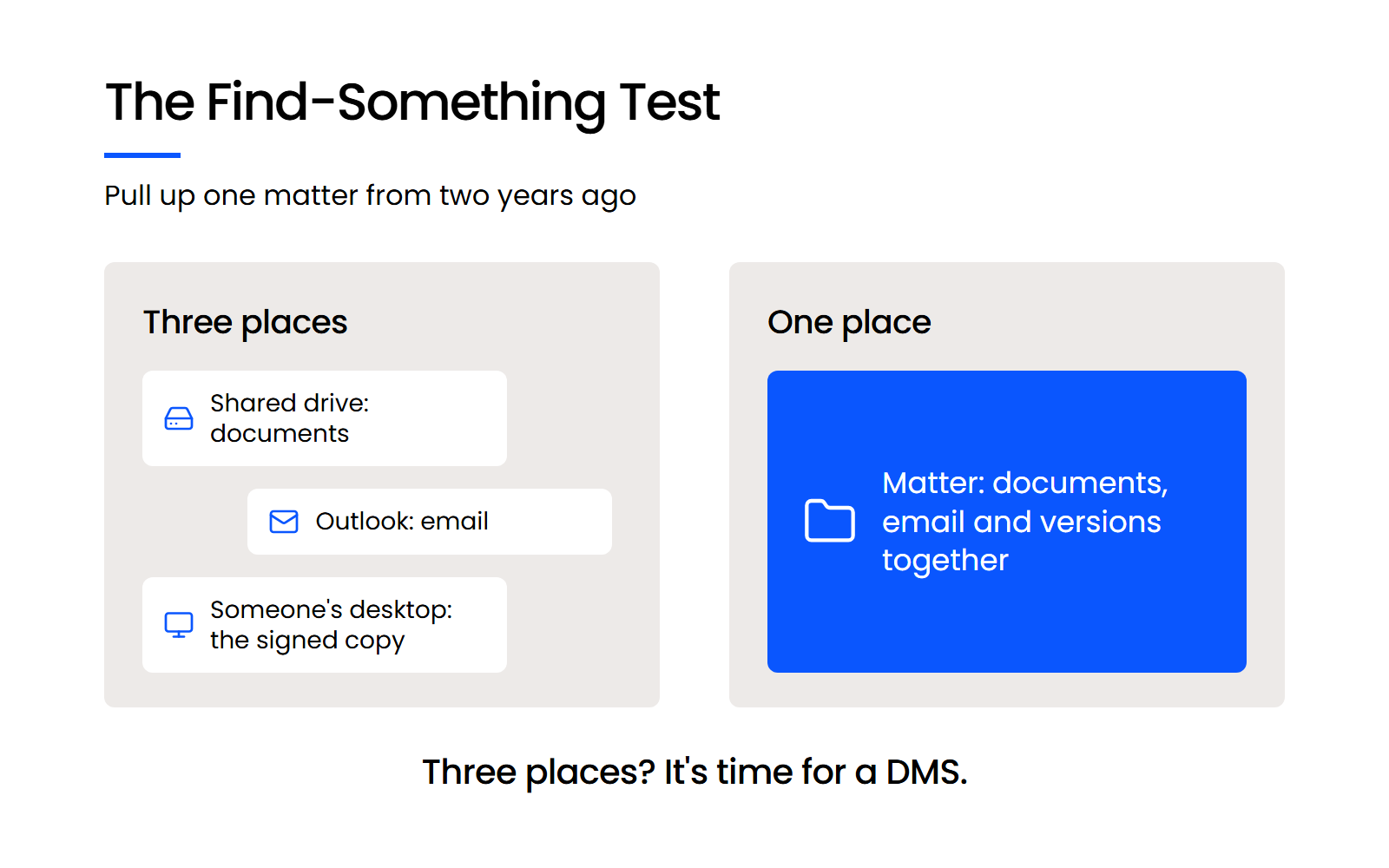
Practice management can be your firm’s record of time, tasks and appointments while a matter’s documents and email still end up in a shared drive, an inbox or someone’s desktop.
That pattern shows up in reviews too. An attorney who has used Clio for more than ten years, and is happy with it, wrote on Capterra: “I would like to see the document management system run more like Dropbox so we can delete that product.”
Clio Manage
Best for: firms that want practice management with document storage in the same system.
Pricing: see Clio’s own pricing page.
Watch for: the Outlook add-in can’t file from shared inboxes, and it syncs to Clio on a schedule rather than at the moment you file.

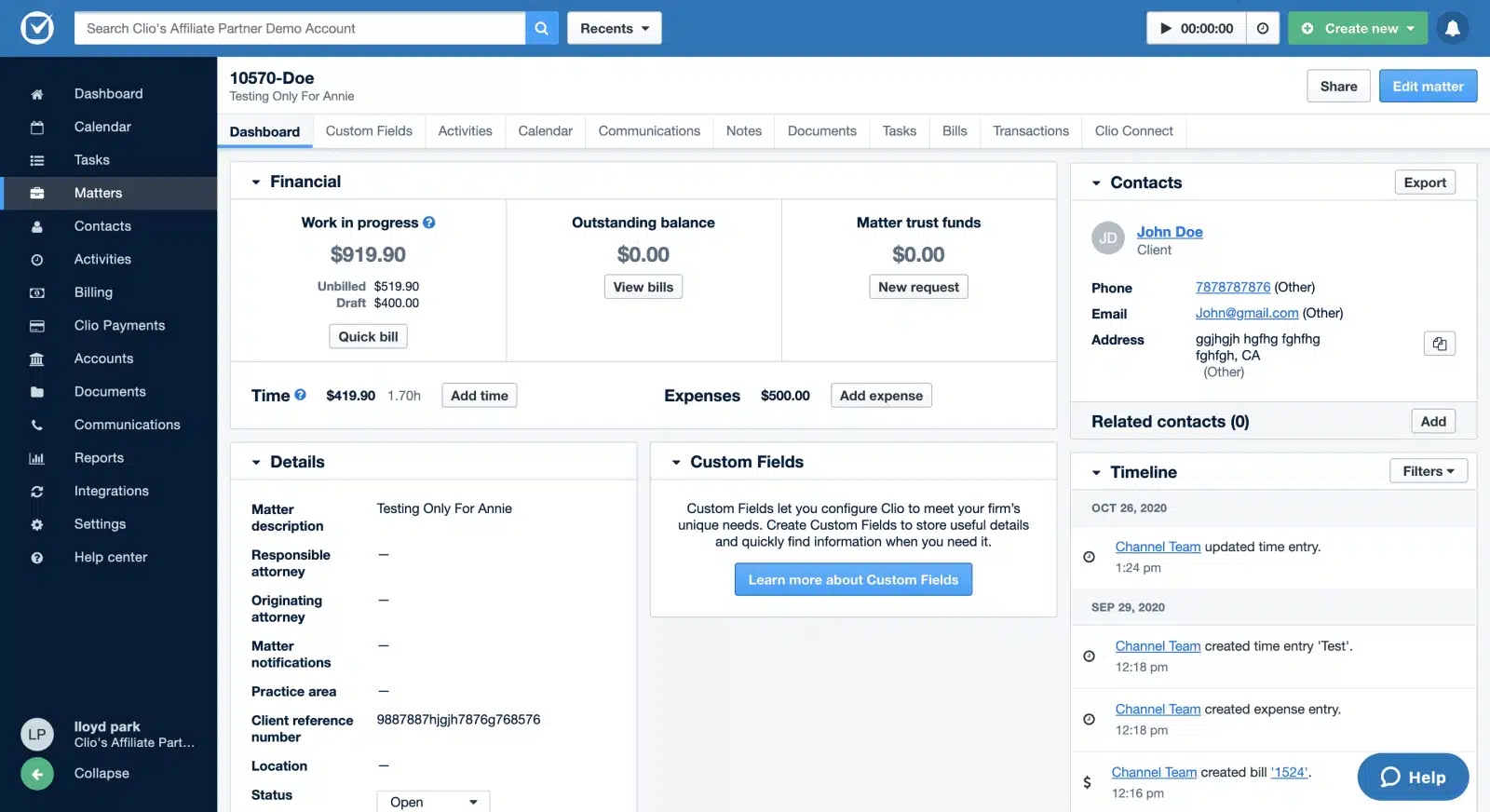
Clio Manage stores case files with unlimited document storage, keeps a full version history for each file and searches files by title, text or metadata. Its Outlook Add-in files incoming and outgoing email, threads and attachments to matters.
If you’re happy in Clio, you don’t need to leave it to get a dedicated DMS. LexWorkplace integrates with Clio Manage, so billing and calendars stay in Clio and documents and email move into LexWorkplace.
MyCase
Best for: firms that want an all-in-one system with published per-user pricing.
Pricing: Basic is $50, Pro $100 and Advanced $130 per user per month billed annually, with no long-term contract or setup fee, and a 10-day free trial with no card.
Watch for: OCR and desktop sync come with the Advanced plan only.
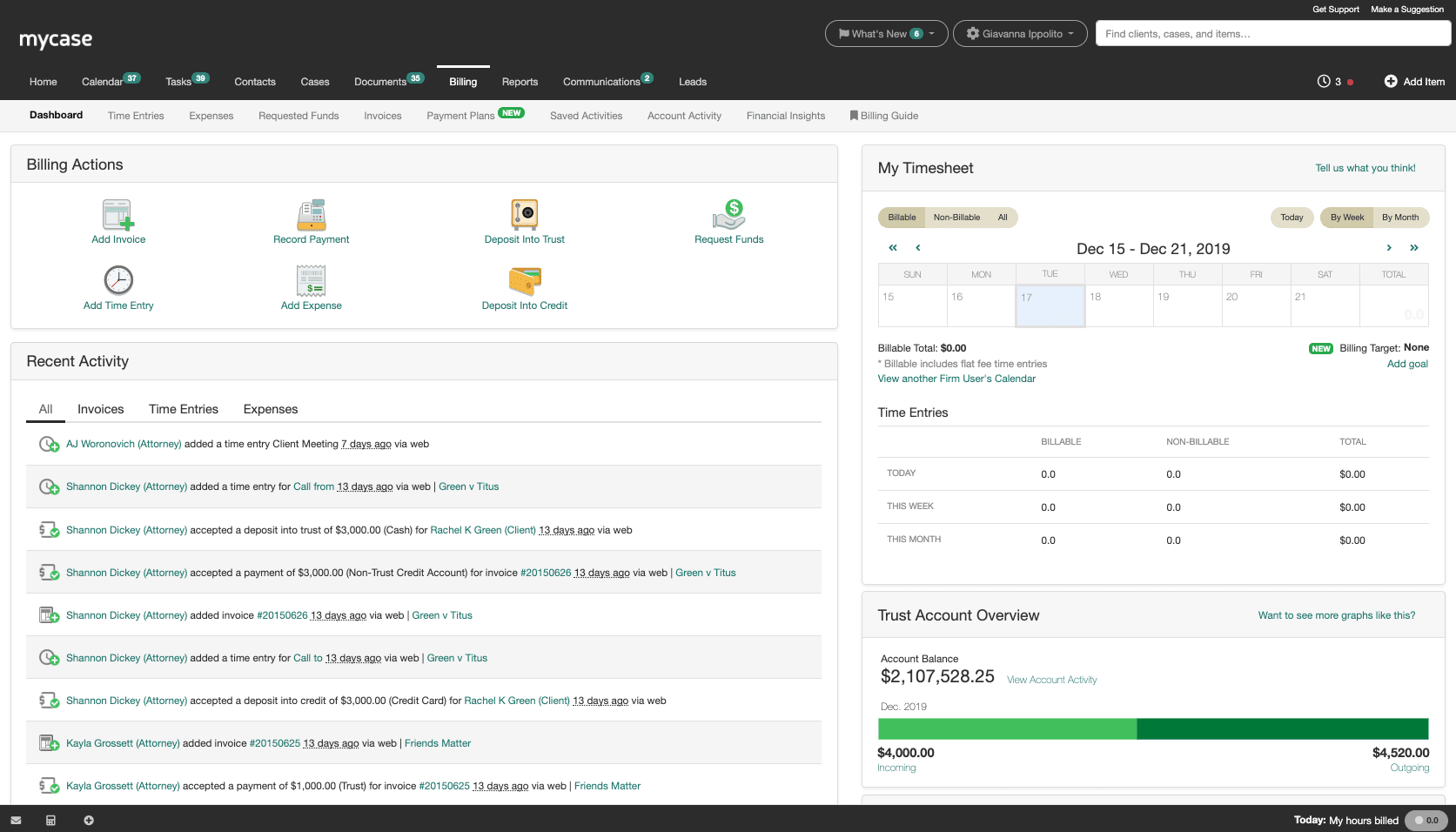
Every MyCase plan includes unlimited document storage, and MyCase offers full-text search and document version tracking. The Advanced plan adds Desktop Drive, which syncs files between a PC or Mac and MyCase, and OCR through the 8am IQ Discovery Assistant.
Smokeball
Best for: Windows firms that want a desktop app with Word and Outlook integration.
Pricing: Smokeball doesn’t publish prices; it quotes each firm by users, plan, contract term and add-ons.
Watch for: Smokeball lists Mac OS as unsupported.

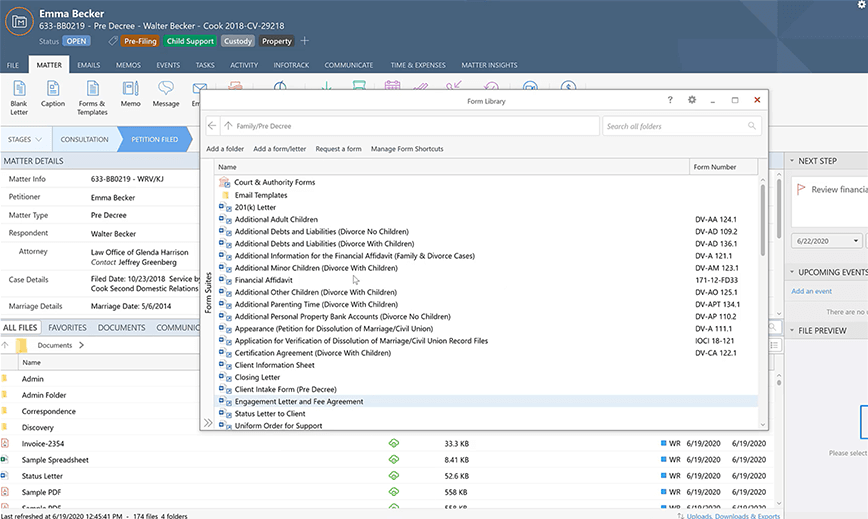
Smokeball’s native desktop app comes with the Grow plan and above, and its Boost plan is fully browser based. Boost integrates with Microsoft 365 Outlook and calendar, Grow adds email management with Word and Outlook integration, and Smokeball lists unlimited storage, with basic text search on Boost and Grow and advanced search on Prosper+.
When Is SharePoint the Right Fit for a Law Firm?
SharePoint is the right fit for a firm already committed to Microsoft 365 with someone on staff to set it up, because it brings full-text search, controlled sharing and real-time co-authoring of Word and PowerPoint files, but no built-in way to file email to a client or matter.
Best for: firms invested in Microsoft 365 with IT support.
Pricing: Microsoft publishes per-plan pricing for its business plans.
Watch for: filing email to a matter takes Power Automate or a third-party add-in, and OCR is a paid, pay-as-you-go Azure service.

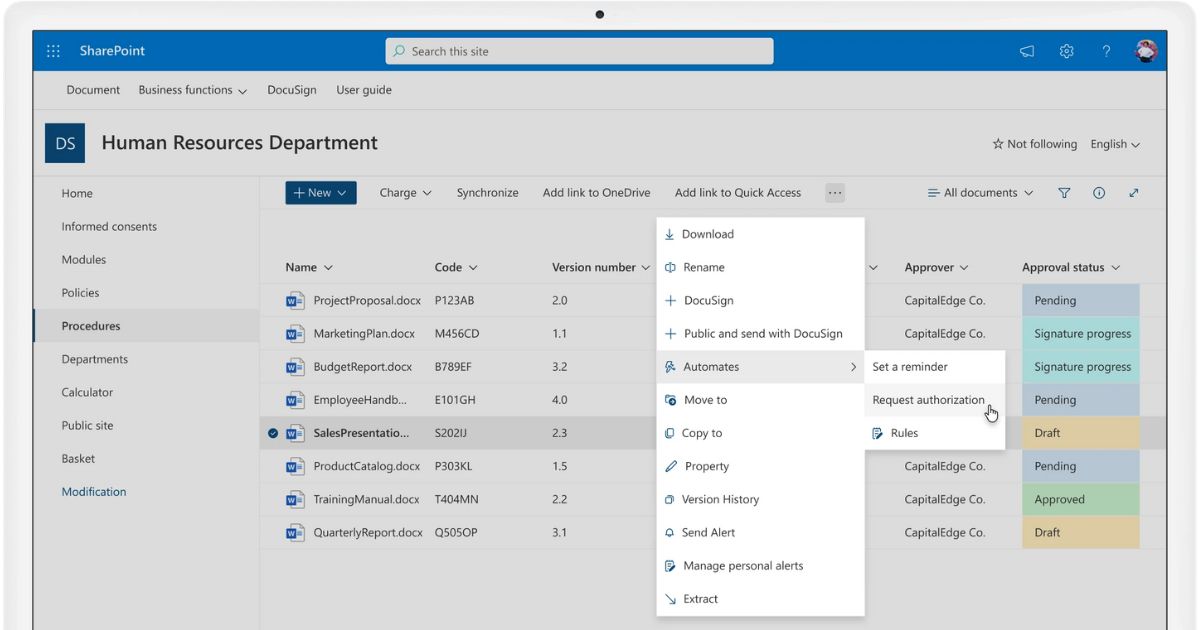
SharePoint searches the full text of documents and filters on managed metadata, and its external sharing supports guest access, link expiry and granular permissions.
On a Mac it works in Safari, Chrome, Edge or Firefox, and the OneDrive app syncs SharePoint libraries to Finder.
In Outlook you can attach a SharePoint file as a link or a copy, but there’s no built-in way to file an email to a client or matter. OCR runs as Microsoft 365’s pay-as-you-go document processing service billed through an Azure subscription.
You don’t need a consultant to buy Microsoft 365, though Microsoft suggests considering a partner for deployment.
Folders, matter structure and permissions still have to be designed and maintained by someone, and a firm without IT staff has no one whose job that is. Our LexWorkplace vs SharePoint comparison covers the trade-off.

Seven Questions to Ask Every Legal DMS Vendor
Ask every vendor on your shortlist the same seven questions: matter-centric organization, Outlook email filing, Mac and Windows support, AI and which plans include it, who handles migration, published pricing, and security.
Run that test before you book a single demo. It shows you where your firm’s matter record lives today.
Here’s what to ask under each one:
Security is part of a professional duty. ABA Model Rule 1.6(c) requires lawyers to make “reasonable efforts to prevent the inadvertent or unauthorized disclosure of, or unauthorized access to, information relating to the representation of a client,” and ABA Formal Opinions 477R and 498 apply that duty to the technology firms use.
Ask every vendor how its legal document management security supports those reasonable efforts.
Our legal DMS feature breakdown covers the features behind each question in more detail, and the case for having a DMS at all is in our guide to DMS benefits for law firms.
Watch · 8 min
How to choose a law firm DMS before the first demo
One test to run on your own firm, then four questions to ask every vendor before the first demo.

Choose by Your Firm’s Size, Stack and Staff
Choosing document management for law firms comes down to three things you already know: how many people share your matters, which practice management system you run, and whether anyone on staff looks after IT. A firm of 2 to 75 people without IT staff can keep its practice management system and add a dedicated DMS beside it.
Larger firms with IT teams have more options, including iManage Work and NetDocuments. Shortlist the two that fit your row, then test each one with a real matter from two years ago before you sign anything.
WHAT’S NEXT