Table of Contents
Law firms should manage email and documents together, by matter. Email is part of the file — and when it stays scattered across Outlook, personal folders, and individual inboxes, the file gets weaker and the team has a harder time finding the full story.
Good email management for law firms comes down to one practical question: which system will get every matter email filed, sent mail included, without your attorneys calling it extra work, saving every email manually and going back to their Outlook folders.
Most legal DMS vendors say their system integrates with Outlook. What differs is how each one files email (by hand, by suggestion or by rule) and whether it works on a Mac and on the web.
This guide covers what breaks when email lives outside the matter, how iManage, NetDocuments, Clio and LexWorkplace each file it, and what to test before you choose.
Why Email Belongs in the Matter File
Email belongs in the matter file because the instructions, approvals and negotiation points that shape a document usually live in the email around the document. The communication around the work often matters as much as the work product.
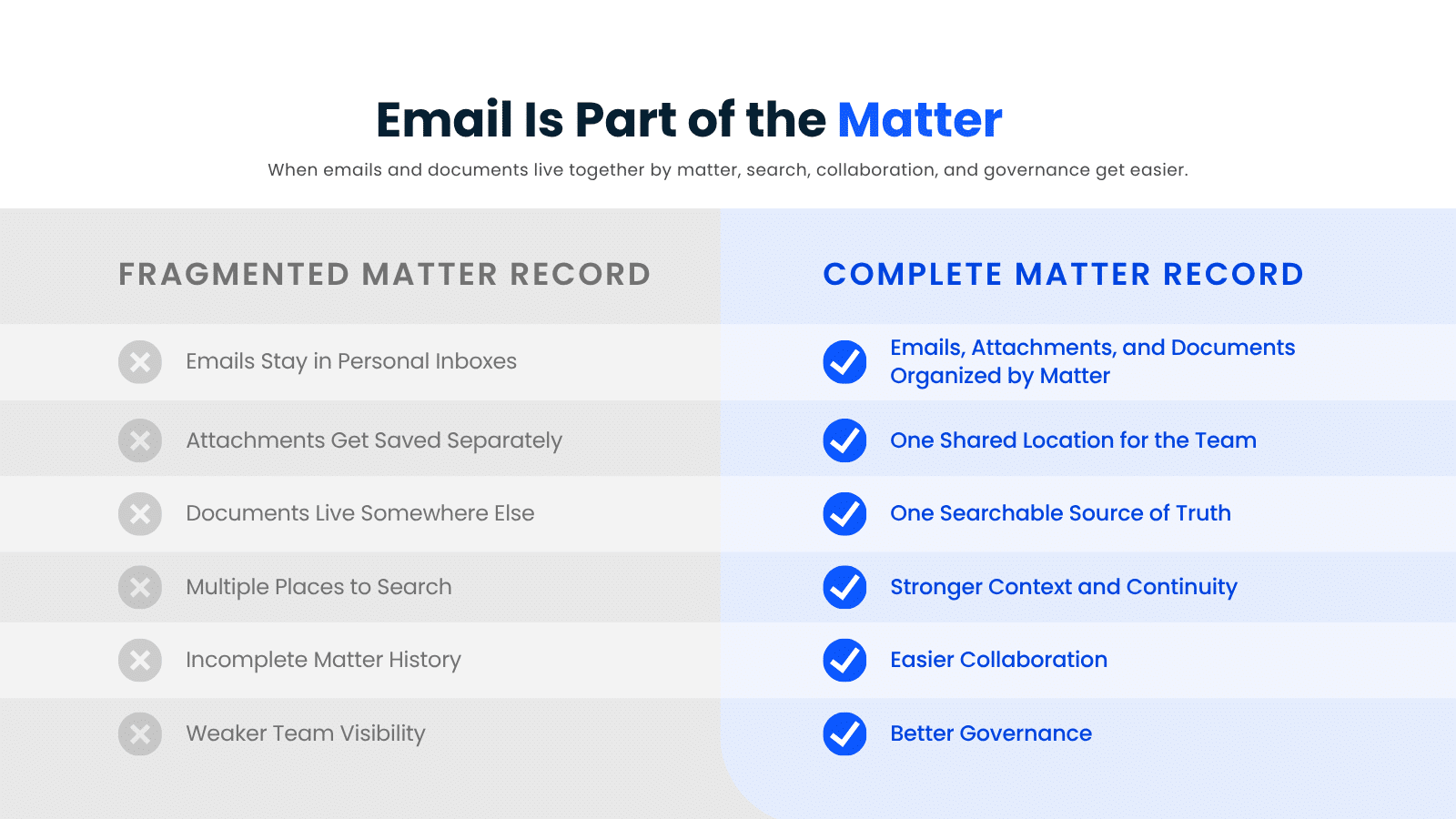
When the documents are filed and the email isn’t, the matter record looks complete and isn’t. You see it in small ways first:
Filing matter email alongside the documents gives your team one record to work from: the work product and the decisions behind it, in the same place.
What Breaks When Email Lives Outside the Matter?
When email lives outside the matter, your firm loses context at every handoff, searches several places for one answer, and holds client communication it can’t consistently secure or preserve. Each of these failures stays hidden until the day someone needs an email they didn’t send.
Handoffs Lose the Email That Explains the Draft
The attorney covering a matter opens the file and finds the latest draft, but not the client email that explains why it changed. The approval, the pushback from the other side and the deadline that moved are all in an inbox they can’t see.
So they ask around, or they act without that context.
Search Happens in Pieces
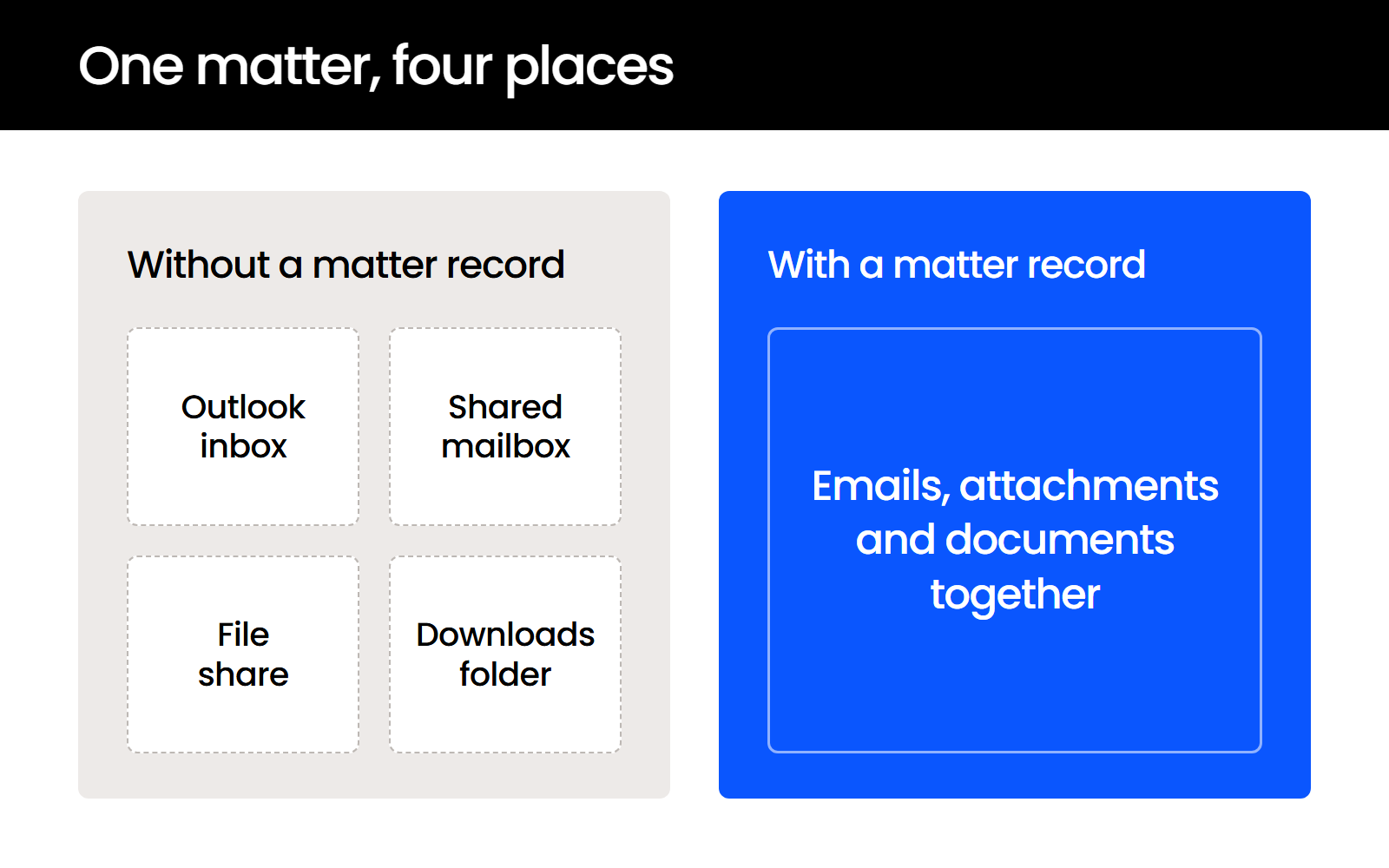
One question becomes three searches: Outlook, then a shared mailbox, then the document system. If the attachment was downloaded and renamed along the way, even the right search misses it.
Even when each system is searchable on its own, the team finds the document and misses the email that explains it. One place to look is also what makes email search in a legal DMS different from Outlook search.
Inbox Filing Breaks as the Firm Grows
Managing email from individual inboxes is a reasonable first approach and works for a true solo practice. It breaks once you add attorneys or legal support staff, because every person adds another inbox the email might sit in and another duplicate copy.
Past roughly two to four users, the inbox approach needs replacing.
A Departing Attorney Takes the Record
When an attorney leaves, the client email that was the matter record leaves with their mailbox unless it was filed. Documents stay on the file share, while the negotiations and approvals are in one inbox.
Confidentiality and Preservation Get Harder
ABA Model Rule 1.6(c) requires a lawyer to make reasonable efforts to prevent the inadvertent or unauthorized disclosure of, or unauthorized access to, information relating to the representation of a client.
The ABA’s Comment 19 to Model Rule 1.6 adds that “when transmitting a communication that includes information relating to the representation of a client, the lawyer must take reasonable precautions to prevent the information from coming into the hands of unintended recipients.”
The rule doesn’t prescribe a system, but matter email spread across personal inboxes is still harder to govern, secure consistently and preserve when a hold arrives, because the firm can’t easily tell what it has or where.
The 3 Ways Law Firms Manage Email (and Where Each Breaks Down)
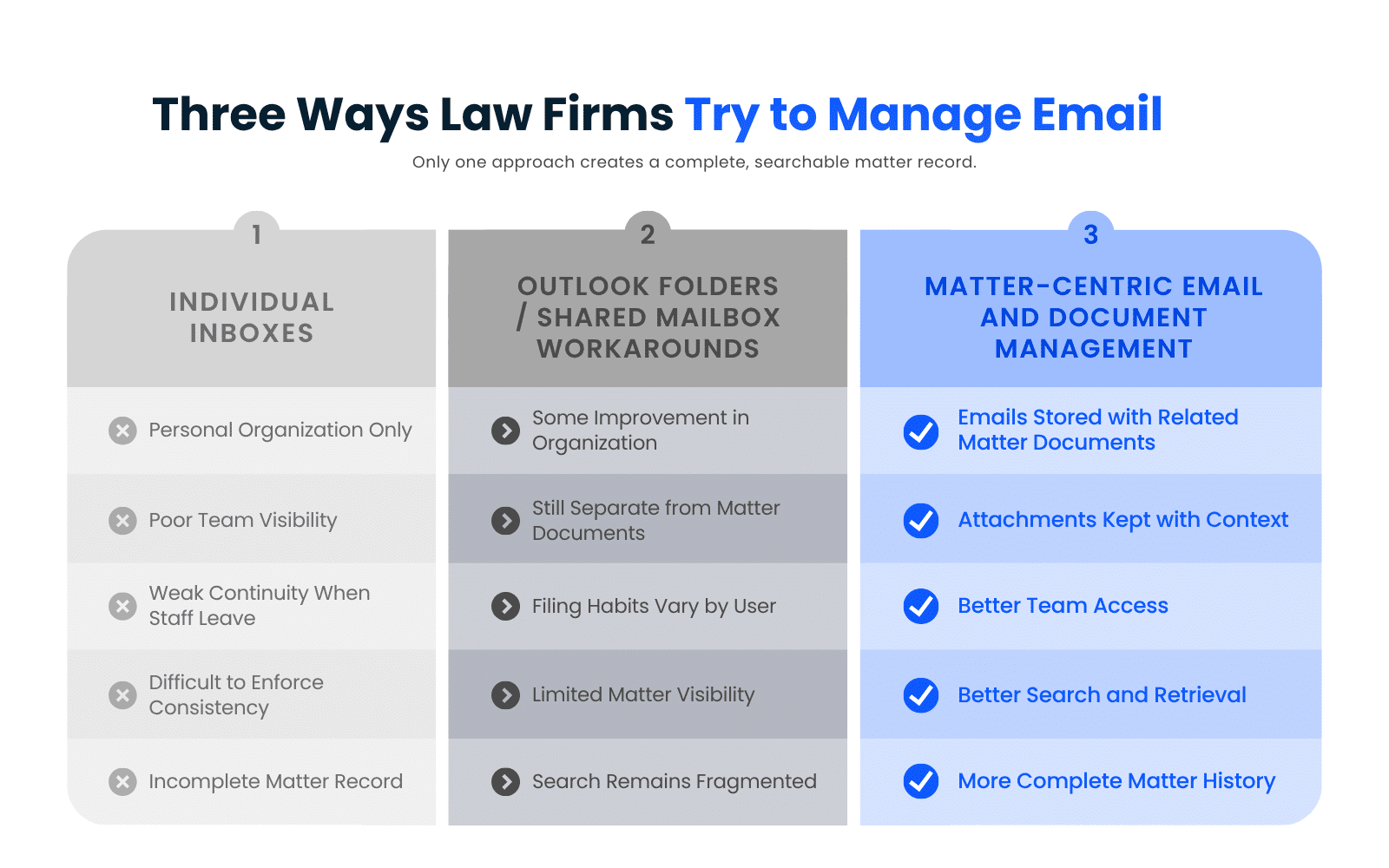
Most law firms manage email in one of three ways (individual inboxes, organized mailbox workarounds, or filing email into the matter), and only the third keeps a shared record as the firm grows. The first two feel workable because the gaps don’t show up right away.
1. Leaving Everything in Individual Inboxes
This is the default at many firms. Each person keeps the emails they think matter, organizes them however they want, and relies on their own inbox to find things later.
It creates the same problems everywhere:
The result depends more on individual memory than on a consistent process.
2. Using Outlook Folders, Shared Mailboxes or Other Workarounds
The next step up is organized mailbox management. Each workaround solves a small problem and leaves the bigger one in place, because the email still sits apart from the matter it belongs to:
A shared inbox for the legal team improves visibility while leaving matter email outside the matter record.
3. Filing Email into the Matter Alongside Documents
This model reflects how legal work happens. Matter-related emails, attachments and documents sit in the same place, tied to the client or matter they belong to, so your team looks to the matter itself instead of guessing which system holds the answer.
Only the emails that document the work need to be stored where the rest of the matter lives.
How Should a Law Firm File Email into Matters?
Your firm should file every email that documents the work (instructions, approvals, negotiation points and deadline changes) to its matter from inside Outlook, including the replies your team sends. The rest of the mechanics come down to how filing happens, what gets captured and where you can do it from.
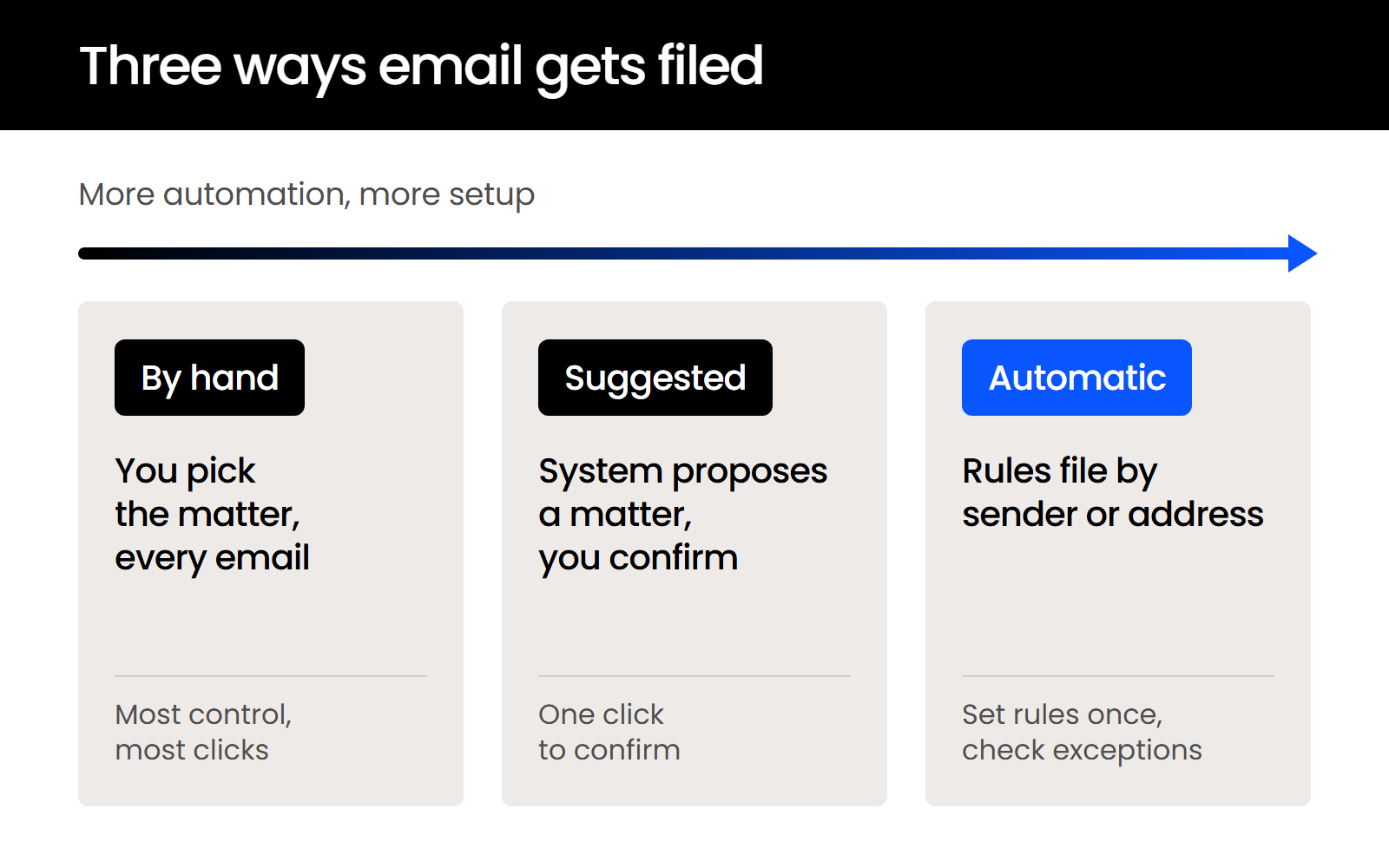
Systems file email in one of three ways: you pick the matter for each email by hand, the system suggests a matter for you to confirm, or rules you set up file email by sender or address.
Sent mail is the email firms forget to file. The reply your attorney sends is part of the record too, so check whether a system files outgoing email as it’s sent or leaves it in Sent Items for someone to file later.
Attachments matter as well. When the email explains why a file was sent or what was approved, the email and the attachment should stay together. Threads and duplicates are the other test: the same message filed by several people should land in the matter once.
Finally, check where your team can file from. These versions of Outlook don’t all run the same add-ins the same way:
Filing from a phone is its own question to ask in a demo.
At a high level, a workable capture process looks like this:
In LexWorkplace, for example, you file an email to its matter in one click from LexWorkplace for Outlook, sent mail included, and it’s in the matter right away. Here’s what that workflow looks like:
If filing takes too many steps, adoption breaks down. The process also has to be the same for everyone at the firm.

How Do iManage, NetDocuments, Clio and LexWorkplace File Email?
iManage, NetDocuments, Clio and LexWorkplace all file email from Outlook into a matter or workspace. They differ in how much of the filing is automatic, which versions of Outlook they support, and where the filed email ends up.
The table compares email filing only, not the full feature set of each legal document management software platform, using each vendor’s own documentation.
Sources: iManage Work help, Introduction to Email Management for Outlook; iManage Work Desktop requirements, iManage Work Desktop requirements; NetDocuments for Outlook, NetDocuments for Outlook on Microsoft Marketplace; NetDocuments support, M365 Outlook; Clio Help Center, Clio’s Outlook Add-in; the LexWorkplace email management page. Read 2026-10-07.
Two practical differences don’t fit in a table cell. Clio’s add-in syncs filed email to Clio Manage on a regular schedule rather than at the moment you file, and it doesn’t support shared inboxes. NetDocuments’ Outlook add-in also requires a NetDocuments account and its ORGANIZE solution.

Which fits depends on what your firm already runs:
Is Outlook Enough to Manage Law Firm Email?
Outlook isn’t enough on its own: it’s built for sending and reading email, and it can’t keep a shared matter record the whole team can search. Most lawyers and staff already live in it during the day, so it should stay part of the workflow, with a matter-centric system behind it.
The add-in matters as much as the system behind it. Outlook for Windows, Outlook for Mac, Outlook on the web and the new Outlook can each run a vendor’s add-in differently, so test Outlook email filing in the version your attorneys use every day.
If your firm runs on Gmail instead, confirm Gmail filing before anything else. NetDocuments has a Gmail add-in, ndMail for Gmail, and Clio’s Gmail integration files emails and attachments to Clio matters.
What to Look for in Law Firm Email Management Software
Look for law firm email management software that files an email to its matter in a click or two from Outlook, sent mail included, and lets anyone on the matter find it in one search alongside the documents. Take these five checks into every demo.
Filing from Outlook in a Click or Two
Ask the vendor to file each of these live, from the Outlook your firm uses:
Filing has to be nearly effortless, or your attorneys will stop doing it and the matter record will thin out again.
Every Email Filed by Client and Matter
The system should organize every email around the matter it belongs to. Watch for a demo where a key email still ends up in one lawyer’s folder while the related document lives somewhere else.
One Search Across Email, Attachments and Documents
Search should reach the email body, the attachment and the saved document in one pass. A simple test: can someone find the client’s approval, the attached draft and the final saved version without searching three separate places?
Filed Email That Follows Matter Permissions, Ethical Walls and Retention
Filed email should follow the same access rules as the matter’s documents, including ethical walls where your firm needs them. Retention support should let you manage matter email as part of the record instead of in personal mailboxes.
Support for the Devices Your Firm Uses
Confirm filing works on every Outlook your firm runs: Windows, Mac and the web. A system that files on one platform and not another leaves part of your team outside the record.
If a system passes all five, compare how it files against the others in the table above.
How Email Retention, Archiving and Legal Holds Differ
Retention, archiving and legal holds are separate jobs, and they’re easier to carry out consistently when matter email is already in the matter.
Archiving isn’t deleting, and neither one is the same as a hold. There’s no single universal retention period for law firm email, because requirements vary by jurisdiction, matter type and client obligation. How to set a policy is covered in our guide to email retention and archiving.
How LexWorkplace Handles Law Firm Email
LexWorkplace files email from Outlook straight into the matter through an add-in sidebar, and sent mail files the moment you file it. Every email you save lives on the matter it belongs to, alongside the documents, notes and drafts for that case.

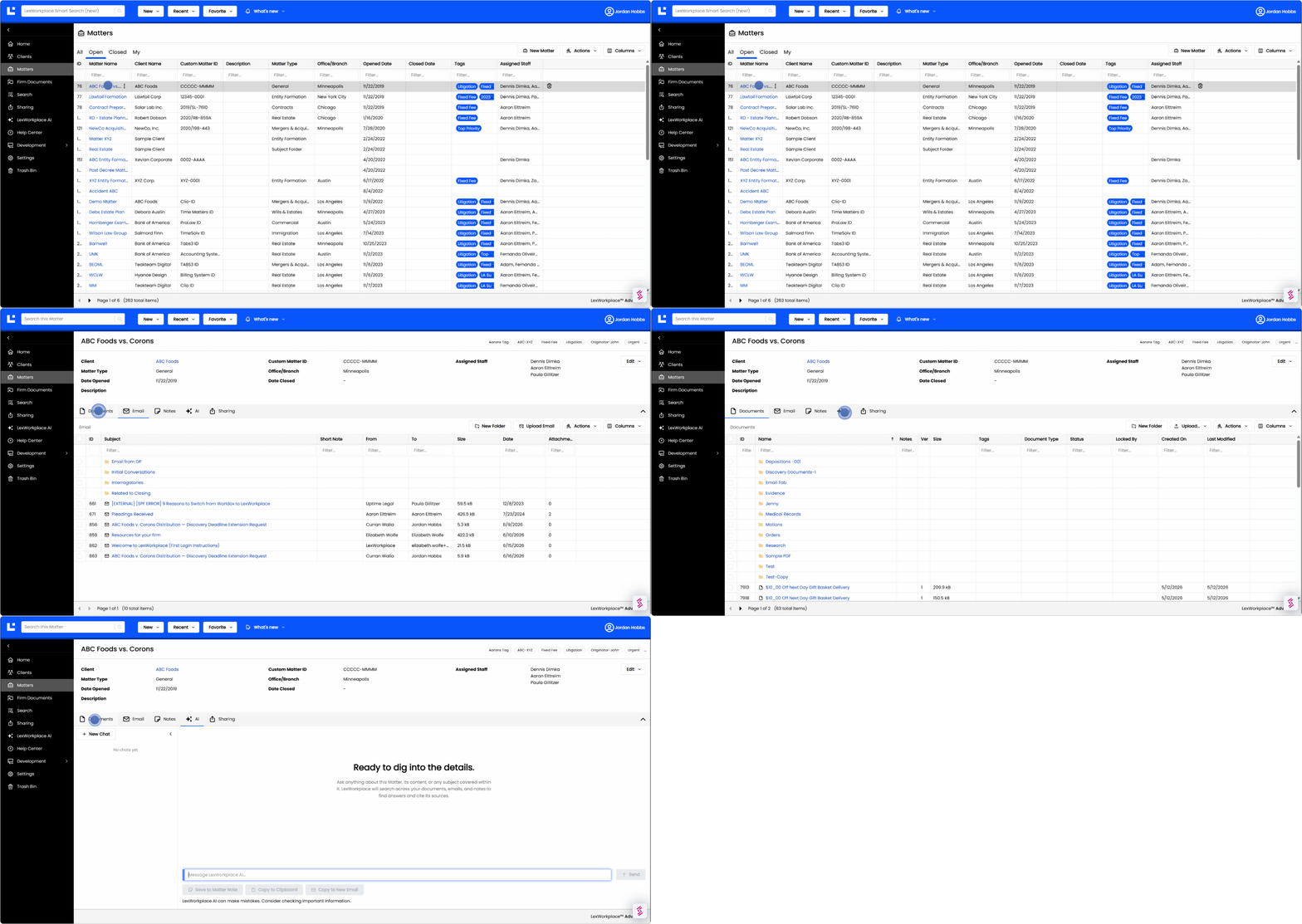
The email side works like this:
Matter AI answers questions across a matter’s documents, emails and notes together, so you can summarize a long discussion without reading every message.
Start with How Your Firm Files Email Today
Email belongs in the matter, and the system you choose decides whether it gets there. Before you compare vendors, score your current setup with the free Document & Email Audit, or look at where your firm’s matter email lives today: how many inboxes, how many personal folders, how much sent mail never gets filed.
Then test each system on your shortlist against the filing your attorneys do every day, from the Outlook they use, including the reply they just sent. The one they’ll keep using without being chased is the right one.
WHAT’S NEXT