Security + Compliance2026-07-09T16:57:57+00:00

Security + Compliance

Bank-grade security.

Small-firm simplicity.

Trade the unpatched server in the closet for AES-256 encryption, native MFA, and ethical walls, all without hiring an IT team to run it.

  • SOC 2 Type II audited

  • Enterprise-Grade Security
  • Cyber Insurance Approved

Risk Surface · Self-Hosted Server

Vulnerable systems.

  • Unpatched OS: Last patched 4 mo ago

  • No native MFA: Password-only access

  • Single physical location: No off-site failover

  • Email on partner’s laptop: Unencrypted .pst file

  • No audit trail: Can’t prove who viewed what

  • Cyber insurance: declined: Premium up 240% YoY

lexworkplace-lock

LexWorkplace · Security

All systems hardened.

  • AES-256 encryption: At rest & in transit

  • Native MFA: Required for all users

  • SOC 2 Type II: Audited annually

  • Geographic redundancy: 3 US regions

Join over 1,600 legal professionals using LexWorkplace to manage their documents and emails.

Join over 1,600 legal professionals using LexWorkplace to manage their docs and emails.

Logo-1
Logo-2
Logo-3
Logo-6

AES-256

Encryption at rest & in transit

3 regions

Live geographic redundancy

99.999%

Historical Uptime

+57,364,041

Documents stored in LexWorkplace

Data Encryption

Every byte, encrypted.
End to end.

Every document, email, and note is encrypted with AES-256 the moment it leaves your machine, and stays encrypted at rest.
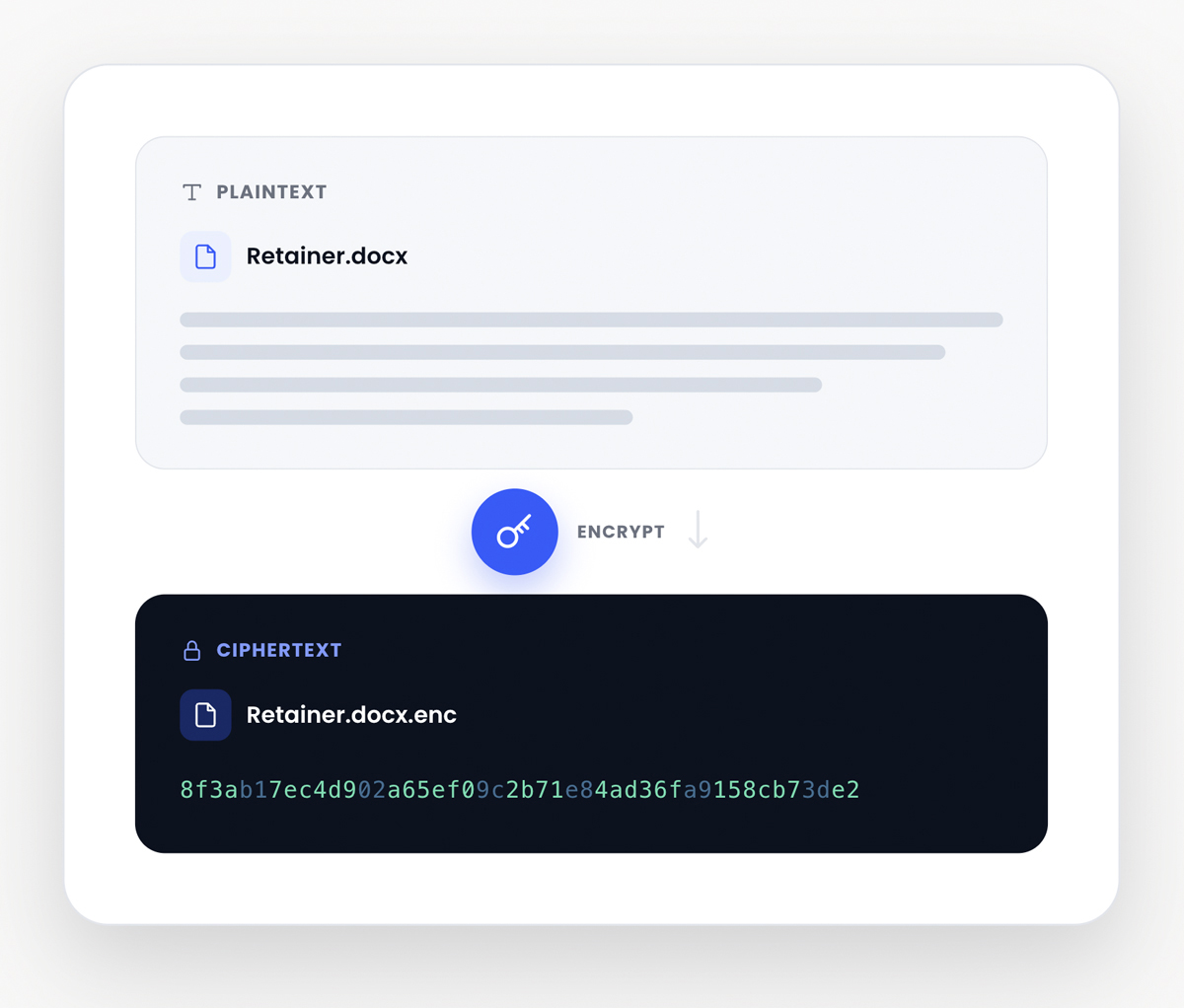
  • 256-bit AES-GCM at rest, military-grade.

  • TLS 1.3 in transit, with HSTS and certificate pinning.

  • Enforce Multi-Factor Authentication across your firm.
  • Fine-tune permissions by User, Group and Matter.
encryption
data-locations

Data Centers

Three regions.
Zero data loss.

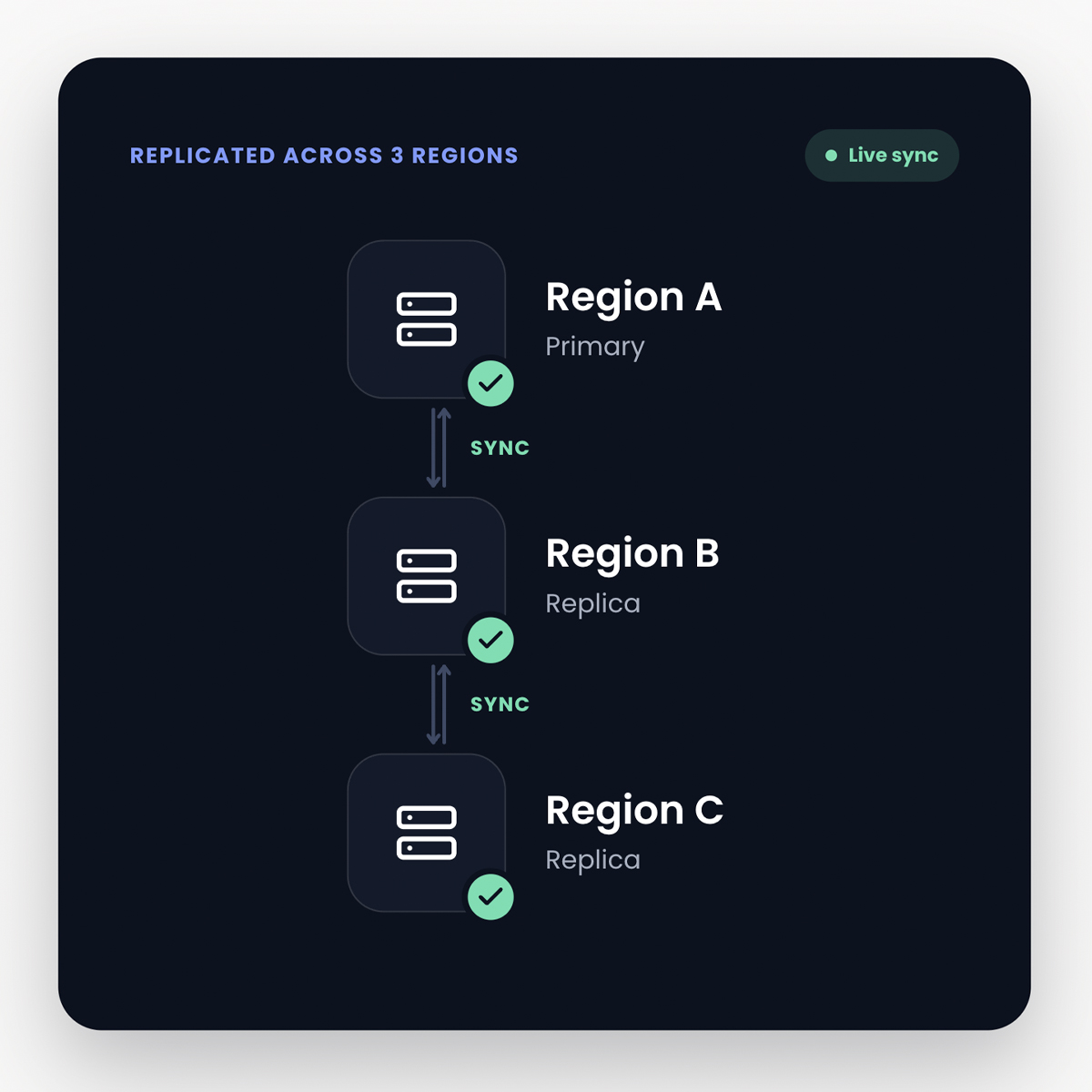
Every byte is replicated live across multiple data centers within your country. Your data is protected from regional outages, and it never leaves the country it started in.

  • US firms get redundancy across US regions.

  • Canadian firms get redundancy across Canadian regions.

Multi-Factor Authentication

A password is not enough.

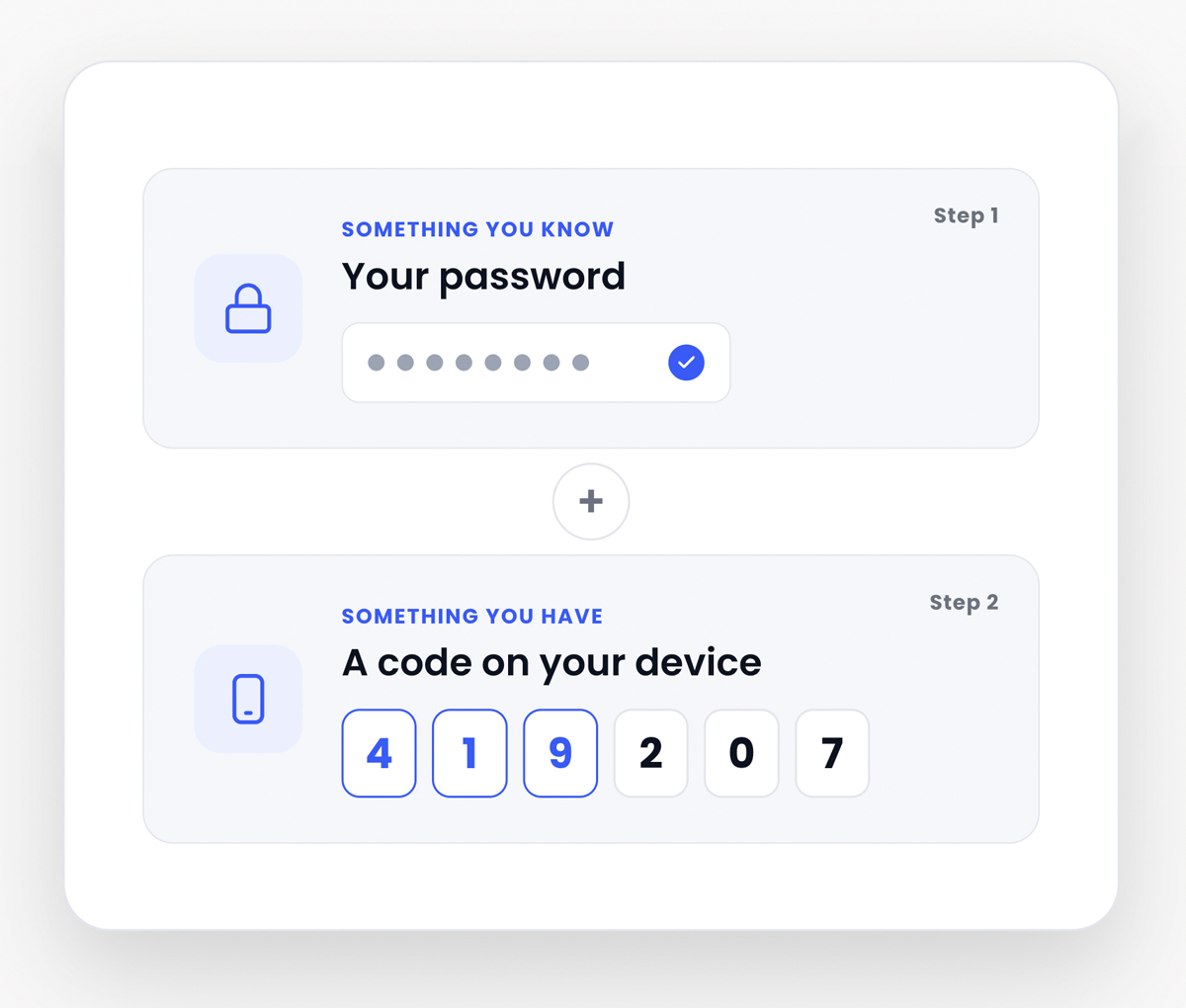
Multi-factor authentication built into every account.

Firms can require MFA across all users, or leave it as an option for individual users.

LexWorkplace supports MFA through standard authenticator apps like Google Authenticator, adding a second layer of protection beyond passwords.
Multifactor-auth
user-control

User Control

Strict permissions, by matter.

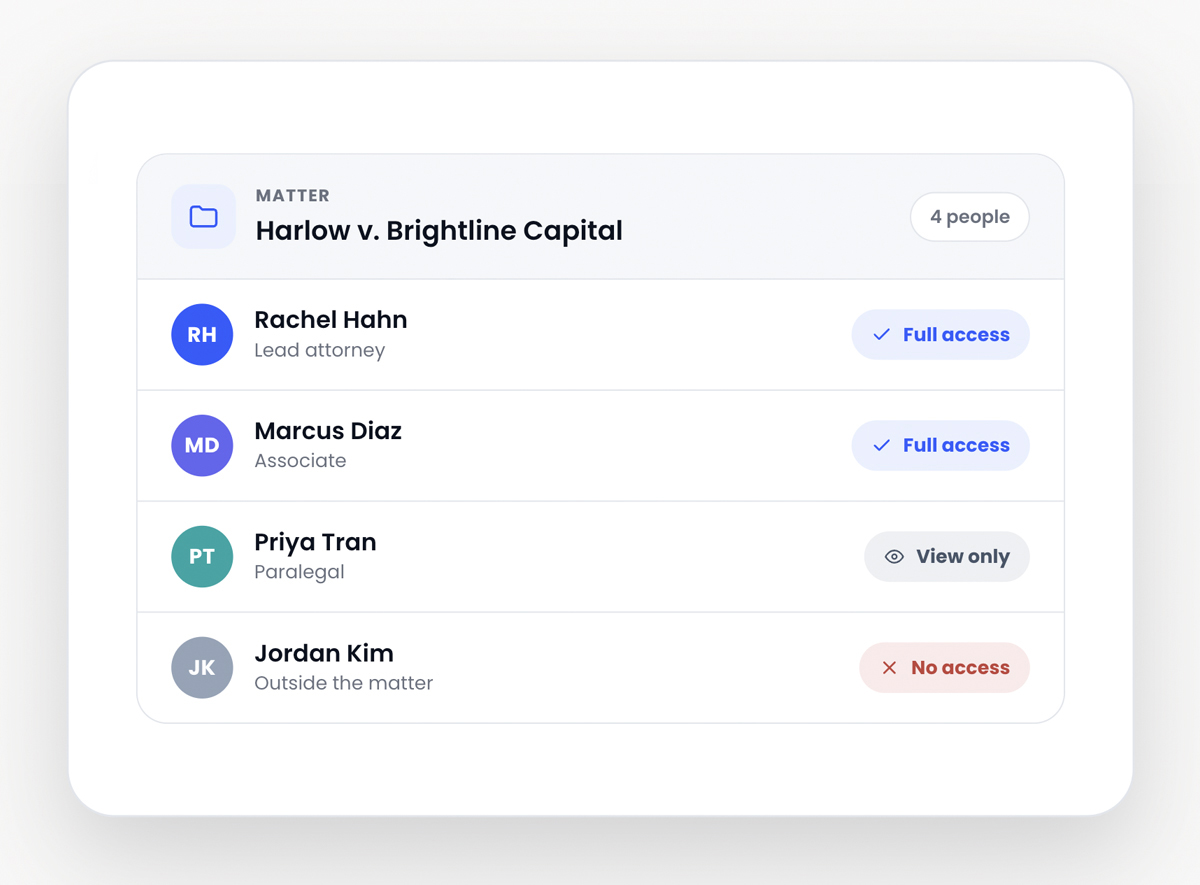
Define exactly who can see, and who can’t, for every matter. Build ethical walls in two clicks, and the system enforces them automatically.

  • Ethical walls block view, search, and even file existence.

  • Groups for practice areas, teams, and outside counsel.

Lizzy Wolfe
Lizzy Wolfe

Sales Support Specialist

Learn if LexWorkplace is right for you.

Speak with a legal tech expert today.

The threat is real

1 in 4 law firms has experienced a security breach in the last year.

The “server in the back closet” model wasn’t built for ransomware, credential stuffing, or insider exfiltration. LexWorkplace was, and we’ll prove it in a 20-minute demo.

$2.4M

  • Avg. cost of a law firm breach

ABA 2024 Tech Report

74%

  • Breaches involve credential theft

Verizon DBIR 2024

8.3 days

  • Median time to detect intrusion

IBM Cost of Breach

41%

  • Small firms with no MFA

ABA 2024 Tech Report

Frequently Asked Questions

Common questions about data security.

Can I enforce ethical walls between practice groups?2026-05-14T18:59:11+00:00

Yes. Ethical walls are first-class permissions: a walled group cannot view, search, or even see that a matter exists. Conflicts are enforced at the database layer, not as polite UI hints. Every wall change is logged and reviewable by your conflicts partner.

What happens if there’s an outage at one data center?2026-05-14T18:59:02+00:00

Your firm doesn’t notice. Every write is synchronously replicated to three US regions. If one region fails, traffic fails over to the next within two minutes — typically without a single dropped request. We publish real-time status at status.lexworkplace.com.

What compliance frameworks do you align with?2026-05-14T18:58:51+00:00

SOC 2 Type II (audited annually by an independent firm), ABA Formal Opinion 477R (reasonable cybersecurity efforts for law firms), HIPAA (BAA available), GDPR, CCPA, and NIST 800-53 control mapping. The full Trust report is available under NDA.

Who can access my firm’s data inside LexWorkplace?2026-05-14T18:58:42+00:00

Only the users your firm explicitly authorizes. Data is encrypted with firm-scoped keys; even LexWorkplace engineers cannot read your files. Support staff need explicit, time-bound consent and every action is logged in your audit trail. We never use customer data to train AI models.

Do I get a “main tech person”?2026-05-14T18:51:08+00:00

Yes, depending on the Edition of Uptime Manage your firm selects. Uptime Manage Starter provides access to a pool of (unassigned) Technical Account Managers. Uptime Manage Core and Uptime Manage Advanced includes a dedicated IT Manager, who will serve as your big-picture IT administrator. Your IT Manager will oversee all projects, purchases, and help you future-proof your practice.

Hear From Our Clients

What Law Firms Like Yours Say

“I Love LexWorkplace and the ease of organizing related emails and documents.”

Robert Roseman

Robert D. Roseman, PC

See LexWorkplace In Action

Get A Free Demo

We’ll run a demo using real matters,
so you can see exactly how LexWorkplace fits your firm.